

Your Browsing History

Meet Your Seller

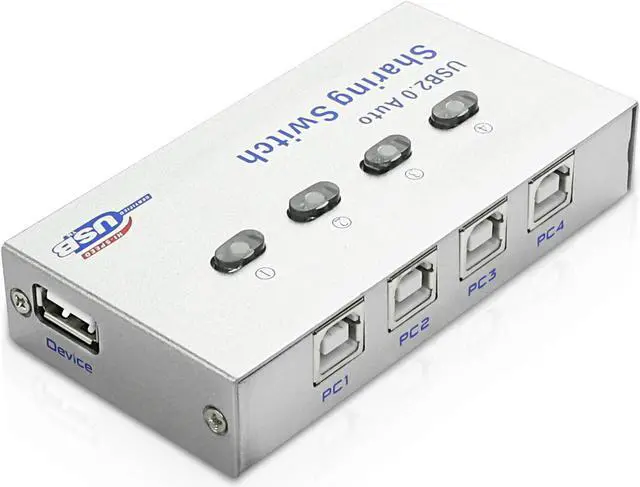
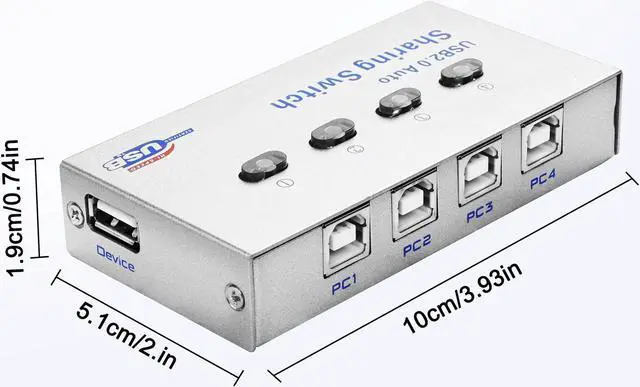


XMSJSIY USB 2.0 Sharing Switch Selector 4 in 1 out Printer Sharer Switcher 4 PC to 1 Splitter Hub for PC,Printer,Scanner,Keyboard, Plotter,Card reader -1 PCS
- This USB 2.0 sharing switch allows four computers to share one device with USB port, such as printer, scanner, curve plotter, multifunction printer, bluetooth device, etc. This eliminates the need for a LAN, which reduces office equipment expenses and saves space.
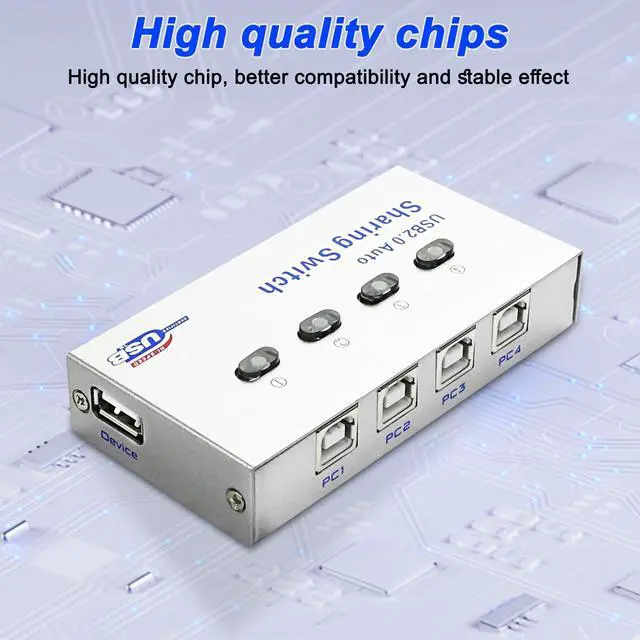
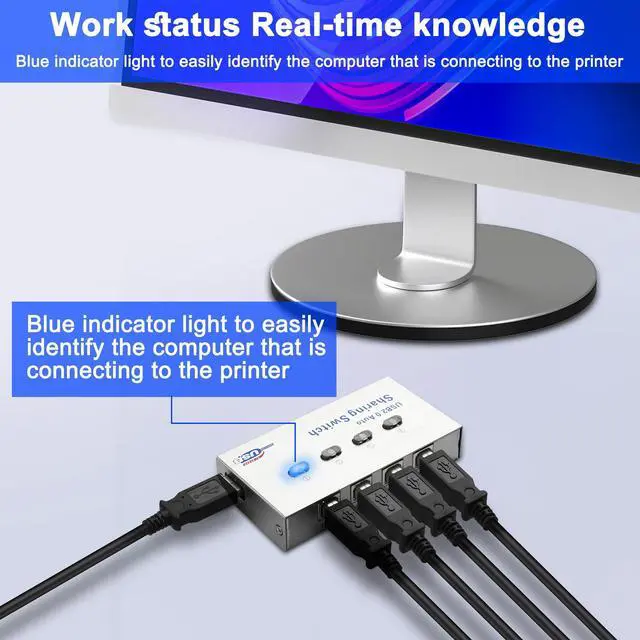
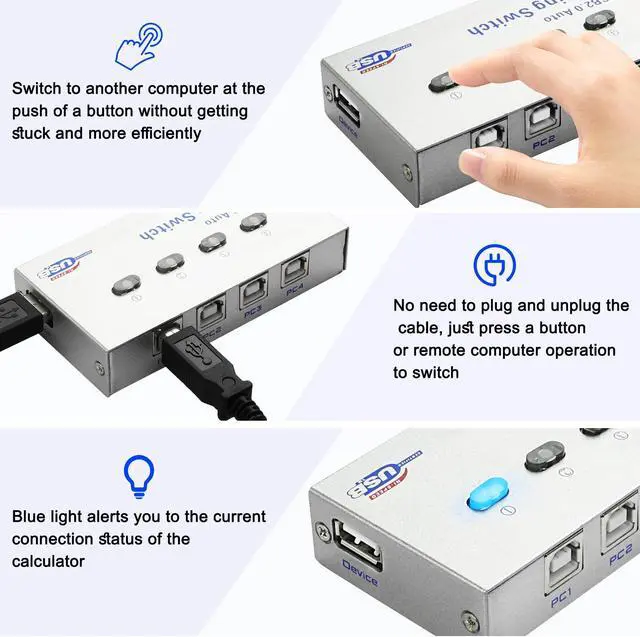
- This 4 in 1 out printer splitter uses a metal shell, strong anti-drop wear, anti-oxidation, high temperature resistance, fast heat dissipation, compact and lightweight. 4 button switch, used to change the USB signal control, real-time knowledge of the working status, blue indicator light, easy to identify the computer is connected to the printer.
- 3 switching modes: 1. Manual switching: there are 2 buttons on the product, that is, manual switching; 2. Keyboard hotkey switch: that is, install the software on each computer and switch through hotkeys (ctrl+F11); 3. Mouse switch: Install the software on your computer and click the desktop icon with the mouse to switch.
- Simple and convenient to use, no external p
+
+
Overview
Specs
Reviews

Any questions? Our AI mode will help you find out quickly.
Try me now
This USB printer sharer allows 4 computers to share one device such as USB printer, scanner, curve plotter, multifunction printer, etc., avoiding frequent plugging and unplugging, working easily and without damaging the device. Ideal for small offices, homes or surveillance rooms. 4 ports, 4 in and 1 out, connecting 4 computers at the same time.
The working status is known in real time, and the blue indicator light makes it easy to identify the computer that is connected to the printer. High performance main control chip, stable use, smooth switch compatibility, improve work efficiency.
Easy to switch,
3 switching modes:
1.
Manual switching: there are two buttons on the product, that is, manual switching;
2.
Keyboard hotkey switch: that is, install the software on each computer and switch through hotkeys (ctrl+F11);
3.
Mouse switch: Install the software on the computer, click the desktop icon with the mouse to switch.
Note: Please follow the user manual to install the software. Printing tasks cannot be automatically switched from one computer to another.
The working status is known in real time, and the blue indicator light makes it easy to identify the computer that is connected to the printer. High performance main control chip, stable use, smooth switch compatibility, improve work efficiency.
Easy to switch,
3 switching modes:
1.
Manual switching: there are two buttons on the product, that is, manual switching;
2.
Keyboard hotkey switch: that is, install the software on each computer and switch through hotkeys (ctrl+F11);
3.
Mouse switch: Install the software on the computer, click the desktop icon with the mouse to switch.
Note: Please follow the user manual to install the software. Printing tasks cannot be automatically switched from one computer to another.
Warranty & Returns
Warranty, Returns, And Additional Information
Warranty
- Please contact the Seller directly for warranty information. Warranty information may also be found on the Manufacturer's website.
- CONTACT
Return Policies
- Return for refund within: 30 days
- Return for replacement within: 30 days
- This item is covered by JMDesign Return Policy
Manufacturer Contact Info
- For a directory of all our manufacturers, please click below.
- Manufacturers Directory
LOADING...