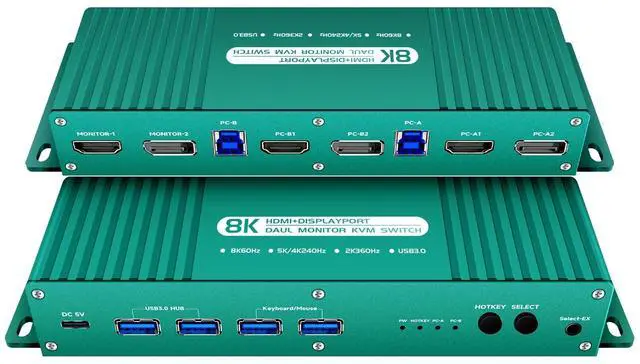
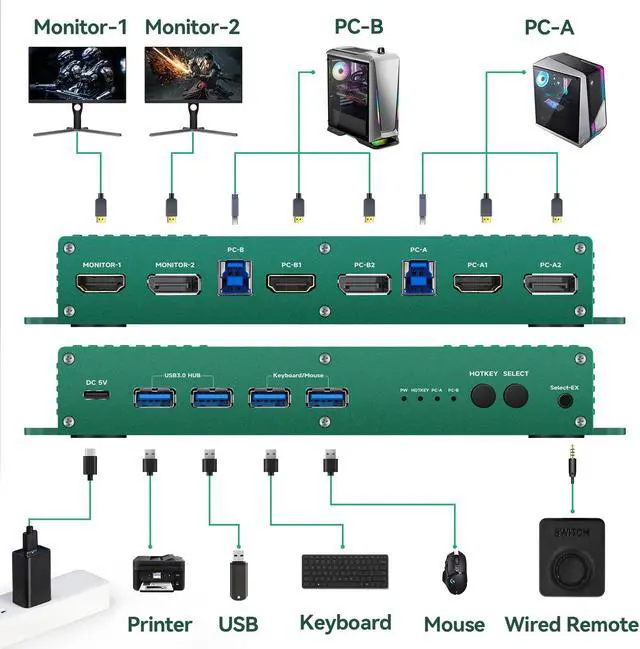
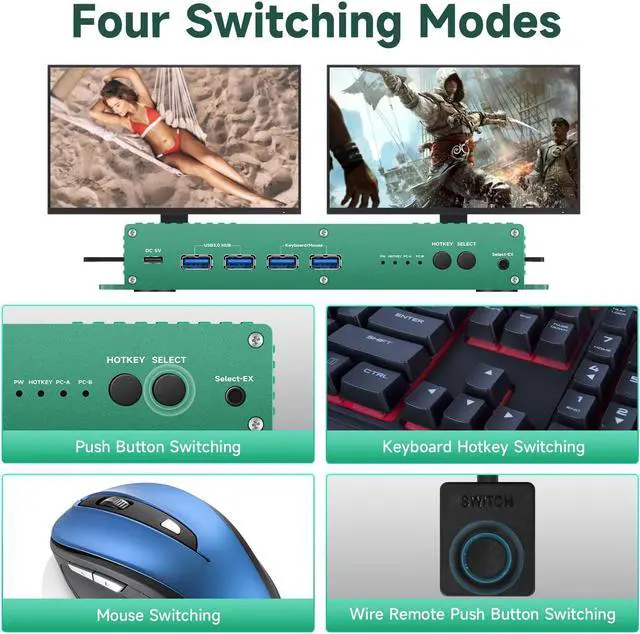
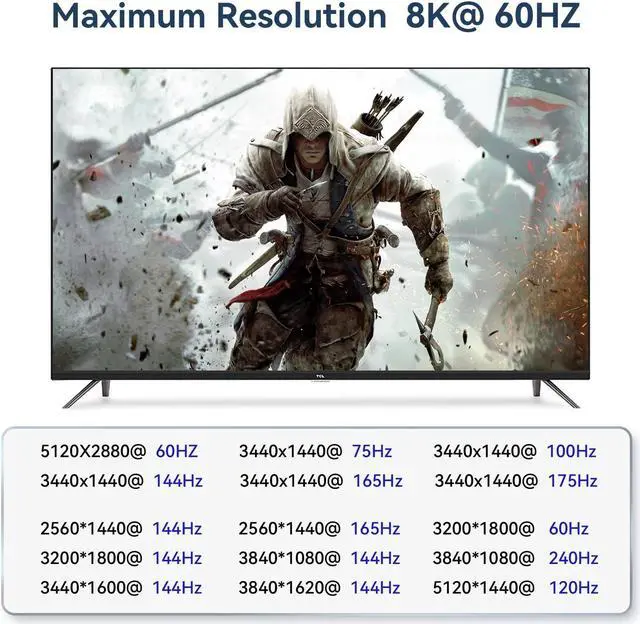
hdmi displayport kvm Switch 2 Monitors 2 Computer 240Hz :the dp kvm switch support hotkey switching , you can use hotkey to switch between 2 computers,Right Control two times and number 1 and EnterRight Ctrl+Right ctrl+1+Enteryou will switch to PC-A, and Right Ctrl+Right ctrl+2+Enter you will switch to PC-B. You can use Keyboard Hotkey Right Ctrl+Right ctrl+B+Enter to turn off or turn on the Beep for the dual monitor kvm switch.
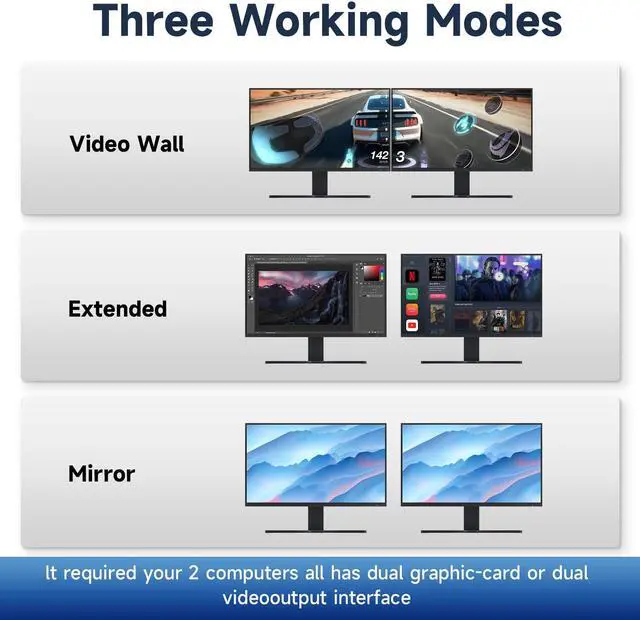
hdmi displayport kvm Switch 2 Monitors 2 Computer 240Hz COMPATABILITY: the Kvm switch 2 monitors 2 computers Display port 4k 240hz supports most major operation systems like Windows, Linux, Mac and more; also support switch between devices without keyboard and mouse like DVR and NVR; Support webcam, speaker / headphone and microphone;
hdmi displayport kvm Switch 2 Monitors 2 Computer 240Hz SWITCH Mode: the Dual Monitor kvm Switch displayport 4k 144hz Supports Four switching methods to meet with different needs, including keyboard hotkeys,
+
+
Overview
Specs
Reviews
Any questions? Our AI beta will help you find out quickly.


 Holiday Shipping Details & Extended Holiday Returns


