

Your Browsing History
- Free 30-day Returns
$44.99


Meet Your Seller

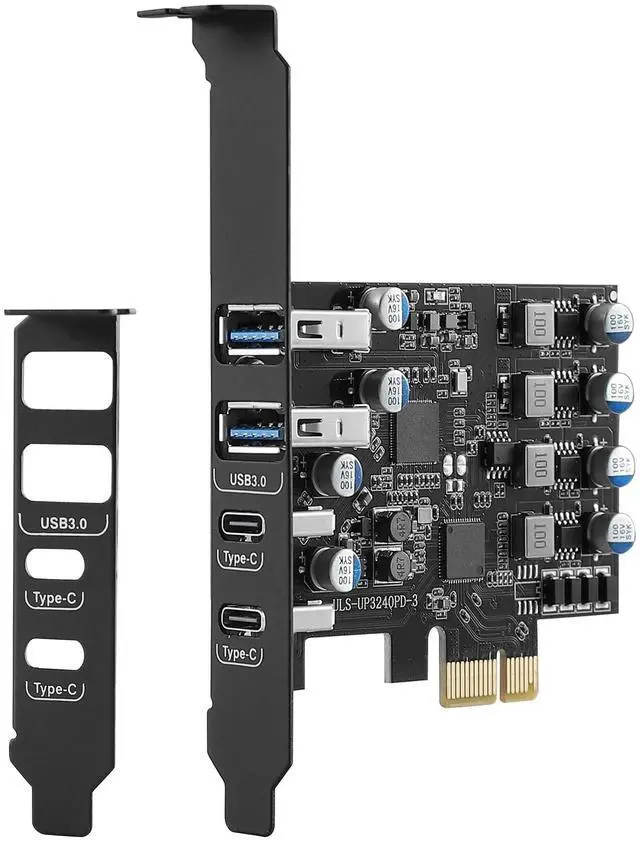
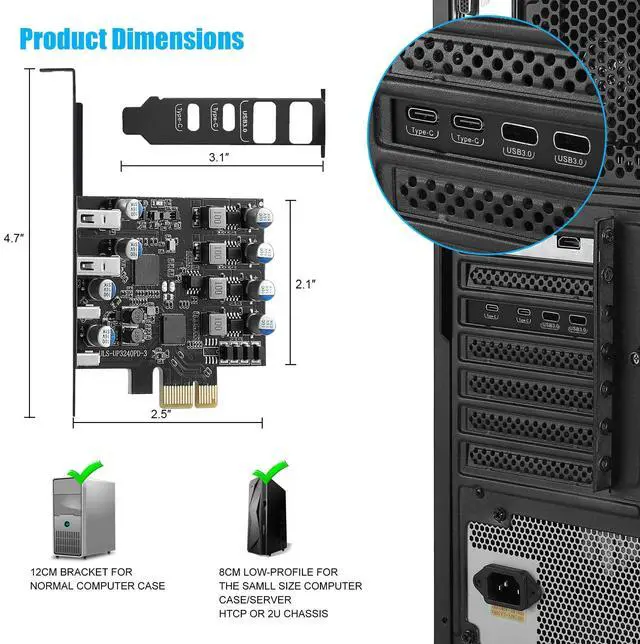
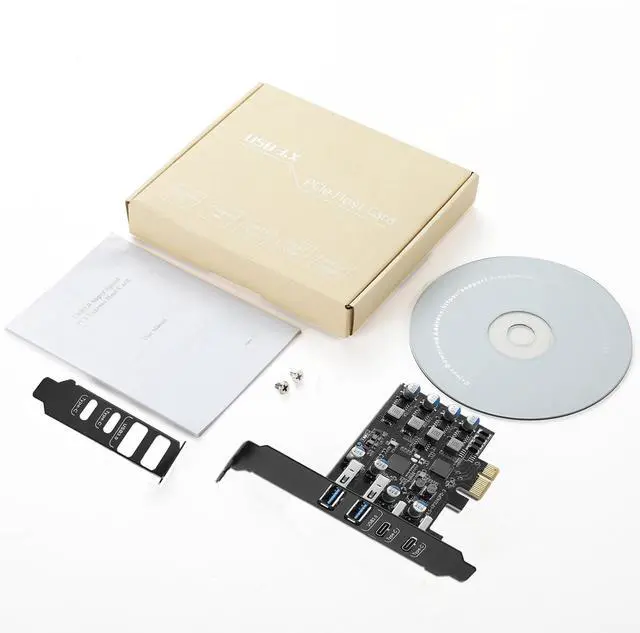


Sinefine 4 Ports USB PCIE Card (2 x USB A and 2 x Type C) PCIe USB 3.0 Expansion Card with Low Profile Bracket for Desktop PC
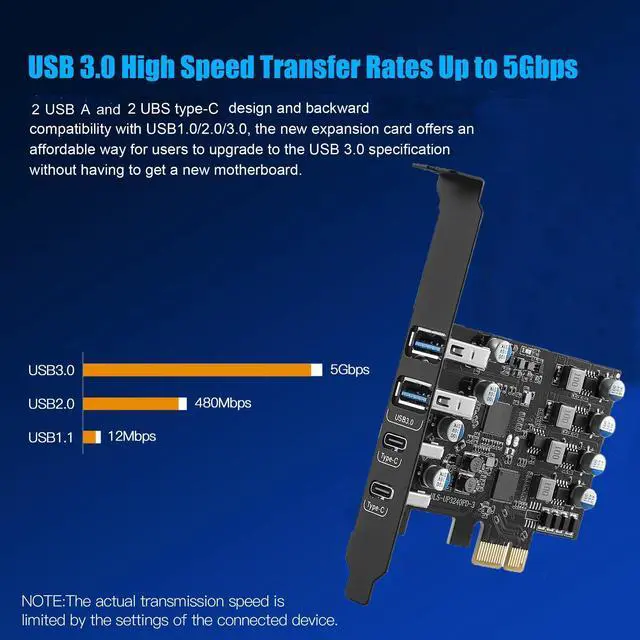
- 4 Ports USB Expansion CardThis card allow users add 4X USB 3.0 ports (2-Ports USB-A and 2-Ports Type C ) on desktop computers by PCI Express(1X) interface. The added-on USB 3.0 ports can provide superspeed 5Gbps max(totally) for audios, photos, and more files data transfer. (Thunderbolt/Display protocol not supported)
- No External Power AdapterUsers do not need to plug any additional power cable on from power source and get 5V/12A max power supply for high-power consuming device
- Stable and Easy to UseThe internal USB card is provided from the motherboard through the PCI Express slot to ensure a stable connection and improve data transmission speed. Will not lose the connection problem like an external USB Hub. Quick and easy installation, a simple solution for connecting to and using USB 3.0 devices on your standard desktop
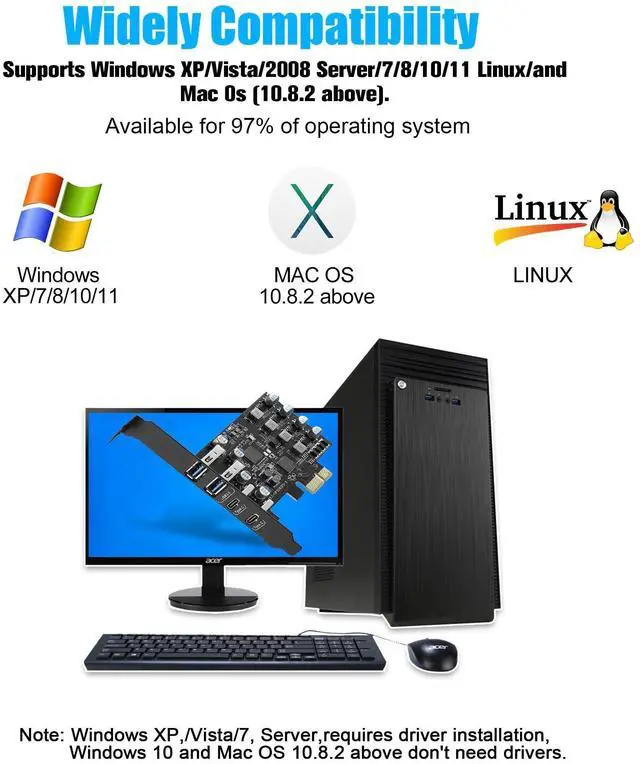
- Widely CompatibilityCompatible with Windows 7/8/10/11 (32/64 bit) and Linux Mint ,Ubuntu 20.04 system. PCIe card for HP windows 11 desktop,Dell 8950,Corsair
+
+
Overview
Specs
Reviews

Any questions? Our AI mode will help you find out quickly.
Try me now
4 Ports USB Expansion CardThis card allow users add 4X USB 3.0 ports (2-Ports USB-A and 2-Ports Type C ) on desktop computers by PCI Express (1X) interface. The added-on USB 3.0 ports can provide superspeed 5Gbps max (totally) for audios, photos, and more files data transfer. (Thunderbolt/Display protocol not supported) ^^ No External Power AdapterUsers do not need to plug any additional power cable on from power source and get 5V/12A max power supply for high-power consuming device ^^ Stable and Easy to UseThe internal USB card is provided from the motherboard through the PCI Express slot to ensure a stable connection and improve data transmission speed.
Will not lose the connection problem like an external USB Hub. Quick and easy installation, a simple solution for connecting to and using USB 3.0 devices on your standard desktop ^^ Widely CompatibilityCompatible with Windows 7/8/10/11 (32/64 bit) and Linux Mint, Ubuntu 20.04 system. PCIe card for HP windows 11 desktop, Dell 8950, Corsair 220t/4000D, Lenovo P520.
Note: Windows XP, /Vista/7, Server, requires driver installation, Windows 10 and above don't need drivers. If your computer encounters compatibility problems/does not recognize any drivers, Please feel free to contact us if you encounter compatibility issues/not work ^^ Easy to install1. Turn off the computer power, then remove the cover from the computer case. 2. Find the corresponding PCI-E card slot. 3. Insert the card into a empty PCI Express slot. 4. Lock the screw ^^ AttentionWhen installing, note that since the pcie card USB port is vertical, first insert the USB flash drive/USB cable into the card's USB slot to seat it. Then tighten the screws, close the PC case cover, turn on the PC and install the driver. For the narrow slot area at the rear of the PC mainframe, simply cut one of the slot's crossbars with small sheet metal hand pliers
Will not lose the connection problem like an external USB Hub. Quick and easy installation, a simple solution for connecting to and using USB 3.0 devices on your standard desktop ^^ Widely CompatibilityCompatible with Windows 7/8/10/11 (32/64 bit) and Linux Mint, Ubuntu 20.04 system. PCIe card for HP windows 11 desktop, Dell 8950, Corsair 220t/4000D, Lenovo P520.
Note: Windows XP, /Vista/7, Server, requires driver installation, Windows 10 and above don't need drivers. If your computer encounters compatibility problems/does not recognize any drivers, Please feel free to contact us if you encounter compatibility issues/not work ^^ Easy to install1. Turn off the computer power, then remove the cover from the computer case. 2. Find the corresponding PCI-E card slot. 3. Insert the card into a empty PCI Express slot. 4. Lock the screw ^^ AttentionWhen installing, note that since the pcie card USB port is vertical, first insert the USB flash drive/USB cable into the card's USB slot to seat it. Then tighten the screws, close the PC case cover, turn on the PC and install the driver. For the narrow slot area at the rear of the PC mainframe, simply cut one of the slot's crossbars with small sheet metal hand pliers
Warranty & Returns
Warranty, Returns, And Additional Information
Warranty
- Please contact the Seller directly for warranty information. Warranty information may also be found on the Manufacturer's website.
- CONTACT
Return Policies
- Return for refund within: 30 days
- Return for replacement within: 30 days
- This item is covered by HAIZHILANSTORE Return Policy
Manufacturer Contact Info
- For a directory of all our manufacturers, please click below.
- Manufacturers Directory
LOADING...