Your Browsing History
- Free 30-day Returns
$298.99
Meet Your Seller
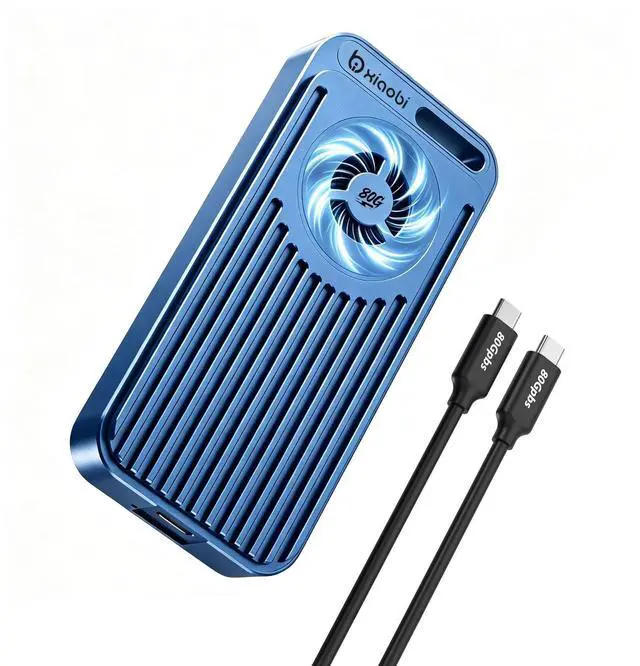
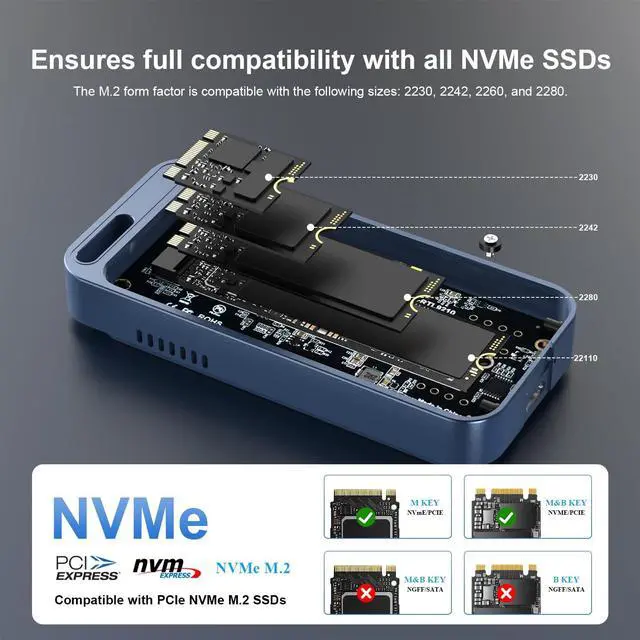
Xiaobi 80Gbps M.2 NVMe Enclosure with Cooling Fan, Compatible with Thunderbolt5/USB4 V2.0, Back Compatible with Thunderbolt4/USB4 V1.0, USB3.2/3.1/3.0,Supports NVMe 2280/2260/2242/2230 SSDs.
- 80Gbps SSD EnclosureThis Xiaobi M.2 NVMe SSD enclosure delivers excellent performance and reliability. Setup was quick, and it connected seamlessly to my Thunderbolt 5/USB4 laptop with no drivers required. The cooling fan keeps temperatures down under load, which is great for sustained transfers. Speeds are very high and consistent perfect for large file backups, video editing, or expanded storage on the go. Note: Thunderbolt 3 system may not be fully Compatible with Thunderbolt 5 and may default to USB speed of 10Gbps.
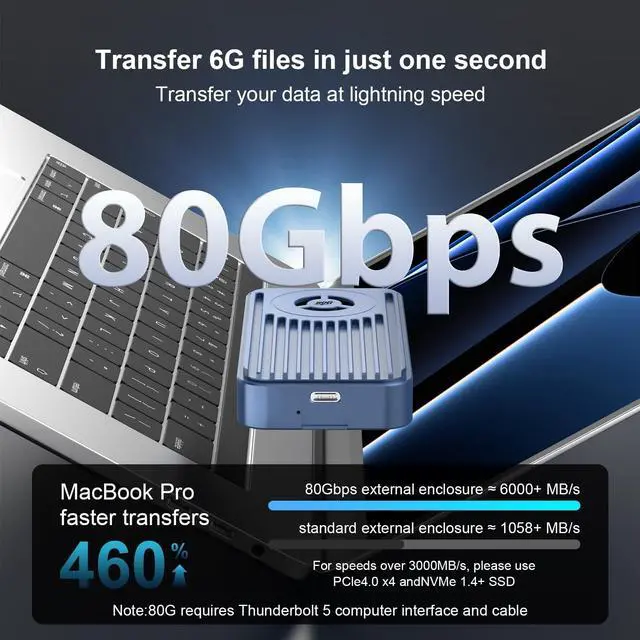
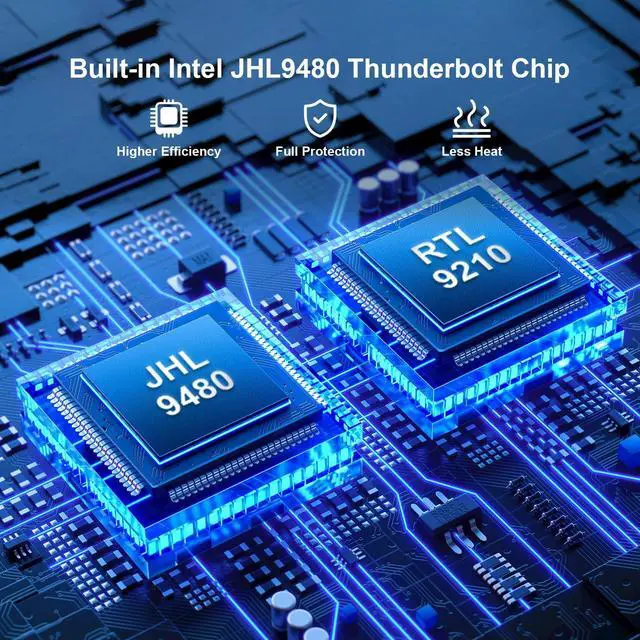
- High-Speed Transfer RateThis Xiaobi 80Gbps NVMe enclosure adopts the smart chips of RTL9210 and JHL9480, which can provide up to 80Gbps bandwidth, transferring 6G files in 1 just second. To achieve speeds over 3000MB/s, use an SSD with PCle 4.0 x 4 and NVMe 1.4 or higher. Note: 80Gbps requires Thunderbolt 5 port and cable. Actual speed varies by connected devices and SSD
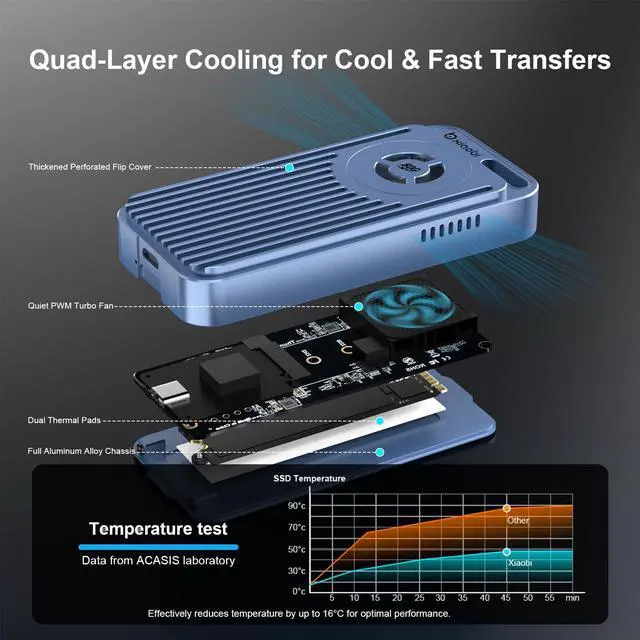
- Active Cooling FanThe built-in fan of this M.2 adapter starts at 40C and there won't be any n
+
+
Overview
Specs
Reviews
Any questions? Our AI beta will help you find out quickly.
Try me now
80Gbps SSD EnclosureThis Xiaobi M. 2 NVMe SSD enclosure delivers excellent performance and reliability. Setup was quick, and it connected seamlessly to my Thunderbolt 5/USB4 laptop with no drivers required. The cooling fan keeps temperatures down under load, which is great for sustained transfers. Speeds are very high and consistent perfect for large file backups, video editing, or expanded storage on the go.
Note: Thunderbolt 3 system may not be fully Compatible with Thunderbolt 5 and may default to USB speed of 10Gbps. ^^ High-Speed Transfer RateThis Xiaobi 80Gbps NVMe enclosure adopts the smart chips of RTL9210 and JHL9480, which can provide up to 80Gbps bandwidth, transferring 6G files in 1 just second. To achieve speeds over 3000MB/s, use an SSD with PCle 4.0 x 4 and NVMe 1.4 or higher.
Note: 80Gbps requires Thunderbolt 5 port and cable. Actual speed varies by connected devices and SSD ^^ Active Cooling FanThe built-in fan of this M. 2 adapter starts at 40C and there won't be any noticeable noise. Actively prevents thermal throttling, ensuring stability during intensive workloads and extending the lifespan of NVMe SSDs. ^^ 8TB Capacity SupportNVMe USB adapter supports NVMe M. 2 SSDs up to 8TB (2280/2260/2242/2230).
Note: It is not compatible with mobile phones. For tablets typically can support up to 2TB SSDs, for iPads can recognize up to 8TB SSDs. ^^ Plug & Play, No Drivers NeededJust connect and gosimple setup lets you focus on your work without delays.
Precautions before use: Initialization of new
SSD: If the new SSD cannot be recognized, please use the "Disk Management" tool to finish disk initialization.
Formatting when detecting problems: If the SSD cannot be detercted, please use the "Disk Management" tool to format it.
Mac OS format set: When using under Mac OS, it is recommended to format the SSD to exFAT for the best compatibility.

Note: Thunderbolt 3 system may not be fully Compatible with Thunderbolt 5 and may default to USB speed of 10Gbps. ^^ High-Speed Transfer RateThis Xiaobi 80Gbps NVMe enclosure adopts the smart chips of RTL9210 and JHL9480, which can provide up to 80Gbps bandwidth, transferring 6G files in 1 just second. To achieve speeds over 3000MB/s, use an SSD with PCle 4.0 x 4 and NVMe 1.4 or higher.
Note: 80Gbps requires Thunderbolt 5 port and cable. Actual speed varies by connected devices and SSD ^^ Active Cooling FanThe built-in fan of this M. 2 adapter starts at 40C and there won't be any noticeable noise. Actively prevents thermal throttling, ensuring stability during intensive workloads and extending the lifespan of NVMe SSDs. ^^ 8TB Capacity SupportNVMe USB adapter supports NVMe M. 2 SSDs up to 8TB (2280/2260/2242/2230).
Note: It is not compatible with mobile phones. For tablets typically can support up to 2TB SSDs, for iPads can recognize up to 8TB SSDs. ^^ Plug & Play, No Drivers NeededJust connect and gosimple setup lets you focus on your work without delays.
Precautions before use: Initialization of new
SSD: If the new SSD cannot be recognized, please use the "Disk Management" tool to finish disk initialization.
Formatting when detecting problems: If the SSD cannot be detercted, please use the "Disk Management" tool to format it.
Mac OS format set: When using under Mac OS, it is recommended to format the SSD to exFAT for the best compatibility.
Warranty & Returns
Warranty, Returns, And Additional Information
Warranty
- Please contact the Seller directly for warranty information. Warranty information may also be found on the Manufacturer's website.
- CONTACT
Return Policies
- Return for refund within: 30 days
- Return for replacement within: 30 days
- This item is covered by DuronTechnologies Return Policy
Manufacturer Contact Info
- For a directory of all our manufacturers, please click below.
- Manufacturers Directory
LOADING...