Your Browsing History
- Free 30-day Returns
$272.99
Meet Your Seller
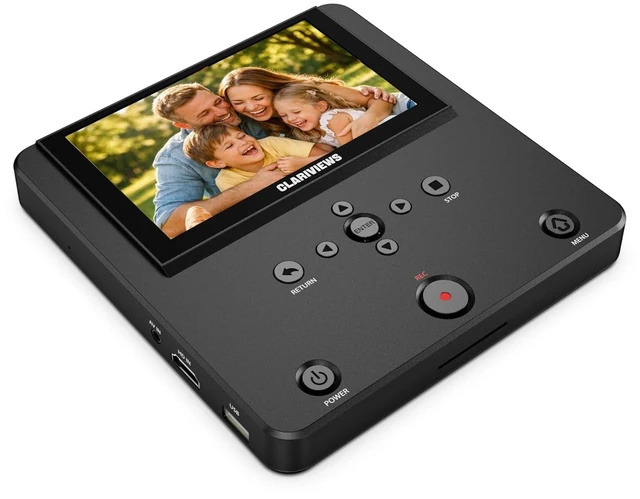
Clariviews DVR550 VHS to Digital Converter, Standalone HDMI/AV Video Recorder with 5-Inch Screen, Save MP4 to USB, SD Card or External Hard Drive, Wireless Transfer, No PC Required
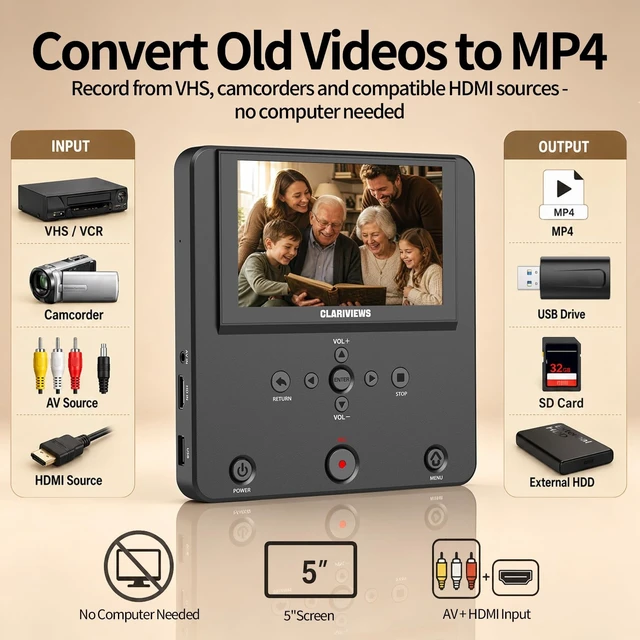
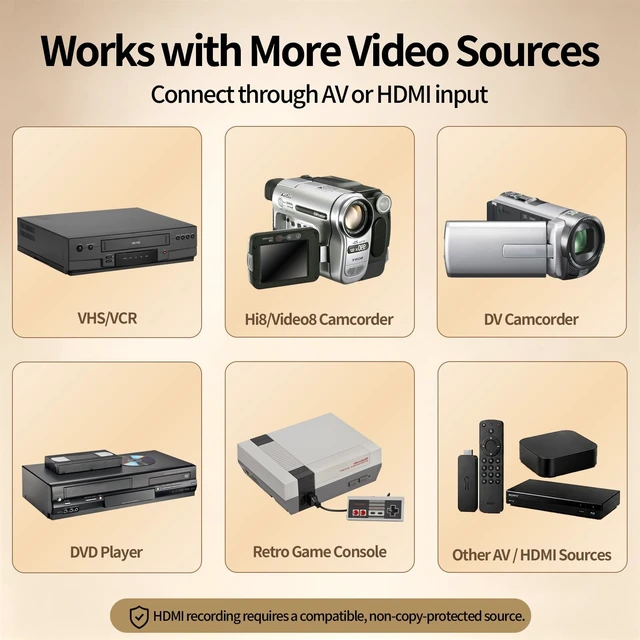
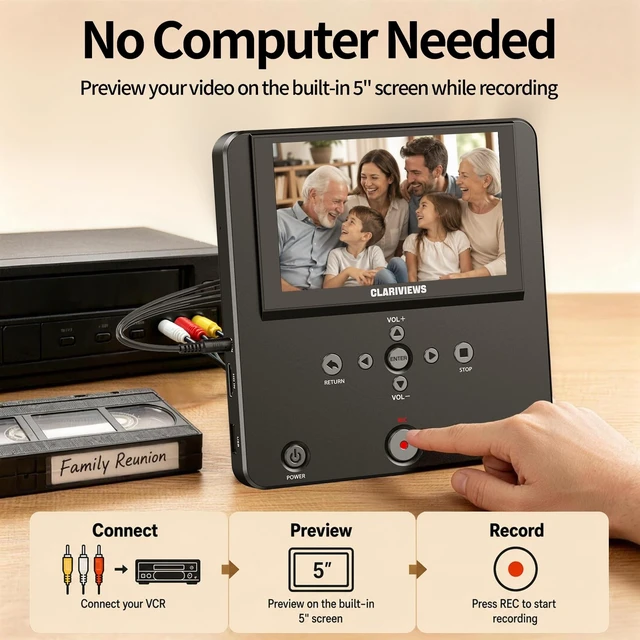
- CONVERT OLD VIDEOS TO DIGITAL MP4: Connect a compatible external VCR, VHS player, Hi8/Video8 or MiniDV camcorder through AV input, then preview and record your tapes as digital MP4 files. The DVR550 is a recorder and converterit does not contain a built-in VHS player. Playback device is required and not included.
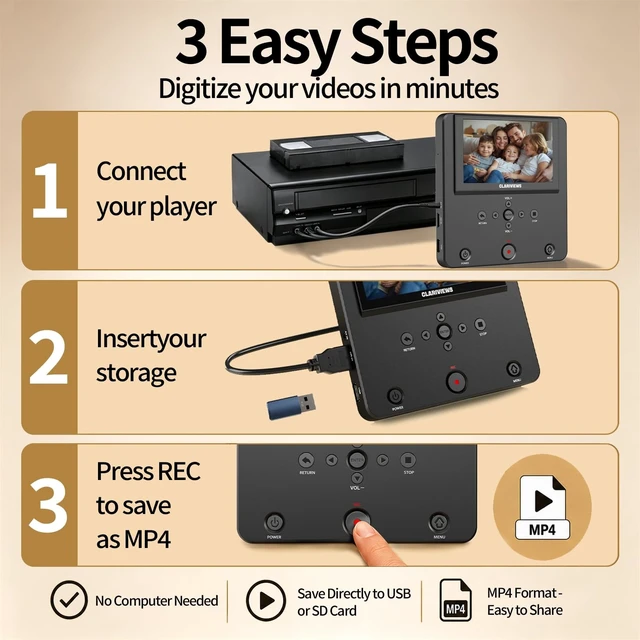
- STANDALONE RECORDINGNO COMPUTER REQUIRED: Record directly from compatible AV or HDMI video sources without installing capture software or connecting a PC. A dedicated record button and simple on-screen controls make it easy to start, stop and manage recordings.
- SAVE TO USB, SD CARD OR EXTERNAL HARD DRIVE: Store recordings on a compatible USB flash drive, SD card or external hard drive. The built-in file manager also lets you copy supported recordings, photos and videos between connected storage devices.
- 5-INCH SCREEN WITH HDMI TV OUTPUT: Preview incoming video and review saved MP4 recordings on the built-in 5-inch display. Connect the DVR550 to a compatible TV or moni
+
+
Overview
Specs
Reviews
Any questions? Our AI mode will help you find out quickly.
Try me now
CONVERT OLD VIDEOS TO DIGITAL MP4: Connect a compatible external VCR, VHS player, Hi8/Video8 or MiniDV camcorder through AV input, then preview and record your tapes as digital MP4 files. The DVR550 is a recorder and converterit does not contain a built-in VHS player. Playback device is required and not included. ^^
STANDALONE RECORDINGNO COMPUTER REQUIRED: Record directly from compatible AV or HDMI video sources without installing capture software or connecting a PC. A dedicated record button and simple on-screen controls make it easy to start, stop and manage recordings. ^^ SAVE TO USB, SD CARD OR EXTERNAL HARD DRIVE: Store recordings on a compatible USB flash drive, SD card or external hard drive. The built-in file manager also lets you copy supported recordings, photos and videos between connected storage devices. ^^ 5-INCH SCREEN WITH
HDMI TV OUTPUT: Preview incoming video and review saved MP4 recordings on the built-in 5-inch display. Connect the DVR550 to a compatible TV or monitor through HDMI output for larger-screen playback. ^^ WIRELESS FILE TRANSFER VIA MOBILE APP: Connect your phone to the recorders local Wi-Fi and use the compatible mobile app to transfer supported photos and videos between your phone and connected storage. Wireless transfer works through the recorders local connection and does not require cloud storage.

STANDALONE RECORDINGNO COMPUTER REQUIRED: Record directly from compatible AV or HDMI video sources without installing capture software or connecting a PC. A dedicated record button and simple on-screen controls make it easy to start, stop and manage recordings. ^^ SAVE TO USB, SD CARD OR EXTERNAL HARD DRIVE: Store recordings on a compatible USB flash drive, SD card or external hard drive. The built-in file manager also lets you copy supported recordings, photos and videos between connected storage devices. ^^ 5-INCH SCREEN WITH
HDMI TV OUTPUT: Preview incoming video and review saved MP4 recordings on the built-in 5-inch display. Connect the DVR550 to a compatible TV or monitor through HDMI output for larger-screen playback. ^^ WIRELESS FILE TRANSFER VIA MOBILE APP: Connect your phone to the recorders local Wi-Fi and use the compatible mobile app to transfer supported photos and videos between your phone and connected storage. Wireless transfer works through the recorders local connection and does not require cloud storage.
Warranty & Returns
Warranty, Returns, And Additional Information
Warranty
- Please contact the Seller directly for warranty information. Warranty information may also be found on the Manufacturer's website.
- CONTACT
Return Policies
- Return for refund within: 30 days
- Return for replacement within: non-replaceable
- This item is covered by SIMPLIZED Return Policy
Manufacturer Contact Info
- For a directory of all our manufacturers, please click below.
- Manufacturers Directory
LOADING...