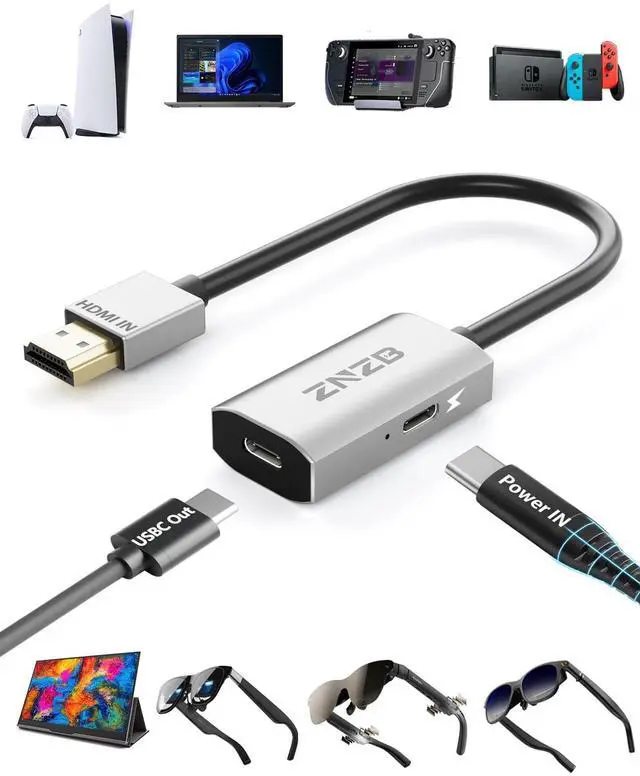
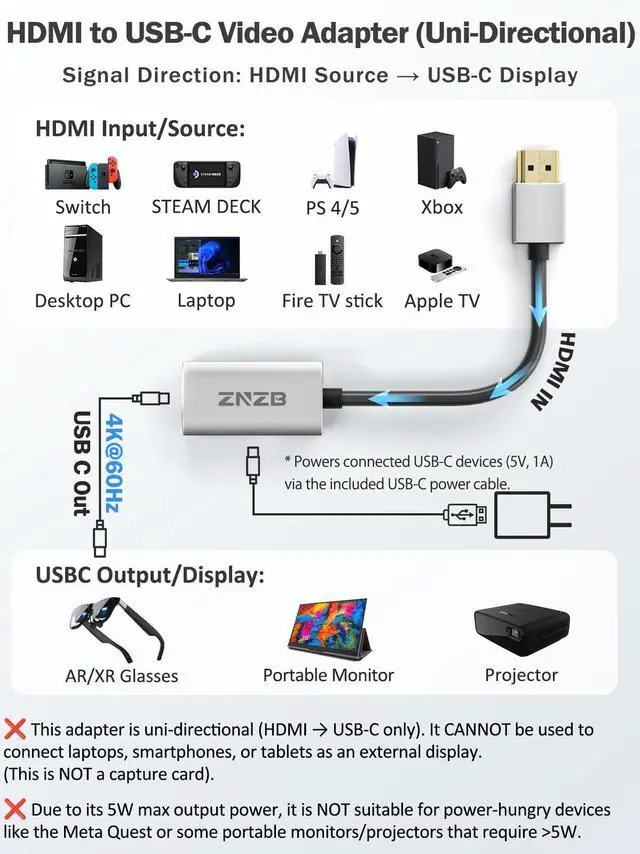
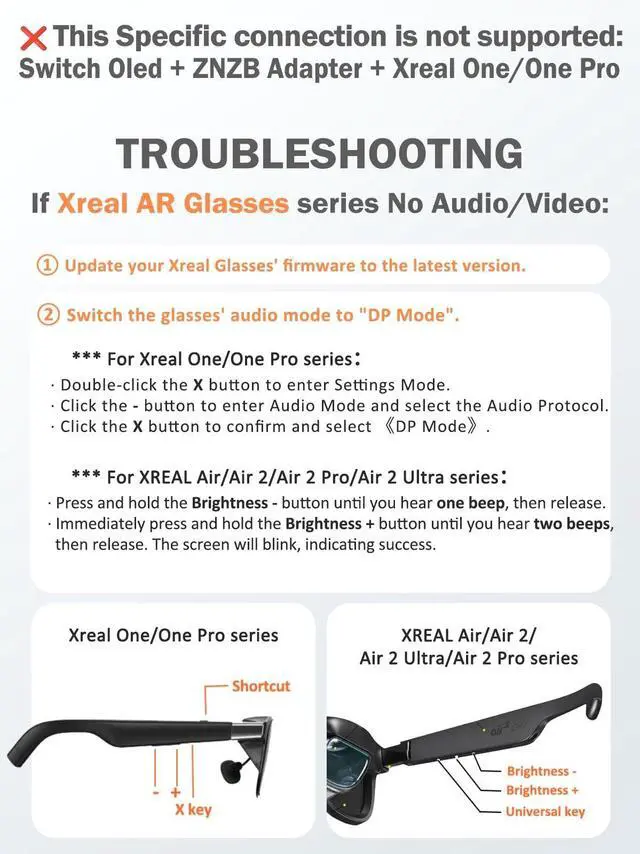
NoteXREAL OneMeta series: HDMI to USB C AdapterNot compatible with all Meta seriesIf XREAL One has no Audio and
Video output:
1. Please Double click on X KeyEnter Settings Mode, Click on - KeyEnter Sound Mode, Enter Audio Protocol, then click on Universal KeyConfirm to choose DP Mode. 2.
HDMI output device sound: Select XREAL One.
^^ Note:
1. Please update the firmware version of the AR glasses to the latest.
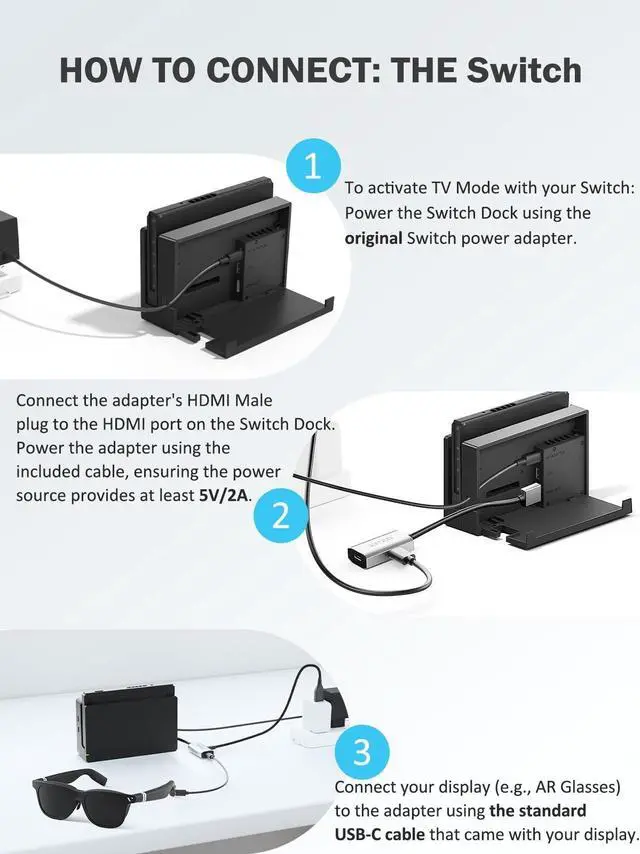
2. If the adapter is not working properly, please reconnect the (USB-C OUT) port of the adapter.
3. If the adapter needs to be connected/disconnected from power, reconnect the adapter's (USB-C OUT) port.
4. Can't be reversed.
5. Cannot be connected to other adapters. ^^ Plug and Play - Aluminum Case-
Size Weight: HDMI to USB C Adapter Plug and Play, no need for any setup, no program and no software. HDMI to type c adapter is an aluminum case with strong heat dissipation, durability and fashion.
Size:
L*W*H: 2.3 * 1.2 * 0.4 in.
Cable Length: 6.1 in.
Weight: 0.08 lb.
^^ Wide Compatibility: HDMI to USB C Compatible with all kinds of
AR glasses:
XREAL: XREAL Air/2/2 Pro/One/pro/Ultra, Rokid Air/Max, RayNeo Air 2s/3s XR, Viture Luma Pro/One, Thunderbird AR. Compatible with Switch, PS4/5, Steam Deck, ROG Ally...... Compatible with Portable Monitor, USB-C projector, Google TV, Fire TV Stick. Compatible with computer hosts, laptops, mobile phones, cameras, monitors, MacBook, iMac, iPad, IOS, Android, Windows, Dell, Asus, Huawei, HP, Lenovo.
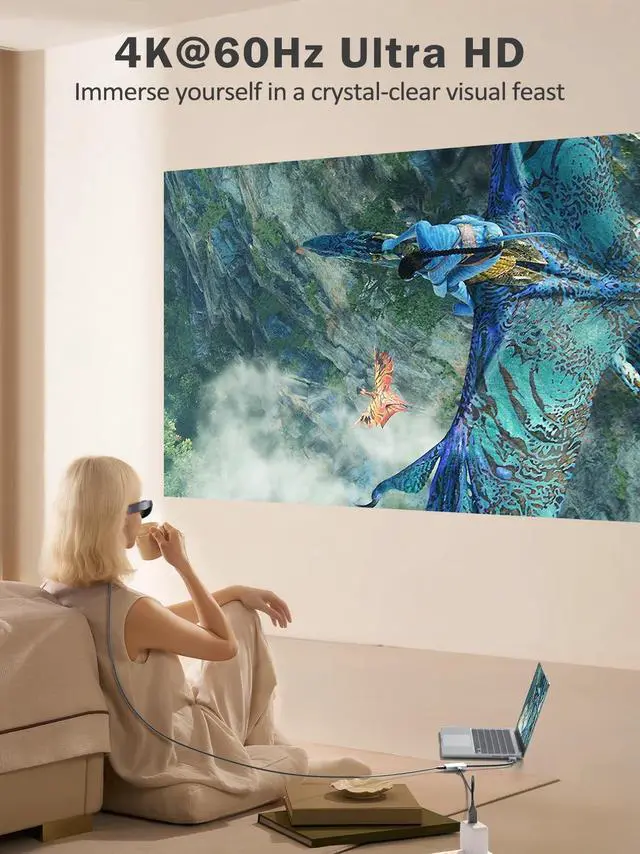
^^ 4K@60Hz Ultra HD: HDMI to USB-C Adapter supports 4K@60Hz ultra-high definition transmission, allowing you to enjoy the ultimate visual feast in the large screen of smart glasses, display screen and projector.





 here!
here!