

Your Browsing History
- Free 30-day Returns
$95.94


Meet Your Seller

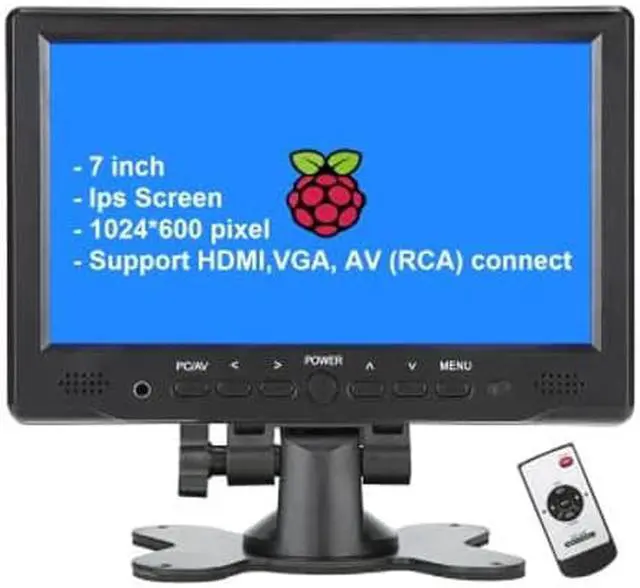
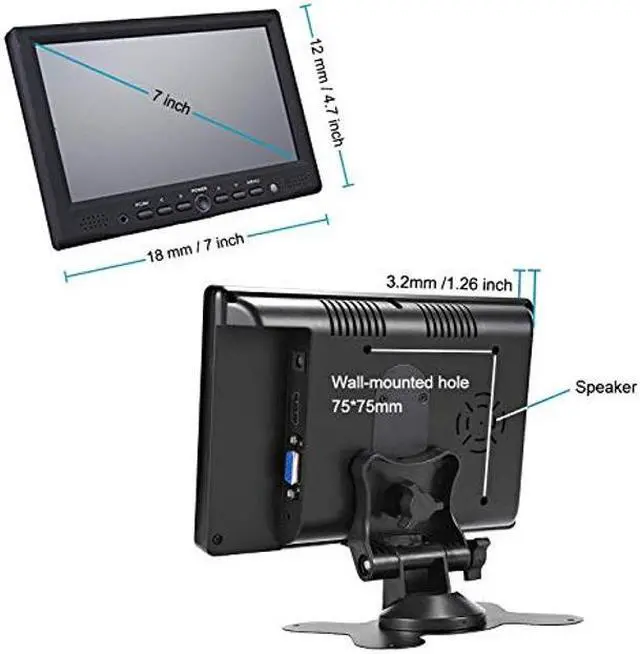
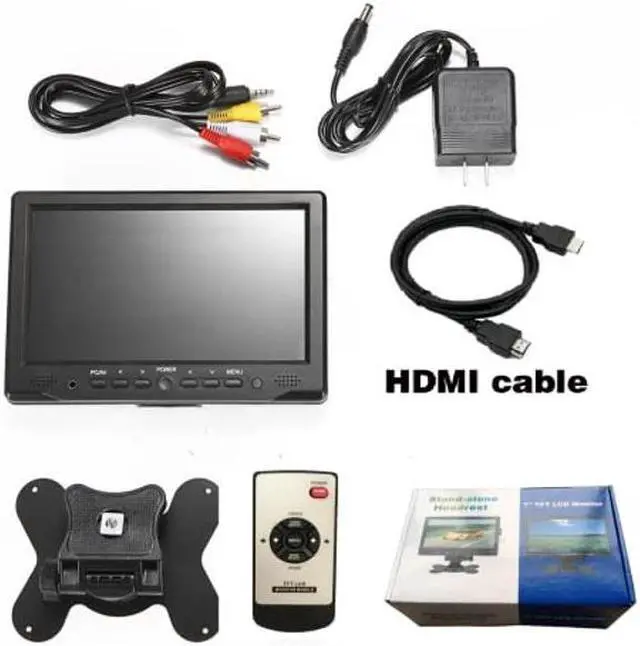


LONCEVON-7 inch Mini Monitor Small HDMI Monitor Portable HD 1080P VGA Monitor LCD Screen for PC/Mac Mini/TV/Raspberry PI/Camera/Gaming; IPS 1024X600 Pixels, Build in Speakers & Earphone Jack
- We are direct manufacturer , you buy the product with good value without extra middle cost ; if you are looking for bigger size screen , check our store for the 10.1 inch and 12 inch, we only sell 3 products at present
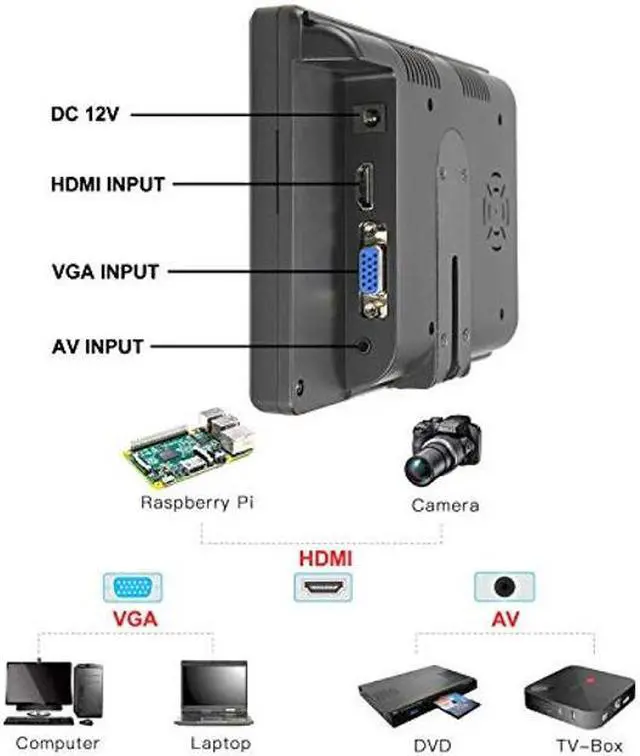
- This is a 7 inch TFT LCD HDMI VGA Monitor with super high definition IPS Screen 1024*600 resolution ; It also has AV ( RCA ) inputs support for video/audio same time , RCA jacks (red,white and yellow) can plugs directly into the side of monitor,red plug for audio input ,white for Av2-Video 2 input ; Yellow for AV1- Video 1 input
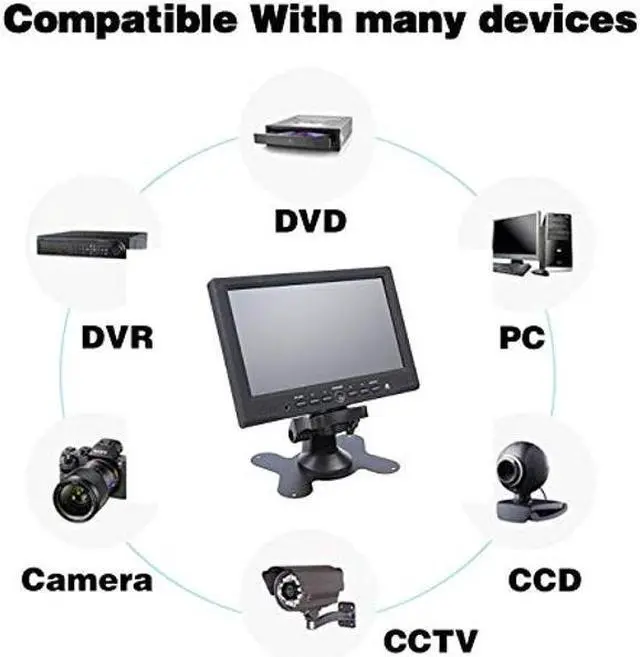
- Customer can apply this monitor into those secenarios : Security monitor for a CCTV Camera system ; DSLR field camera monitor ; Secondary monitor for personal Computer ; Mornitor for Raspberry pi ; TV monitor with a ROKU in kitchen ; Secondary visual monitor in recording studio
- More application : Can also work as portable server screen ;Small Screen work with video game consoles , such as X-BOX,PS4, NS ; Monitor for a back-up c
+
+
Overview
Specs
Reviews

Any questions? Our AI beta will help you find out quickly.
Try me now
How to Install the Bracket Stand?
Step 1: Disassemble the two sub assemblies, remove a wheel from base, reinsert the wheel into orientation sub assembly
Step 2: Re-assemble the two together (by screwing two bolts)
Notes for Buttons on Face Panel:
1. Press "PC/AV " in succession to select display mode, you get PC ( VGA ) /HDMI/AV1/AV2 options seperately, apply PC mode if VGA cable; HDMI mode if HDMI cable, etc
4. Go to " Menu " for screen brightness related adjustment
Attention: What you can do if there is no signal to display from your laptop / computer?
Step 1: Check if select correct display mode at PC/AV button
Step 2: Settings on laptop/computer:
1. Window system, Please click"Window+P"to select"Mirror Mode", "extend Mode" or "Second Screen Only" 2. IOS system, Please
set as: preferences-monitor-arrangememt-mirror 3. IOS system, Please
set resolution: Finder-system-preferences-displays-resolution Resort to lancevon@outlook. com for more help if above tips could not solve your problems
Manufacturer
Inch Panel Type: TFT LCD Backlight LED Screen Resolution: IPS 1024*600
Compatible OS: Windows 95, 98, NT4, 2000, Windows XP, Windows 7
AV Chromatic: PAL/NTSC (Auto switch)
Display Ratio: 16:9
Color System: PAL- 4.43, NTSC- 3.57
Input Voltage: DC 12V+/-10%
Ports VGA HDMI DC IN Audio
Package Contents TFT LCD Monitor AV Cable DC12V AC Adapter Remote Control Bracket User Manual Sticker
Step 1: Disassemble the two sub assemblies, remove a wheel from base, reinsert the wheel into orientation sub assembly
Step 2: Re-assemble the two together (by screwing two bolts)
Notes for Buttons on Face Panel:
1. Press "PC/AV " in succession to select display mode, you get PC ( VGA ) /HDMI/AV1/AV2 options seperately, apply PC mode if VGA cable; HDMI mode if HDMI cable, etc
4. Go to " Menu " for screen brightness related adjustment
Attention: What you can do if there is no signal to display from your laptop / computer?
Step 1: Check if select correct display mode at PC/AV button
Step 2: Settings on laptop/computer:
1. Window system, Please click"Window+P"to select"Mirror Mode", "extend Mode" or "Second Screen Only" 2. IOS system, Please
set as: preferences-monitor-arrangememt-mirror 3. IOS system, Please
set resolution: Finder-system-preferences-displays-resolution Resort to lancevon@outlook. com for more help if above tips could not solve your problems
Manufacturer
Specifications
Panel Size: 7Inch Panel Type: TFT LCD Backlight LED Screen Resolution: IPS 1024*600
Compatible OS: Windows 95, 98, NT4, 2000, Windows XP, Windows 7
AV Chromatic: PAL/NTSC (Auto switch)
Display Ratio: 16:9
Color System: PAL- 4.43, NTSC- 3.57
Input Voltage: DC 12V+/-10%
Ports VGA HDMI DC IN Audio
Package Contents TFT LCD Monitor AV Cable DC12V AC Adapter Remote Control Bracket User Manual Sticker
Warranty & Returns
Warranty, Returns, And Additional Information
Warranty
- Please contact the Seller directly for warranty information. Warranty information may also be found on the Manufacturer's website.
- CONTACT
Return Policies
- Return for refund within: 30 days
- Return for replacement within: 30 days
- This item is covered by TA Factory Return Policy
Manufacturer Contact Info
- For a directory of all our manufacturers, please click below.
- Manufacturers Directory
LOADING...