Get a $25 Newegg Promo Gift Card when you spend $250+ between 1/17/26 and 1/19/26. Learn More>
  • $77.99
  • Free 30-day Returns
  • Price alert
    Shop it at NeweggBusiness.

    Meet Your Seller

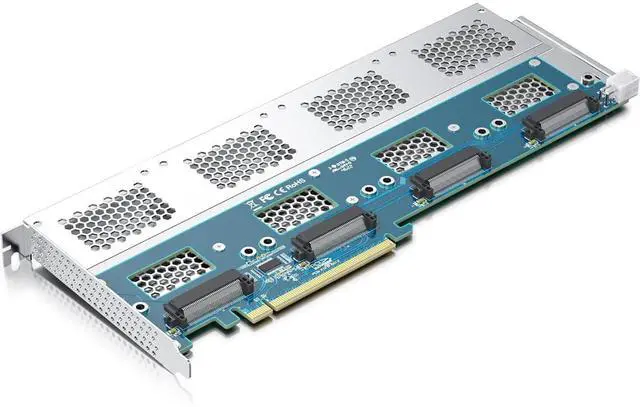
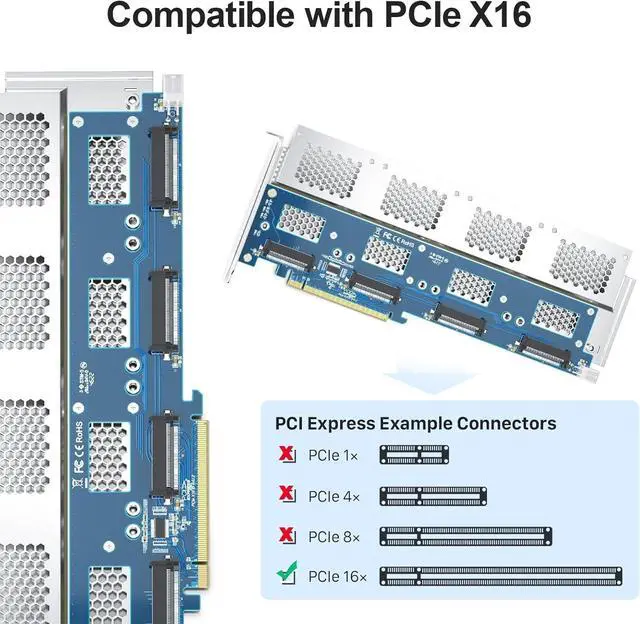
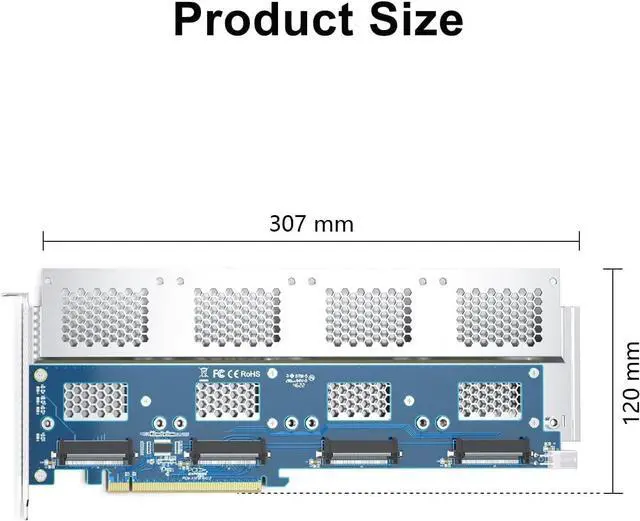
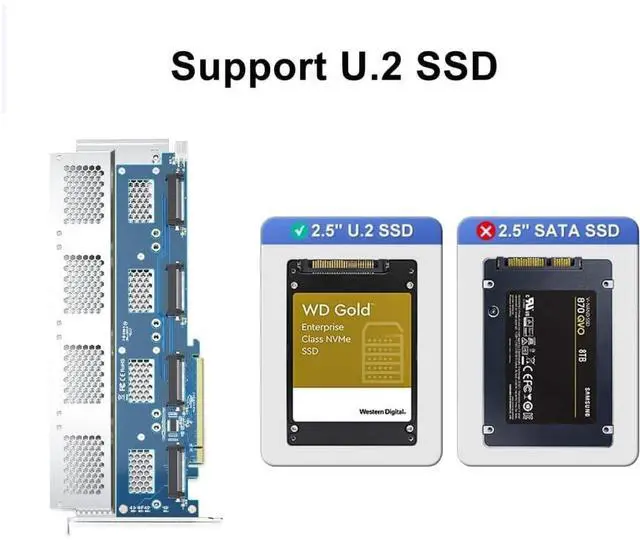
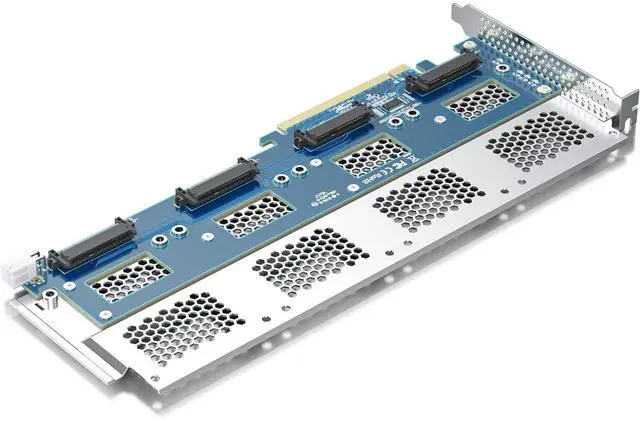
    H!Fiber Quad U.2 to PCIe X16 Adapter, SFF-8639 to PCIe 3.0 X16 Card Without PCIe Bifurcation Function, Support 4 x U.2 SSD or Soft raid(PCIe Bifurcation Motherboard is Required)

    • The U.2 NVMe adapter supports the use of 4x U.2 NVMe SSDs simultaneously, but the motherboard must be equipped with PCIe bifurcation function, and be able to set PCIe X4X4X4X4 or Hyper M.2 X16 mode (Note: X8X4X4 or X4X4X8 mode can only recognize 3 U.2 SSDs.)
    • Important: Because this adapter does not support PCIe Bifurcation, it requires a motherboard that supports PCIe Bifurcation. Otherwise, only the Port-1 port can recognize the U.2 SSD. Before purchasing, please check the PCIe expansion slot part of the motherboard manual on the motherboard manufacturer's website, or consult us directly
    • Support OS Booting: Reinstall the OS, and set up BIOS/UEFI boot from this U.2 SSD (Note: Some motherboards are too old to support OS booting. In this case, U.2 SSDs can be used as storage disks)
    • OS compatibility: Plug-and-play in Windows 11/10/8/Linux/Mac OS (Note: Not support Windows 7). The new U.2 SSD needs to be initialized and formatted before it can be recognized by the computer host
    +
    +
    Overview
    Specs
    Reviews
    avatar

    Any questions? Our AI beta will help you find out quickly.

    The U. 2 NVMe adapter supports the use of 4x U. 2 NVMe SSDs simultaneously, but the motherboard must be equipped with PCIe bifurcation function, and be able to set PCIe X4X4X4X4 or Hyper M.
    2 X16 mode (Note: X8X4X4 or X4X4X8 mode can only recognize 3 U. 2 SSDs. )
    ^^ Important: Because this adapter does not support PCIe Bifurcation, it requires a motherboard that supports PCIe Bifurcation. Otherwise, only the Port-1 port can recognize the U. 2 SSD. Before purchasing, please check the PCIe expansion slot part of the motherboard manual on the motherboard manufacturer's website, or consult us directly ^^
    Support OS Booting: Reinstall the OS, and set up BIOS/UEFI boot from this U.
    2 SSD (Note: Some motherboards are too old to support OS booting. In this case, U. 2 SSDs can be used as storage disks) ^^
    OS compatibility: Plug-and-play in Windows 11/10/8/Linux/Mac
    OS (Note: Not support Windows 7). The new U. 2 SSD needs to be initialized and formatted before it can be recognized by the computer host ^^
    Friendly Service: Provides 24/7 Customer Service, 30 Days Free-returned, 1 Year Free Warranty and Lifetime Technology Support.

    Warranty & Returns

    Warranty, Returns, And Additional Information

    Warranty

    • Please contact the Seller directly for warranty information. Warranty information may also be found on the Manufacturer's website.
    • CONTACT

    Return Policies

    • Return for refund within: 30 days
    • Return for replacement within: 30 days
    • This item is covered by CloudBeast Return Policy

    Manufacturer Contact Info

    LOADING...