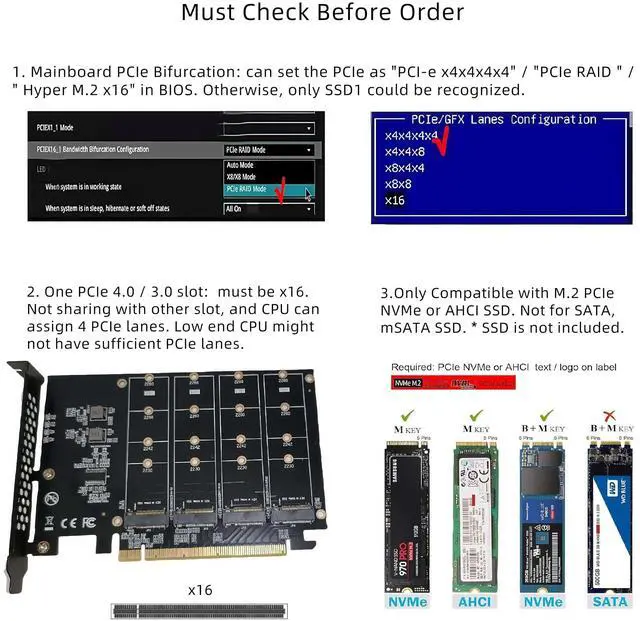
Must Check before Purchase1. Please check your mainboard manual or its official website to make sure the PCIe Bifurcation / Splitting is built-in2. Please check the x16 PCIe slot you want to use can be set as "PCI-e x4x4x4x4" / "PCIe RAID " / " Hyper M. 2 x16" bifurcation in BIOS. For bifucations like "X8X4X4", it means 3 bifucations and only 3 NVMe SSDs can be recognized. List of popular mainboards with built-in
PCIe Bifuration/SplittingASRock: X570 Creator, X570 Steel Legend, X570 Taichi, X299 Taich, X299 Designer, X399
TaichiASUS: ASUS PRIME X299-A II, ASUS PRIME X299-DELUSE II, ROG STRIX X570-I GAMING, ROG STRIX X570-F GAMING, ROG STRIX, X570-E GAMING, ROG CROSSHAIR VIII DARK HERO, ROG STRIX TRX40-XE GAMING, ROG RAMPAGE VI EXREME ENCORE, ASUS PRIME Z390-P, TUF, Z390-PLUS GAMING, ROG RAMPAGE VI EXTREME, ROG RAMPAGE VI APEX, ROG STRIX X299-XE GAMING, ROG STRIX X299-E GAMING, PRIME X299-DELUXE, PRIME X299-A, TUF X299 MARK 1, TUF X299 MARK 2, TUF
GAMING X570-PLUSGIGABYTE: X299 UD4PRO, X570 GAMINGX, X570 AORUS ELITE, X570
IAORUS PROMSI: MEGX57O UNIFY, MEG X57O ACE, PRESTIGE X570 CREATION, X299
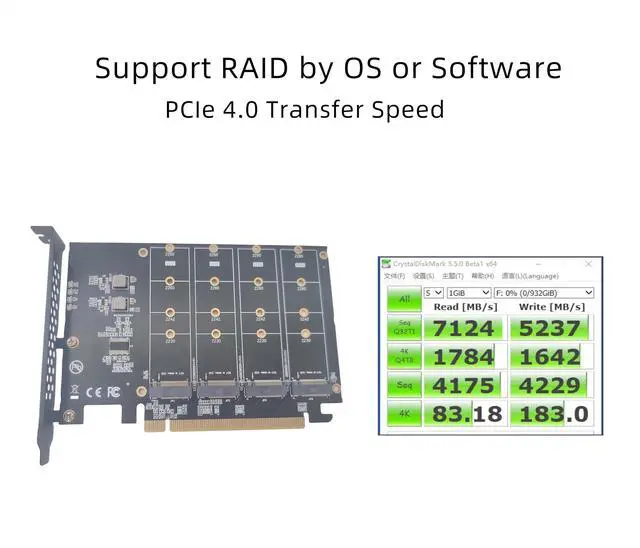
PROSUPERMICRO: X10SDV, X11DAi-N, X9DRW-3LN4F+Notice1. Plug-and-play in Windows 11/10/8/Linux/Mac OS. Not compatible with Windows 7 and older version which doesn't built-in NVMe drivers2. If your mainboard doesn't support UEFI and PCIe Boot function, installed NVMe SSDs are not bootable and can be only used as storage disk3. Speed perforamce may vary, depending on the PCIe, SSD, CPU on your system. Suggest to use PCIe 4.0 / 3.0 NVMe SSD and PCIe 4.0 / 3.0 x16 slot for maximun speed.. Package ListQuad NVMe Adapter Card x1Screws and screwdriver set x1





 here!
here!