Your Browsing History
Meet Your Seller
NAWEN KVM Switch 2 Monitors 3 Computers HDMI Dispalyport 8K@60Hz 4K144Hz
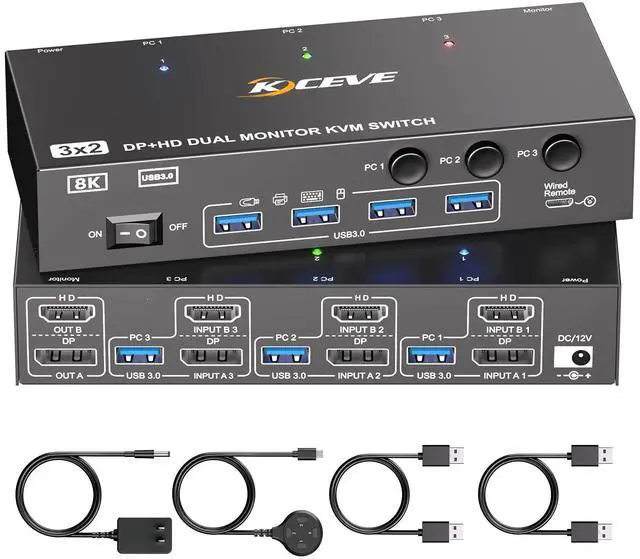
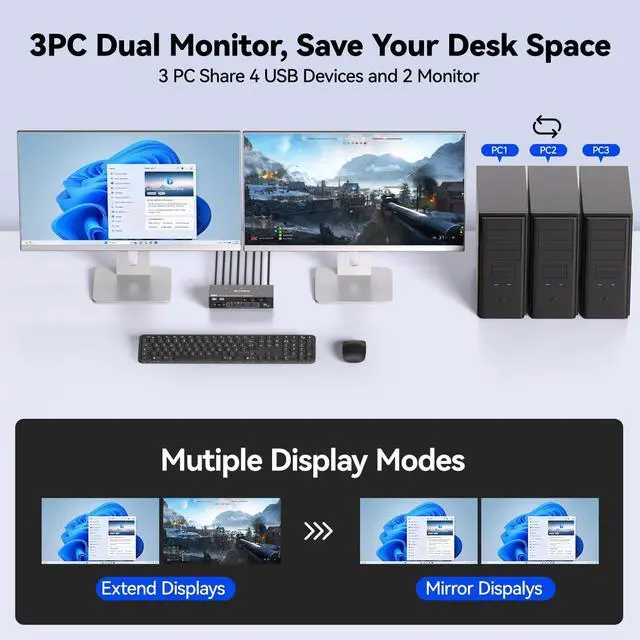
- Dual Monitor KVM Switch for 3 PC This 2 monitor KVM switch allows you to control 3 computers by one set of (wired/wireless) keyboard mouse, share 2 monitors and 4 USB3.0 devices. Support Copy & Extended Mode.Copy Mode: displaying the same image at the same time. Extended Mode: Extend three different images.
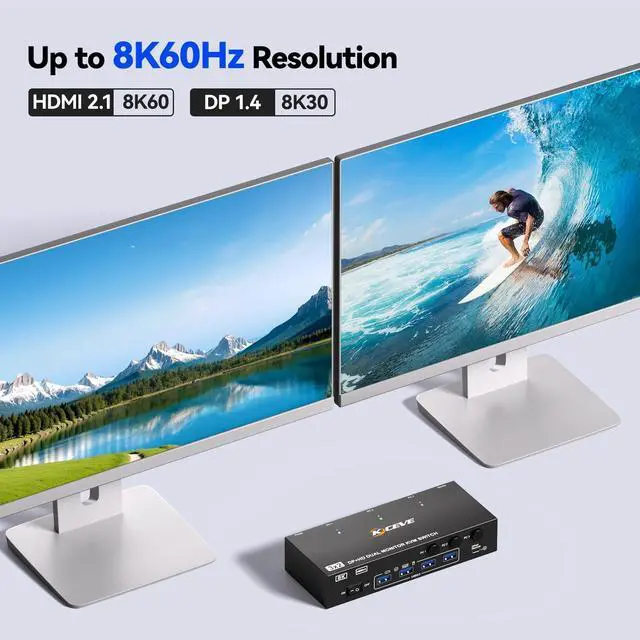
- Ultra HD 8K Visual EffectHDMI+DP KVM switches supports up to 8K@60Hz, with backward compatibility for 4K@144Hz, 4K@120Hz, and 1080P@240Hz. (Note:Please use HDMI2.1 and DP1.4 cables for a better experience, if the set distance allows,the length of cables more short more better. Final resolution is also subject to if you computer's graphic cards, monitors and the cables used all support 8K60Hz.)
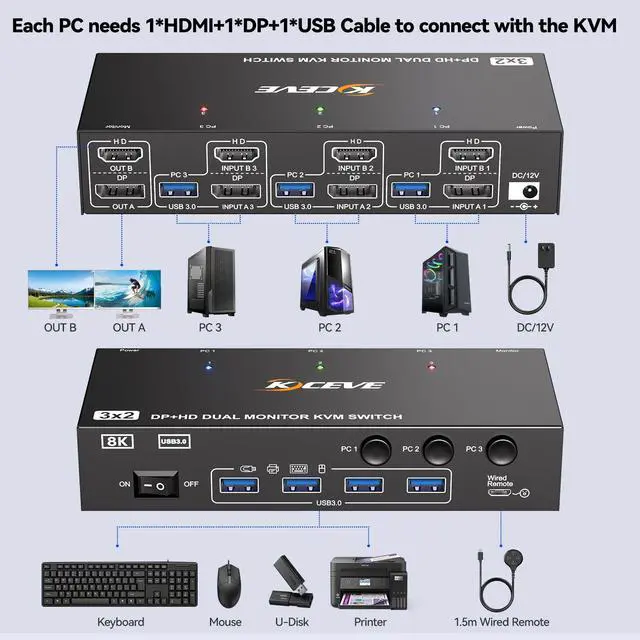
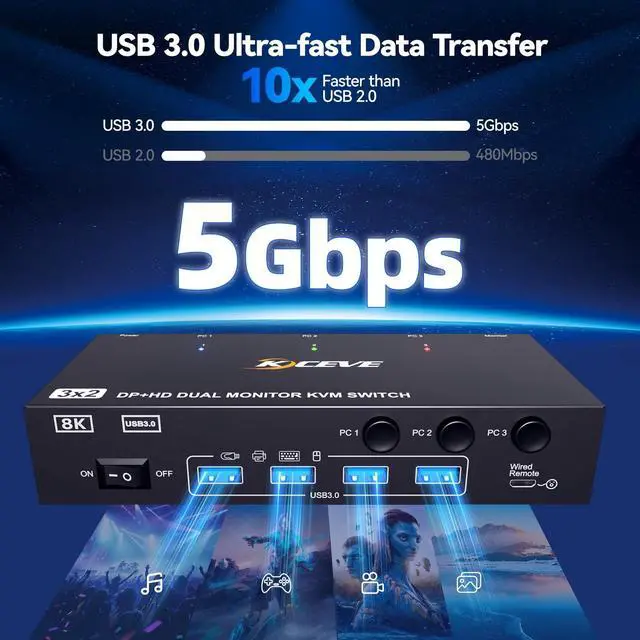
- USB3.0 KVM Switch3 computer KVM Switch with 4 USB3.0 ports for peripheral USB devices such as keyboard, mouse, printer, etc. Supports ultra-fast USB 3.0 data transfer up to 5Gbps. Please Attention: Please make sure that each computer is connected to the KVM using a USB cable, othe
+
+
Overview
Specs
Reviews
Any questions? Our AI mode will help you find out quickly.
Try me now
Dual Monitor KVM Switch for 3 PC This 2 monitor KVM switch allows you to control 3 computers by one set of (wired/wireless) keyboard mouse, share 2 monitors and 4 USB 3.0 devices. Support Copy & Extended Mode.
Copy Mode: displaying the same image at the same time.
Extended Mode: Extend three different images. ^^ Ultra HD 8K Visual EffectHDMI+DP KVM switches supports up to 8K@60Hz, with backward compatibility for 4K@144Hz, 4K@120Hz, and 1080P@240Hz.
(Note: Please use HDMI 2.1 and DP 1.4 cables for a better experience, if the set distance allows, the length of cables more short more better. Final resolution is also subject to if you computer's graphic cards, monitors and the cables used all support 8K60Hz. ) ^^ USB 3.0 KVM Switch3 computer KVM Switch with 4 USB 3.0 ports for peripheral USB devices such as keyboard, mouse, printer, etc. Supports ultra-fast USB 3.0 data transfer up to 5Gbps.
Please Attention: Please make sure that each computer is connected to the KVM using a USB cable, otherwise the USB device will not be recognized. ^^ Plug and Play & 2 Switching ModeUSB 3.0 KVM switch 3 Computers driver-free and plug and play. You can press the button on the panel or use the wired remoteincludedto switch the computers, LED indicate the active computer. ^^ Stable Work and ON-OFF Switch DesignedDual monitor KVM switch is powered by USB cables, and the upgraded 12V power adapter makes the KVM work smoother and provides more stable recognition when connecting high-power USB devices. When not in use, just turn off the KVM without unplugging the cables.

Copy Mode: displaying the same image at the same time.
Extended Mode: Extend three different images. ^^ Ultra HD 8K Visual EffectHDMI+DP KVM switches supports up to 8K@60Hz, with backward compatibility for 4K@144Hz, 4K@120Hz, and 1080P@240Hz.
(Note: Please use HDMI 2.1 and DP 1.4 cables for a better experience, if the set distance allows, the length of cables more short more better. Final resolution is also subject to if you computer's graphic cards, monitors and the cables used all support 8K60Hz. ) ^^ USB 3.0 KVM Switch3 computer KVM Switch with 4 USB 3.0 ports for peripheral USB devices such as keyboard, mouse, printer, etc. Supports ultra-fast USB 3.0 data transfer up to 5Gbps.
Please Attention: Please make sure that each computer is connected to the KVM using a USB cable, otherwise the USB device will not be recognized. ^^ Plug and Play & 2 Switching ModeUSB 3.0 KVM switch 3 Computers driver-free and plug and play. You can press the button on the panel or use the wired remoteincludedto switch the computers, LED indicate the active computer. ^^ Stable Work and ON-OFF Switch DesignedDual monitor KVM switch is powered by USB cables, and the upgraded 12V power adapter makes the KVM work smoother and provides more stable recognition when connecting high-power USB devices. When not in use, just turn off the KVM without unplugging the cables.
Warranty & Returns
Warranty, Returns, And Additional Information
Warranty
- Please contact the Seller directly for warranty information. Warranty information may also be found on the Manufacturer's website.
- CONTACT
Return Policies
- Return for refund within: 30 days
- Return for replacement within: 30 days
- This item is covered by SmartJoy Shop Return Policy
Manufacturer Contact Info
- For a directory of all our manufacturers, please click below.
- Manufacturers Directory
LOADING...