Your Browsing History
- Free 30-day Returns
$63.99
Meet Your Seller
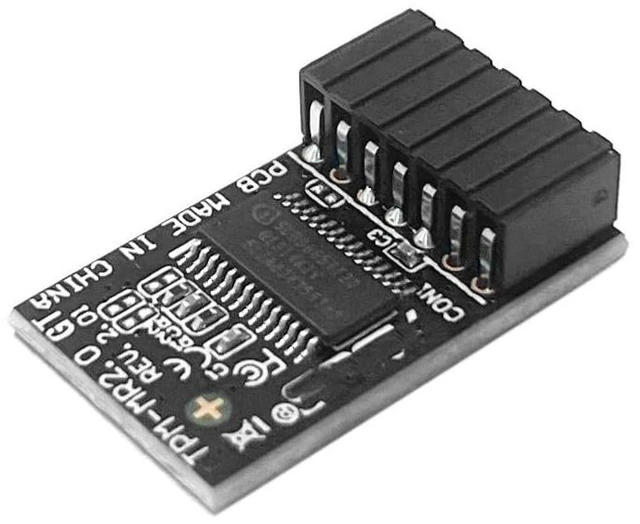
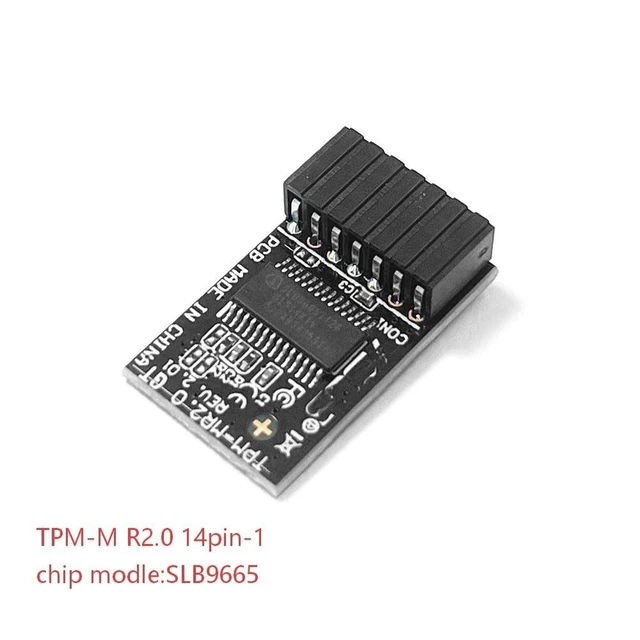
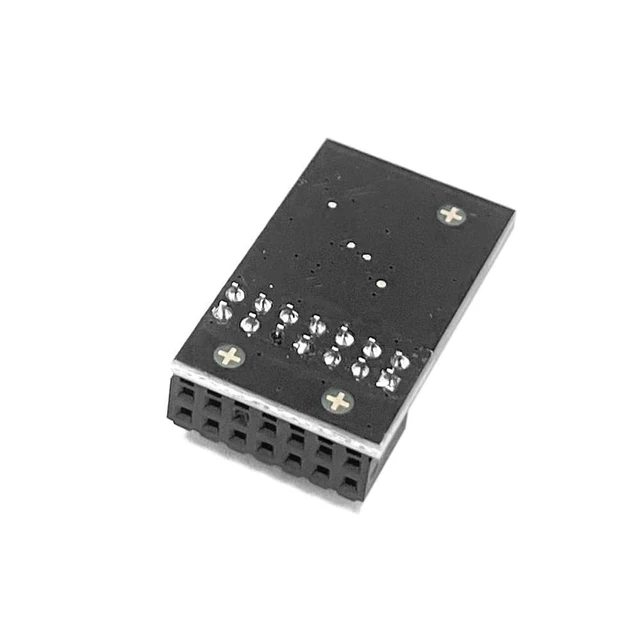
HSSDTECH TPM-M R2.0 LPC 14pin-1 SLB9665 for ASUS ROG Rampage V Edition 10
- TPM-M R2.0 Module LPC 14pin-1 with SLB9665 Replacement for ASUS ROG Motherboard Crosshair VI HERO ROG Crosshair VI HERO (WI-FI AC) ROG Rampage V EDITION 10 ROG Zenith II Extreme Alpha
- Compute Securely Bus Header Key Compatible with ASUS ROG Maximus IX EXTREME ROG Maximus XI HERO (WI-FI) ROG Maximus X APEX ROG Maximus IX HERO
- Important: The minimum hardware requirements for upgrading to Windows 11 via TPM 2.0 are as follows: 1 GHz or faster 64-bit processor (dual-core/multi-core), 4 GB of memory, 64 GB of storage space, firmware that supports UEFI Secure Boot and TPM 2.0, DirectX 12-compatible graphics card, and a display with a resolution of 720p or higher.
- Purpose a: Resolve the TPM 2.0 verification issue when upgrading to Windows 11, enabling it to function as an independent encryption chip, providing secure storage for sensitive data, and enhancing security;
- Use b: Hardware encryption acceleration, such as improving game lag issues and other functions.
+
+
Overview
Specs
Reviews
Any questions? Our AI mode will help you find out quickly.
Try me now
Important Notes: 1. This product is only compatible with older motherboards such as Intel and AMD. It is not compatible with newer motherboard models featuring firmware TPM, all-in-one PCs, or laptops. 2. The minimum hardware requirements for upgrading to Windows 11 via
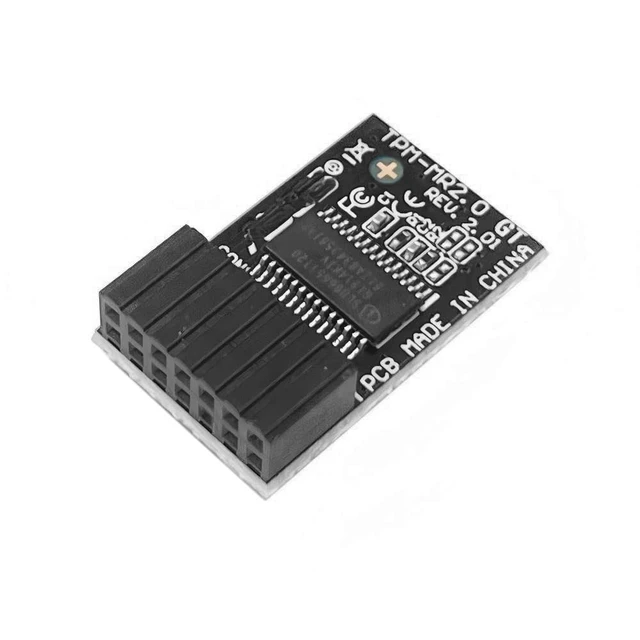
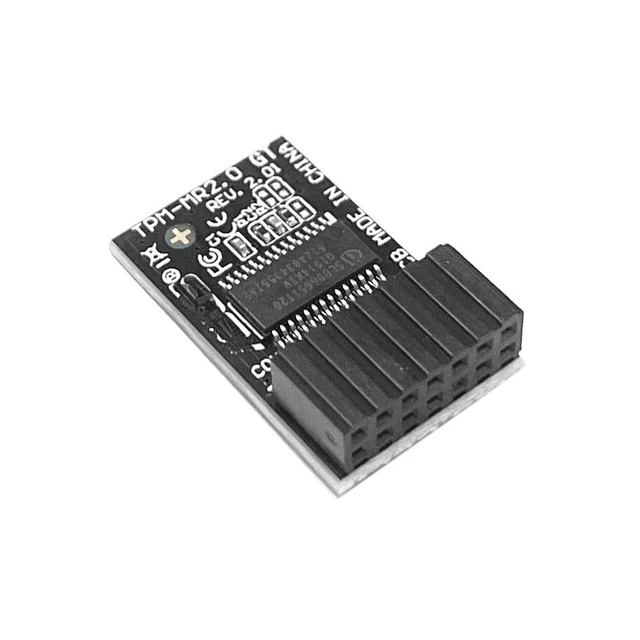
TPM 2.0 are as follows: a 1 GHz or faster 64-bit processor (dual-core/multi-core), 4 GB of memory, 64 GB of storage space, firmware supporting UEFI Secure Boot and TPM 2.0, a DirectX 12-compatible graphics card, and a display with a resolution of 720p or higher. 3. This product has a 14pin-1 connector. Please carefully check the pin positions in the image to ensure compatibility with your motherboard before purchasing.
Core Applications:
1: Seamless upgrade to
Windows 11: Resolve TPM 2.0 verification issues and easily upgrade to the latest operating system.
2: Enhanced
hardware-level security: Provides an independent secure encryption chip specifically designed for securely storing sensitive data (such as encryption keys, digital certificates, and login credentials), thereby enhancing overall system security. How to select and install a security module: 1. Confirm whether the host has TPM 2.0 or if TPM 2.0 is enabled. 2.
Click Run,
enter: tpm. msc (Win+R keys), and check if the TPM version is ready. 3. If version 2.0 is displayed but not ready, you need to configure settings in the BIOS; consult the motherboard manufacturer's customer service. 4. Open the host and inspect the TPM pins on the motherboard. 5. When installing the module, ensure the chip-side faces inward, align with the pins, and insert fully to prevent loosening

TPM 2.0 are as follows: a 1 GHz or faster 64-bit processor (dual-core/multi-core), 4 GB of memory, 64 GB of storage space, firmware supporting UEFI Secure Boot and TPM 2.0, a DirectX 12-compatible graphics card, and a display with a resolution of 720p or higher. 3. This product has a 14pin-1 connector. Please carefully check the pin positions in the image to ensure compatibility with your motherboard before purchasing.
Core Applications:
1: Seamless upgrade to
Windows 11: Resolve TPM 2.0 verification issues and easily upgrade to the latest operating system.
2: Enhanced
hardware-level security: Provides an independent secure encryption chip specifically designed for securely storing sensitive data (such as encryption keys, digital certificates, and login credentials), thereby enhancing overall system security. How to select and install a security module: 1. Confirm whether the host has TPM 2.0 or if TPM 2.0 is enabled. 2.
Click Run,
enter: tpm. msc (Win+R keys), and check if the TPM version is ready. 3. If version 2.0 is displayed but not ready, you need to configure settings in the BIOS; consult the motherboard manufacturer's customer service. 4. Open the host and inspect the TPM pins on the motherboard. 5. When installing the module, ensure the chip-side faces inward, align with the pins, and insert fully to prevent loosening
Warranty & Returns
Warranty, Returns, And Additional Information
Warranty
- Please contact the Seller directly for warranty information. Warranty information may also be found on the Manufacturer's website.
- CONTACT
Return Policies
- Return for refund within: 30 days
- Return for replacement within: non-replaceable
- This item is covered by SIMPLIZED Return Policy
Manufacturer Contact Info
- For a directory of all our manufacturers, please click below.
- Manufacturers Directory
LOADING...