

Your Browsing History
- Free 30-day Returns
$103.89

Best Sellers
- $108.99
- + $5.99 Shipping

Meet Your Seller

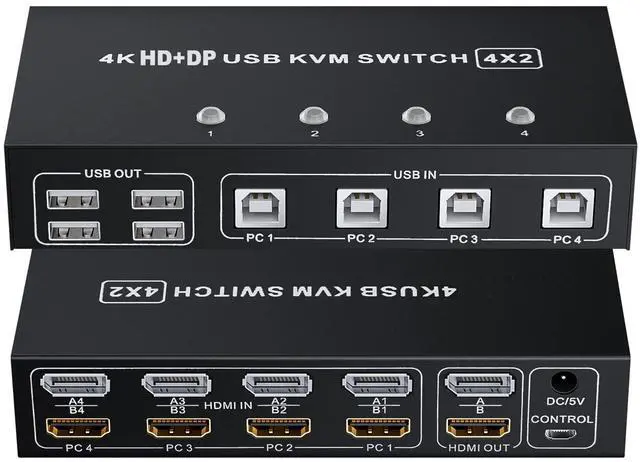


BolAAzuL HDMI + Displayport KVM Switch Box 4 Port, Dual Monitor 4 Computers HDMI 2.0 DP 1.2 USB 2.0 KVM Switch 4K 60Hz, Keyboard Mouse Peripherals Switcher HDMI+DP 4 in 2 Out for 4 PCs 2 Monitors
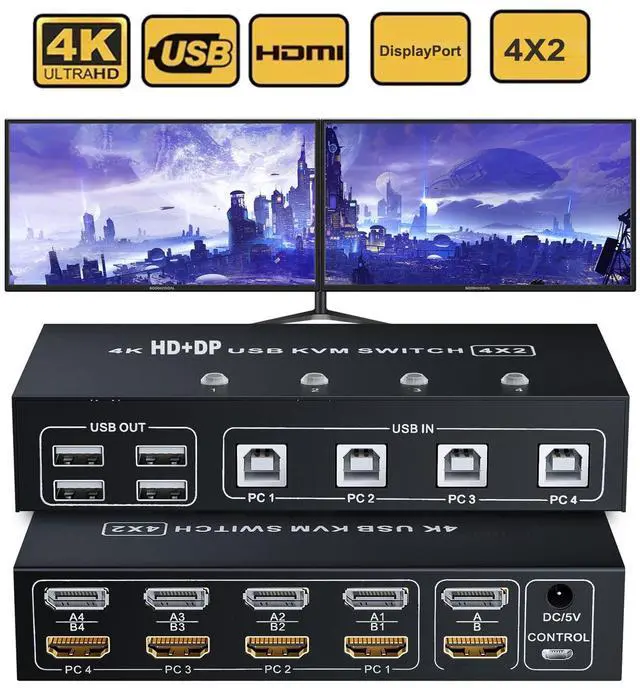
- 4 Port HDMI + DisplayPort 2 Monitors KVM Switch: With this 4 HDMI in & 4 Displayport in to Dual Monitor out KVM switcher, you can easily use one set of keyboard and mouse to control 4 signal sources (4 computers) at the same time and share 2 monitors
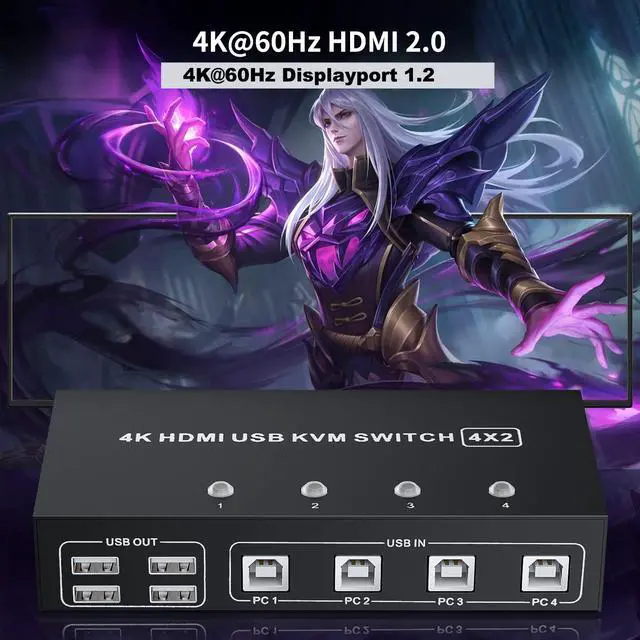
- UHD 4K@60 Resolution: Under DisplayPort 1.2 and HDMI 2.0 technology, the HDMI DP KVM Switch Dual Monitor supports crystal-clear picture quality with Ultra HD 4k@60Hz, adaptive EDID&HDCP, and share your USB peripheral devices with built-in USB 2.0 hub
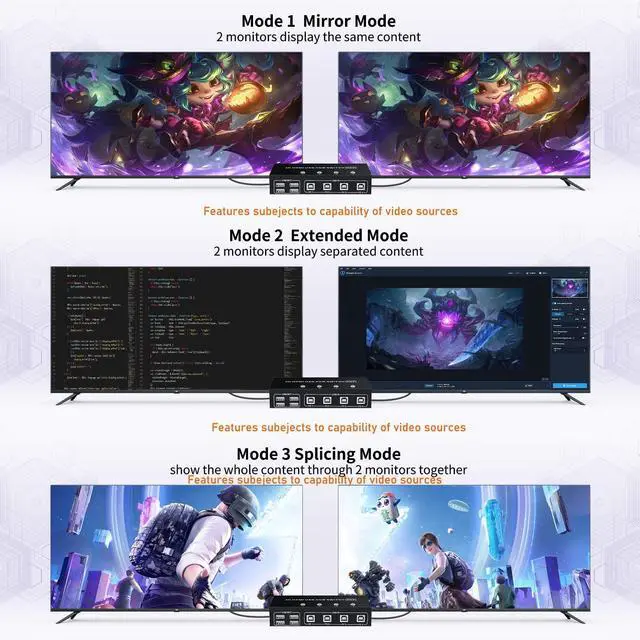
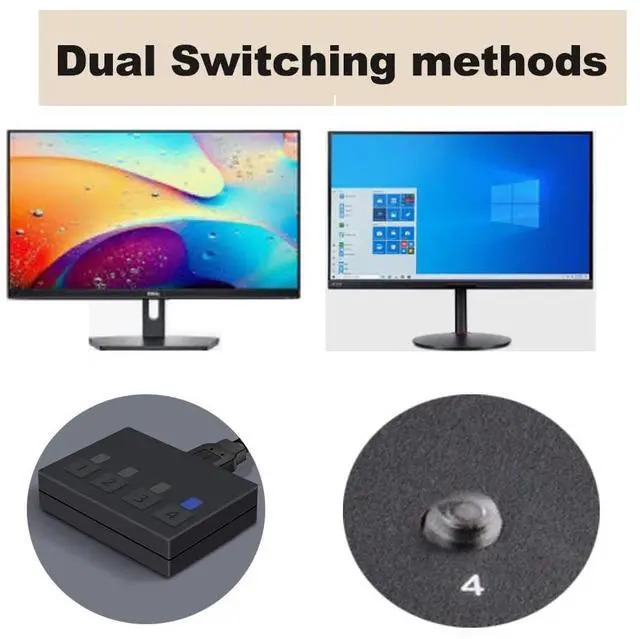
- 2-Mode Switching: This KVM Switch Dual Monitor HDMI DisplayPort supports physical buttons ( toggle switch) and wired remote control. Mirror Mode & Extended Mode supported, the requirement for this KVM to achieve a dual-screen display is that each PC you connect to has the capability to support a dual or multi-screen display
- High-level Compatibility: The 4 computers 2 monitors KVM switch compatible with all computers and other devices with HDMI & DisplayPort ports, and works
+
+
Overview
Specs
Reviews

Any questions? Our AI beta will help you find out quickly.
Try me now
Features &
1. 4 computers/laptops share one set of keyboard, mouse, dual monitors, and more USB 2.0 peripherals;
2. This dual monitor HDMI & DisplayPort KVM switch supports up to 4Kx2K (3840*2160) @60Hz (HDMI 2.0, DP 1.2 ) for extended or mirrored display;
3. Support wired or wireless keyboard and mouse;
4. Adaptive EDID can adapt to a variety of complex application environments;
5. Compatible with Windows 10/7/2000/XP/Vista, Linux, UNIX, Ubuntu, Fedora, and other systems;
Mirror Mode & Extended Mode:
1). Extended Mode can output two different screens and Mirror Mode can output two identical screens.
2). The requirement for this KVM to achieve a dual-screen display is that each PC you connect to has the capability to support a dual or multi-screen display. This has nothing to do with KVM.
Detection method: You can connect the computer to 2 monitors directly (not via KVM). If both monitors have an on-screen display, the computer supports a multi-monitor display.
Adapters Might Be Needed:
This Dual Monitor KVM Switch requires HDMI & DisplayPort input for each computer and HDMI & DisplayPort output for monitors.
However, most computers especially laptops do not have HDMI & DisplayPort output, thus reliable adapters will be needed for non-HDMI & DisplayPort outputs like VGA, DVI, and USB C.
Two Switching Methods
Button Switch:
Quickly switch between the 4 computers with just one click of the switch button and no extra operations.
Wired Remote Switch:
A button-controlled switch extension cord is presented, so you dont have to get up and switch easily when you use it.
NOTE:
Do not support keyboard switches, avoid hotkey conflicts.
Package Contents:
KVM Switch X1
USB A to USB B Cables X4
Wire remote switch button X1
Power Adapter X1
User Manual X1
Specifications
:1. 4 computers/laptops share one set of keyboard, mouse, dual monitors, and more USB 2.0 peripherals;
2. This dual monitor HDMI & DisplayPort KVM switch supports up to 4Kx2K (3840*2160) @60Hz (HDMI 2.0, DP 1.2 ) for extended or mirrored display;
3. Support wired or wireless keyboard and mouse;
4. Adaptive EDID can adapt to a variety of complex application environments;
5. Compatible with Windows 10/7/2000/XP/Vista, Linux, UNIX, Ubuntu, Fedora, and other systems;
Mirror Mode & Extended Mode:
1). Extended Mode can output two different screens and Mirror Mode can output two identical screens.
2). The requirement for this KVM to achieve a dual-screen display is that each PC you connect to has the capability to support a dual or multi-screen display. This has nothing to do with KVM.
Detection method: You can connect the computer to 2 monitors directly (not via KVM). If both monitors have an on-screen display, the computer supports a multi-monitor display.
Adapters Might Be Needed:
This Dual Monitor KVM Switch requires HDMI & DisplayPort input for each computer and HDMI & DisplayPort output for monitors.
However, most computers especially laptops do not have HDMI & DisplayPort output, thus reliable adapters will be needed for non-HDMI & DisplayPort outputs like VGA, DVI, and USB C.
Two Switching Methods
Button Switch:
Quickly switch between the 4 computers with just one click of the switch button and no extra operations.
Wired Remote Switch:
A button-controlled switch extension cord is presented, so you dont have to get up and switch easily when you use it.
NOTE:
Do not support keyboard switches, avoid hotkey conflicts.
Package Contents:
KVM Switch X1
USB A to USB B Cables X4
Wire remote switch button X1
Power Adapter X1
User Manual X1
Warranty & Returns
Warranty, Returns, And Additional Information
Warranty
- Please contact the Seller directly for warranty information. Warranty information may also be found on the Manufacturer's website.
- CONTACT
Return Policies
- Return for refund within: 30 days
- Return for replacement within: 30 days
- This item is covered by TA Factory Return Policy
Manufacturer Contact Info
- For a directory of all our manufacturers, please click below.
- Manufacturers Directory
LOADING...
LOADING...