Your Browsing History
- Free 30-day Returns
$51.99
Meet Your Seller
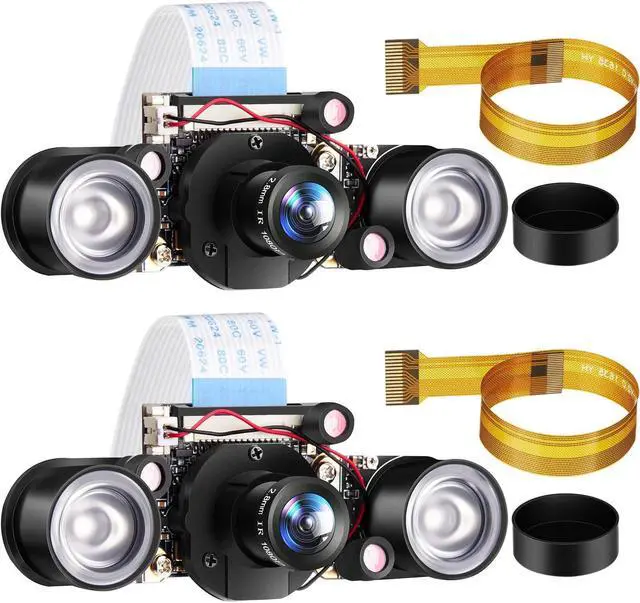
Weewooday 2 Sets for Camera 1080P Webcam 5MP OV5647 Sensor Day and Night Vision IR-Cut Video Focus Adjustment Compatible with Raspberry Pi RPi 4 3 B/B+ 2B 3A+ 2 1 Camera
- Nice performance: the IR-Cut video camera not only supports shooting 2592 x 1944 pixel static image but also supports recording 1080p@30fps, 720p@60fps and 640 x 480p 60/90 video; Featuring with 1080P 5MP OV5647 webcam sensor, 5 megapixels and adjustable focal length
- IR-CUT camera: the camera module has day mode and night mode, it can switch automatically between the 2 modes according to the change of light, which helps you to avoide image deviation and get clearer images during the day and night
- CMOS sensor interface: the camera module adopts appropriative CMOS sensor interface (CSI), via the CSI bus; A higher bandwidth link that transmits 5 megapixels data from the camera back to the processor
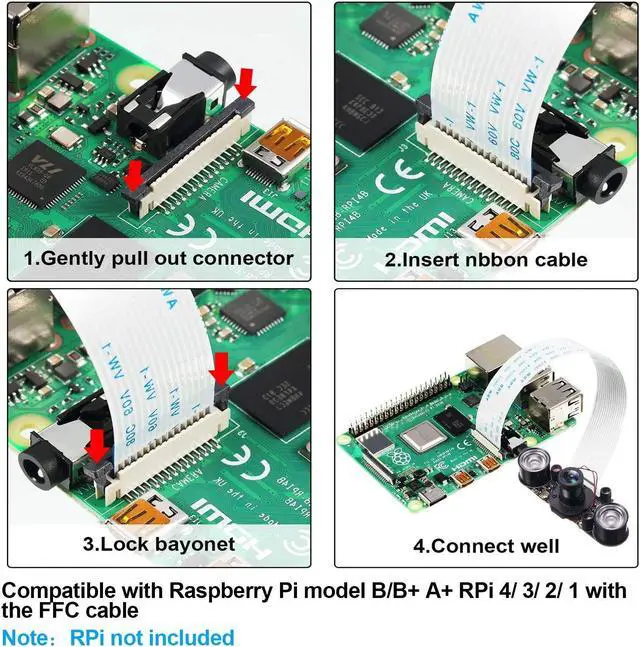
- Compatibility: these infrared night vision camera modules are compatible with Raspberry Pi 4/ 3/ 2/ 1 model B/ B +/ a + (except Pi Zero/ Zero W)
- Infrared fill light: equipped with 2 infrared fill lights, so the camera module allows you to take pictures at night and you don
+
+
Overview
Specs
Reviews
Any questions? Our AI beta will help you find out quickly.
Try me now
Features:
The built-in IR-CUT allows camera module to automatically switch between day mode and night mode.
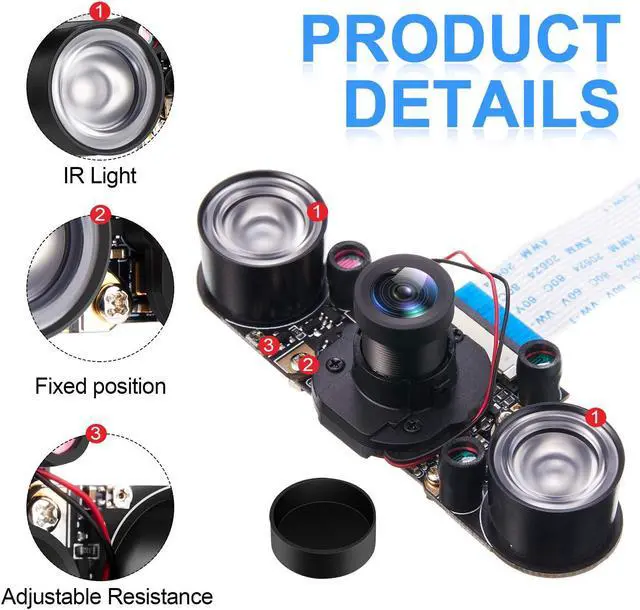
Comes with 2 infrared fill lights to support infrared night vision to take photos at night.
Support focal length adjustment to fit the distance of the object.
Support shooting 2592 x 1944 pixel static image and recording 1080p@30fps, 720p@60fps and 640 x 480p 60/90 video.
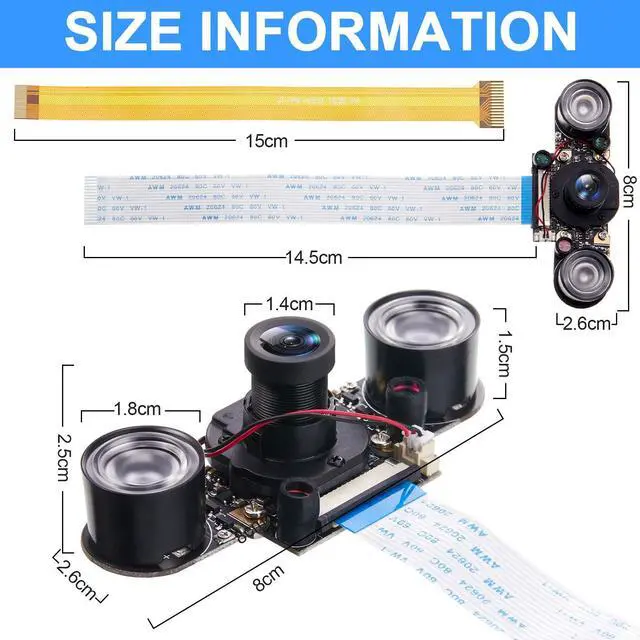
4 Screw holes measuring 26.5 x 32 mm for installation.
Support a power output of 3.3V.
The way to switch between night vision mode and non-night vision mode:
A. Default non-night vision mode
B.
Switch to night vision mode:
1.
Execute the instruction: sudo nano /boot/config. txt
2. Add disable_camera_led=1
3. 'Ctrl+O', press 'Enter', enter 'Ctrl+X' to exit and save
4. Restart, enter non-night vision mode
Resolution: 5 megapixels
Sensor: OV5647
CMOS Size: 1/4 inch
Aperture (F): 1.2
Focal length: 2.8 mm (adjustable)
Field of view (FOV): 90 degrees
Sensor resolution: 1080p
Package includes:
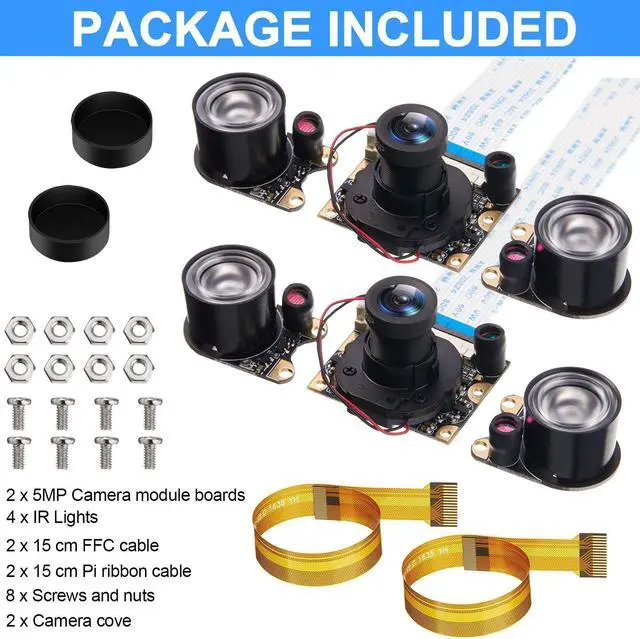
2 x 5MP Camera module boards with caps
4 x IR Lights
2 x 15 cm FFC cable
2 x 15 cm Pi ribbon cable
8 x Screws and nuts
Note:
The mention of brand names and any related models above is only for purposes of demonstrating compatibility.

The built-in IR-CUT allows camera module to automatically switch between day mode and night mode.
Comes with 2 infrared fill lights to support infrared night vision to take photos at night.
Support focal length adjustment to fit the distance of the object.
Support shooting 2592 x 1944 pixel static image and recording 1080p@30fps, 720p@60fps and 640 x 480p 60/90 video.
4 Screw holes measuring 26.5 x 32 mm for installation.
Support a power output of 3.3V.
The way to switch between night vision mode and non-night vision mode:
A. Default non-night vision mode
B.
Switch to night vision mode:
1.
Execute the instruction: sudo nano /boot/config. txt
2. Add disable_camera_led=1
3. 'Ctrl+O', press 'Enter', enter 'Ctrl+X' to exit and save
4. Restart, enter non-night vision mode
Specifications
:Resolution: 5 megapixels
Sensor: OV5647
CMOS Size: 1/4 inch
Aperture (F): 1.2
Focal length: 2.8 mm (adjustable)
Field of view (FOV): 90 degrees
Sensor resolution: 1080p
Package includes:
2 x 5MP Camera module boards with caps
4 x IR Lights
2 x 15 cm FFC cable
2 x 15 cm Pi ribbon cable
8 x Screws and nuts
Note:
The mention of brand names and any related models above is only for purposes of demonstrating compatibility.
Warranty & Returns
Warranty, Returns, And Additional Information
Warranty
- Please contact the Seller directly for warranty information. Warranty information may also be found on the Manufacturer's website.
- CONTACT
Return Policies
- Return for refund within: 30 days
- Return for replacement within: 30 days
- This item is covered by StarDragon Return Policy
Manufacturer Contact Info
- For a directory of all our manufacturers, please click below.
- Manufacturers Directory
LOADING...