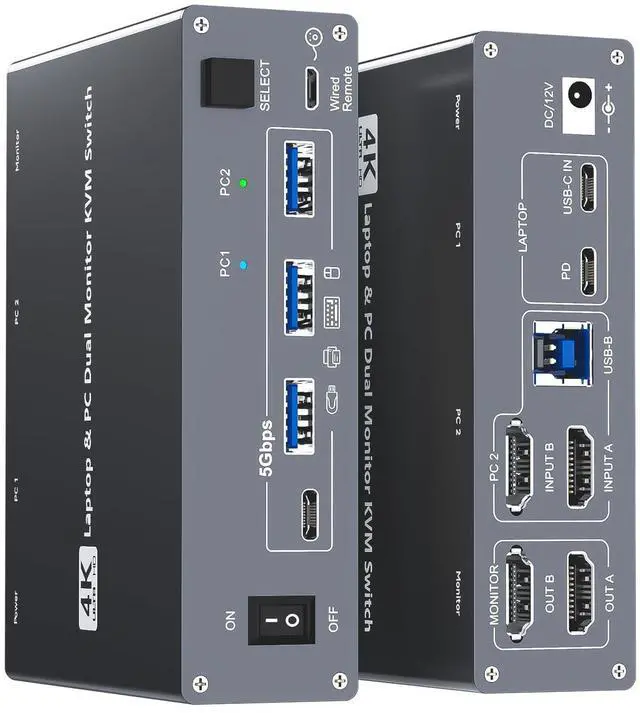
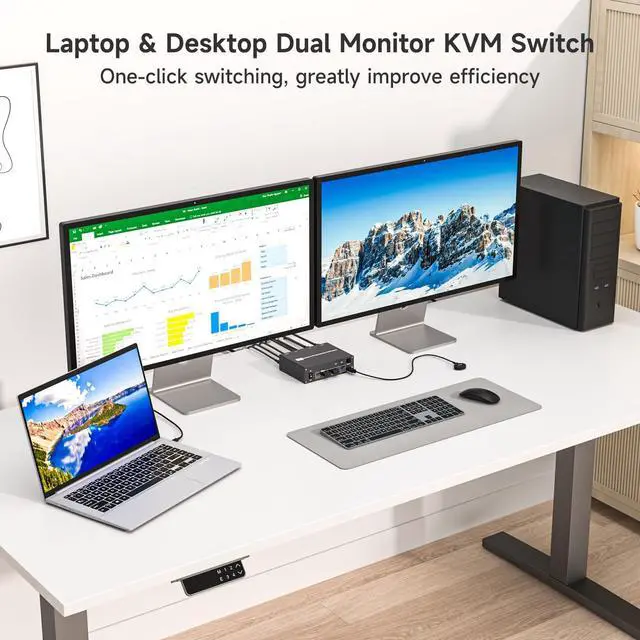
USB-C Docking Station & Dual Monitor KVM SwitchThe 2-in-1 USB-C HDMI laptop & desktop docking KVM switch acts as a powerful USB-C docking station and a 2 monitors 2 computers KVM switcher! While expanding your USB-C laptop into 2 HDMI monitors and 4 USB 3.0 Hubs, it also allows you to easily switch between a laptop and a desktop PC to share 2 monitors and four USB 3.0 peripherals. Save money, simplify your setup, and boost productivity with a clean, organized workspace ^^ Crystal-Clear 4K@60Hz Dual Monitor PerformanceThe laptop and desktop 2 computers 2 monitors KVM switch supports up to dual 4K@60Hz output with true 4:4: 4 color clarity, plus compatibility with 2K@120Hz, 2560x1440@120Hz/60Hz, and 1920x1440@144Hz/120Hz ect. Switch effortlessly between high-resolution spreadsheets and smooth, immersive gameplayall without lag or compromise, so you can enjoy stunning visuals whether youre working or gaming! ^^ SuperSpeed USB 3.0 Stable Data TransferThe USB Type C kvm switch docking has 4 USB 3.0 ports for connecting keyboard, mouse, printer, external hard drives, USB flash drives, and more. With a blazing-fast transfer rate of 5Gbps, providing superior speed and stability than
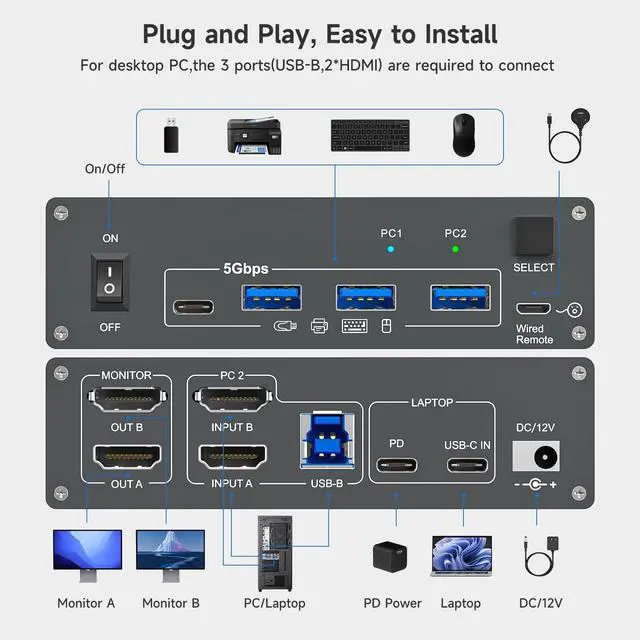
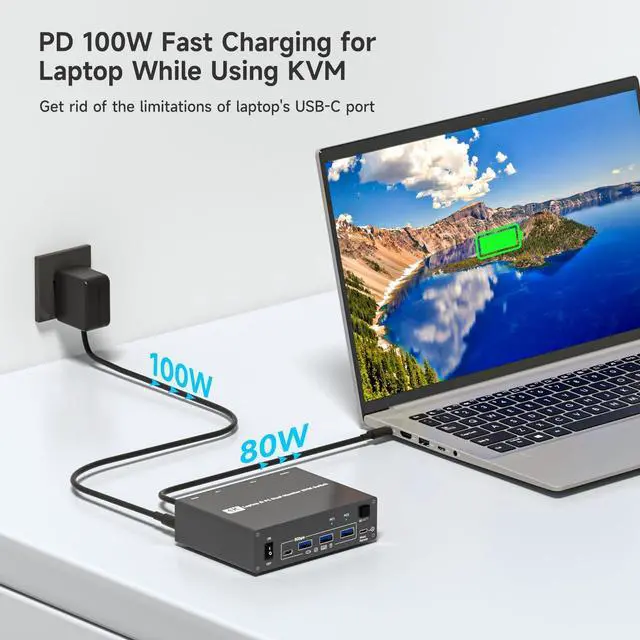
USB 2.0.: For high-power USB devices, use the included 12V/2A power adapter for stable operation ^^ Support 100W PD Fast Charging for LaptopsThe USB Type-C & Dual HDMI USB 3.0 docking KVM switch features a 100W power delivery (PD) port, which can keep your laptop charged while you work or play. Say good bye to the the hassle of having limited USB-C ports on your laptop.: To charge the laptop properly, please plug a 100W laptop charger from socket to the PD port on the KVM; 100W actually powers the laptop at 73~80W, because both device and lines will consume power ^^ Wide Compatibility & Flexible Switching WaysThe laptop PC 2 monitors docking KVM switch works smoothly with Windows, macOS, Linux, and Chrome OS. The switching method is very flexible, you can easily switch the signal between the laptop and desktop in seconds through the Panel Button & Wired Remote Controller, clear LED indicators show the active computer ^^ Warm Tips () To get 2 screens output from laptop/desktop and make USB peripheral devices work properly, please ensure the USB-C port of the laptop supports DP Alt function(Video&Data&PD Transfer), desktop PC should be connected to 2 HDMI cables+1 USB cable; () For general laptops or computers, this 2 monitors
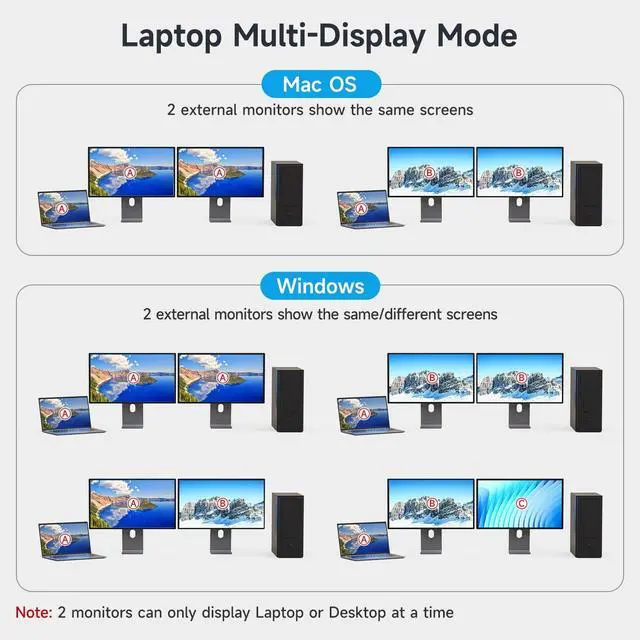
KVM supports two display modes: Duplicate and Extend. However, for Mac OS, the 2 monitors only support displaying the same screen(Mirror or Extend ONE different screen from MAC, because MAC M1/M2 doesnt support MST (multi-stream transport)