

Your Browsing History

Meet Your Seller

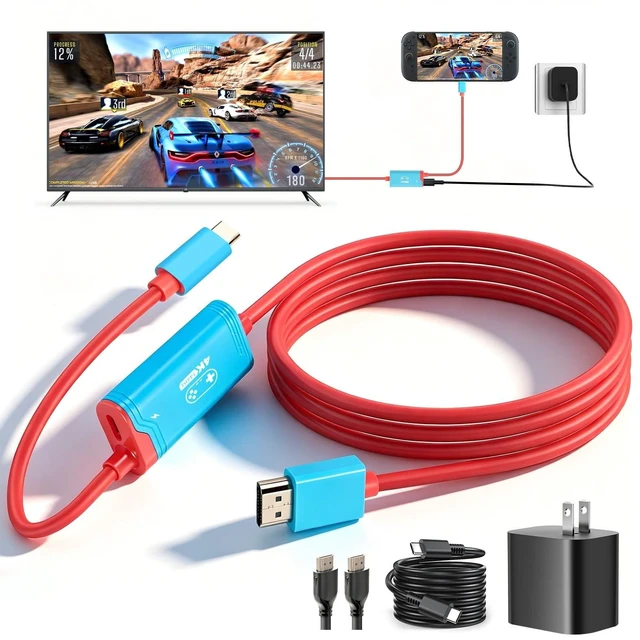
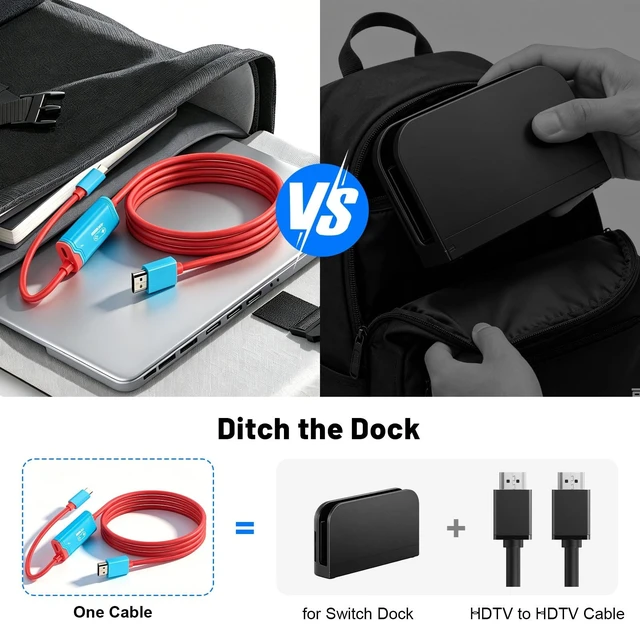


for Switch 2 dock, (Plug-and-Play) 4K@144HZ 6.6ft,USB C to HDMI Replacement Cable for Nintendo Switch Dock, Portable Travel TV Dock AdapterTravel NS2 Docking Station Cord for Nintendo Switch (Bundle)
- Universal Compatibility: Works perfectly with a TV dock for Nintendo Switch setup, plus Switch OLED and other USB-C game consoles (not for Switch Lite). The HDMI cable for Switch 2 supports most HDTVs, monitors, and projectors.If the picture is blurry, tweak HDR settings just like on your original dockcrystal clarity restored.
- Travel-Friendly & Lightweight: At just 80g (2.8oz), this travel dock for Switch 2 slips into any carrying case. Unlike bulky official docks, it lets you turn any hotel TV into your gaming hub. It easily enables screen projection to the same standard as the official NS 2 dock.The red-blue design pops. The TV adapter function for Nintendo Switch means zero fumbling with cordsjust pure plug-and-play convenience.
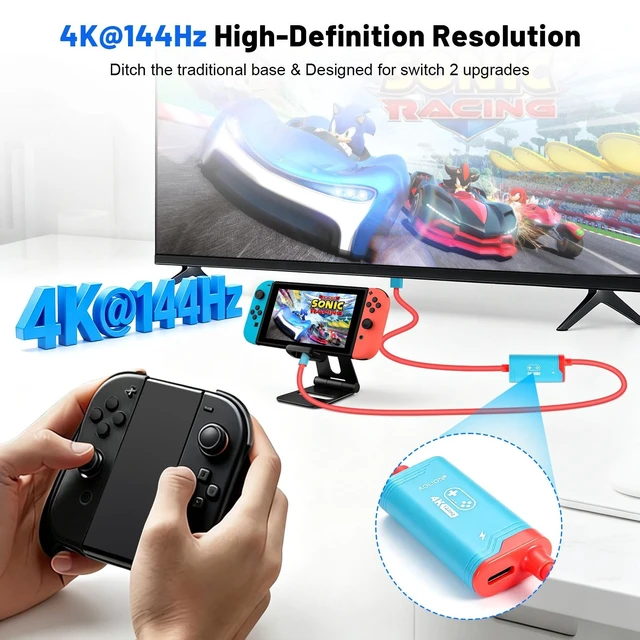
- Effortless 4K Gaming Setup: Plug into a dock for Nintendo Switch 2 and enjoy 4K@144Hz ultra-HD gameplay on your big screen. The 6.6ft USB C to HDMI cable delivers lag-free projection, making every fast-paced turn or combat swing feel instant. No driver
+
+
Overview
Specs
Reviews

Any questions? Our AI mode will help you find out quickly.
Try me now
Universal Compatibility: Works perfectly with a TV dock for Nintendo Switch setup, plus Switch OLED and other USB-C game consoles (not for Switch Lite). The HDMI cable for Switch 2 supports most HDT
Vs, monitors, and projectors. If the picture is blurry, tweak HDR settings just like on your original dockcrystal clarity restored.
^^ Travel-Friendly & Lightweight: At just 80g ( 2.8 oz), this travel dock for Switch 2 slips into any carrying case. Unlike bulky official docks, it lets you turn any hotel TV into your gaming hub. It easily enables screen projection to the same standard as the official NS 2 dock. The red-blue design pops. The TV adapter function for Nintendo Switch means zero fumbling with cordsjust pure plug-and-play convenience. ^^ Effortless 4K
Gaming Setup: Plug into a dock for Nintendo Switch 2 and enjoy 4K@144Hz ultra-HD gameplay on your big screen. The 6.6 ft USB C to HDMI cable delivers lag-free projection, making every fast-paced turn or combat swing feel instant. No driver neededjust connect, play, and dominate your game. ^^ Smart PD 100W
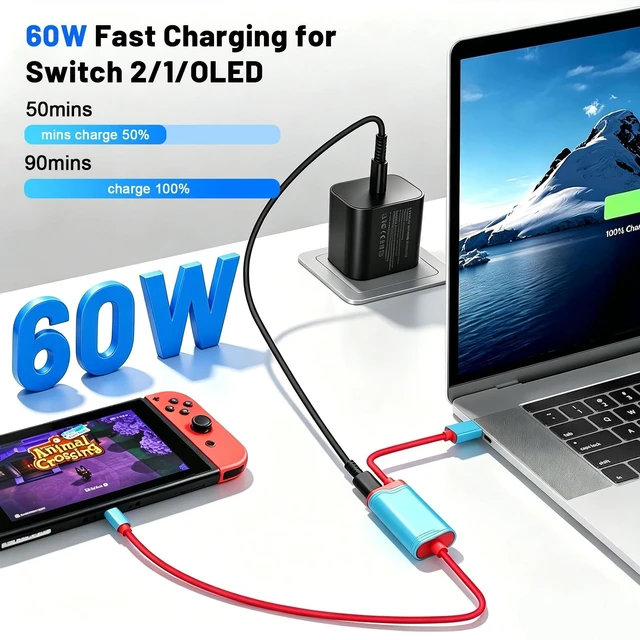
Fast Charging: Built-in smart chip features Short-Circuit Protection, Over-Power Protection, Recovery Protection, and Overheating Protection, keeping your console safe while you marathon games. Use an HDMI cable for Nintendo Switch to simultaneously power and project. Even in tabletop mode, the portable dock for Switch 2 maintains a full charge, so you never lose progress due to a dead battery. ^^ Steps to Use TV Dock for
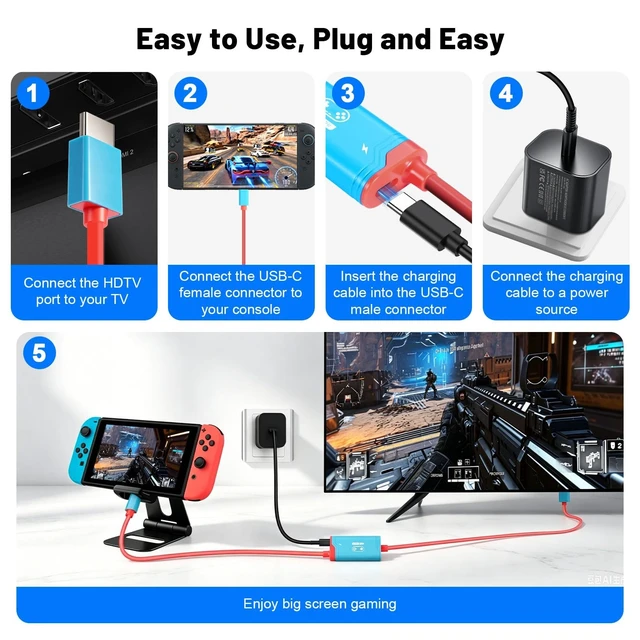
Switch 2: 1. Power the dock using a 15V/3A PD fast charger and plug your TV HDMI cable into the adapter.
2. Change your TV input to the correct HDMI port.
3. Wake up for Switch 2 and connect the adapters USB-C output to the console.
4. Wait 28 seconds, and your TV will light up automatically.
Note: First, it is highly recommended to use the original 20V/3A (60W) charger. Using insufficient power (e. g., less than 60W) may fail to activate TV mode. Second, in TV mode, The NS 2s screen remains black; the game screen will only be displayed on your TV or monitor.
^^ Purchase Note: You will receive 1 Dock Replacement Cable for Switch 2, 1 60W Power AC Charger, 1 5FT USB-C Cable and 1 Instruction Manual. If you have any issues, please contact us via email. We will reply within 18 hours and ensure your satisfaction.
Vs, monitors, and projectors. If the picture is blurry, tweak HDR settings just like on your original dockcrystal clarity restored.
^^ Travel-Friendly & Lightweight: At just 80g ( 2.8 oz), this travel dock for Switch 2 slips into any carrying case. Unlike bulky official docks, it lets you turn any hotel TV into your gaming hub. It easily enables screen projection to the same standard as the official NS 2 dock. The red-blue design pops. The TV adapter function for Nintendo Switch means zero fumbling with cordsjust pure plug-and-play convenience. ^^ Effortless 4K
Gaming Setup: Plug into a dock for Nintendo Switch 2 and enjoy 4K@144Hz ultra-HD gameplay on your big screen. The 6.6 ft USB C to HDMI cable delivers lag-free projection, making every fast-paced turn or combat swing feel instant. No driver neededjust connect, play, and dominate your game. ^^ Smart PD 100W
Fast Charging: Built-in smart chip features Short-Circuit Protection, Over-Power Protection, Recovery Protection, and Overheating Protection, keeping your console safe while you marathon games. Use an HDMI cable for Nintendo Switch to simultaneously power and project. Even in tabletop mode, the portable dock for Switch 2 maintains a full charge, so you never lose progress due to a dead battery. ^^ Steps to Use TV Dock for
Switch 2: 1. Power the dock using a 15V/3A PD fast charger and plug your TV HDMI cable into the adapter.
2. Change your TV input to the correct HDMI port.
3. Wake up for Switch 2 and connect the adapters USB-C output to the console.
4. Wait 28 seconds, and your TV will light up automatically.
Note: First, it is highly recommended to use the original 20V/3A (60W) charger. Using insufficient power (e. g., less than 60W) may fail to activate TV mode. Second, in TV mode, The NS 2s screen remains black; the game screen will only be displayed on your TV or monitor.
^^ Purchase Note: You will receive 1 Dock Replacement Cable for Switch 2, 1 60W Power AC Charger, 1 5FT USB-C Cable and 1 Instruction Manual. If you have any issues, please contact us via email. We will reply within 18 hours and ensure your satisfaction.
Warranty & Returns
Warranty, Returns, And Additional Information
Warranty
- Please contact the Seller directly for warranty information. Warranty information may also be found on the Manufacturer's website.
- CONTACT
Return Policies
- Return for refund within: 30 days
- Return for replacement within: 30 days
- This item is covered by Luhang Return Policy
Manufacturer Contact Info
- For a directory of all our manufacturers, please click below.
- Manufacturers Directory
LOADING...