

Your Browsing History
- Free 30-day Returns
$44.99

Meet Your Seller

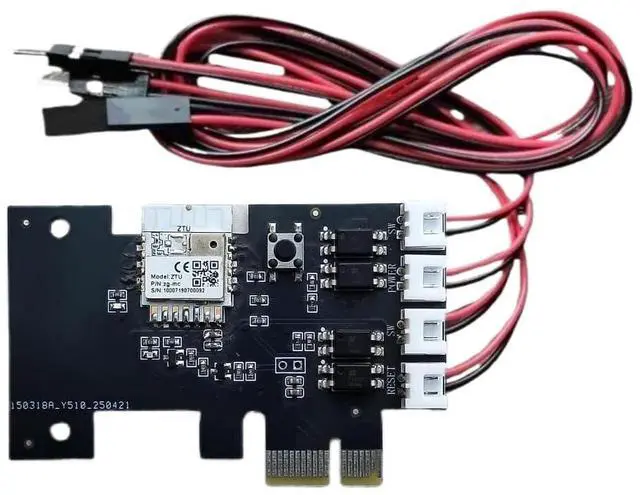


LETLINK Desktop Computer Remote Startup Card,Applicable to Computers with PCIE Ports as the mainframe,Smart Life/Tuya Smart App Control,Set for Automatic on/Off,Sharing Control (Zigbee Startup Card)
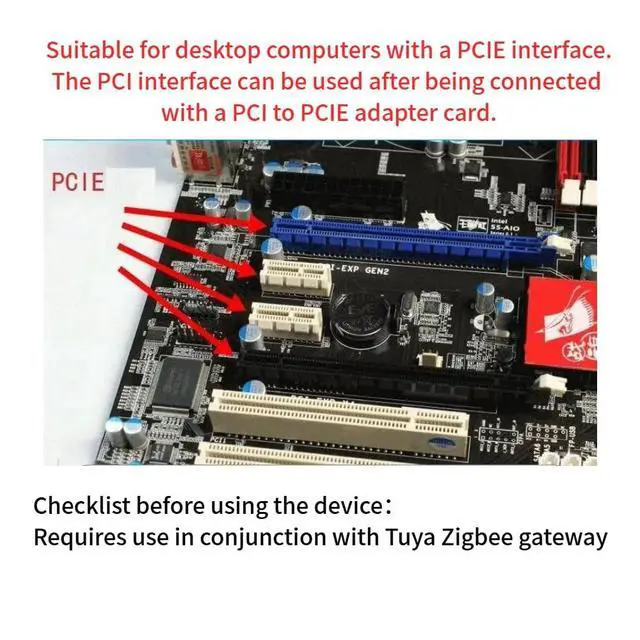
- The installation is simple and space-saving, and it is suitable for desktop computers with PCIE interfaces. There is no need for complex driver configuration, and plug-and-play functionality can be achieved directly. The PCI interface can be used after being connected with a PCI to PCIE adapter card.
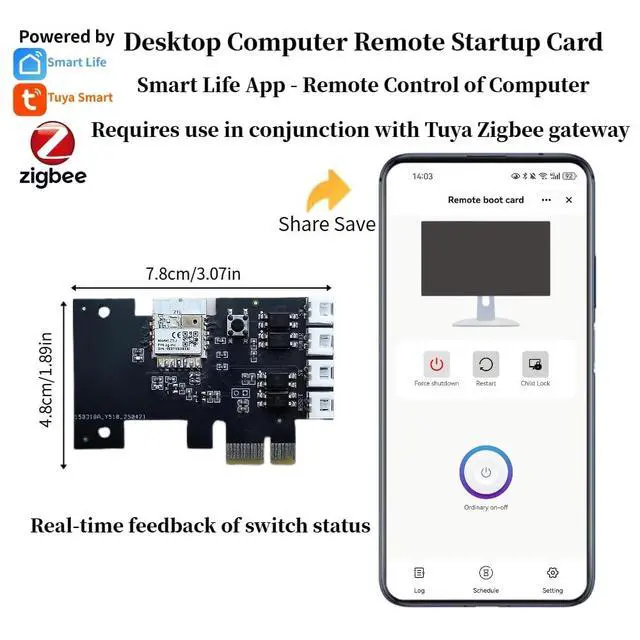
- Compatible with Tuya Zigbee GatewayAdd the device in the smart life/tuya smart app on the phone. The phone has internet and data,Whether you are at the office or on a business trip, you can use this switch card to control your computer at any time.
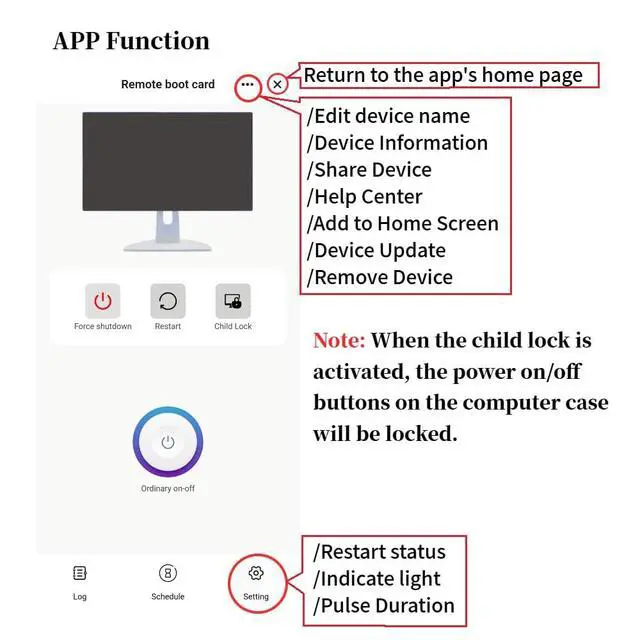
- Wireless remote control switch. When you click "off" in the application, it will turn off but will not shut off the power supply or damage the hard drive. Real-time status feedback (please note the on/off time, depending on your settings), as well as "forced shutdown" and "restart" buttons, solve system freezes and blue screen crashes. It also has the Child lock function, which can prevent others from opening the computer and using
+
+
Overview
Specs
Reviews

Any questions? Our AI mode will help you find out quickly.
Try me now
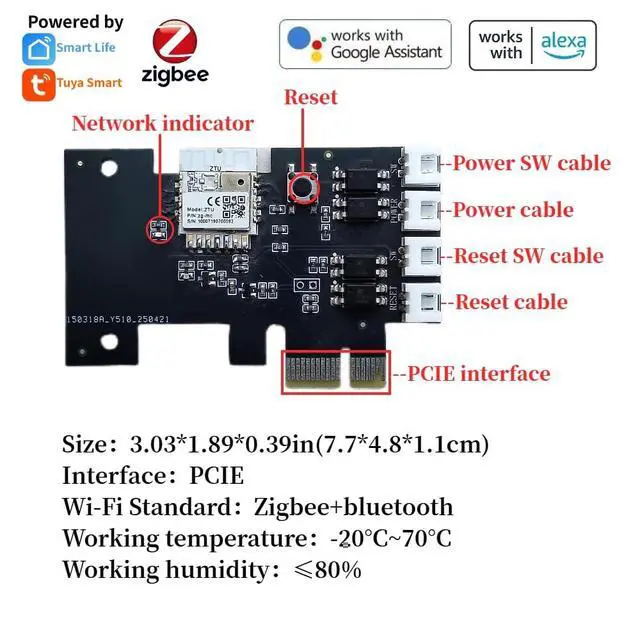
LETLINK Zigbee Wireless Desktop Computer Remote Startup Card, specially designed for remotely turning on/off the computer power button. By using the Smsrt Life/Tuya Smart app, you can remotely turn on or off the computer, no matter where you are, as long as there is a network, you can open or close the computer anytime and anywhere via your mobile phone, which is very convenient. Thin and stable, with a smaller antenna, easy to install and saving space; suitable for desktop computers with PCIE interface. Real-time feedback on the switch status.
Please note that turning on/off will take a little time, which depends on your settings in the app. When you click to close in the application, it will close but will not turn off the power or damage the hard drive. When the computer encounters a blue screen, sudden unresponsiveness, or system freeze, you can press the button on your mobile phone to force the computer to shut down and restart to ensure its normal operation. It has a child lock function. Once enabled, the power button on the host cannot start the computer.
When you are out but forget to turn off the computer, you can close the computer on your mobile phone, suitable for office workers, designers, and individuals who need to frequently start the computer.
Please note that turning on/off will take a little time, which depends on your settings in the app. When you click to close in the application, it will close but will not turn off the power or damage the hard drive. When the computer encounters a blue screen, sudden unresponsiveness, or system freeze, you can press the button on your mobile phone to force the computer to shut down and restart to ensure its normal operation. It has a child lock function. Once enabled, the power button on the host cannot start the computer.
When you are out but forget to turn off the computer, you can close the computer on your mobile phone, suitable for office workers, designers, and individuals who need to frequently start the computer.
Warranty & Returns
Warranty, Returns, And Additional Information
Warranty
- Please contact the Seller directly for warranty information. Warranty information may also be found on the Manufacturer's website.
- CONTACT
Return Policies
- Return for refund within: 30 days
- Return for replacement within: 30 days
- This item is covered by CloudBeast Return Policy
Manufacturer Contact Info
- For a directory of all our manufacturers, please click below.
- Manufacturers Directory
LOADING...