

Your Browsing History
- Free 30-day Returns
- $5.99 Shipping ()
$144.99
Most customers receive within 7-9 days.

Meet Your Seller

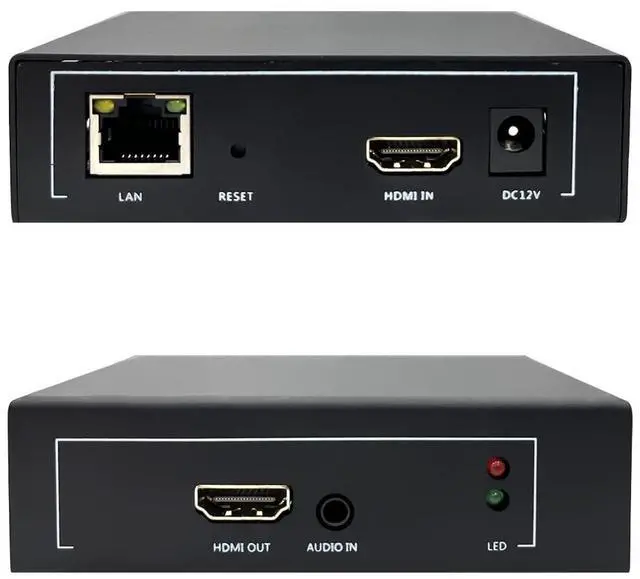
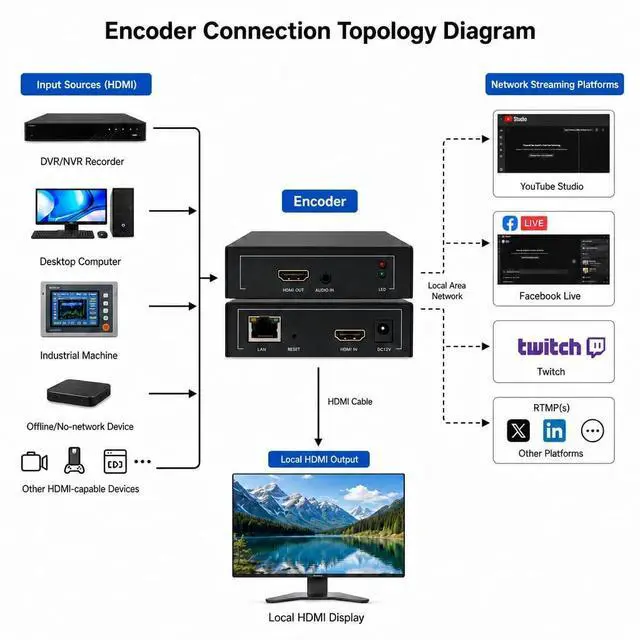
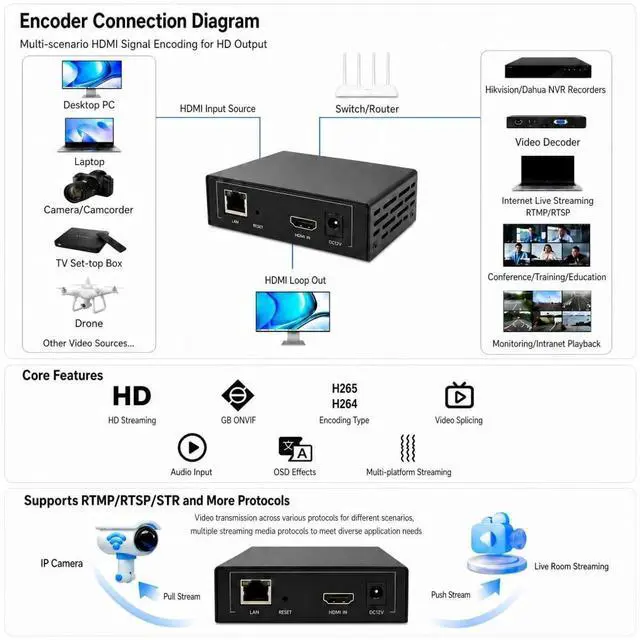
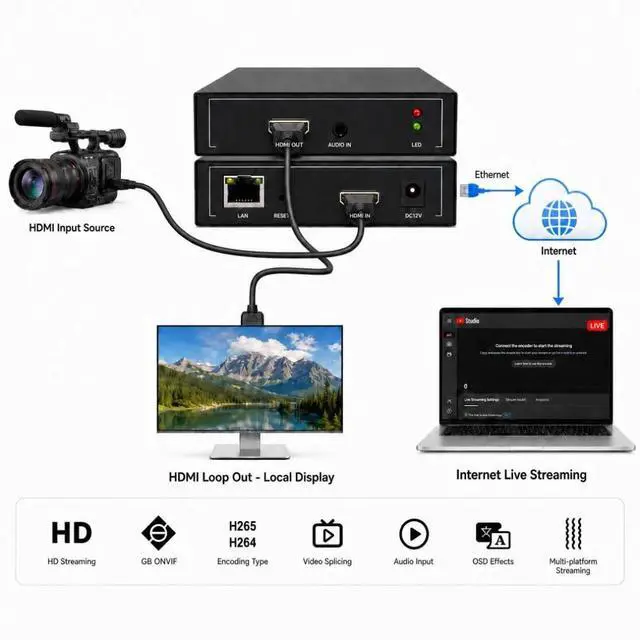


1080P60 HDMI Encoder for Live Streaming, H.264 Video Encoder with SRT, RTMP, RTSP, HLS, UDP Multicast and ONVIF, HDMI Loop Out, IPTV Encoder Compatible with YouTube, Facebook Live and Twitch
- No PC Required Stream Directly Skip complicated setups. This HDMI streaming encoder allows you to go live without a computer or OBS. Simply connect your camera and stream directly to YouTube, Live, or any RTMP platform
- Professional Live Streaming Solution Designed for professional and commercial use, this encoder delivers stable, low-latency streaming for events, churches, education, and business broadcasting
- Alternative to Capture Card + OBS Unlike traditional capture cards that require a PC, this device works independently, reducing system crashes and simplifying your workflow
- Full HD HDMI Input & Multi-Platform Streaming Supports 1080P HDMI input and real-time streaming to multiple platforms via RTMP/RTSP. Perfect for live production and continuous streaming
- Technical Support All video encoders/decoders come with a free warranty and professional technical support. We support secondary development and feature customization to meet enterprise-level personalized needs.Addi
+
+
Overview
Specs
Reviews

Any questions? Our AI mode will help you find out quickly.
Try me now
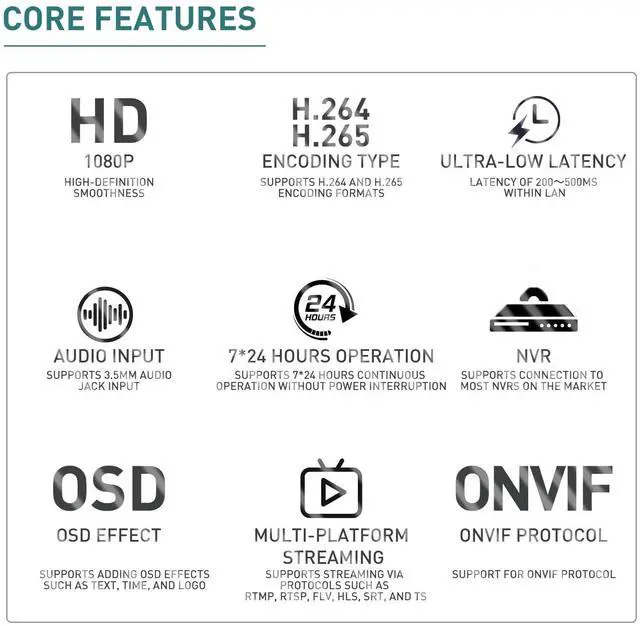
No PC Required Stream Directly Skip complicated setups. This HDMI streaming encoder allows you to go live without a computer or OBS. Simply connect your camera and stream directly to YouTube, Live, or any RTMP platform ^^ Professional Live Streaming Solution Designed for professional and commercial use, this encoder delivers stable, low-latency streaming for events, churches, education, and business broadcasting ^^ Alternative to Capture Card + OBS Unlike traditional capture cards that require a PC, this device works independently, reducing system crashes and simplifying your workflow ^^ Full HD HDMI Input & Multi-Platform Streaming Supports 1080P HDMI input and real-time streaming to multiple platforms via RTMP/RTSP.
Perfect for live production and continuous streaming ^^ Technical Support All video encoders/decoders come with a free warranty and professional technical support. We support secondary development and feature customization to meet enterprise-level personalized needs. Additionally, we offer various customization services, such as custom case printing, logo addition, and hardware and feature development, ensuring reliable quality and worry-free after-sales service ^^ Easy Setup & Reliable Performance Plug-and-play design with a user-friendly interface. Built for 24/7 operation with stable performance, ideal for long streaming sessions ^^ Enables convenient configuration and management via an intuitive web interface.
Features local recording and playback functions, allowing long-term video archiving by mounting network storage devices via NFS or CIFS. Supports intranet mapping for easy remote access. Although Wi-Fi is not supported, its stable wired network connection and low power consumption design (approx. 2W) ensure stability for 7x24 hours of uninterrupted operation, with a wide operating temperature range of 0-45C ^^ Reliable Customer Support Adopting cutting-edge technology, we guarantee 100% customer satisfaction. Feel free to contact us for any issues, and we will resolve your problems. 24/7 online technical support available
Note: Capturing DRM-protected videos is prohibited ^^ How to Access the Device Backend Simple & Quick Backend Access Operation To successfully log in and configure the encoder backend, please follow the step-by-step instructions below with simple network setup and stable operation 1. Network Segment Matching Settings The encoder and the connected computer must be in the same network segment to ensure normal access. The default IP address of the encoder is 192.168. 1.168. You can directly connect the encoder to the computer via a network cable and modify the computers network segment to the 192.168. 1. x segment for quick access ^^ 2. Log in to the Device Backend After completing the network configuration, open the browser and enter the default encoder IP address to access the backend login page. Use the default account and password: admin. You are allowed to modify the login account and password after your first successful login for device security. 3. Modify the Device IP Address After logging into the backend, navigate to System Settings - Network Settings, where you can modify and customize the encoders IP address according to your actual usage environment
Perfect for live production and continuous streaming ^^ Technical Support All video encoders/decoders come with a free warranty and professional technical support. We support secondary development and feature customization to meet enterprise-level personalized needs. Additionally, we offer various customization services, such as custom case printing, logo addition, and hardware and feature development, ensuring reliable quality and worry-free after-sales service ^^ Easy Setup & Reliable Performance Plug-and-play design with a user-friendly interface. Built for 24/7 operation with stable performance, ideal for long streaming sessions ^^ Enables convenient configuration and management via an intuitive web interface.
Features local recording and playback functions, allowing long-term video archiving by mounting network storage devices via NFS or CIFS. Supports intranet mapping for easy remote access. Although Wi-Fi is not supported, its stable wired network connection and low power consumption design (approx. 2W) ensure stability for 7x24 hours of uninterrupted operation, with a wide operating temperature range of 0-45C ^^ Reliable Customer Support Adopting cutting-edge technology, we guarantee 100% customer satisfaction. Feel free to contact us for any issues, and we will resolve your problems. 24/7 online technical support available
Note: Capturing DRM-protected videos is prohibited ^^ How to Access the Device Backend Simple & Quick Backend Access Operation To successfully log in and configure the encoder backend, please follow the step-by-step instructions below with simple network setup and stable operation 1. Network Segment Matching Settings The encoder and the connected computer must be in the same network segment to ensure normal access. The default IP address of the encoder is 192.168. 1.168. You can directly connect the encoder to the computer via a network cable and modify the computers network segment to the 192.168. 1. x segment for quick access ^^ 2. Log in to the Device Backend After completing the network configuration, open the browser and enter the default encoder IP address to access the backend login page. Use the default account and password: admin. You are allowed to modify the login account and password after your first successful login for device security. 3. Modify the Device IP Address After logging into the backend, navigate to System Settings - Network Settings, where you can modify and customize the encoders IP address according to your actual usage environment
Warranty & Returns
Warranty, Returns, And Additional Information
Warranty
- Please contact the Seller directly for warranty information. Warranty information may also be found on the Manufacturer's website.
- CONTACT
Return Policies
- Return for refund within: 30 days
- Return for replacement within: 30 days
- This item is covered by UsaLogic Return Policy
Manufacturer Contact Info
- For a directory of all our manufacturers, please click below.
- Manufacturers Directory
LOADING...