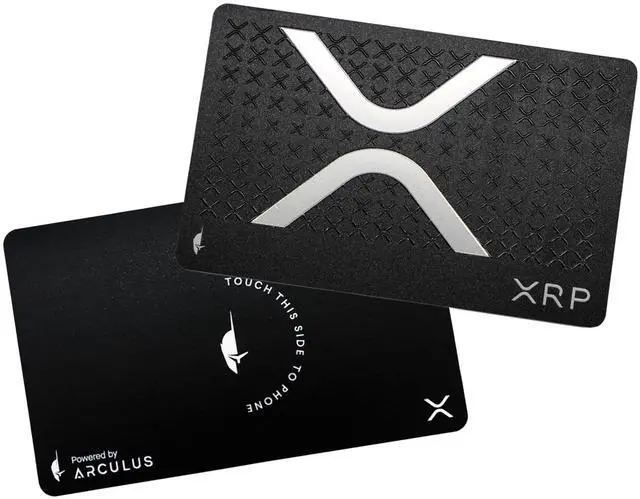
DescriptionIntroducing the
Arculus Card: Your Ultimate Secure Cold Storage Wallet for NFTs and Cryptocurrency Ensure uninterrupted access to your valuable digital assets with the revolutionary Arculus Card. This cutting-edge hardware wallet offers the utmost security for your NFTs and crypto coins, all housed within a user-friendly cold storage solution. Arculus goes the extra mile to safeguard your private keys, utilizing a premium cold storage wallet enclosed in the sleek Arculus Card, coupled with the intuitive Arculus App available for free. Our card harnesses the power of a CC EAL6+ Secure Element, exclusively designed to generate and securely retain your keys offline, within the confines of the card itself. This pivotal feature ensures your keys remain impervious to online threats, rendering Arculus the go-to choice for safeguarding both cryptocurrencies and NFTs. As a testament to our commitment to security, the Arculus Cold Storage Wallet employs 3-factor authentication, a formidable defense against cyberattacks and theft.
The three authentication factors encompass: your unique biometric lock, a confidential 6-digit PIN, and possession of the Arculus Card. Setting up your Arculus Crypto Cold Storage Wallet is a breeze: 1. Begin by downloading and launching the Arculus Wallet App. 2. Initiate the process by tapping "Get Started, " then follow the prompt to position your card on the rear of your phone. 3. Navigate to the configuration menu and select "Create New Wallet. " 4. Choose and confirm your personalized 6-digit PIN. 5. Carefully align your phone and card on a flat surface. 6. Safeguard your assets by noting the provided 12- or 24-word recovery phrase. 7. Validate your recovery phrase by selecting the words in the correct sequence. 8. Access your Arculus Wallet via the "Go to Home Screen" button, where your secure haven awaits.





 here!
here!