

Your Browsing History
- Free 30-day Returns
$111.91
Ships from China.


Meet Your Seller

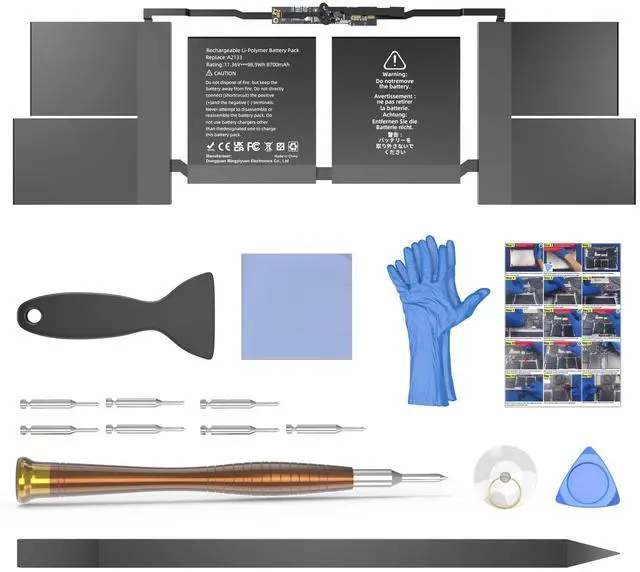


JGTM A2141 Battery Replacement, A2113 Battery for MacBook Pro 16 inch 2019 Released Model A2141 EMC 3347 Model Identifier MacBookPro16,1 & MacBookPro16,4 Capacity 11.36V 99.8Wh 8790mAh
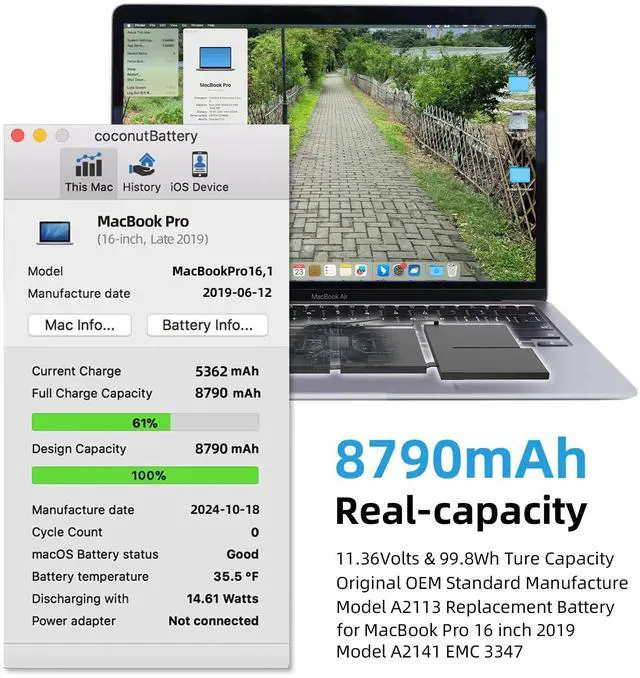
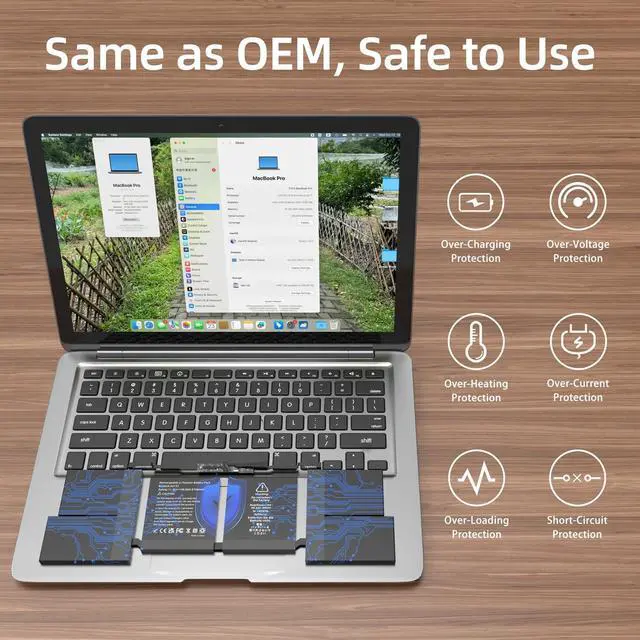
- OEM Standards Manufacture: Real capacity 11.36Volts=99.8Wh 8790mAh. Same manufacture standards as the original A2113 batteries for MacBook Pro 16" model A2141. Provide up to 1000+ charging cycles and support fast charging with overcharge and discharge circuit protection
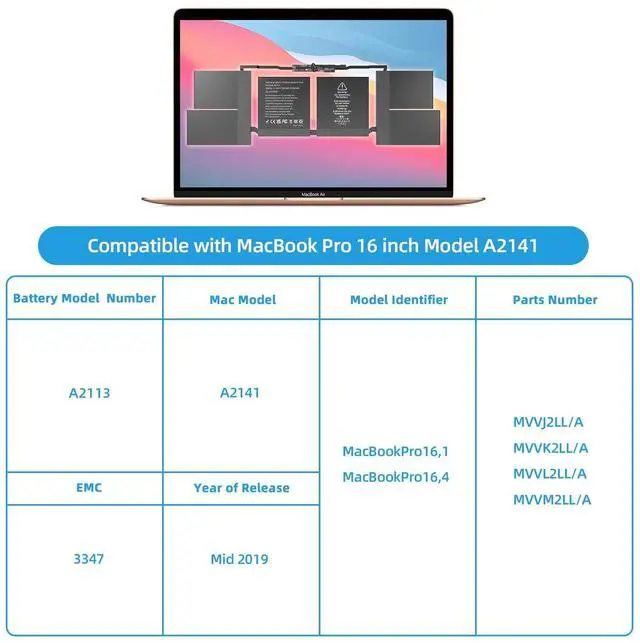
- Compatible Mac Models: Fit for MacBook Pro 16 Inch 2019 Model A2141 EMC 3347. Model Identifier: MacBookPro16,1 & MacBookPro16,4
- Replacement Battery Models: Replace for MacBook Pro 16inch A2141, battery type A2113. Part Numbers: MVVJ2LL/A, MVVK2LL/A, MVVL2LL/A, MVVM2LL/A, etc
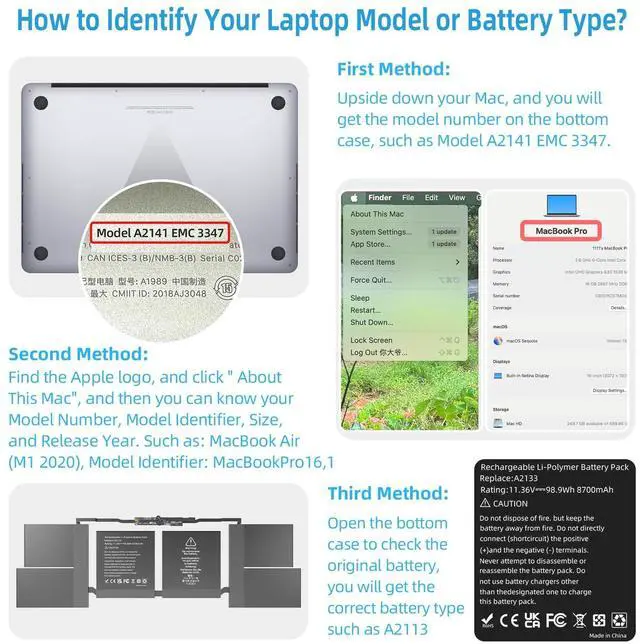
- How to Get Correct Battery: First, upside down your Mac to get the exact model name & EMC numbers; Second, find and click on About This Mac, and the system model and release year is on the pop window; Third, follow the method 2 and then click on "System Report" the model identifier is on the "Hardward Overview"; Fourth, check the original battery to get the exact battery model number
- Battery Tech Support: 24/7 email technical support, 60
+
+
Overview
Specs
Reviews

Any questions? Our AI mode will help you find out quickly.
Try me now
OEM Standards Manufacture: Real capacity 11.36V olts= 99.8W h 8790mAh. Same manufacture standards as the original A2113 batteries for MacBook Pro 16" model A2141. Provide up to 1000+ charging cycles and support fast charging with overcharge and discharge circuit protection ^^
Compatible Mac Models: Fit for MacBook Pro 16 Inch 2019 Model A2141 EMC
3347.
Model Identifier: MacBookPro16, 1 & MacBookPro16, 4 ^^
Replacement Battery Models: Replace for MacBook Pro 16inch A2141, battery type A2113.
Part Numbers: MVVJ2LL/A, MVVK2LL/A, MVVL2LL/A, MVVM2LL/A, etc ^^ How to
Get Correct Battery: First, upside down your Mac to get the exact model name & EMC numbers; Second, find and click on About This Mac, and the system model and release year is on the pop window; Third, follow the method 2 and then click on "System Report" the model identifier is on the "Hardward Overview"; Fourth, check the original battery to get the exact battery model number ^^
Battery Tech Support: 24/7 email technical support, 60 days refund service, 90 days replacement for new service, and maintenance guide. Every battery has passed UL, CE, FCC, and RoHS certification safety, rest for use
Compatible Mac Models: Fit for MacBook Pro 16 Inch 2019 Model A2141 EMC
3347.
Model Identifier: MacBookPro16, 1 & MacBookPro16, 4 ^^
Replacement Battery Models: Replace for MacBook Pro 16inch A2141, battery type A2113.
Part Numbers: MVVJ2LL/A, MVVK2LL/A, MVVL2LL/A, MVVM2LL/A, etc ^^ How to
Get Correct Battery: First, upside down your Mac to get the exact model name & EMC numbers; Second, find and click on About This Mac, and the system model and release year is on the pop window; Third, follow the method 2 and then click on "System Report" the model identifier is on the "Hardward Overview"; Fourth, check the original battery to get the exact battery model number ^^
Battery Tech Support: 24/7 email technical support, 60 days refund service, 90 days replacement for new service, and maintenance guide. Every battery has passed UL, CE, FCC, and RoHS certification safety, rest for use
Warranty & Returns
Warranty, Returns, And Additional Information
Warranty
- Please contact the Seller directly for warranty information. Warranty information may also be found on the Manufacturer's website.
- CONTACT
Return Policies
- Return for refund within: 30 days
- Return for replacement within: 30 days
- This item is covered by TechHive Return Policy
Manufacturer Contact Info
- For a directory of all our manufacturers, please click below.
- Manufacturers Directory
LOADING...