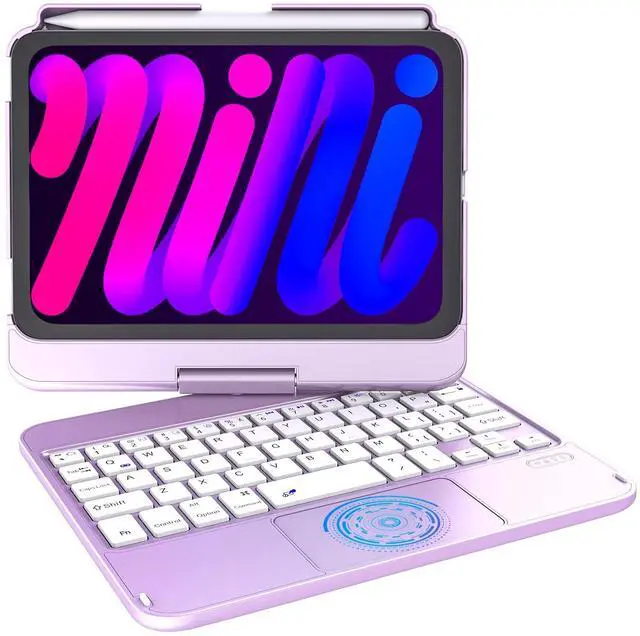
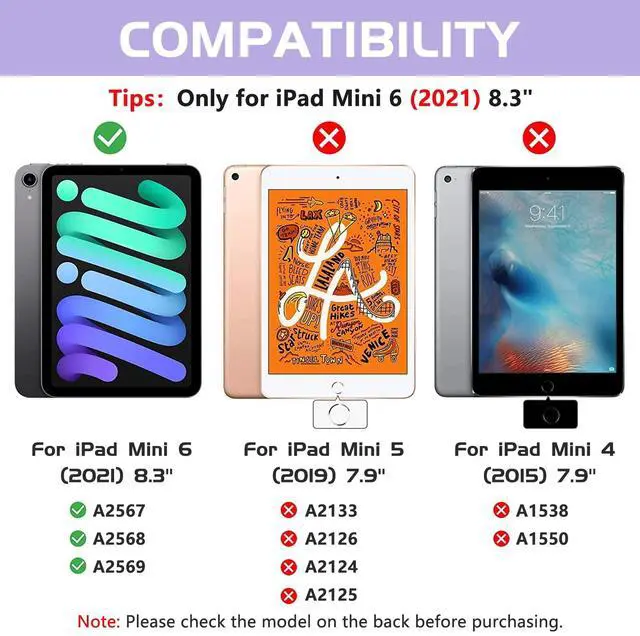
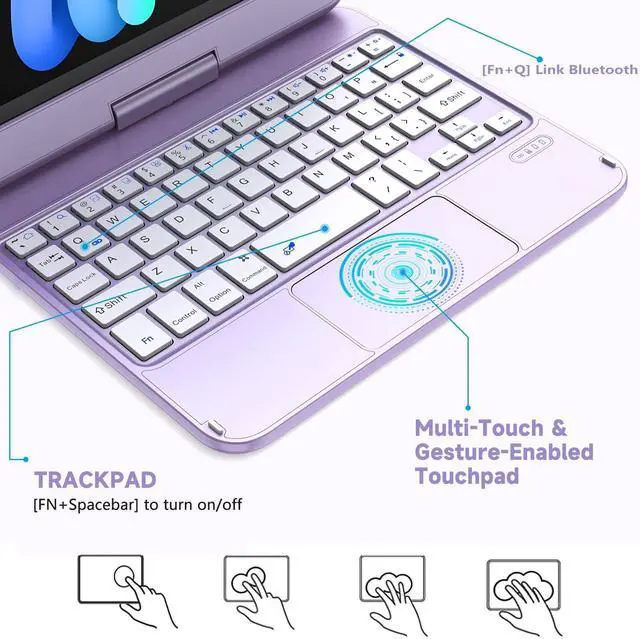
Touch Keyboard for iPad Mini 7/6th Generation (2021) Integrated multi-touch trackpad with plentiful trackpad gestures, you can turn your tablet into a highly performant and easy to use laptop! Like swipe and scroll to navigate iPad Mini 7/6th Generation ( 8.3 -inch, 2021 Release) even faster. iPad mini 7/6 keyboard case opens up new ways to work with your tablet. Delivering a comfortable user experience while allowing you to click and swipe through content effortlessly. ^^ Touch Keyboard for iPad Mini 6th Generation (2021) Integrated multi-touch trackpad with plentiful trackpad gestures, you can turn your tablet into a highly performant and easy to use laptop! Like swipe and scroll to navigate iPad Mini 6th Generation ( 8.3 -inch, 2021 Release) even faster.
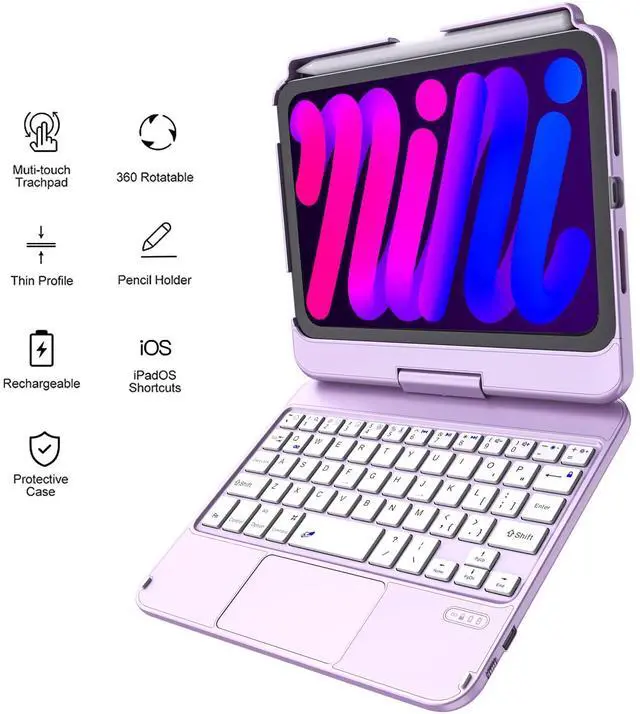
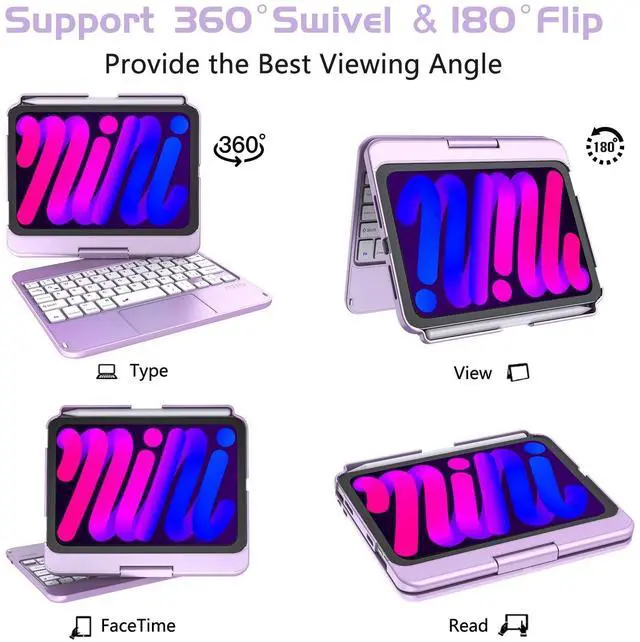
iPad mini 6 keyboard case opens up new ways to work with your tablet. Delivering a comfortable user experience while allowing you to click and swipe through content effortlessly. ^^ View from Multiple Perspectives -With new and unique design, layered appearance and more convenient to use, 360 swivel & 180 flip case, your tablet screen will have multiple viewing angles. You can display your work presentation, watch your favorite show or read a new book. iPad Mini 6th generation case keyboard is also a great helper for your kids to do their homework.
There is no limits to places, you can take it out for a vacation, on your bed, on your table or in kitchen. ^^ Built-in Apple Pencil Holder & Auto Sleep/ Wake Function- Our ipad mini 6 case with keyboard comes with a slot for holding your Apple pencil and keyboard case can also support 2nd Gen Apple Pencil's magnetic attachment and wireless charging without taking off the case. (Apple Pencil is NOT included). It automatically wakes or puts your iPad to sleep when it is opened or closed, save much power for your iPad.
^^ Package & Warranty - Content Includes 1 x Touch Keyboard Case for iPad Mini 7/6th Generation ( 8.3 -inch, 2021 Release), 1 x Service Card, 1 x charging cable. In addition, if you have any questions about our product models or functions, please feel free to contact us, we will solve the problem for you within 24 hours.
Note: You need to press the "Fn+Q" key to connect the Bluetooth to connect the Bluetooth!