• $84.99
  • Free 30-day Returns
  • Price alert
    Sold by DSKL
    4 (7 seller ratings)

    Shipped by DSKL

    Shop it at NeweggBusiness.

    Meet Your Seller

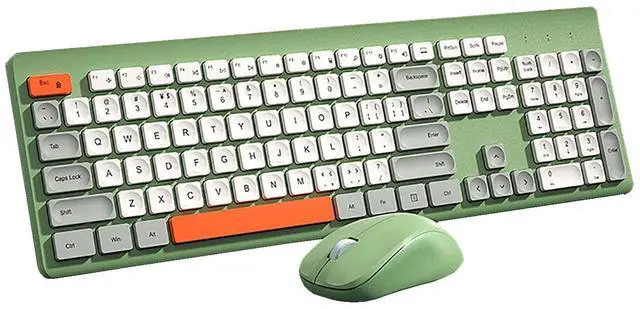
    Wireless Keyboard Mouse Set,2.4G USB Portable Chocolate Silent Keyboard with Cute Colorful Round Keycap,104-Key Full-Size Home Office Keyboard Mice Combo for Computer Laptop PC Gamer (Green Mix)

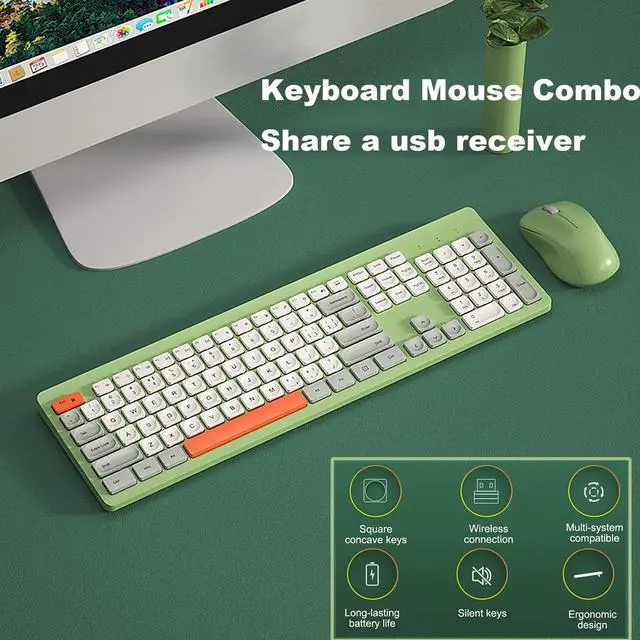
    • 2.4G wireless connectivity,plug and play,no driver installation required
    • 104 keys full-size keyboard set,more convenient to use
    • Lightweight design,simple and stylish. Lovely colors and chocolate square concave keycaps
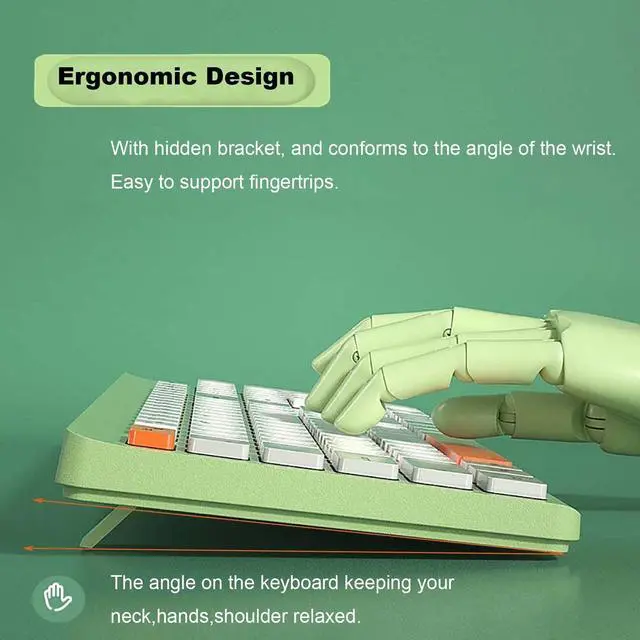
    • Ergonomic design,with hidden bracket, and conforms to the angle of the wrist.Easy to support fingertrips
    • Smart hibernation energy saving ,add with on/off switches to help conserve battery use. can let mouse keyboard have longer battery life
    • Powerful system compatibility,work with almost all Notebooks,Desktop,Computers,Smart TV,Android & iOS devices
    +
    +
    Overview
    Specs
    Reviews
    avatar

    Any questions? Our AI beta will help you find out quickly.

    Specification
    Color: Yellow/Green
    Power: Battery ( not include )
    Connect way: 2.4G wireless
    Transmission Distance: 10m
    Keyboard Button: 104 keys
    Mouse Button: 4
    Mouse DPI: 800-1200-1600DPI
    Keyoard Size: 448*136cm
    Mose size: 107*61* 37.5 mm
    Support Windows XP/ 7/ 8 /10 / MacOS

    How to use
    1: Simply plug the usb receiver into your devices(Compact keyboard mouse share a usb receiver, which is stored inside mouse for safekeeping (not stored in the keyboard);
    2: Put 2 AAA batteries into the keyboard and 1 AA battery into the mouse;
    3: Flip the switch on the mouse to the "On" position

    How to re-paring if the the mouse keyboard combo can not work
    -Keyboard Paring
    1. Put batteries into keyboard, press and hold "ESC" plus "+", indicator starts flashing and enter into paring mode
    2. Plug USB receiver into your device. Indicator stays on for 3 seconds and pairing completed
    -Mouse Paring
    1. Put battery into mouse, switch power button on, press and hold Left, Middle, Right buttons for 5 seconds
    2. Plug USB receiver into your device. Paring is completed

    After-Sales Service
    Every products in our shop has undergone several strict quality tests, please purchase it at ease
    But if meet any questions or suggestions, please feel free to Contact Us, Our JieruiDeng team will do our best to provide you right solutions

    Warranty & Returns

    Warranty, Returns, And Additional Information

    Warranty

    • Please contact the Seller directly for warranty information. Warranty information may also be found on the Manufacturer's website.
    • CONTACT

    Return Policies

    • Return for refund within: 30 days
    • Return for replacement within: 30 days
    • This item is covered by DSKL Return Policy

    Manufacturer Contact Info

    LOADING...