• $86.99
  • Free 30-day Returns
  • Price alert
    Shop it at NeweggBusiness.

    Meet Your Seller

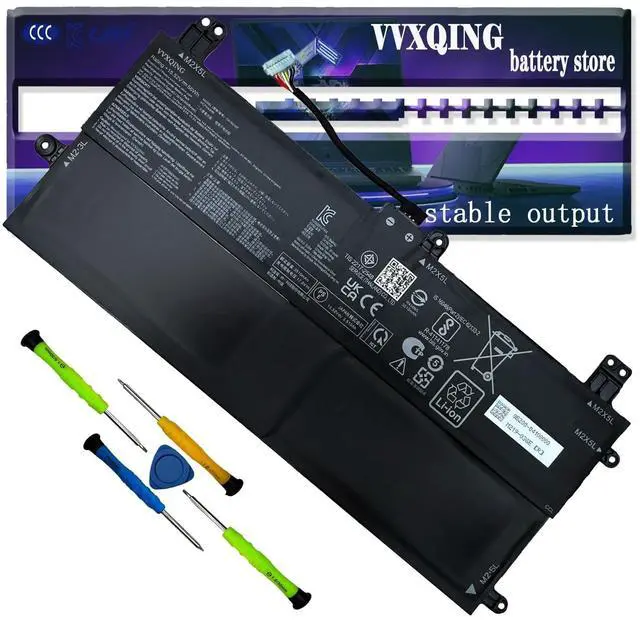
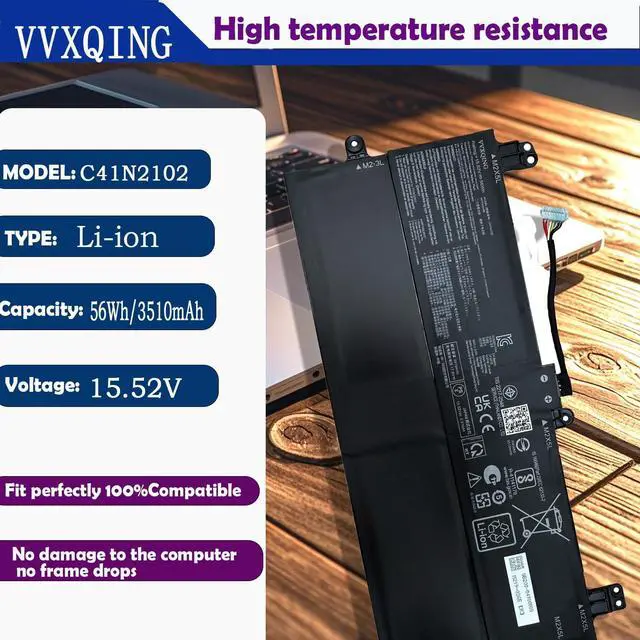
    VVXQING C41N2102 Laptop Battery Replacement for Asus ROG Flow Z13 GZ301 NR2201 Z13GZ301VF GZ301VI GZ301VU GZ301VV Series 0B200-04100000 15.52V 56Wh C41N2102-1 GZ301ZA 56Wh 801554-001

    • Specifications Battery Model: C41N2102 / Voltage: 15.52V / Capacity: 94Wh 8120mAh 6-cell / Color: Black / Condition: Brand New.
    • Replace Part NumberC41N2102-1 C41N2102 0B200-04100000
    • Compatible with Laptop ModelsFit For Asus ROG Flow Z13 GZ301 GZ301VI Z13GZ301VF GZ301VV GZ301VU GZ301ZA NR2201 NR2201ZA GZ301ZE-Z13.I93050T series.
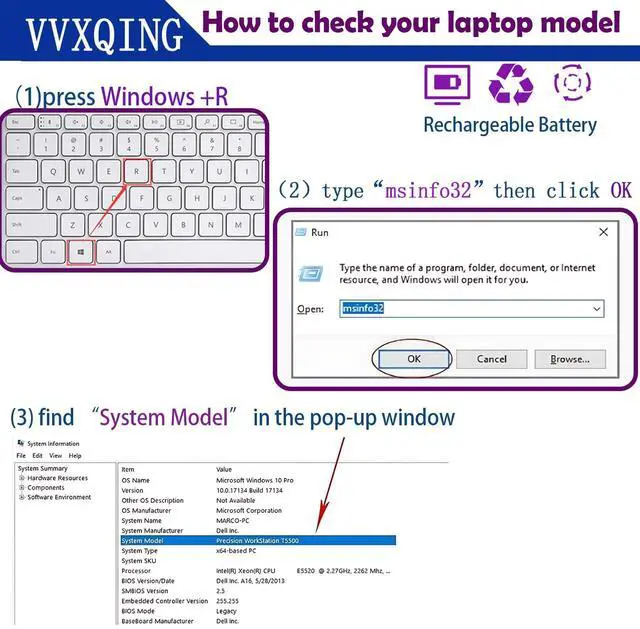
    • Purchase SkillsPlease open the back cover of the laptop before ordering and make sure that the original battery model is consistent with the listing. After getting the battery, please install the battery correctly, make sure that the battery connector is firmly connected to the laptop motherboard, and use the original charger to charge the laptop.Discharge the new battery to 5% (not 0%), then charge and cycle 3-4 times to wake up the new battery.
    • VVXQING After-sales We guarantee 30 days money-back and 12-month warranty; 24 x 7 email support. For any battery questions you fell free to contact us via "Your Orders" tab in your account, we will be glad
    +
    +
    Overview
    Specs
    Reviews
    avatar

    Any questions? Our AI beta will help you find out quickly.

    Specifications Battery Model: C41N2102 /
    Voltage: 15.52V /
    Capacity: 94Wh 8120mAh 6-cell /
    Color: Black /
    Condition: Brand New. ^^ Replace Part NumberC41N2102-1 C41N2102 0B200-04100000 ^^ Compatible with Laptop ModelsFit For Asus ROG Flow Z13 GZ301 GZ301VI Z13GZ301VF GZ301VV GZ301VU GZ301ZA NR2201 NR2201ZA GZ301ZE-Z13. I93050T series. ^^ Purchase SkillsPlease open the back cover of the laptop before ordering and make sure that the original battery model is consistent with the listing. After getting the battery, please install the battery correctly, make sure that the battery connector is firmly connected to the laptop motherboard, and use the original charger to charge the laptop. Discharge the new battery to 5% (not 0%), then charge and cycle 3-4 times to wake up the new battery. ^^ VVXQING After-sales We guarantee 30 days money-back and 12-month warranty; 24 x 7 email support. For any battery questions you fell free to contact us via "Your Orders" tab in your account, we will be glad to help you within 24 hours.

    Warranty & Returns

    Warranty, Returns, And Additional Information

    Warranty

    • Please contact the Seller directly for warranty information. Warranty information may also be found on the Manufacturer's website.
    • CONTACT

    Return Policies

    • Return for refund within: 30 days
    • Return for replacement within: non-replaceable
    • This item is covered by JMDesign Return Policy

    Manufacturer Contact Info

    LOADING...