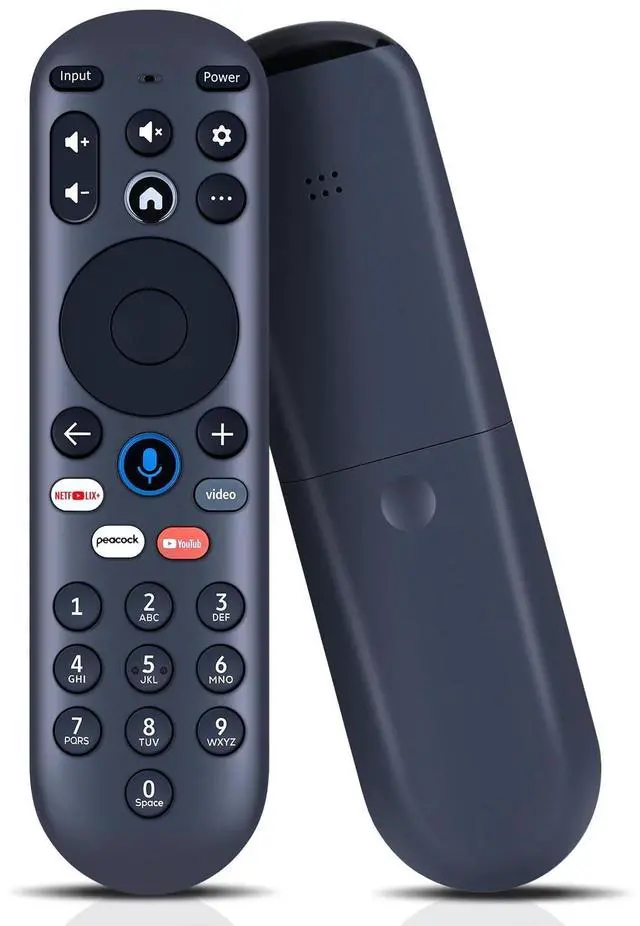
AttentionPlease ensure your old remote control matches our pictures exactly before ordering, otherwise it may not be compatible. ^^ Perfect Compatibility & ReplacementOnly compatible with Element and Hisense Xumo Series TV. ^^ How to Pair your remote to an existing Xumo TVPress the [SET] buttons. Select Remote Pair your remote to your tv.
Follow the on-screen instructions (Tips: If pairing fails, turn off your TV and unplug fromthe power source. Plug TV back in, power on, and try steps 1-3 again) ^^ How to Pairing with Sound SystemPress the [SET] button. Select Remote Pair your remote and sound system. Follow the on-screen instructions. ^^ How To Reset Remote Hold the and buttons for 3 seconds until the light at the top of the remote turns solid green. Press 9, then 8, then 4 (the light will blink red a few times). Hold the and buttons for 3 seconds again. Press 9, then 8, then 1. Wait for the light at the top of the remote to flash red again. With your remote control pointed towards your TV, try pressing the HOME button then other keys to make suer your remote is working properly. ^^ Reliable Service GuaranteeIf you have any questions about the remote control during purchase or use, feel free to contact us anytime. Our team will respond promptly and resolve your problems to ensure a worry-free shopping experience.





 here!
here!