here!
here!
I’m your shopping assistant for PC builds, upgrades, and everything tech.
Got questions? Ask away!
Start a conversation
here!
I’m your shopping assistant for PC builds, upgrades, and everything tech.
Got questions? Ask away!
Start a conversation










Free Intel AI Software w/ purchase, limited offer
Free Intel AI Software w/ purchase, limited offer
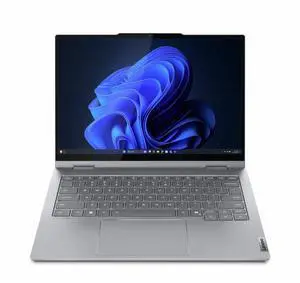
Free Intel AI Software w/ purchase, limited offer
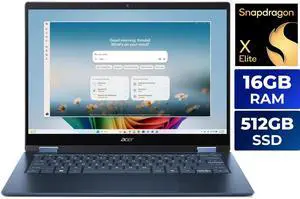
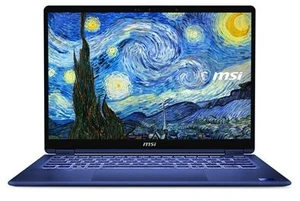
Free Intel holiday game w/ purchase, limited offer
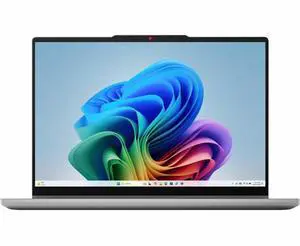
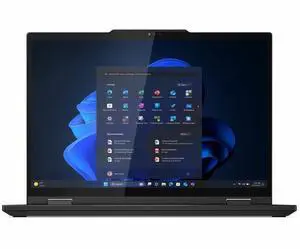
Free Intel AI Software w/ purchase, limited offer
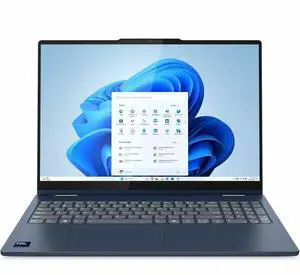
Free Intel AI Software & holiday game w/ purchase, limited offer
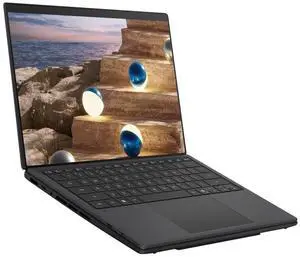
Free Intel holiday game w/ purchase, limited offer
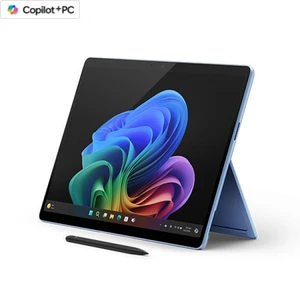
Free Intel AI Software & holiday game w/ purchase, limited offer
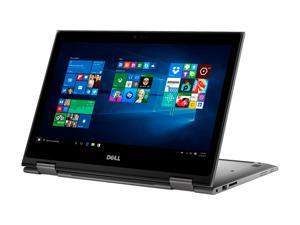
Find 2-in-1 laptops featuring Intel Core i5 and i7 processors, Windows 10, and foldable touchscreens from top brands like Lenovo, HP, and Dell. This page is perfect for shoppers seeking convertible laptops with flexible functionality, especially during Black November deals and Black Friday deals on 2-in-1 laptops.
The defining feature of any 2-in-1 laptop is its touchscreen, which transforms the way you interact with the device. A high-quality touchscreen offers precision and responsiveness, minimizing lag and maximizing ease of use in tablet mode. Look for multi-touch capabilities and support for stylus input if you plan to draw or write digitally. Modern IPS and OLED panels provide vivid colors and wide viewing angles, enhancing both productivity and entertainment. Coupled with a folding or detachable design, these touchscreens let you switch fluidly between typing, drawing, and swiping, making 2-in-1 laptops ideal for creative professionals, students, and casual users alike. Don’t overlook the importance of anti-glare coatings or brightness levels if you'll be using your device outdoors or in various lighting conditions.
For developers, designers, and power users, a 2-in-1 laptop can serve as a dynamic workstation. Look for units with Intel Core i7 processors and fast NVMe SSDs to handle demanding software development environments, virtual machines, or graphic-intensive apps. If your workflow includes digital art or CAD, models that feature Convertible designs with pen support can offer the creative flexibility professionals demand. Additionally, consider larger 15" & Greater displays if multitasking across multiple apps or running virtual machines regularly is part of your routine, affording more screen real estate and optional discrete graphics to boost performance even further.
Newegg shopping tip: Compare battery life and hinge durability closely when choosing a 2-in-1 laptop, as these features impact how well the device adapts between tablet and laptop modes. During this Black November season, check for Black Friday deals that offer models with both strong performance and reliable build quality.
Get reliable performance on a budget with Intel Pentium or Ryzen 3 processors, perfect for light multitasking and casual tablet use without breaking the bank.
Explore certified refurbished 2-in-1 laptops, offering Core i5/i7 power and tested touchscreens at a fraction of new prices—ideal for savvy shoppers.
Find versatile 2 in 1 laptops balancing lightweight design and decent battery life, great for switching between work-focused laptop mode and tablet flexibility.
If you’re new to 2-in-1 laptops, think of them as versatile devices that blend the power of a traditional laptop with the convenience of a tablet. Their touchscreen capability and folding designs make it easy to switch between typing an email and drawing or browsing with just your fingers. For beginners, a good starting point can be exploring Budget 2 in 1 Laptops. These options offer satisfactory performance for everyday tasks without overwhelming features, ideal for getting comfortable with touchscreen folds and convertible designs before diving into more advanced models. Black November deals and Black Friday deals often highlight popular entry-level choices, making it a perfect time to experiment with this innovative form factor.
Artists, designers, and students gravitate toward 2-in-1 laptops that support active pens and offer high-resolution touchscreens. The flexibility to use these devices in tablet mode unlocks natural drawing and note-taking experiences that traditional laptops can’t match. Look for Convertible laptops featuring precise touch and pen technology along with durable hinges for fluid transitions between modes. During this holiday season, Black November deals and Black Friday deals can make these powerful creative tools more attainable for anyone looking to elevate their artistry or take advantage of versatile classroom tech.
For professionals who need a hybrid device that adapts between client meetings, presentations, and mobile work, 2-in-1 laptops strike the right balance. Models equipped with Intel Core i5 or i7 processors and Windows 10 ensure smooth multitasking and compatibility with essential software. For users prioritizing performance and solid build quality, browsing through Open Box or Top Rated selections can yield premium machines at competitive value. Look out for Black November deals and Black Friday deals as excellent opportunities to pick up a professional-grade convertible that enhances collaboration and productivity.
Research more: If you’re comparing 2-in-1 laptops, consider how you’ll use the touchscreen and foldable design daily. For more detailed insights and feature breakdowns, check out the Newegg Insider buying guides to make the most informed choice during Black November deals and Black Friday deals.
Last Updated: November 2026 | Newegg 2-in-1 Laptop Buying Guide
Lenovo 2-in-1s often focus on durable hinges and business features, making them sturdy for frequent use, while HP models usually offer a balance of style and strong performance, especially in their Spectre series.
Intel chips tend to run cooler and have better integrated graphics for lightweight gaming, but AMD processors often provide more cores and better multitasking for the price. Both work well for everyday use, so it depends on your budget and brand preference.
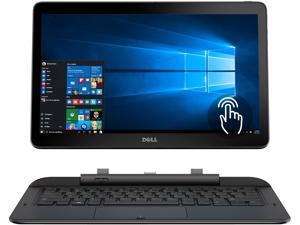
A 2-in-1 laptop can switch between laptop and tablet modes, usually by folding the keyboard back or detaching it. This flexibility means you get the functionality of both devices in one.
Yes, most 2-in-1 laptops are designed to handle everyday activities smoothly, including web browsing, video streaming, and document editing. Just check the specs to match your performance needs.
If you value flexibility to switch between a laptop and tablet mode, a 2-in-1 is a solid choice; otherwise, a regular laptop might offer better performance or battery life for the price. Think about whether you’ll use it for drawing, presentations, or casual browsing on the go.
Prices can vary widely, but expect to spend a bit more than you would on a basic laptop because of the touchscreen and convertible design. Set a budget based on what features matter most—like processor speed, screen quality, and battery life—so you don’t overspend on extras you won’t use.
They can be a bit more delicate around the hinges and touchscreen compared to regular laptops, so it's important to check durability reviews and see if users mention any issues with the folding mechanism failing over time.
Focus on feedback about battery life consistency, touchscreen responsiveness, and whether the device heats up or slows down during tablet mode, since those are common pain points that affect long-term use.
Usually, you just have to fold the keyboard back behind the screen or detach it if it’s a detachable model. The device will automatically change its display settings to tablet mode.
Start by calibrating the touchscreen with any included stylus, and install apps designed for pen input to make the most of your writing or sketching experience. Make sure your drivers are updated for smooth pen responsiveness.
“ If looking at competitors you will have to make a compromise of accepting one of the following: 16 GB ram, no dGPU, last gen CPU, 512GB storage, no pen support, or not a 2-in-1 ALL THE WHILE at a higher price point greater than 1449. ”
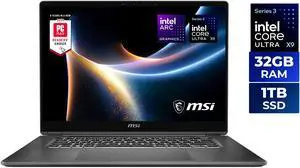
MSI Summit Pro 16 16" Touchscreen Laptop Intel Ultra 7 255H GeForce - RTX 4050 - 32GB RAM - 1TB SSD - Windows 11 Home (A2HVETG-074US)