• $58.99
  • Free 30-day Returns
  • Price alert
    Shop it at NeweggBusiness.

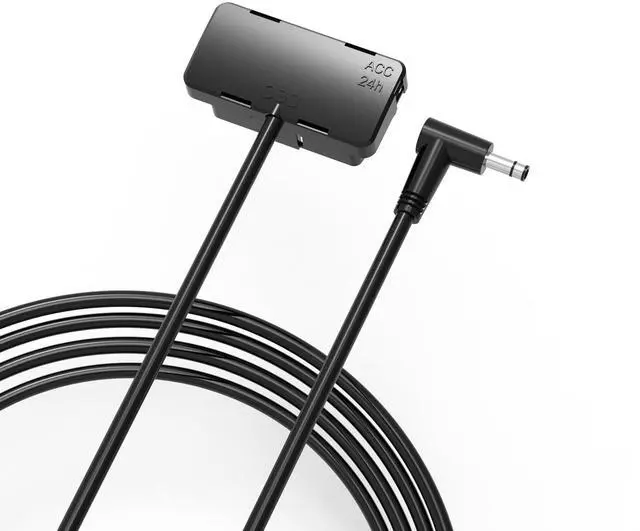
    OBD-II (OBD-2) Parking Mode Power Cable Compatible with BlackVue X Series Dashcam ^^ OBD-2 to DC 3pin Plug & Play ^^ 3-Wire Hardwiring Cable Alternative ^^ Compatible with Gas, Hybrid, Electric Vehicl

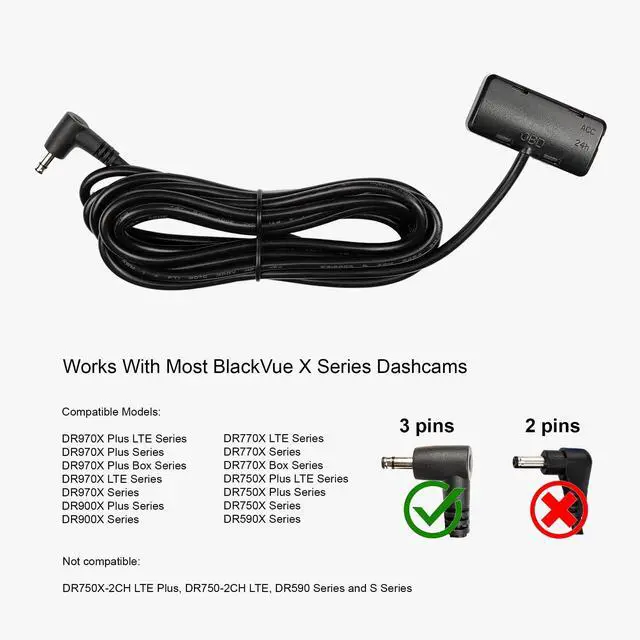
    • [High Compatibility] Compatible with most BlackVue X Series Dashcams with a 3-pin power connector (Except DR750X-2CH LTE Plus, DR750-2CH LTE, S Series with a 2-pin connector, Non X or Non S Series).
    • [Vehicles Compatibility] Compatible with gas, hybrid and electric vehicles.
    • [Plug-and-Play] Super easy DIY installation compared to the complicated hardwire installation, which most likely needs to be performed by an experienced dashcam installer.
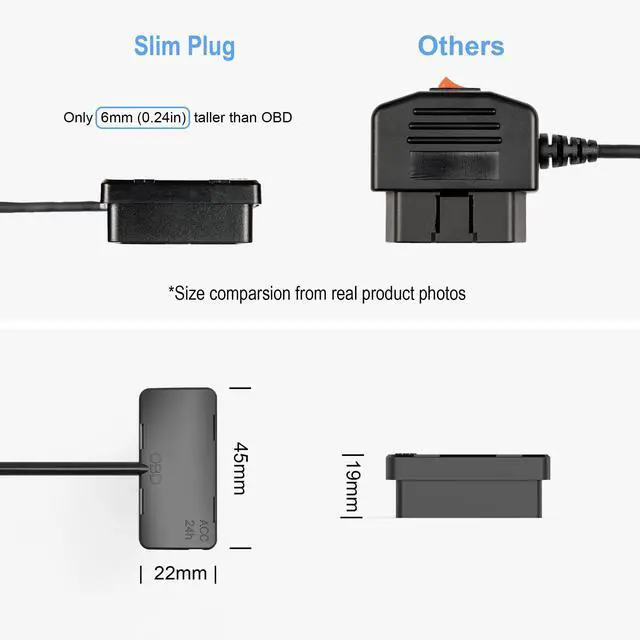
    • [Slim Design] Only 0.24 inches (6mm) taller than the OBD-II port. Won't block footrest access. No more accidentally kicking the power cable and causing a power failure.
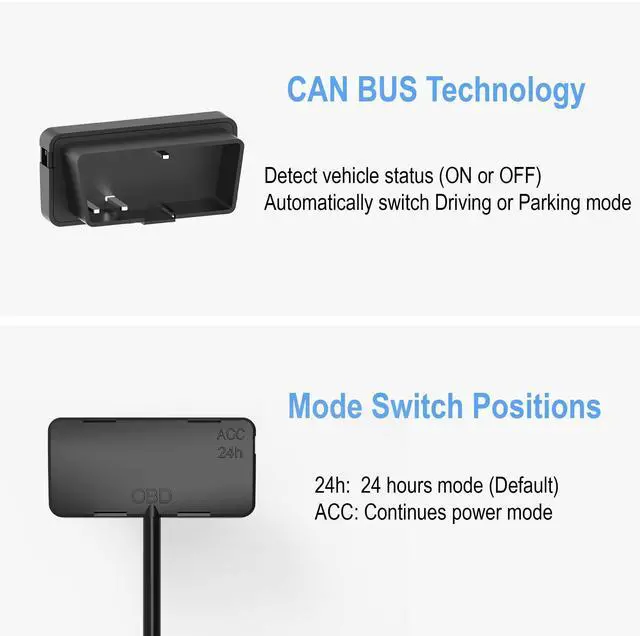
    • [Accurate Read] Utilizes CAN Bus technology to detect vehicle status (on or off) and automatically switch between driving or parking mode.
    • [LED Indicator] Easy-to-read LED indicator that shows the current status.
    • [Fuse Protected] Overcurrent protection with a self-healing fuse integrated onboard.
    +
    +
    Overview
    Specs
    Reviews
    avatar

    Any questions? Our AI beta will help you find out quickly.

    Product Name: OBD-II Power
    Cable Model Name: QK-OBD-BV-V1
    Manufacture: Qkawa
    Compatibility: Compatible with BlackVue X Series Dashcam
    Compatible Vehicles: Gas, Hybrid, Electric
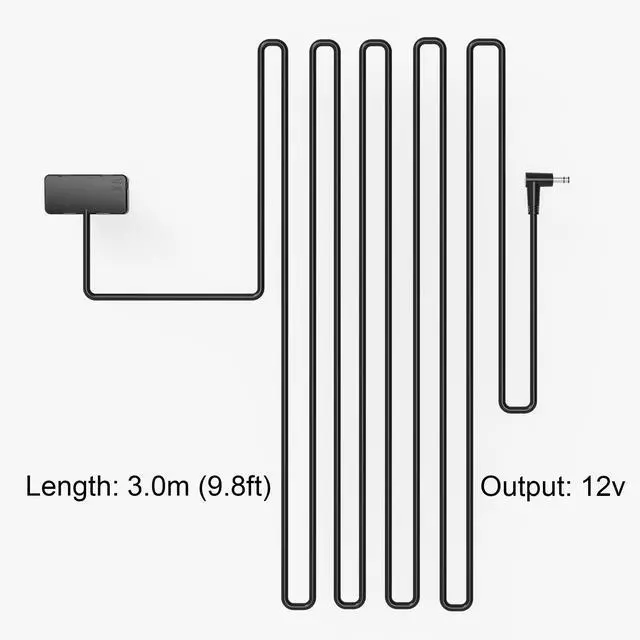
    Output: 12v only
    Length: 3.0 m ( 9.8 ft)
    Weight: 90g ( 3.18 oz)
    Compatible Dashcam Models: Compatible with most BlackVue X Series dashcams with a 3-pin connector (Except for DR750X-2CH LTE Plus, DR750X-2CH LTE, and S Series with a 2-pin connector).
    Mode Switch Position: 24h
    (Default): After 24 hours in parking mode, power will be completely cut off to prevent car battery drain.
    ACC: Advanced users can obtain continuous power for vehicles with more than 2 batteries (Not recommended for most use cases).
    LED Idecator Status:
    Solid: Driving mode
    Flash: Parking mode
    Off: Completely cut off power After 24 hours to prevent car battery drain (24h mode) FAQ
    1.
    Question: Should I use 24h or ACC mode?
    Answer: 24h mode is designed for normal use with 24-hour power cut-off protection. Only use ACC mode when your car has at least 2 batteries attached.
    2. Do I need to set my "Battery Protection" in my dashcam setting?
    Answer: Yes, even with the 24h setting on the OBD-II Cable switch. In your dashcam settings, you still need to set the "Cut-off Timer" to 12 hours or less. This will give the dashcam another layer of protection and was also verified by experienced dashcam installers during our cable design phase.
    3.
    Question: I hear the voice prompts "Normal mode" and "Parking mode on" several times while I am driving. Is this normal?
    Answer: Yes, it is normal since some vehicles may have this issue due to CAN Bus readings and OBD-II power glitches. And it will not affect the video recording.

    Warranty & Returns

    Warranty, Returns, And Additional Information

    Warranty

    • Please contact the Seller directly for warranty information. Warranty information may also be found on the Manufacturer's website.
    • CONTACT

    Return Policies

    Manufacturer Contact Info

    LOADING...