Your Browsing History
- Free 30-day Returns
$45.99
Ships from China.
Sold by NorthFlow Smart Store
Shipped by NorthFlow Smart Store
Meet Your Seller
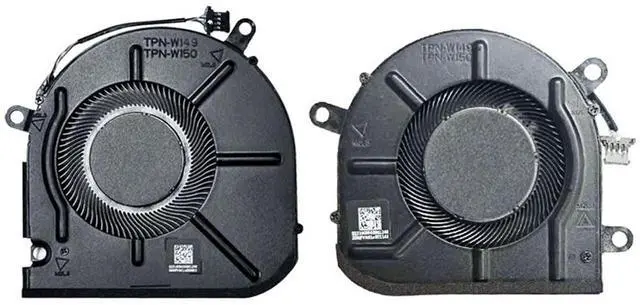
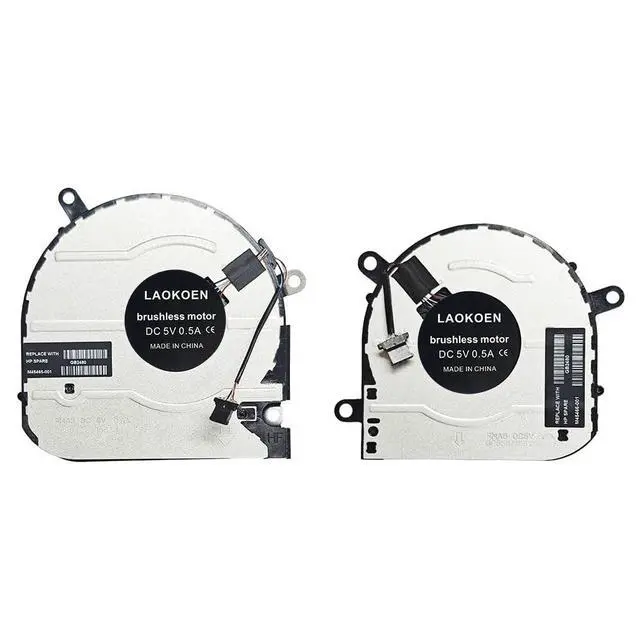
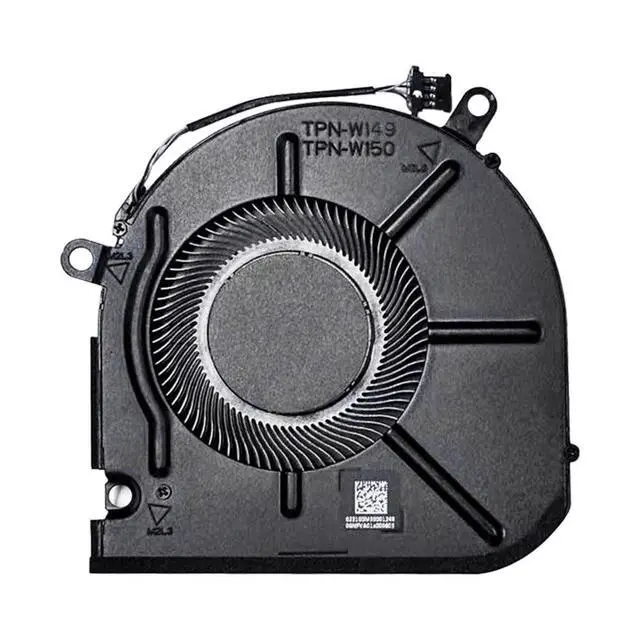
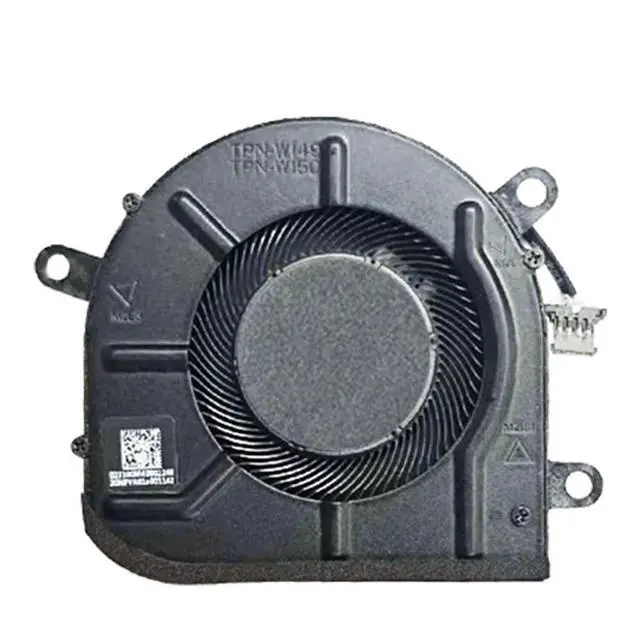
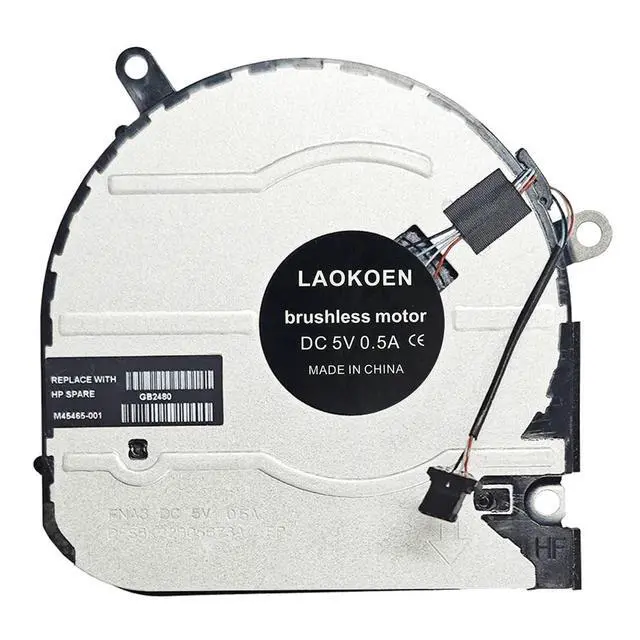
New CPU+GPU Cooling Fan Replacement for HP Envy X360 15M-EU 15M-ES 15T-ES 15Z-EU 15-EU TPN-W149 TPN-W150 DC5V Series P/N EG50040S1-1C400-S9A EG50040S1-1C410-S9A FNA5 FNA3 M45465-001 M45466-001
- Compatible models:CPU+GPU Cooling Fan for HP Envy X360 15M-EU 15M-ES 15T-ES 15Z-EU 15-EU TPN-W149 TPN-W150 DC5V Series EG50040S1-1C400-S9A EG50040S1-1C410-S9A M45465-001 M45466-001.
- New laptop cooling fan, fast cooling, low noise, let your computer run at a low temperature, stable temperature,create a noise-free & interference-free environment for you.If you want a quiet, stable, and comfortable office environment for your laptop, this is the perfect choice for you.
- Replacement a new laptop cooling fan will allow you to use the laptop to run stably and comfortably, solve the problem of abnormal noise and aging of your laptop cooling fan, solve the problem that the laptop system prompts the fan to not run normally, solve the problem of poor heat dissipation and high temperature of your laptop fan, and can not use the laptop normally so that your laptop fan can operate normally again!
- Please be sure to check the fan diagram and the fan code indicated in the picture!! Laptops wi
+
+
Overview
Specs
Reviews
Any questions? Our AI mode will help you find out quickly.
Try me now
Please check the compatible model and compare the sample pictures, make sure this is the correct Cooling Fans you need! Please contact us if you have any issue! *Parameter: DC 12V 0.5A.
*Package Include: 1* CPU Fan 1* GPU Fan, *Compatible
Models: for HP Envy X360 15M-EU 15M-ES 15T-ES 15Z-EU 15-EU TPN-W149 TPN-W150 DC5V Series EG50040S1-1C400-S9A EG50040S1-1C410-S9A M45465-001 M45466-001.
*Applicable scenarios: Solve the error, abnormal noise, and high temperature of your laptop fan, so that your laptop fan can operate normally again! *Special attention: 1. Before replacing the laptop fan, remember to shut down the laptop, remove the plug of the external battery or internal battery of the laptop, and then press the switch button several times to release the static electricity and surplus electricity of the motherboard, so as to avoid damage to the motherboard caused by static electricity. In addition, please be sure to pay attention to the direction of the fan plug, do not plug the anti-fan plug, so as to avoid burning the fan. 2. Please pay attention to check whether the voltage of your laptop CPU&GPU fan is consistent with our product description fan voltage, because the same model of computer may have different voltage notebook cooling fans. 3. Disassembly is risky, and installation needs to be cautious. If you cant install it yourself, its best to ask a professional to help install it. You can also find the installation tutorial on the Internet for reference.

*Package Include: 1* CPU Fan 1* GPU Fan, *Compatible
Models: for HP Envy X360 15M-EU 15M-ES 15T-ES 15Z-EU 15-EU TPN-W149 TPN-W150 DC5V Series EG50040S1-1C400-S9A EG50040S1-1C410-S9A M45465-001 M45466-001.
*Applicable scenarios: Solve the error, abnormal noise, and high temperature of your laptop fan, so that your laptop fan can operate normally again! *Special attention: 1. Before replacing the laptop fan, remember to shut down the laptop, remove the plug of the external battery or internal battery of the laptop, and then press the switch button several times to release the static electricity and surplus electricity of the motherboard, so as to avoid damage to the motherboard caused by static electricity. In addition, please be sure to pay attention to the direction of the fan plug, do not plug the anti-fan plug, so as to avoid burning the fan. 2. Please pay attention to check whether the voltage of your laptop CPU&GPU fan is consistent with our product description fan voltage, because the same model of computer may have different voltage notebook cooling fans. 3. Disassembly is risky, and installation needs to be cautious. If you cant install it yourself, its best to ask a professional to help install it. You can also find the installation tutorial on the Internet for reference.
Warranty & Returns
Warranty, Returns, And Additional Information
Warranty
- Please contact the Seller directly for warranty information. Warranty information may also be found on the Manufacturer's website.
- CONTACT
Return Policies
- Return for refund within: 30 days
- Return for replacement within: 30 days
- This item is covered by NorthFlow Smart Store Return Policy
Manufacturer Contact Info
- For a directory of all our manufacturers, please click below.
- Manufacturers Directory
LOADING...