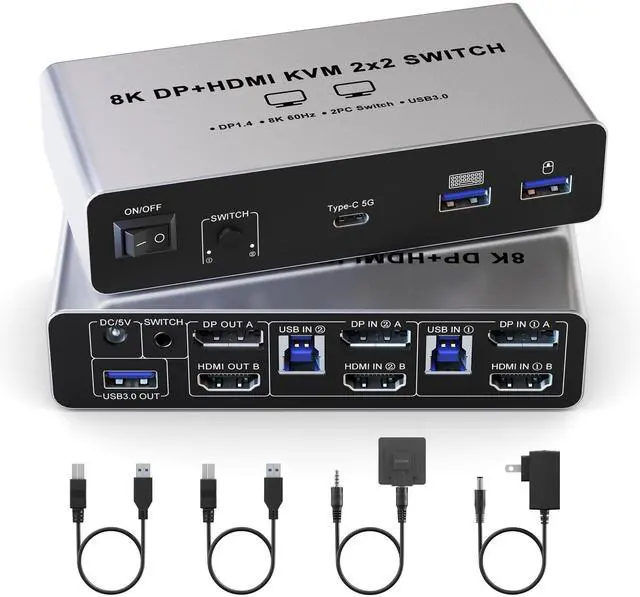
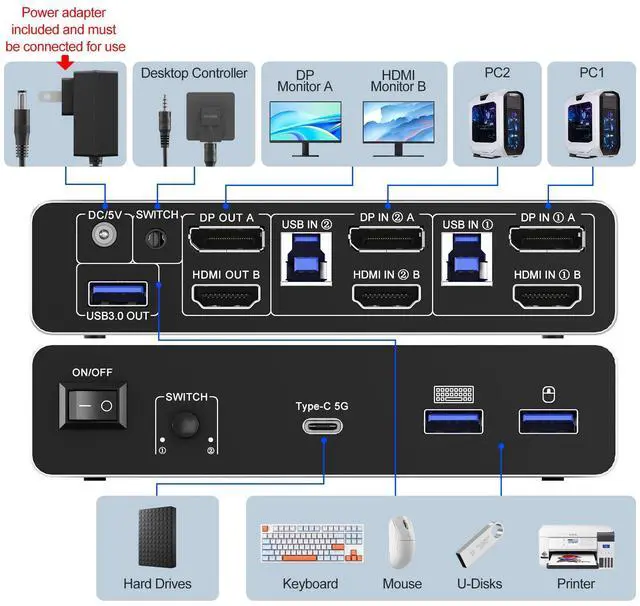
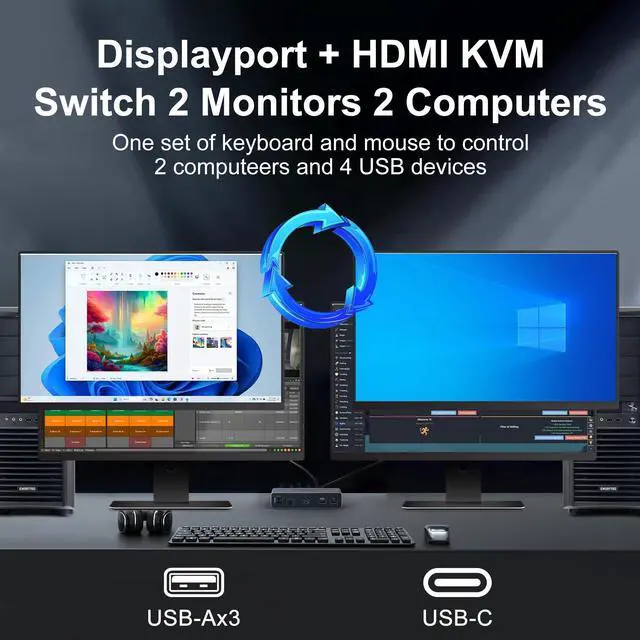
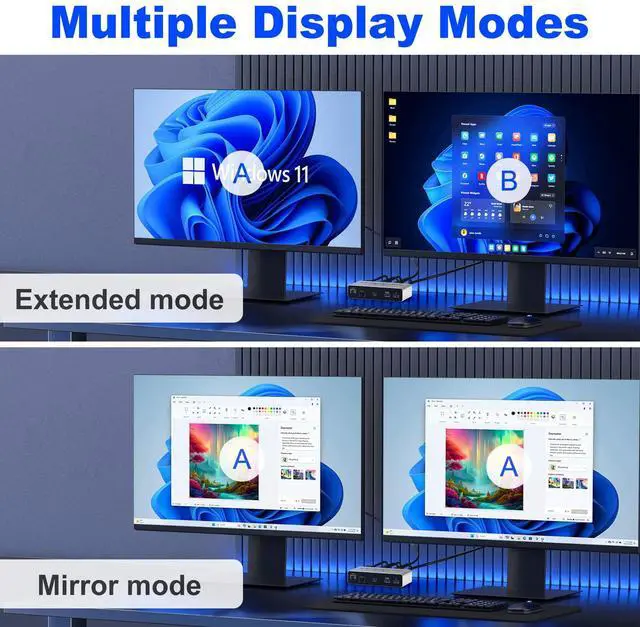
HDMI Displayport KVM Switch Dual Monitor: The KVM switch 2 monitors 2 computers can control 2 computers or laptops with 1 independent set of keyboard and mouse, share 2 monitors and 4 USB 3.0 ports (3 USB-A+1 USB-C), such as mouse, keyboard, printer U disk or game pad, etc. Supports multiple display modes (Extended Mode and Mirror Mode). ^^ 8K
HD visual enjoyment: HDMI Displayport Dual monitor KVM switcher supports up to 8K@60Hz, 4K@144Hz resolutions, and is backward compatible with 4K@60hz, 1080P, 720P etc. providing an incredible viewing experience with realistic images and vibrant colors.
Please note: 8K60Hz resolution can only be obtained if your computer's graphics card, monitor, and the cables used all support 8K60Hz. (DP HDMI cables not included) ^^ With 4
USB 3.0 Ports: HDMI displayport KVM switch dual monitor is equipped with 4 USB 3.0 ports (3 USB-A+1 USB-C) for sharing mouse, keyboard, USB flash drives, printer, hard drives, and other USB devices. USB 3.0 offers data transfer speeds of up to 5Gbps, which allows faster data transfer to make work more efficient.
(Note: The USB input port must be connected to the computer, otherwise the keyboard and mouse will not be recognized. ) ^^
Two Switching Modes: This HDMI displayport monitor switch for 2 computers supports button switching and desktop controller switching, freely switching between 2 computers. With the desktop controller, you can place this HDMI DisplayPort switcher outside your work area, making your desktop cleaner and tidier.
NOTE: Not support Keyboard shortcuts (hotkeys) toggles ^^
Wide Compatibility: This HDMI displayport KVM switch dual monitor supports Windows, MacOS, and Linux systems. HDMI displayport KVM switch 2 computers 2 monitors supports connecting to a wide range of input devices including computers, laptops, MacBook Pro, etc., and is widely used in offices, multimedia teaching, conference rooms, and other applications.
PACKAGE LIST: 1*HDMI displayport KVM switch, 2*USB A cables, 1*power adapters, 1*desktop controller, 1*user guide.
^^ NOTE: 1, It does not support EDID emulation. 2, Please make sure each of your computers can support dual-screen displaying at the same time. 3, Please make sure your computer has 1 DP port + 1 HDMI port + 1 USB-A port. 4, Each computer must connect 1 DP cable + 1 HDMI cable 1 USB-A cable to ensure working properly. 5, The two monitors can only output the video source from one computer, and cannot output the signal source of PC1 and PC2 at the same time. 6, To ensure normal usage, please make sure to connect the power supply via the power adapter