

Your Browsing History
- Free 30-day Returns
$60.99


Meet Your Seller

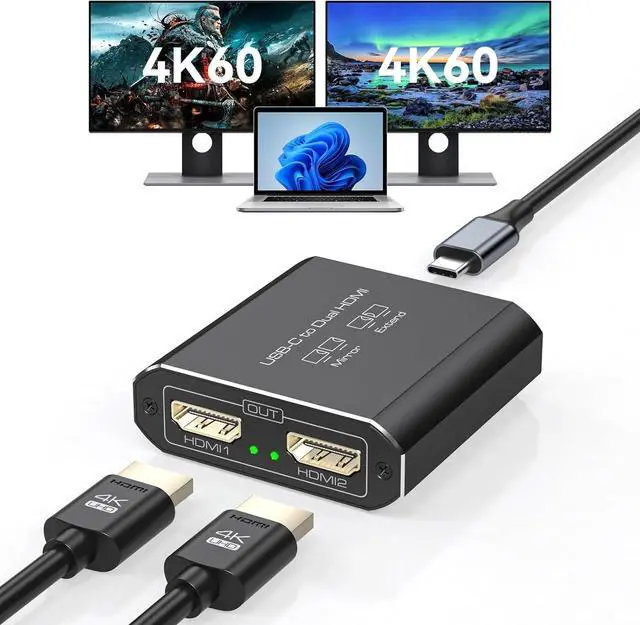
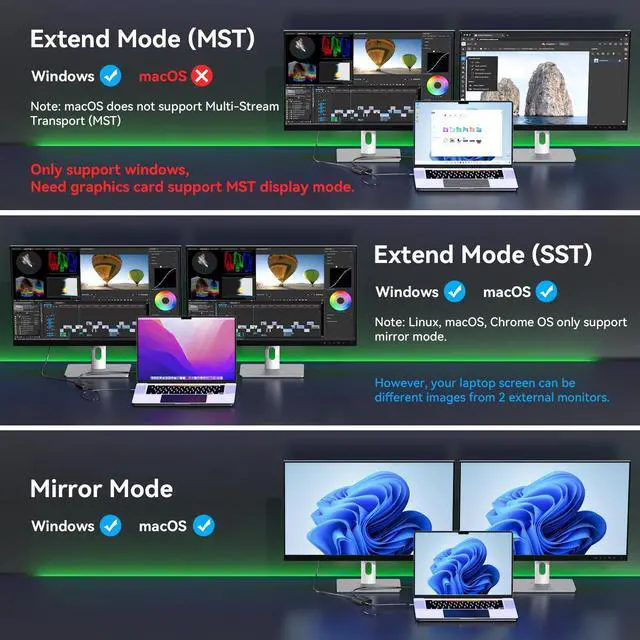
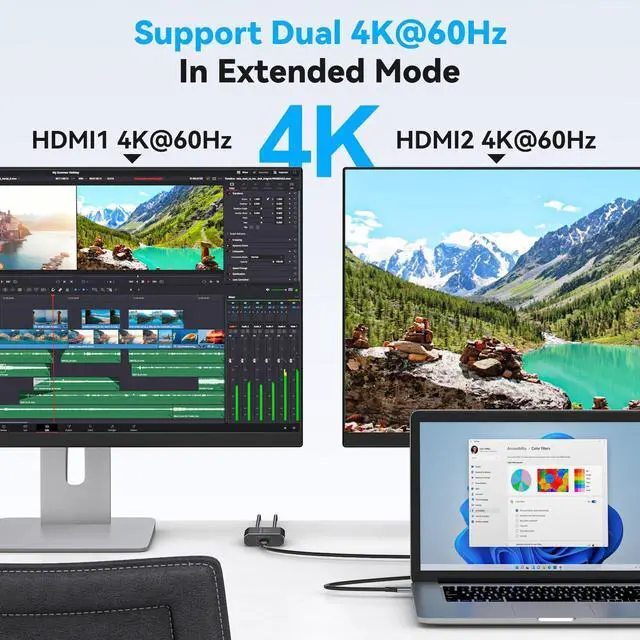


JCYMELE Dual 4K@60Hz Extended Display USB C to Dual HDMI Adapter for 2 Monitors Type C Port to HDMI Splitter 1 in 2 Out for Laptops MacBook Pro Air Note: macOS only Support SST Mode
- "Usage Instructions: 1. Connect the HDMI output port to the monitor using an HDMI 2.0 cable. 2.Connect the Type-C input port to the computer's Thunderbolt 3 port using a Type-C to C cable. Note 1: The computer must support Thunderbolt 3 or higher. Note 2: For some computers, the display settings interface must be manually configured to a resolution of 4K60Hz and set to extended or mirror mode"
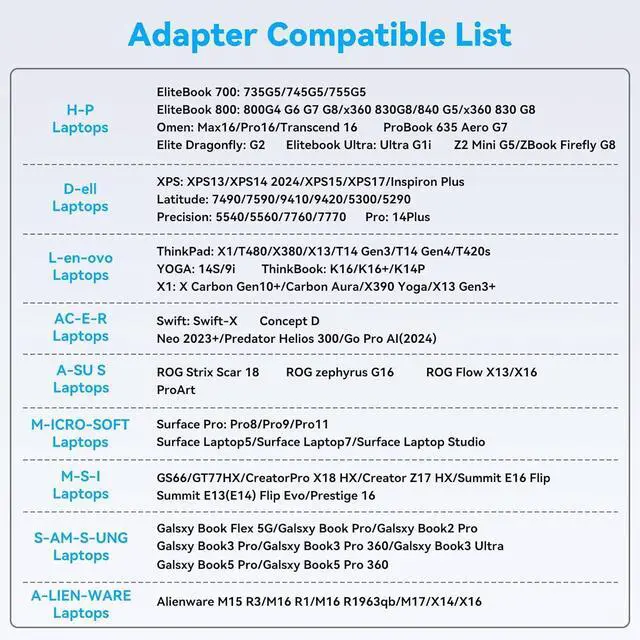
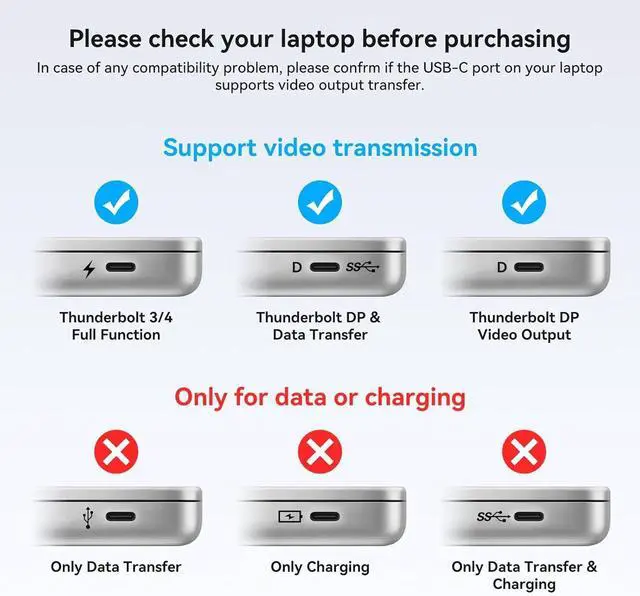
- Please Check Compatibility: This Splitter requires that your laptop's USB C port supports the DP Alt Mode feature, or a laptop with Thunderbolt 3/4/5 ports. For example, the following laptop series: H-P Laptops-EliteBook 700/800, Omen, Elite Dragonfly, Elitebook Ultra series; D-e-ll Laptops-XPS, Latitude, Precision, Pro series; Le-no-vo Laptops-ThinkPad, YOGA, ThinkBook, X1 series; A-c-er Laptops-Swift, Concept D, Neo 2023+ series; A-su-s Laptops-ROG, ProArt series. For laptop specific models or compatible models of other brands, please check the second main picture and the second pi
+
+
Overview
Specs
Reviews

Any questions? Our AI mode will help you find out quickly.
Try me now
JCYMELE Dual 4K@60Hz Extended Display USB C to Dual HDMI Adapter for 2 Monitors Type C Port to HDMI Splitter 1 in 2 Out for
Laptops MacBook Pro Air Note: macOS only Support SST Mode
Laptops MacBook Pro Air Note: macOS only Support SST Mode
Warranty & Returns
Warranty, Returns, And Additional Information
Warranty
- Please contact the Seller directly for warranty information. Warranty information may also be found on the Manufacturer's website.
- CONTACT
Return Policies
- Return for refund within: 30 days
- Return for replacement within: 30 days
- This item is covered by HAIZHILANSTORE Return Policy
Manufacturer Contact Info
- For a directory of all our manufacturers, please click below.
- Manufacturers Directory
LOADING...