Your Browsing History
Meet Your Seller
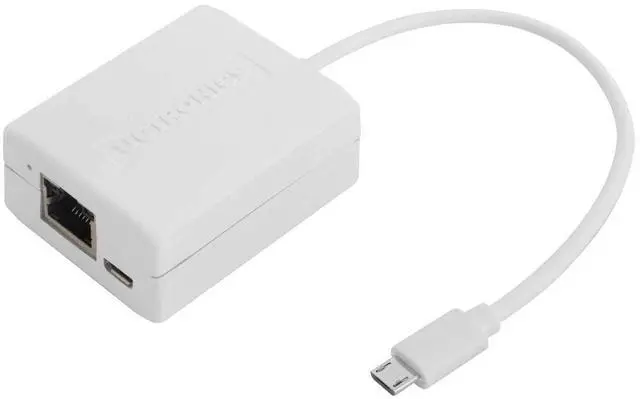
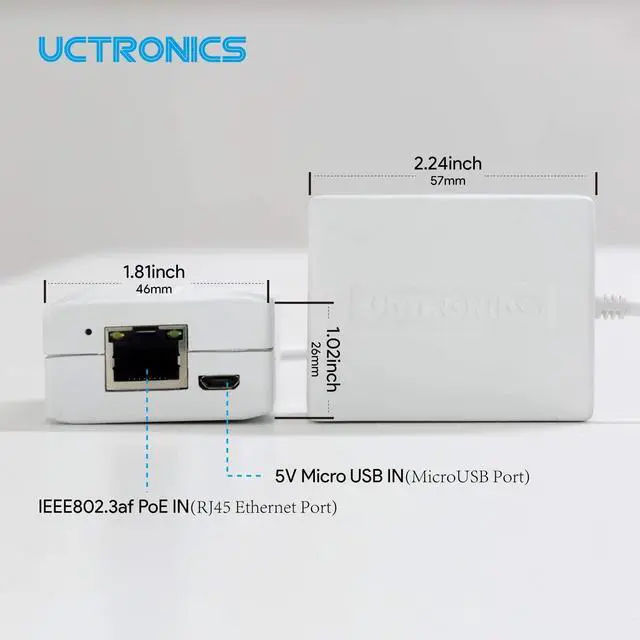
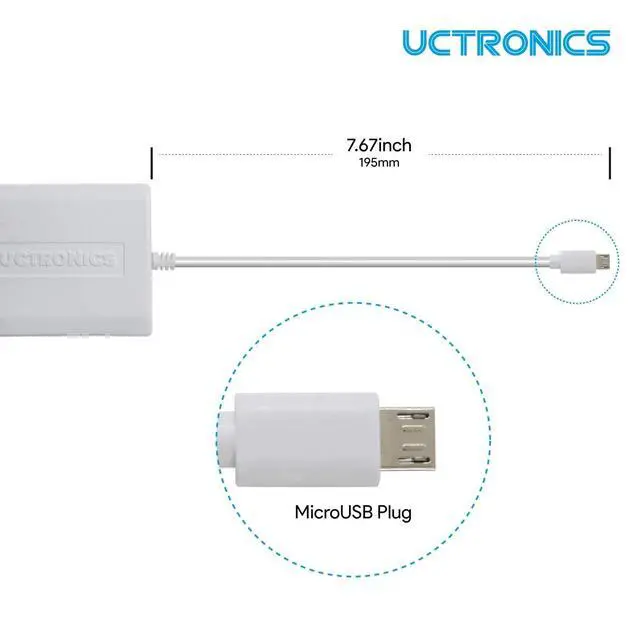
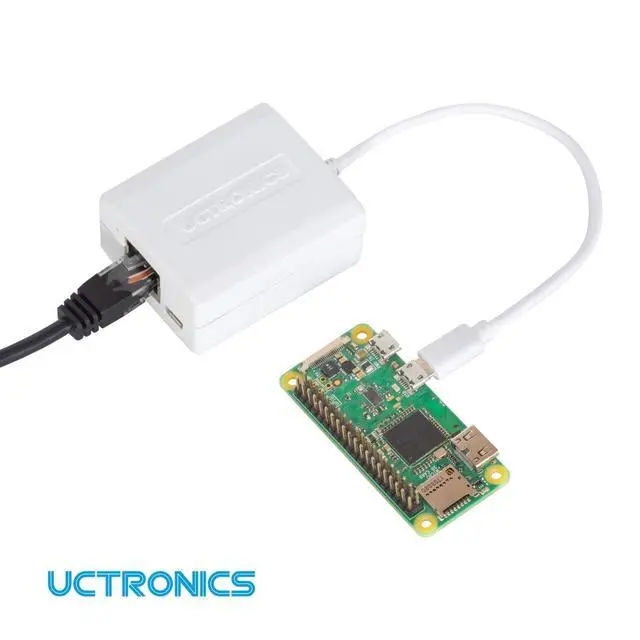
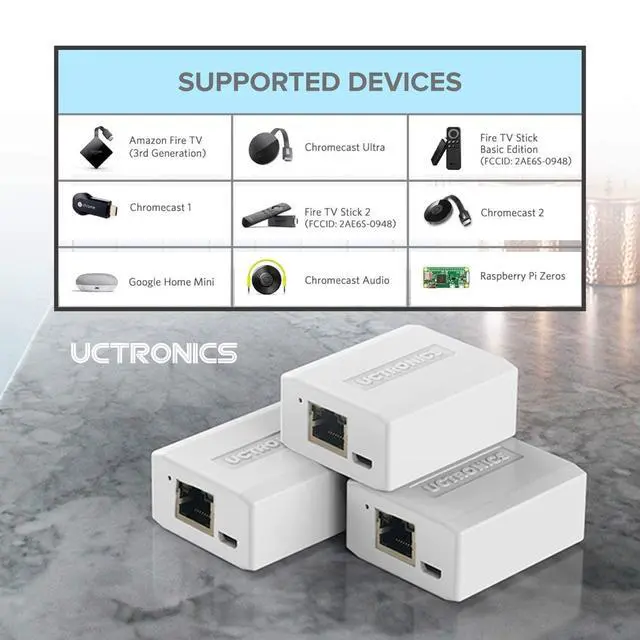
UCTRONICS Upgraded Ethernet and Power for Raspberry Pi Zero, Micro USB to Ethernet/PoE Adapter for Fire TV Stick, Chromecast, Google Mini and More, IEEE 802.3af Compliant
- What is it An adapter that helps you deliver both power supply and solid wired network connection to a single Micro-USB port.
- How does it work By converting PoE (Power over Ethernet) signal, or combining plain Ethernet and Micro-USB power supply, into Power&Ethernet over USB.
- What is PoE Deliver power and data with a single Ethernet cable for fewer wall plugs and messed cables. Extend powerline to where no AC outlets are nearby, up to 300 feet away from the power source.
- What else needed - You need an IEEE 802.3af compliant PoE switch or injector for the PoE mode, or an extra Micro-USB power supply for plain Ethernet combining.
- Note: 1. For Raspberry Pi Zero, plug into the micro USB port marked USB instead of PWR. 2. Make sure the PoE input is connected to a functioning IEEE802.3af compliant PoE switch that has internet connectivity and power over Ethernet on PoE mode. 3. It can't be compatible with android phones and ipad. 4. If there is no network on Wyze Cam, please t
+
+
Overview
Specs
Reviews
Any questions? Our AI beta will help you find out quickly.
Try me now
What is it An adapter that helps you deliver both power supply and solid wired network connection to a single Micro-USB port. ^^ How does it work By converting PoE (Power over Ethernet) signal, or combining plain Ethernet and Micro-USB power supply, into Power&Ethernet over USB. ^^ What is PoE Deliver power and data with a single Ethernet cable for fewer wall plugs and messed cables. Extend powerline to where no AC outlets are nearby, up to 300 feet away from the power source. ^^ What else needed - You need an IEEE 802.3 af compliant PoE switch or injector for the PoE mode, or an extra Micro-USB power supply for plain Ethernet combining.
^^
Note: 1. For Raspberry Pi Zero, plug into the micro USB port marked USB instead of PWR. 2. Make sure the PoE input is connected to a functioning IEEE 802.3 af compliant PoE switch that has internet connectivity and power over Ethernet on PoE mode. 3. It can't be compatible with android phones and ipad. 4. If there is no network on Wyze Cam, please
try this way: bit. ly/PoE-Adapter-on-Wyze-Cam, or contact UCTRONICS. ^^ Non-Standard PoE Risk This splitter requires IEEE 802.3 af/at PoE. Non-standard (passive) PoE switches deliver power without negotiation, which can Overvolt and damage connected devices

^^
Note: 1. For Raspberry Pi Zero, plug into the micro USB port marked USB instead of PWR. 2. Make sure the PoE input is connected to a functioning IEEE 802.3 af compliant PoE switch that has internet connectivity and power over Ethernet on PoE mode. 3. It can't be compatible with android phones and ipad. 4. If there is no network on Wyze Cam, please
try this way: bit. ly/PoE-Adapter-on-Wyze-Cam, or contact UCTRONICS. ^^ Non-Standard PoE Risk This splitter requires IEEE 802.3 af/at PoE. Non-standard (passive) PoE switches deliver power without negotiation, which can Overvolt and damage connected devices
Warranty & Returns
Warranty, Returns, And Additional Information
Warranty
- Please contact the Seller directly for warranty information. Warranty information may also be found on the Manufacturer's website.
- CONTACT
Return Policies
- Return for refund within: 30 days
- Return for replacement within: 30 days
- This item is covered by Luhang Return Policy
Manufacturer Contact Info
- For a directory of all our manufacturers, please click below.
- Manufacturers Directory
LOADING...