Your Browsing History
- Free 30-day Returns
$40.79
Ships from China.
Sold by HangZhouQianChengSHOP
Shipped by HangZhouQianChengSHOP
Best Sellers
- $38.99
- + $5.99 Shipping
Meet Your Seller
Sponsored Products
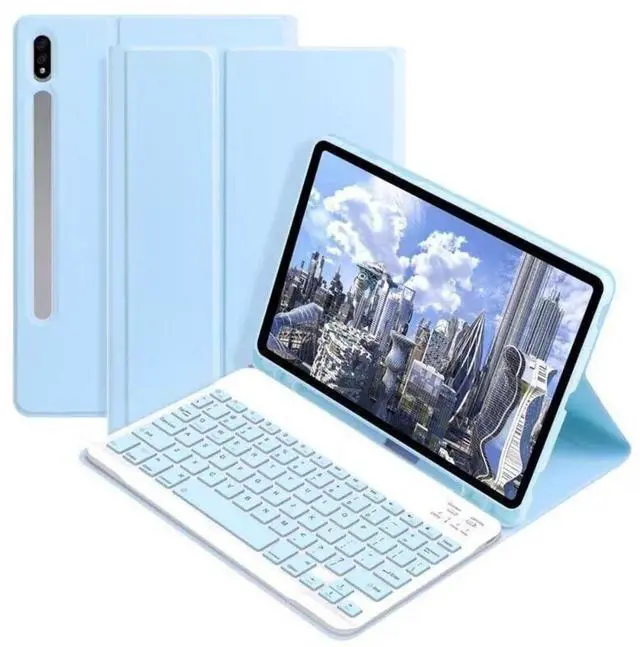
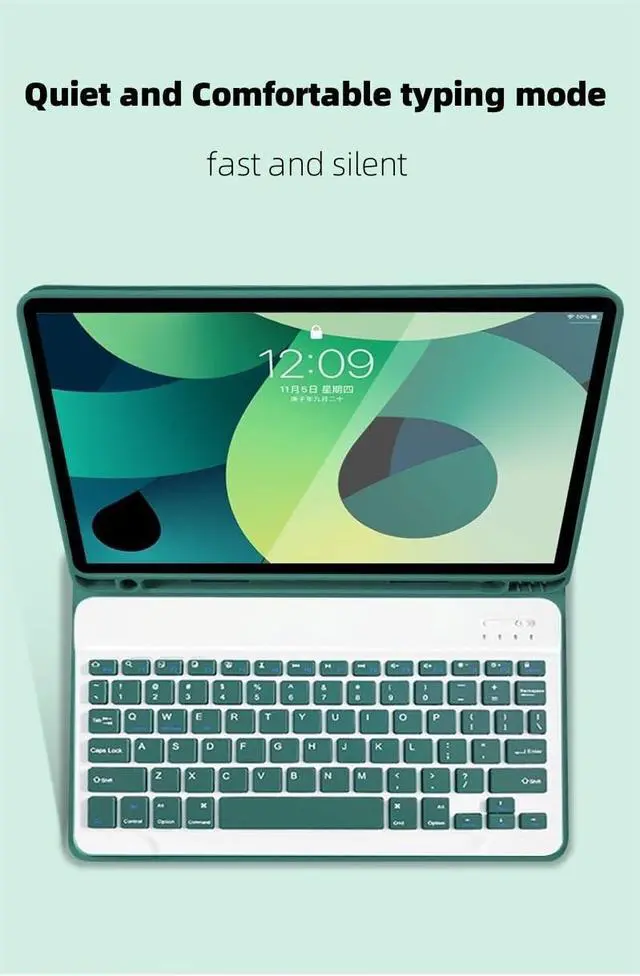
AnMengXinLing Galaxy Tab S9FE/S9/S8/S7 Tablet Case with Keyboard, Candy Colors Slim Protective Cover with Magnetic Detachable Keyboard with S Pen Holder for Galaxy Tab S9 11"/S9 FE 10.9"Sky Blue
- Compatibility - Compatible with Galaxy Tab S9/S8/S7 11 inch & Samsung Galaxy Tab S9 FE 10.9 inch Case; designed for Galaxy Tab S9 FE 10.9 inch 2023(Model: SM-X510),Galaxy Tab S9 2023 (Model: SM-X710/X716/X718),Galaxy Tab S8 2022 (Model: SM-X700/X706) and Galaxy Tab S7 2020 (Model: SM-T870/T875/T878)
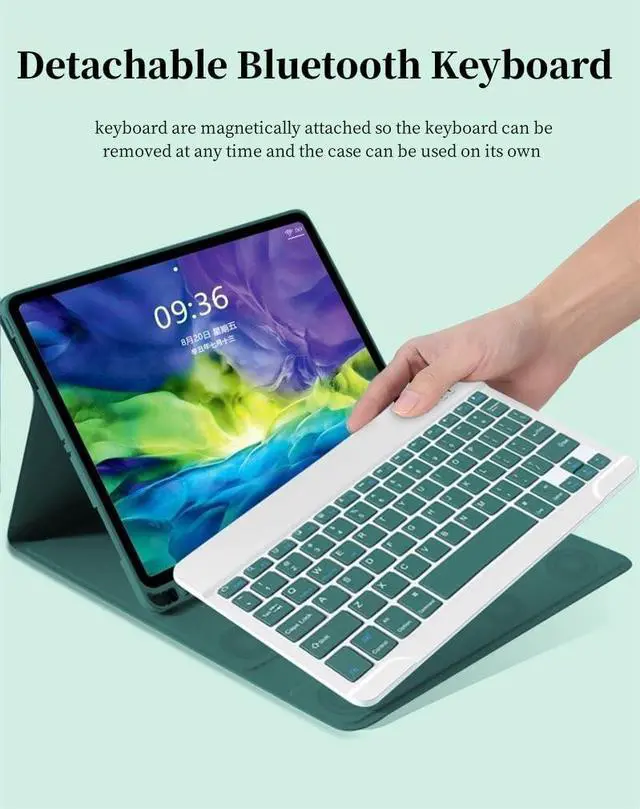
- Multifunction Detachable Bluetooth KeyboardYou can remove the Wireless keyboard whenever you want from this cover. This keyboard works with iPadOS, iOS, Android and Windows system.such as iPad / iPad Air / iPad Pro / iPad Mini / Phone / Android Tablet / Smartphone and more.
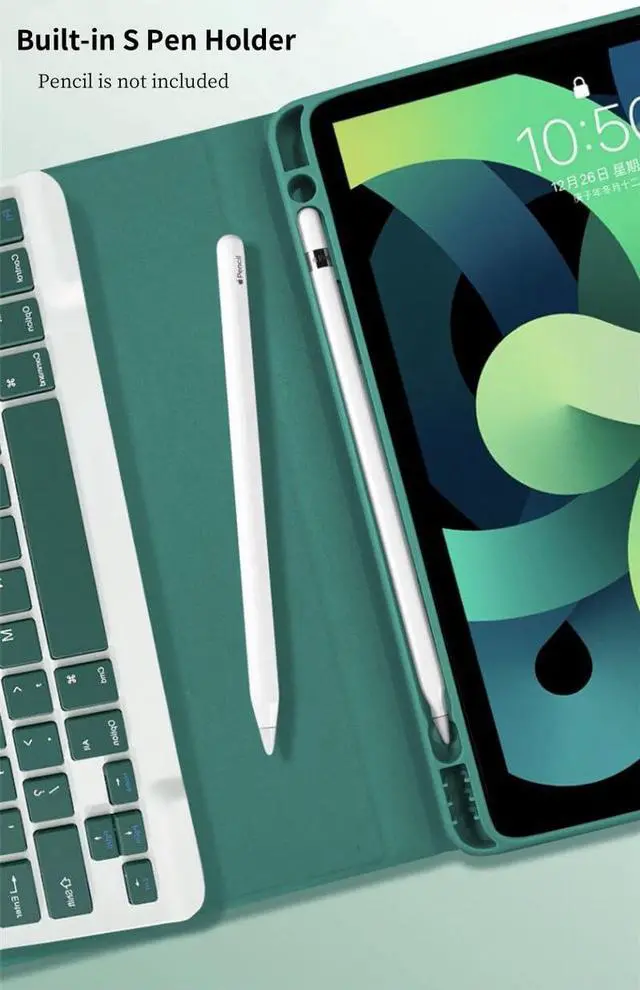
- Galaxy Tablet Case with S Pen HolderThe unique S Pen slot makes it easy to grab your S Pen anywhere, anytime, avoiding losing it. NOTE: PEN AND TABLET ARE NOT INCLUDED.
- Full Protection Case with KeyboardThe Tab case has full edge coverage and great protection. Precise cutouts allow full access to all features (buttons, speakers, cameras).
- Suitable for Any Occasion & Ideal Gift ChoiceThis K
+
+
Overview
Specs
Reviews
Any questions? Our AI beta will help you find out quickly.
Try me now
About Our Samsung Galaxy Tab keyboard case
Folio Magnetic
Built-in S Pen Holder
360° Full Body Protective Case
Candy Color Keyboard and Case
Daily Life Waterproof Detachable Magnetic Keyboard
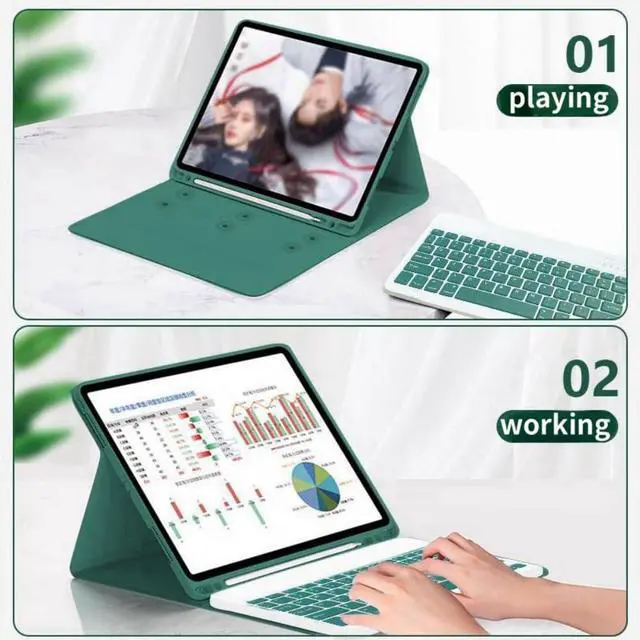
3 Magnetic Stand Angle (support 120°/125°/135° viewing angles)
Samsung Tablet Wireless Connection
1, Turn on the power, the power indicator Iights on for 1 second ( if the indicator is red, please charge in time )
2, Press the connect key for 2 second, the Wireless indicator blue Iights flicker into the pairing state, and the effectjve time is about 120 seconds.
3, Open the Wireless search function of the external device, click the " Wireless Keyboard " searched.
4, After the pairing is successful, the indicator lights go out, and you can use the keyboard.
5, if your tablet is Galaxy Tab (Android System), you need press "Fn + Q" together, note: press this two button together. now it can work well.
6, if there is no operation in 10 minutes, the keyboard will go to sleep state and wait for 2~3 seconds by any key to wake up

Folio Magnetic
Built-in S Pen Holder
360° Full Body Protective Case
Candy Color Keyboard and Case
Daily Life Waterproof Detachable Magnetic Keyboard
3 Magnetic Stand Angle (support 120°/125°/135° viewing angles)
Samsung Tablet Wireless Connection
1, Turn on the power, the power indicator Iights on for 1 second ( if the indicator is red, please charge in time )
2, Press the connect key for 2 second, the Wireless indicator blue Iights flicker into the pairing state, and the effectjve time is about 120 seconds.
3, Open the Wireless search function of the external device, click the " Wireless Keyboard " searched.
4, After the pairing is successful, the indicator lights go out, and you can use the keyboard.
5, if your tablet is Galaxy Tab (Android System), you need press "Fn + Q" together, note: press this two button together. now it can work well.
6, if there is no operation in 10 minutes, the keyboard will go to sleep state and wait for 2~3 seconds by any key to wake up
Warranty & Returns
Warranty, Returns, And Additional Information
Warranty
- Please contact the Seller directly for warranty information. Warranty information may also be found on the Manufacturer's website.
- CONTACT
Return Policies
- Return for refund within: 30 days
- Return for replacement within: non-replaceable
- This item is covered by HangZhouQianChengSHOP Return Policy
Manufacturer Contact Info
- For a directory of all our manufacturers, please click below.
- Manufacturers Directory
LOADING...
LOADING...