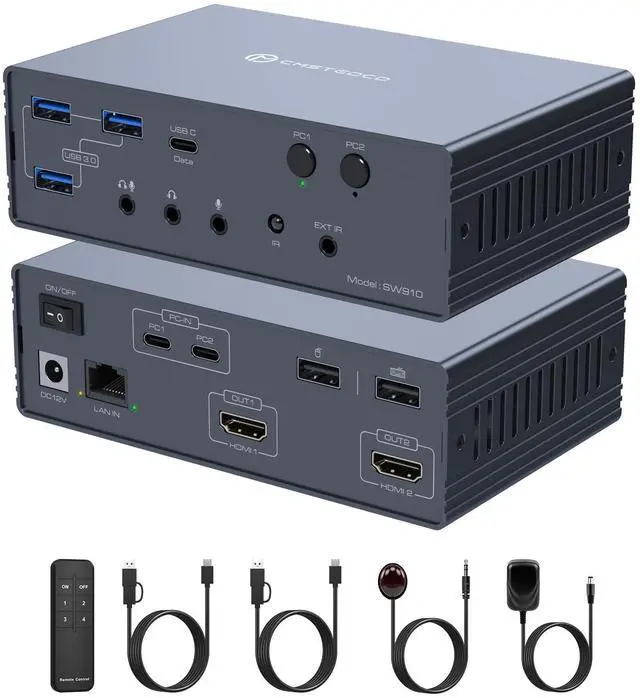
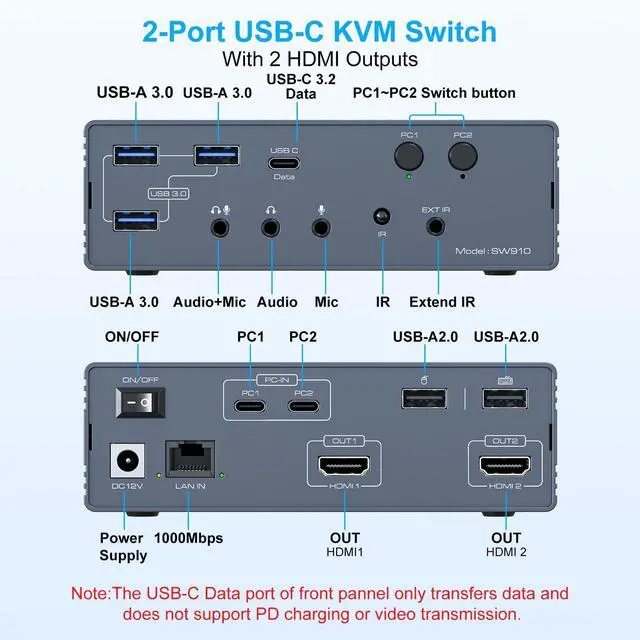
Kvm Switch 2 Monitors 2 ComputersThis Usb docking station supports seamlessly connect 2 computers (USB 3.0 /Thunderbolt) to 2 HDMI displays, supporting mirror or extended mode. Share 1 keyboard/mouse, 3 USB 3.0 ports, 1 USB-C 3.2 port, Gigabit Ethernet, and 3.5 mm audio jack to enhance workflow efficiency and save desk space.
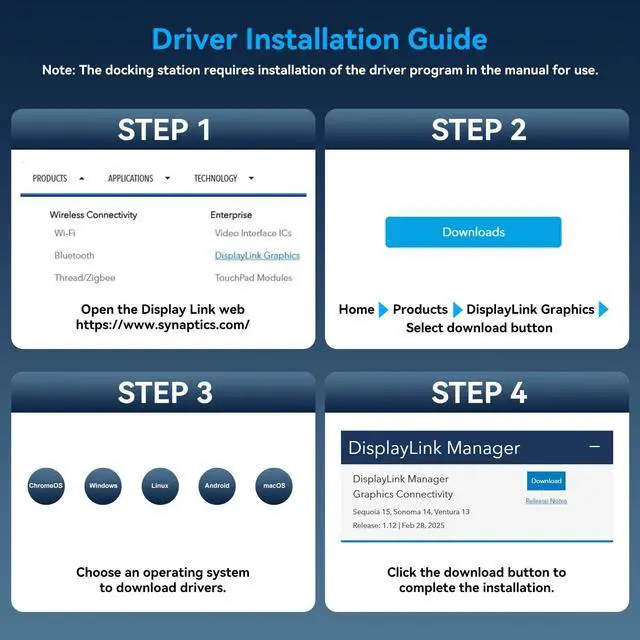
Note: The Displaylink driver& USB 3.0 + port must be installed when using the USB C KVM switch docking station, otherwise monitors will not output images properly ^^
Important Notice: 1Driver
Required: Install the driver (refer to the manual) for proper functionality.
2USB 3.0 +: Requires a USB 3.0 or higher port for connection.
3No Laptop Charging: This device does not support laptop power delivery.
3System Requirements:
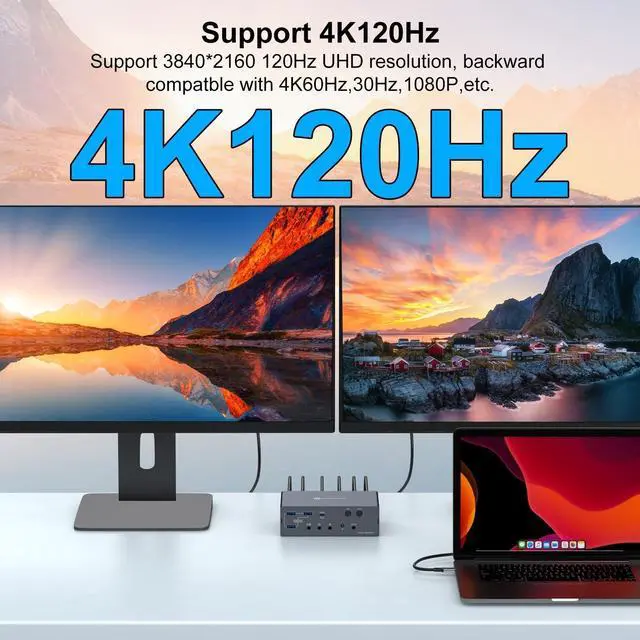
Recommended: CPU Intel i7 or above, and 16GB RAM to ensure optimal performance. ^^ Dual 4K@120Hz DisplayThis KVM switch docking station supports dual-monitor setups with two dedicated HDMI outputs, each capable of 4K@120Hz simultaneous display. It eliminates the need for DisplayPort, offering a streamlined plug&play solution for seamless device switching while maintaining ultra-smooth, high-resolution visuals on both screens
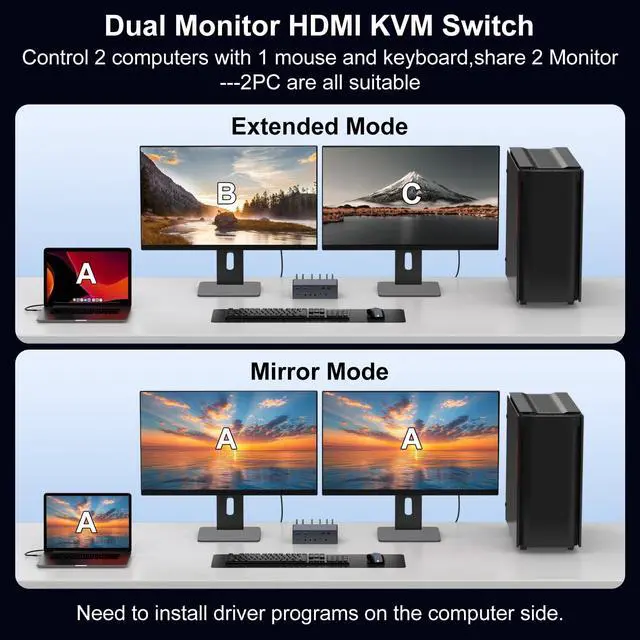
Note: To utilise 4K@120Hz, ensure both your HDMI cable and monitor support 4K@120Hz. ^^ Mirror/Extended ModeThis usbc docking station offers versatile display configurations, supporting both extended and mirroring modes. In mirroring mode, both screens show identical content for uniform visuals. Extended mode enables independent displays, boosting multitasking with separate images. This KVM switch overcomes Mac OS system limitations, seamlessly enabling dual-display extended mode functionality for macOS devices. ^^ Docking Station Supports Two Switching Modes
1. Remote Switching Use the remote control to switch computers by aiming at the KVM switch. For flexible placement, connect via a wired infrared cable and position the docking station away from your workspace. Aim the remote at the infrared receiver to toggle devices remotely.
2. Button Switching Press the PC1 and PC2 buttons on the docking station for instant, direct switching. No extra devices neededideal for quick, hands-on control. ^^ Broad CompatibilityThe docking station boasts extensive operating system compatibility, seamlessly supporting macOS, Windows, Chrome OS, Linux, and Android (with corresponding drivers available for download). Designed for computers equipped with USB 3.0 or higher ports, it delivers convenience for both professional and personal use. Should you encounter any issues during the installation of the downloaded driver, please do not hesitate to contact us. Our customer service team will provide professional technical support.





 here!
here!