Your Browsing History
- Free 30-day Returns
$85.99
Meet Your Seller
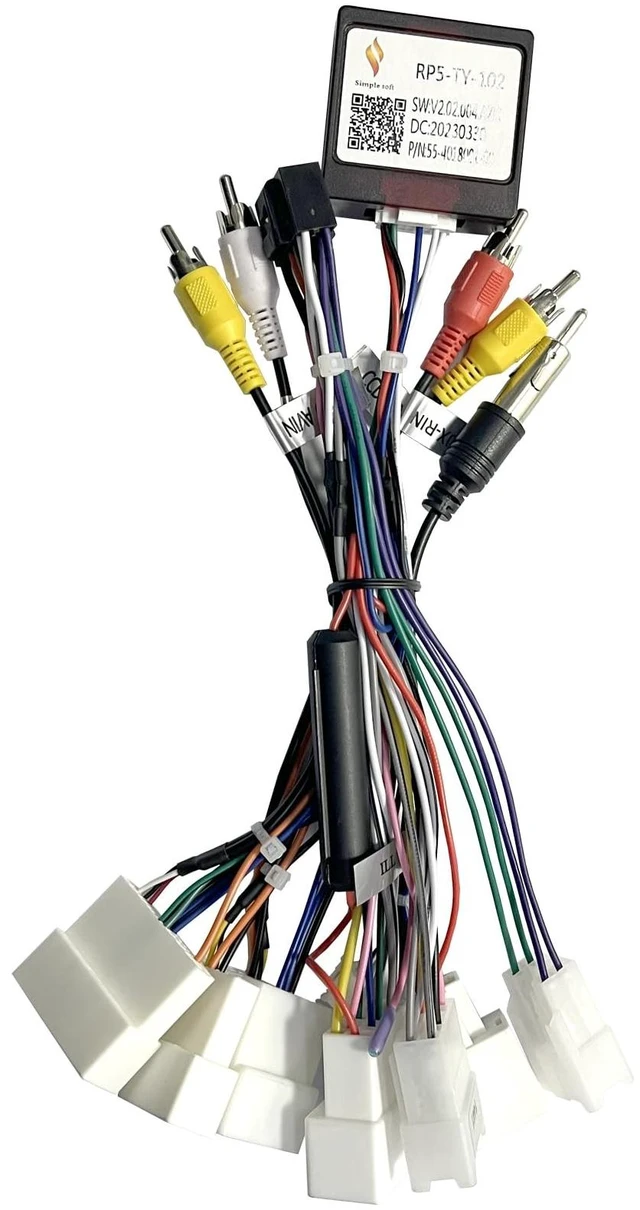
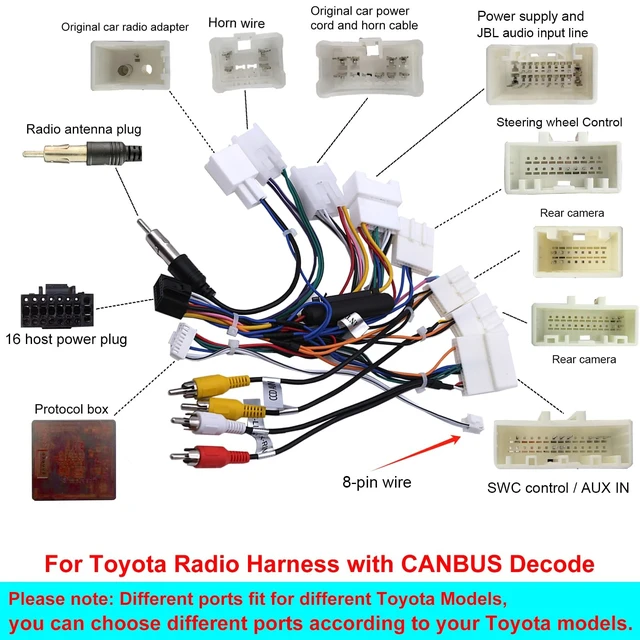
SWTNVIN JB L Adapter Harness Only Applicable with JB L Amplifier System Car Stereo for Toyota Camry RAV4 Tundra with Android System Car Radio (16 PIN)
- Note: Due to the conversion of current, this product is only suitable for the Toyota Tundra Camry(Android) car radio in our store. Please Note: After installing this harness please contact your radio seller to select the correct protocol option for the radio to work properly. Thank you!
- If your car has a JB L sound system, then you need to purchase this JB L adapter to decode its sound, otherwise there will be no sound.
- When connected to this JB L adapter, please turn on the amplifier function of this unit, the operation path: Click "Setting" on the main menu - click "Car infotainment" - click "Sound" -- ---- Click on "Balance" - ----- open the "Ex Amp" switch.
- When the JB L adapter and its harness are used, the power cord in the unit package you purchased is not needed
- If you have any problems during the installation and use, please feel free to contact us, we have a professional technical staff to answer your questions, thank you!

+
+
Overview
Specs
Reviews
Any questions? Our AI mode will help you find out quickly.
Try me now
Note: Due to the conversion of current, this product is only suitable for the Toyota RAV4 / Toyata Tundra / Toyata Camry (Android) Car radio in our storeIf your car has a JB L sound system, then you need to purchase this JB L adapter to decode its sound, otherwise there will be no sound; When the JB L adapter and its harness are used, the power cord in the unit package you purchased is not needed. When connected to this JB L adapter, please turn on the amplifier function of this unit, the
operation path: Click "Setting" on the main menu - click "Car infotainment" - click "Sound" -- ---- Click on "Balance" - ----- open the "Ex Amp" switch. If you have any problems during the installation and use, please feel free to contact us, we have a professional technical staff to answer your questions, thank you!
Warranty & Returns
Warranty, Returns, And Additional Information
Warranty
- Please contact the Seller directly for warranty information. Warranty information may also be found on the Manufacturer's website.
- CONTACT
Return Policies
- Return for refund within: 30 days
- Return for replacement within: 30 days
- This item is covered by DuronTechnologies Return Policy
Manufacturer Contact Info
- For a directory of all our manufacturers, please click below.
- Manufacturers Directory
LOADING...