Your Browsing History
Meet Your Seller
16" Laptop Screen Extender, Dual 1200P IPS Displays,16:10, No Clamps
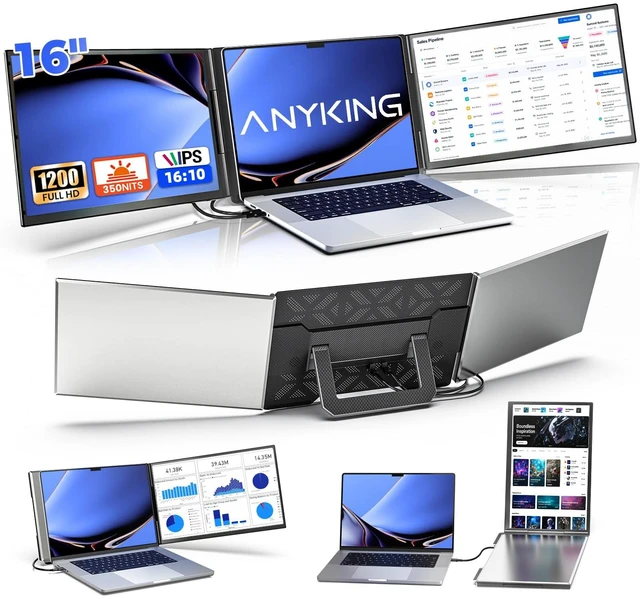
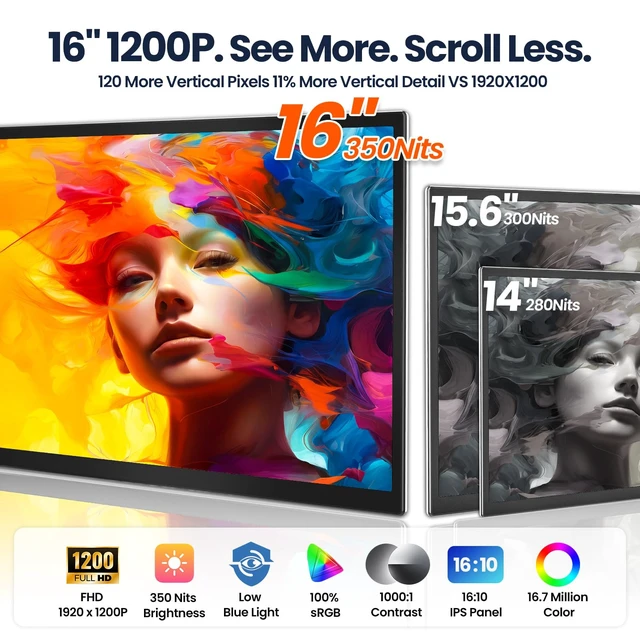
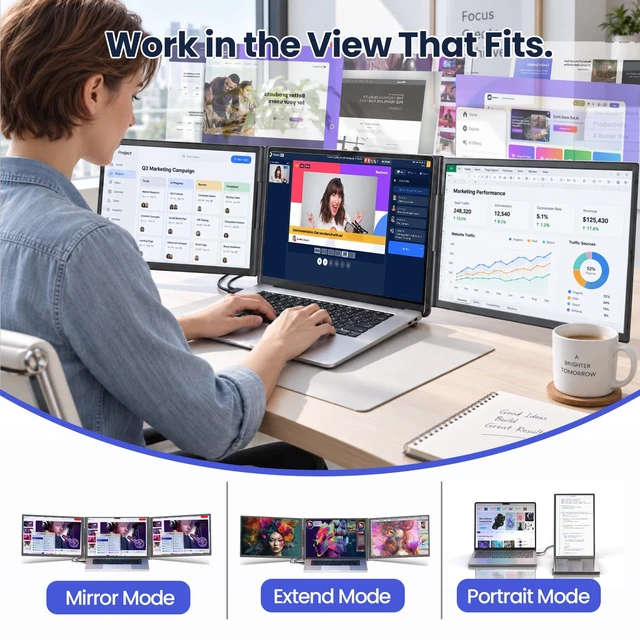
- , : Add two 16-inch displays to your laptop for a three-screen workspace. Each 1920 x 1200 IPS panel combines a 16:10 aspect ratio with 350 nits brightness. Give spreadsheets, documents, and code more vertical room, and keep reference materials beside your main task instead of constantly switching windows.
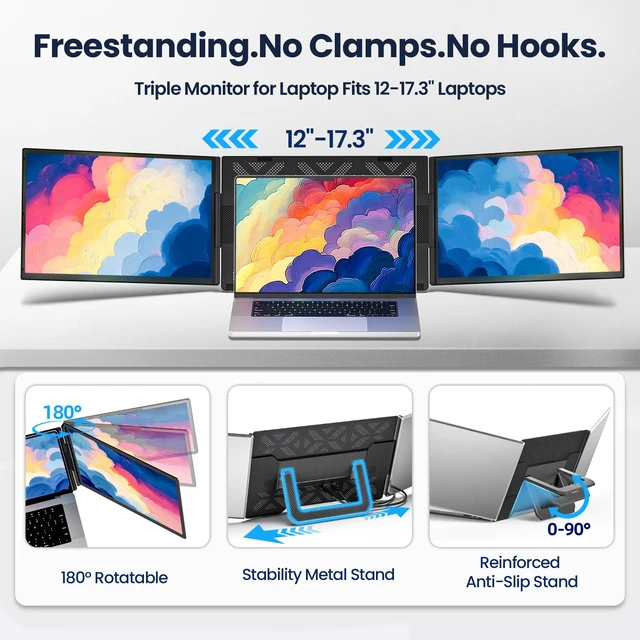
- , :The built-in stand supports the extender on your desk instead of hanging it from your laptop lid. Unfold the S12, position your laptop between the displays, and adjust the kickstand for comfortable viewing. The open-frame design accommodates laptops up to 17.3 inches without clamping onto the screen.
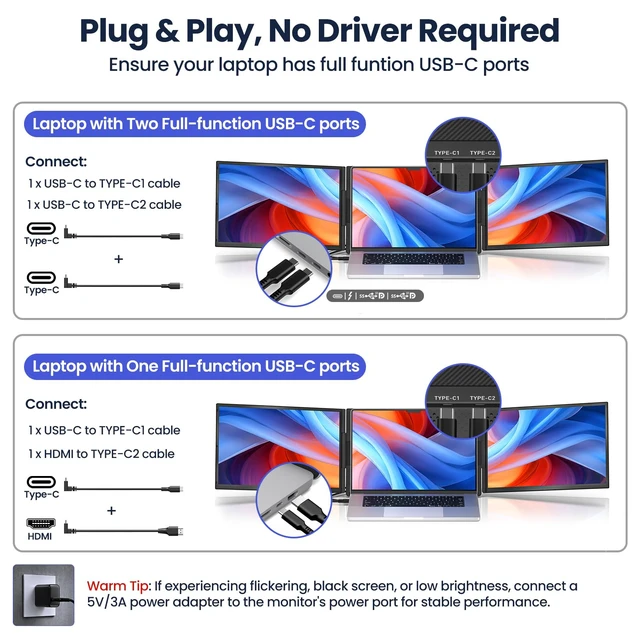
- : Use two USB-C cables, or one USB-C cable plus the included HDMI-to-USB-C cable. USB-C ports must support video output (DisplayPort Alt Mode), and your laptop must support two external displays while its built-in screen is active. No driver installation is needed for these direct video connections. Connect the included power adapter when additional power is needed. ^
+
+
Overview
Specs
Reviews
Any questions? Ask CelesteSM will help you find out quickly.
Try me now
,: Add two 16-inch displays to your laptop for a three-screen workspace. Each 1920 x 1200 IPS panel combines a 16:10 aspect ratio with 350 nits brightness. Give spreadsheets, documents, and code more vertical room, and keep reference materials beside your main task instead of constantly switching windows.
^^,: The built-in stand supports the extender on your desk instead of hanging it from your laptop lid. Unfold the S12, position your laptop between the displays, and adjust the kickstand for comfortable viewing. The open-frame design accommodates laptops up to 17.3 inches without clamping onto the screen.
^^: Use two USB-C cables, or one USB-C cable plus the included HDMI-to-USB-C cable. USB-C ports must support video output (DisplayPort Alt Mode), and your laptop must support two external displays while its built-in screen is active. No driver installation is needed for these direct video connections. Connect the included power adapter when additional power is needed.
^^,: Crafted from premium, lightweight aluminum alloy, the S12 combines a refined metal finish with a slim, foldable design. Its scratch-resistant surface helps guard against everyday scuffs, keeping your workspace looking professional. Each screen opens up to 180 for flexible viewing, then folds inward for convenient storageready to move from your home office to your next business trip.
^^ - &: Your S12 is backed by a 1-year warranty, with ANYKING support for compatibility, setup, and troubleshooting. Works with compatible Windows and macOS laptops; support for two external displays varies by model. Some setups require an H5 adapter (not included), driver installation, and external monitor power. Share your laptop model and port details for personalized connection guidancebefore or after purchase.
^^,: The built-in stand supports the extender on your desk instead of hanging it from your laptop lid. Unfold the S12, position your laptop between the displays, and adjust the kickstand for comfortable viewing. The open-frame design accommodates laptops up to 17.3 inches without clamping onto the screen.
^^: Use two USB-C cables, or one USB-C cable plus the included HDMI-to-USB-C cable. USB-C ports must support video output (DisplayPort Alt Mode), and your laptop must support two external displays while its built-in screen is active. No driver installation is needed for these direct video connections. Connect the included power adapter when additional power is needed.
^^,: Crafted from premium, lightweight aluminum alloy, the S12 combines a refined metal finish with a slim, foldable design. Its scratch-resistant surface helps guard against everyday scuffs, keeping your workspace looking professional. Each screen opens up to 180 for flexible viewing, then folds inward for convenient storageready to move from your home office to your next business trip.
^^ - &: Your S12 is backed by a 1-year warranty, with ANYKING support for compatibility, setup, and troubleshooting. Works with compatible Windows and macOS laptops; support for two external displays varies by model. Some setups require an H5 adapter (not included), driver installation, and external monitor power. Share your laptop model and port details for personalized connection guidancebefore or after purchase.
Warranty & Returns
Warranty, Returns, And Additional Information
Warranty
- Please contact the Seller directly for warranty information. Warranty information may also be found on the Manufacturer's website.
- CONTACT
Return Policies
- Return for refund within: 30 days
- Return for replacement within: 30 days
- This item is covered by JMDesign Return Policy
Manufacturer Contact Info
- For a directory of all our manufacturers, please click below.
- Manufacturers Directory
LOADING...