• $225.99
  • Free 30-day Returns
  • Price alert
    Sold by ApexDash

    Shipped by ApexDash

    Shop it at NeweggBusiness.

    Meet Your Seller

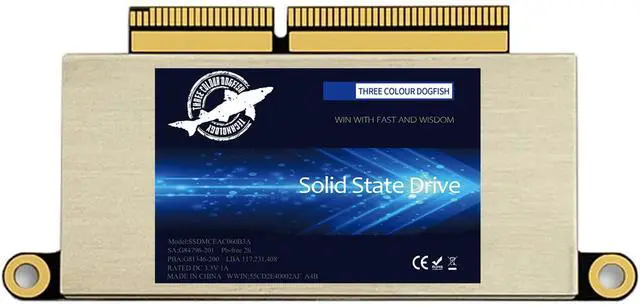
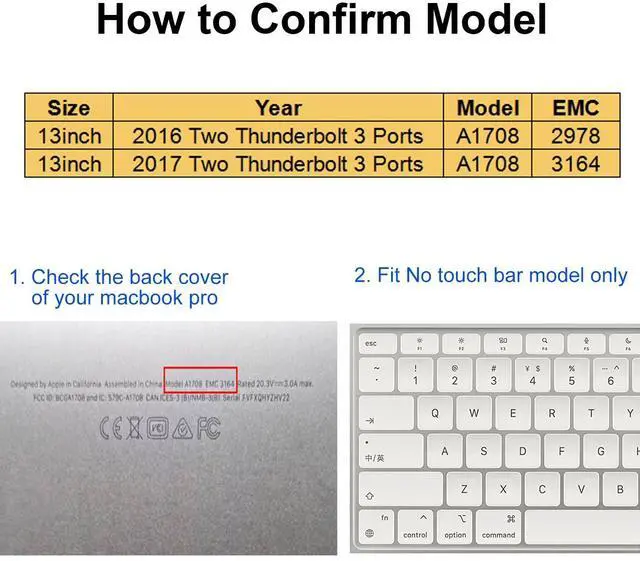
    DOGFISH SSD 1TB Internal Solid State Drive PCIe NVMe Gen3.0x4 for Upgrade 2016 2017 13" MacBook PRO A1708EMC 2978/3164 Non-Touch Bar Models(Late 2016-Mid 2017 Year)

    • Built with SMI Controller, 3D TLC NAND Flash , Boot up faster, Load files quicker, Improve overall system responsiveness.
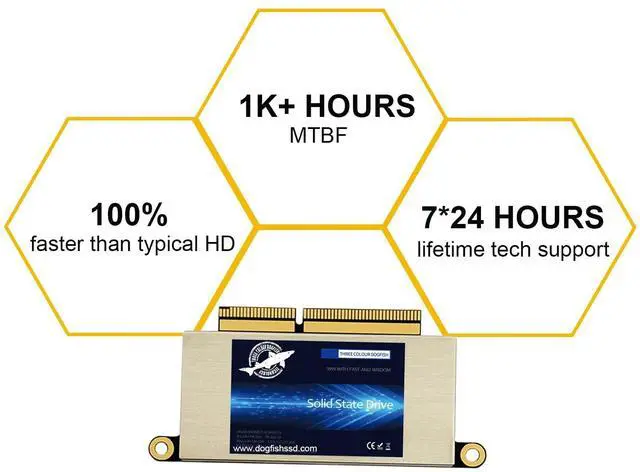
    • Replace the SSD to increase the capacity and processing speed up to 2200MB/s. Perfectly compatible with 2016 2017 13" MacBook PRO A1708EMC 2978/3164 Non-Touch Bar Models(Late 2016-Mid 2017 Year).
    • Before removal, Back up your original data to USB drive; and Updated your old original SSD to mac OS 10.13 High Sierra or Later version. If not, the new SSD will not be recognized after replacement.If your mac does not recognize the drive, then back to the step.
    • In just 2 minutes, you can updata your Apple MacBook with DOGFISH SSD for speed and capacity to keep up with the latest models. DOGFISH will Pre-installed system for you.You simply install the SSD on the motherboard, boot up and complete the upgrade!
    +
    +
    Overview
    Specs
    Reviews
    avatar

    Any questions? Our AI beta will help you find out quickly.

    Built with SMI Controller, 3D TLC NAND Flash, Boot up faster, Load files quicker, Improve overall system responsiveness. ^^ Replace the SSD to increase the capacity and processing speed up to 2200MB/s. Perfectly compatible with 2016 2017 13" MacBook PRO A1708EMC 2978/3164 Non-Touch Bar Models(Late 2016-Mid 2017 Year). ^^ Before removal, Back up your original data to USB drive; and Updated your old original SSD to mac OS 10.13 High Sierra or Later version. If not, the new SSD will not be recognized after replacement. If your mac does not recognize the drive, then back to the step.

    ^^ In just 2 minutes, you can updata your Apple MacBook with DOGFISH SSD for speed and capacity to keep up with the latest models. DOGFISH will Pre-installed system for you. You simply install the SSD on the motherboard, boot up and complete the upgrade!

    Warranty & Returns

    Warranty, Returns, And Additional Information

    Warranty

    • Please contact the Seller directly for warranty information. Warranty information may also be found on the Manufacturer's website.
    • CONTACT

    Return Policies

    • Return for refund within: 30 days
    • Return for replacement within: 30 days
    • This item is covered by ApexDash Return Policy

    Manufacturer Contact Info

    LOADING...