- Free 30-day Returns
Meet Your Seller
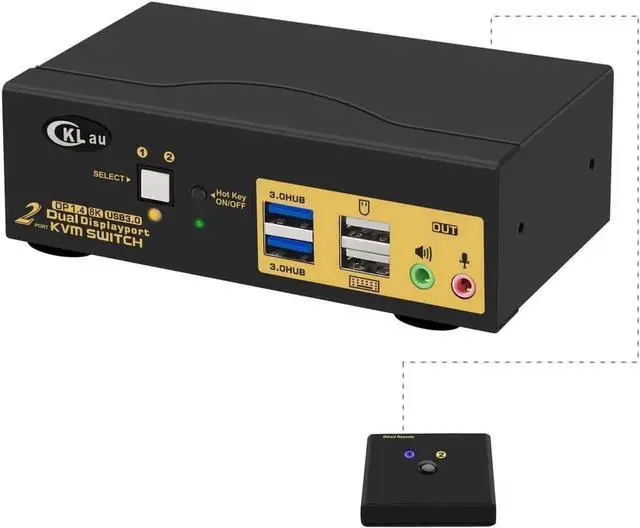
2 Port USB 3.0 Dual Monitor Displayport KVM Switch 2 in 2 Out, Displayport 1.4 8K @30Hz 4K @144Hz with Audio and Cables for 2 Computers Support Hotkey Switching
Limited time offer, ends 07/28 By Smart core
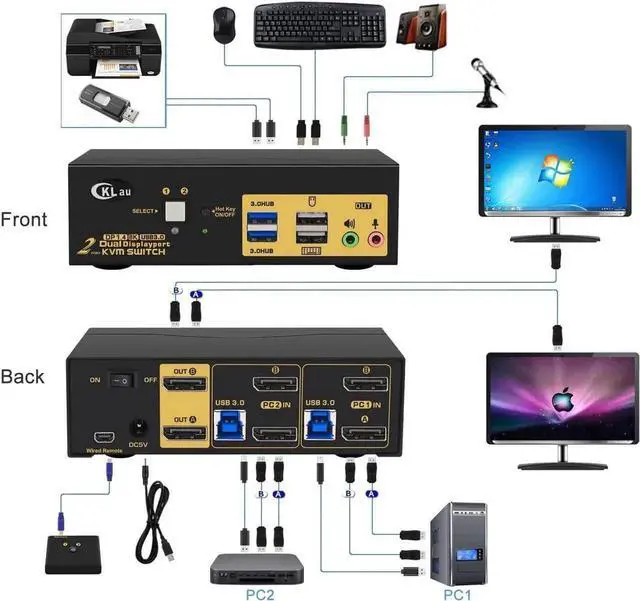
- Displayport 1.4 KVM Switch: allows 2 PCs sharing one set of keyboard & mouse, 2 monitors, audio, microphone and 1 pcs USB 3.0 peripheral device.
- 2 Port KVM Switch USB 3.0: Resolution compatible 7680x4320@30Hz, 5120x2880@50/60Hz, 3840x2160@60/120/144Hz, 3840x1620@60/120/144Hz, 3440x1600@60/120/144Hz, 3440x1440@60/120/144Hz, 3840x1080@60/120/144/165/240Hz etc..
- 2 Monitor KVM Switch Display Port: Support wired/wireless/ keyboard and mouse, touch screen, OLED screen, 16:9 widescreen, 21:9 ultra-wide monitors, etc. Suit for personal, home, office, media, etc.
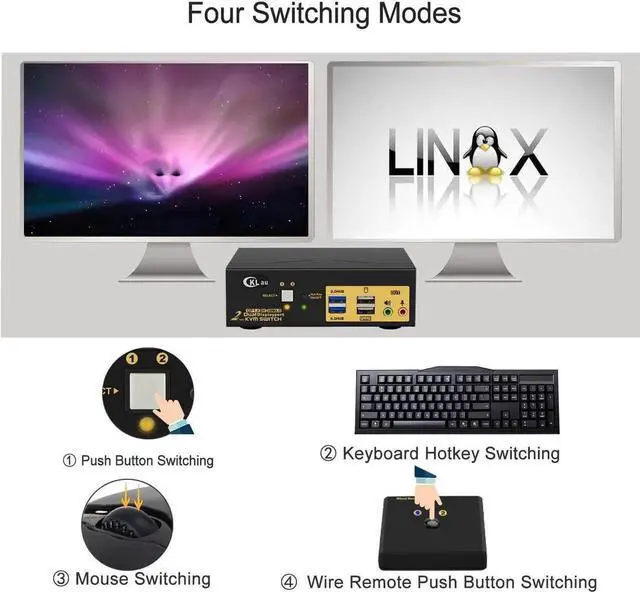
- Displayport 1.4 KVM USB 3.0: Four switching way optional: Hotkey switching (Num Lock + Num Lock + 1 / 2 + Enter, or Ctrl + Ctrl + 1 / 2 + Enter, or Scroll Lock+ Scroll Lock+1 / 2 + Enter), mouse switching, manual button switching, wired remote push button switching.
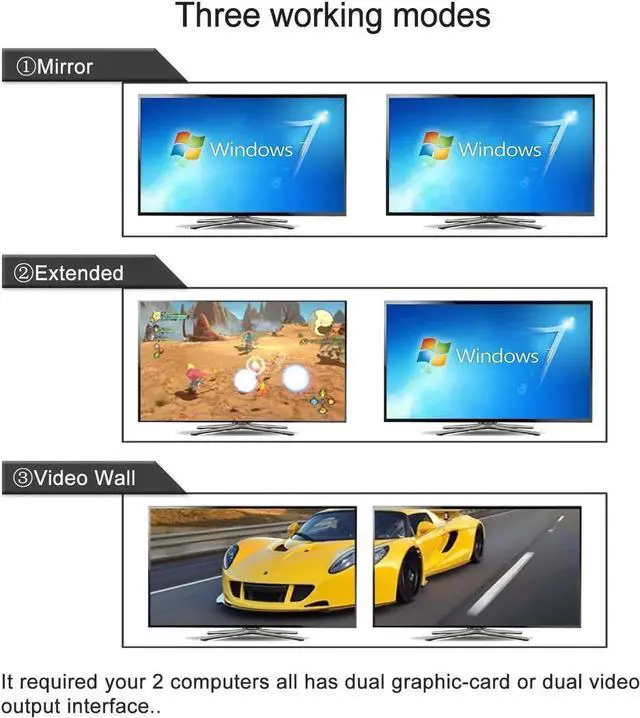
- KVM Switch DP 1.4: Supports extended display, mirror display, and spliced display. Drive-free for Windows 10/7/2000/XP/Vista, Linux, Mac, Debian, Ubuntu, Fedora etc..
Any questions? Our AI beta will help you find out quickly.
Dual Monitor Switch for 2 Computers 4K KVM Switch 2 Port KVM Switch KMV Switches KVM Displayport
Installation Step:
1. Turn off all devices and unplug all cables;
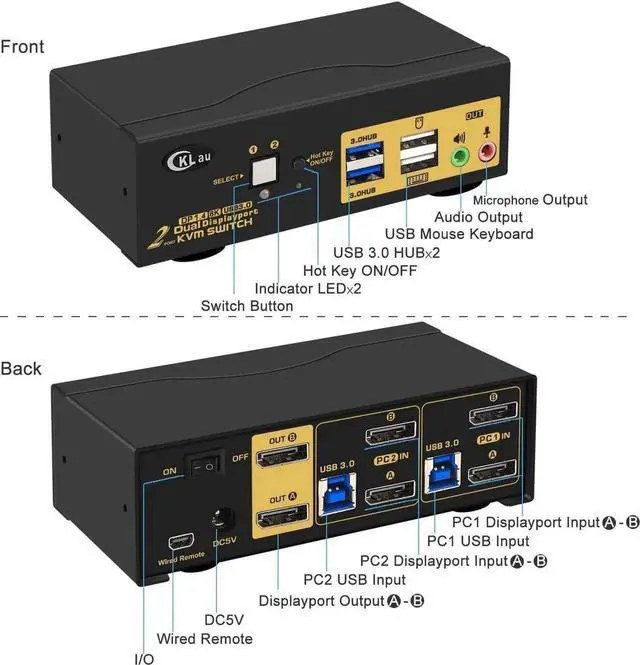
2. Plug USB 3.0 cables(transfer USB signal and audio signal), displayport cables into your computers and KVM switch
3. Plug mouse into mouse slot of KVM switch, plug keyboard into keyboard slot of KVM switch(for gaming or mechanical keyboard, please plug them into USB 3.0 HUB on front panel if they did not work well on rear USB ports);
4. Connect your Monitors to KVM switch;
5. Plug your speaker or microphone or wired remote push button switch into KVM switch if needed;
6. Turn on KVM switch;
7. Turn on your computers;
8. Set computer display modes as extended display/duplicated display.
Package contents:
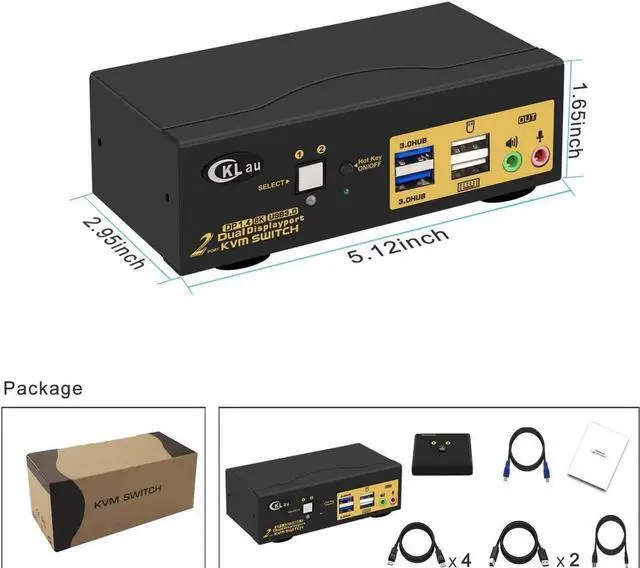
- 1 x 2 port displayport KVM switch
- 4 x displayport cables
- 2 x USB 3.0 cables
- 1 x DC 5V 2A Power adapter
- 1 x User manual
- 1 x wire remote push button switch
Warranty & Returns
Warranty, Returns, And Additional Information
Warranty
- Please contact the Seller directly for warranty information. Warranty information may also be found on the Manufacturer's website.
- CONTACT
Return Policies
- Return for refund within: 30 days
- Return for replacement within: 30 days
- This item is covered by Smart core Return Policy
Manufacturer Contact Info
- For a directory of all our manufacturers, please click below.
- Manufacturers Directory