

Your Browsing History



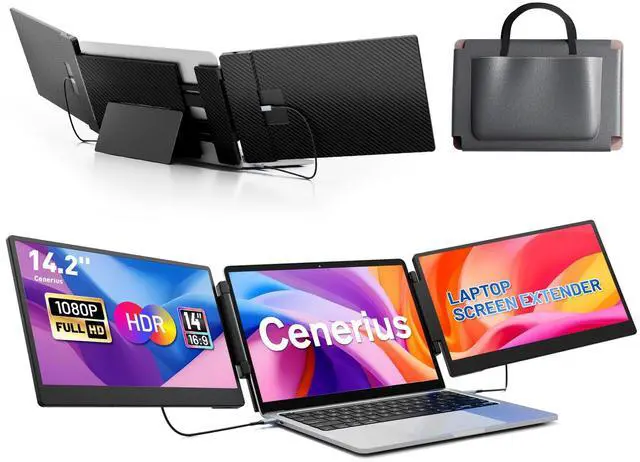


14.2" Laptop Screen Extender, FHD 1080P IPS Portable Monitor for Laptop, Triple Screen Monitor Extender, Compatible with 13"-17" Laptops, HDMI/USB-A/C Plug&Play for Windows, Mac, Android
Limited time offer, ends 09/14 By Eristy shop
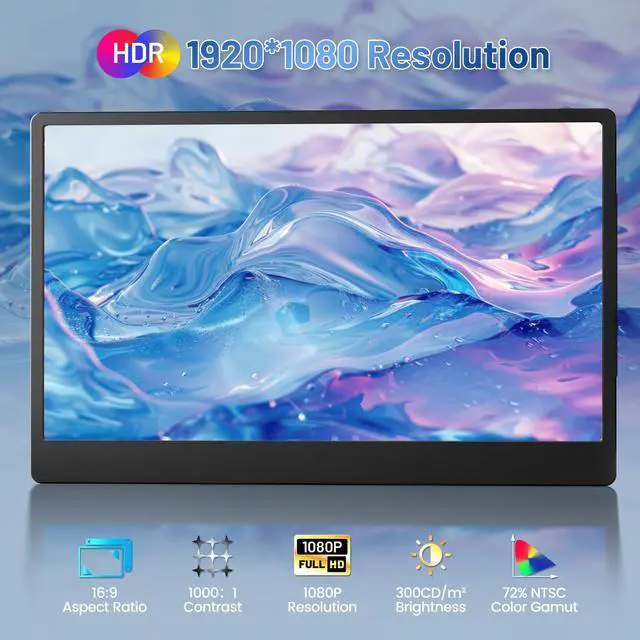
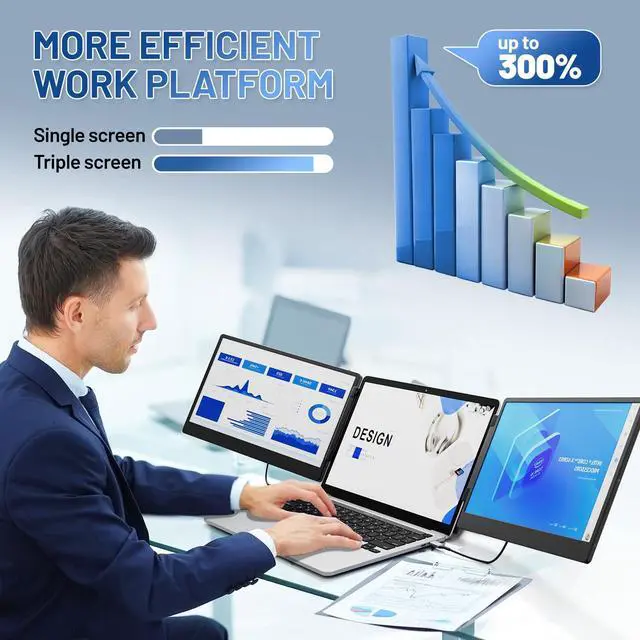
- 14.2'' IPS Premium Visual Experience This laptop screen extender features dual 14.2-inch Full HD IPS screens, setting it apart from single-screen alternatives with a 74% NTSC color gamut, 300 nits brightness, and 1000:1 contrast ratio. Every detail is crisp and vivid, perfect for office work, gaming, and streaming. It is equipped with advanced low blue light filtering, anti-glare, and flicker-free technology, reducing eye strain and ensuring comfortable viewing, even during prolonged use. Boost Your Productivity by 300% This portable laptop extender supports extend, mirror, and portrait display modes, streamlining your workflow and eliminating constant tab switching. It expands your screen real estate to handle multiple tasks (emails, spreadsheets, video calls) simultaneously, making it ideal for remote workers, programmers, and traders. The integrated multifunctional button lets you quickly adjust brightness, volume, and display settings to fit any scenario. Versatile and Portable Design Built for on-the-go convenience, this extender features a 90-degree folding kickstand for easy setup and space-saving storage. Its crush-proof frame with rubber pads protects your laptop and extender from scratches and daily damage, while flexible screen width adjustment fits all 1317 inch laptops. Lightweight and compact, its the perfect companion for home offices, business trips, and travel. Plug-and-Play Wide Compatibility This monitor extender works seamlessly with Windows, Mac OS, Chr
+
+
Overview
Specs
Reviews

Any questions? Our AI mode will help you find out quickly.
Try me now
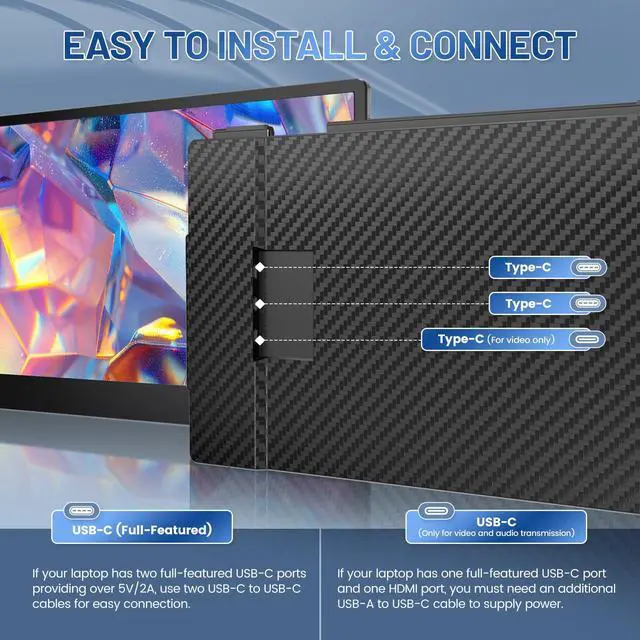
14.2'' IPS Premium Visual Experience This laptop screen extender features dual 14.2-inch Full HD IPS screens, setting it apart from single-screen alternatives with a 74% NTSC color gamut, 300 nits brightness, and 1000:1 contrast ratio. Every detail is crisp and vivid, perfect for office work, gaming, and streaming. It is equipped with advanced low blue light filtering, anti-glare, and flicker-free technology, reducing eye strain and ensuring comfortable viewing, even during prolonged use. Boost Your Productivity by 300% This portable laptop extender supports extend, mirror, and portrait display modes, streamlining your workflow and eliminating constant tab switching. It expands your screen real estate to handle multiple tasks (emails, spreadsheets, video calls) simultaneously, making it ideal for remote workers, programmers, and traders. The integrated multifunctional button lets you quickly adjust brightness, volume, and display settings to fit any scenario. Versatile and Portable Design Built for on-the-go convenience, this extender features a 90-degree folding kickstand for easy setup and space-saving storage. Its crush-proof frame with rubber pads protects your laptop and extender from scratches and daily damage, while flexible screen width adjustment fits all 1317 inch laptops. Lightweight and compact, its the perfect companion for home offices, business trips, and travel. Plug-and-Play Wide Compatibility This monitor extender works seamlessly with Windows, Mac OS, Chrome OS, Linux, Android, Switch, PS5, PS4, and Xbox. No drivers are required for most devices; simply connect via the included HDMI, USB-A, or Type-C cables for a fast, hassle-free setup. It is designed to integrate effortlessly with your existing devices, so you can start boosting productivity right out of the box. Warm Tips For MacBook users (M1/M2/M3 chips): an additional H5 adapter cable is needed. First, connect a USB cable to the "Type C" port for power, then connect the H5 cable to the "For Video Only" port, and download and install the driver as prompted to support dual screens simultaneously. If the screen displays "No Cable" or enters power-saving mode after connection, please add an HDMI-to-USB-C adapter to connect to the "For Video Only" port. Package Contents This laptop extended monitor package
Warranty & Returns
Warranty, Returns, And Additional Information
Warranty
- Please contact the Seller directly for warranty information. Warranty information may also be found on the Manufacturer's website.
- CONTACT
Return Policies
- Return for refund within: 30 days
- Return for replacement within: 30 days
- This item is covered by Eristy shop Return Policy
Manufacturer Contact Info
- For a directory of all our manufacturers, please click below.
- Manufacturers Directory
LOADING...