

Your Browsing History



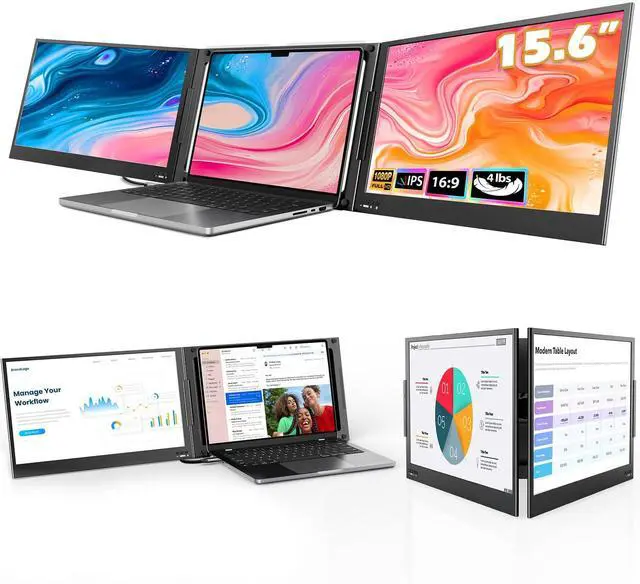


Laptop Screen Extender, 15.6" Triple Portable Monitor with Ultra-Slim FHD IPS Display, One Cable USB-C Monitor Extender Compatible with MacOS, Windows, Android for 12-16" Laptop (Driver Need)
Limited time offer, ends 09/14 By Eristy shop
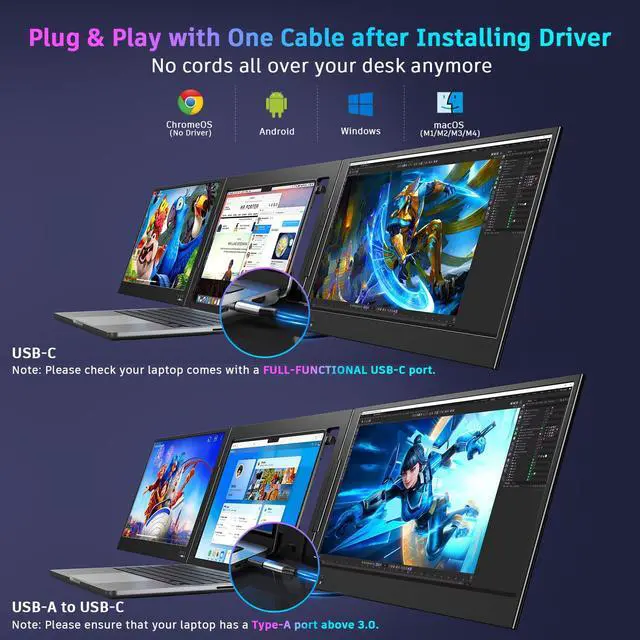
- [Wide Compatible Display Extender] This laptop monitor extender is compatible with ChromeOS, Windows, Android, Linux, and macOS, including MacBooks with M1, M2, M3, and M4 chips. Driver installation is required for all supported systems before connecting the extender. [One-Cable Laptop Screen Extender] The Double Screen for Laptops requires a one-time driver installation before use. After the driver is installed, the extender becomes plug-and-play, allowing you to connect both screens easily with just one USB-C or USB-A cable when the device port supports full functionality. This streamlined single-cable design minimizes cable clutter and keeps your workspace clean, organized, and efficient. [Upgraded Aluminum Alloy Tri-Screen] With upgraded aluminum alloy materials and a unique CNC cutting process, the Z80A multiple screens offer stable, durable, and sleek features. Compared with traditional attachable multiple screens, this tri-screen also has an upgraded design that allows you to simply place the triple screen behind your laptop without causing any damage to your laptop's screen, while making your laptop more flexible. [Driver Required for Setup] Please install the driver before connecting your device to the screen extender. Note: If your work computer restricts software installation, using a personal laptop is recommended to ensure the best experience. [Attention] The Z80A dual screen extender is only compatible with 1216 inch laptops. Laptops larger than 16 in
+
+
Overview
Specs
Reviews

Any questions? Our AI mode will help you find out quickly.
Try me now
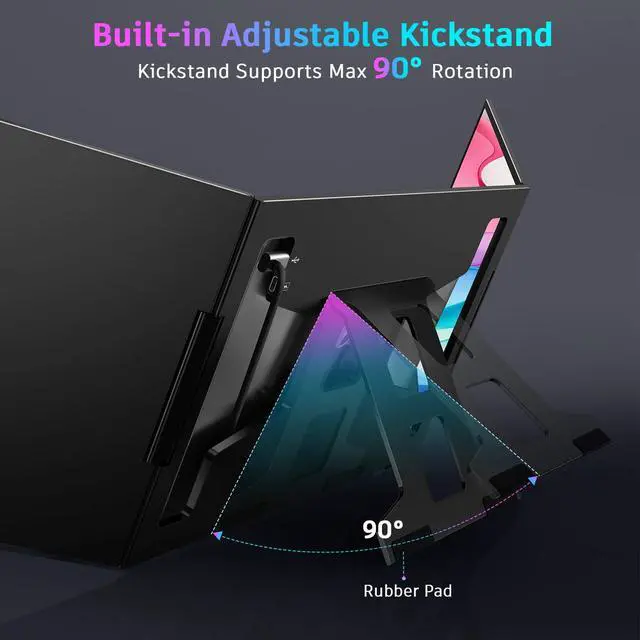
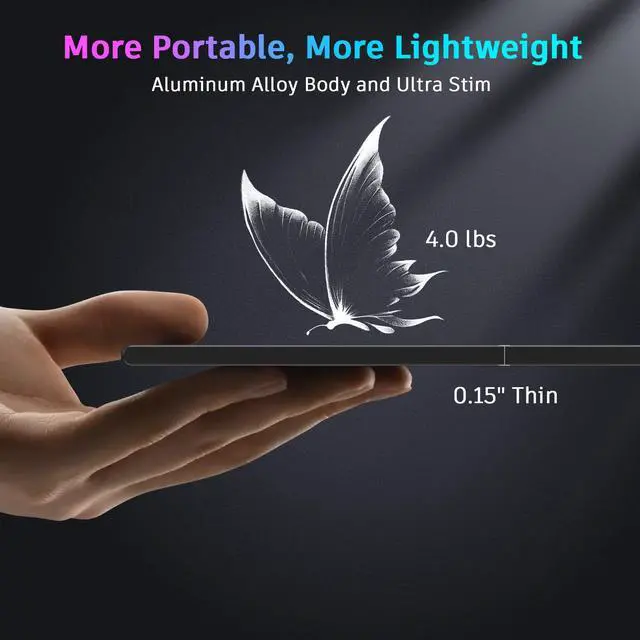
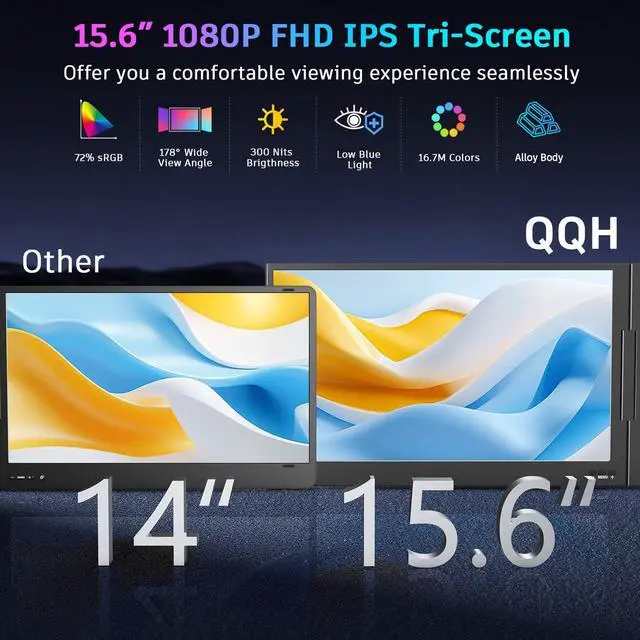
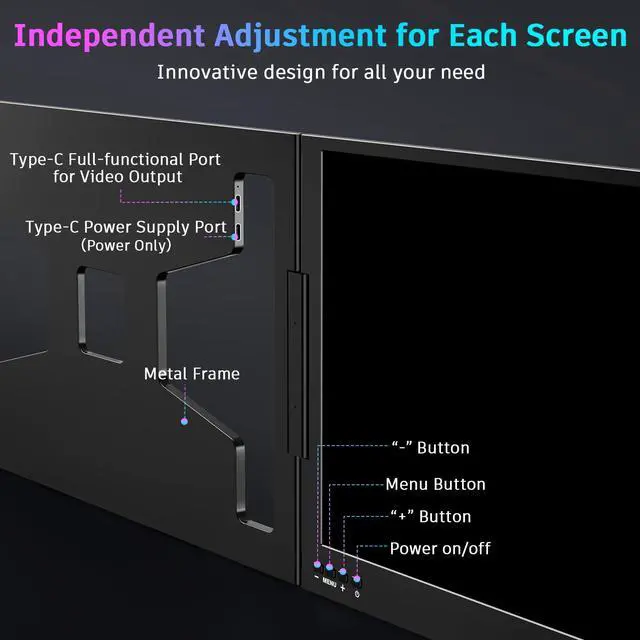
[Wide Compatible Display Extender] This laptop monitor extender is compatible with ChromeOS, Windows, Android, Linux, and macOS, including MacBooks with M1, M2, M3, and M4 chips. Driver installation is required for all supported systems before connecting the extender. [One-Cable Laptop Screen Extender] The Double Screen for Laptops requires a one-time driver installation before use. After the driver is installed, the extender becomes plug-and-play, allowing you to connect both screens easily with just one USB-C or USB-A cable when the device port supports full functionality. This streamlined single-cable design minimizes cable clutter and keeps your workspace clean, organized, and efficient. [Upgraded Aluminum Alloy Tri-Screen] With upgraded aluminum alloy materials and a unique CNC cutting process, the Z80A multiple screens offer stable, durable, and sleek features. Compared with traditional attachable multiple screens, this tri-screen also has an upgraded design that allows you to simply place the triple screen behind your laptop without causing any damage to your laptop's screen, while making your laptop more flexible. [Driver Required for Setup] Please install the driver before connecting your device to the screen extender. Note: If your work computer restricts software installation, using a personal laptop is recommended to ensure the best experience. [Attention] The Z80A dual screen extender is only compatible with 1216 inch laptops. Laptops larger than 16 inches are not recommended due to size and stability considerations. The Z80A features a freestanding desktop design and does not clip onto or attach to your laptop screen. [Ultra-Slim 15.6 Alloy Dual Display] - The Z80A laptop monitor extender features a 0.15-inch ultra slim profile and dual 15.6-inch FHD 1080P IPS displays. With a 1920x1080 resolution, 178° viewing angle, 300 nits brightness, 360° rotation, a 90° rotation built-in stand, and a 1200:1 contrast ratio, this monitor extension delivers a vivid, immersive visual experience. [Multi-Functional Multiple Screens] Each screen of the portable laptop extender features dedicated control buttons, allowing you to easily adjust settings like brightness, contrast, and color temperature to suit your preferences. With a built-in memory function, your settings are saved for future use, ensuring a consistent and personalized viewing experience
Warranty & Returns
Warranty, Returns, And Additional Information
Warranty
- Please contact the Seller directly for warranty information. Warranty information may also be found on the Manufacturer's website.
- CONTACT
Return Policies
- Return for refund within: 30 days
- Return for replacement within: 30 days
- This item is covered by Eristy shop Return Policy
Manufacturer Contact Info
- For a directory of all our manufacturers, please click below.
- Manufacturers Directory
LOADING...