

Your Browsing History
- $410.99
- Free 30-day Returns

Meet Your Seller


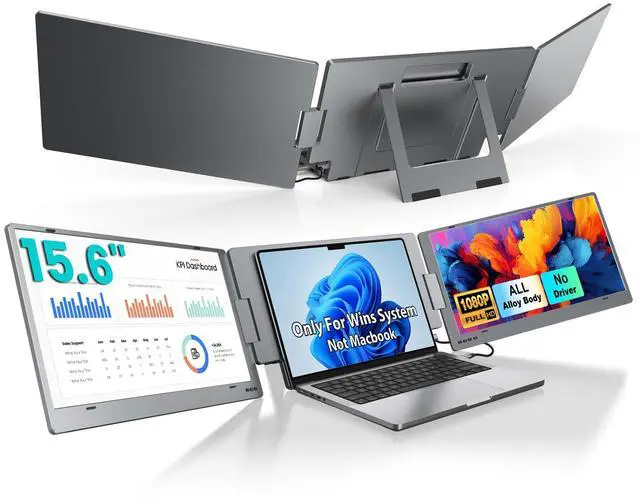


Triple Laptop Screen Extender, 15.6" 1080P FHD IPS Dual Portable Extended Monitor, USB C Travel Display for 12-17'' Laptop, 210°Rotation & Kickstand, Plug and Play (Windows Only)
Limited time offer, ends 09/14 By Fornierwoly
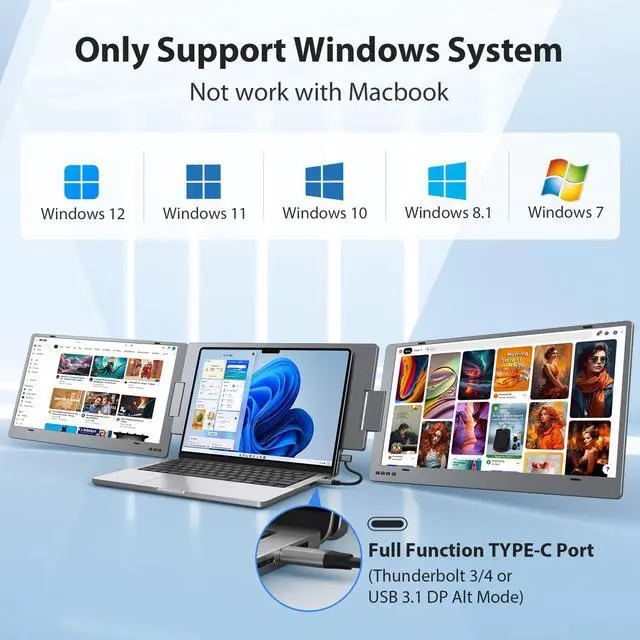
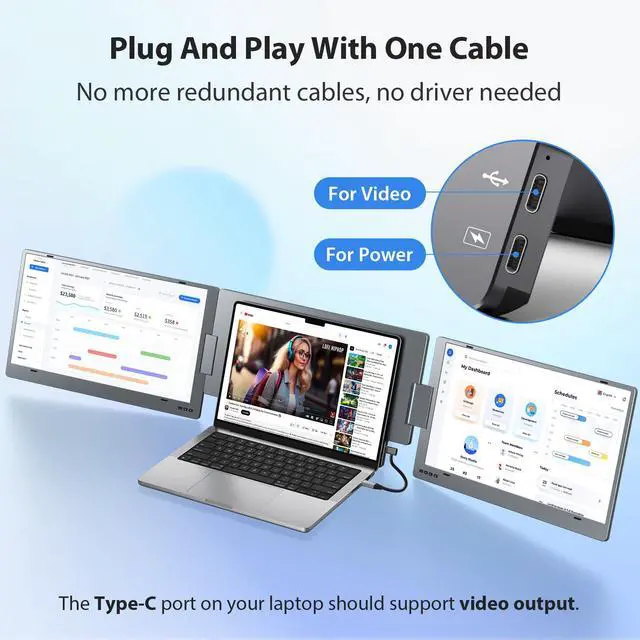
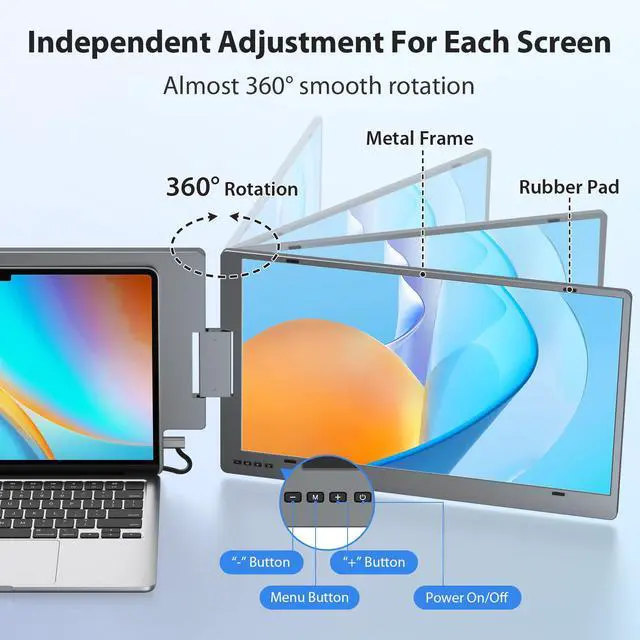
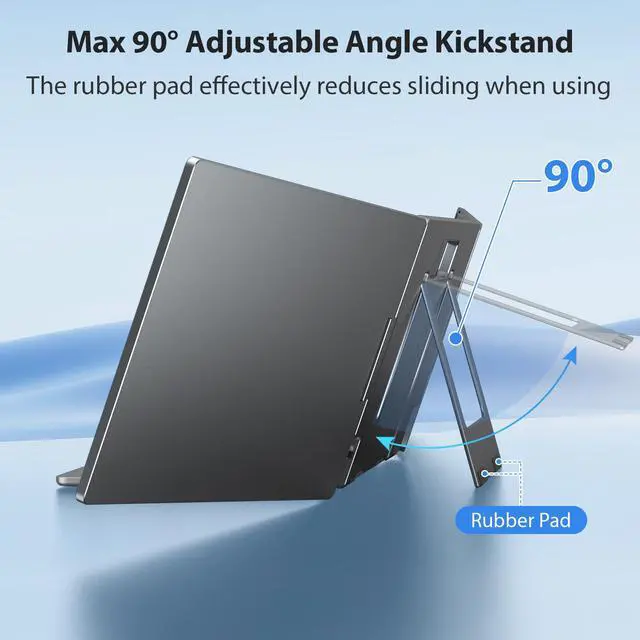
- [Windows System Only] The X90E triple portable monitor is designed for Windows systems and is suitable for 12-17" laptops. You can easily create a 1 screen to 3 screens workstation using just one USB-C cable for connection. Sometimes only need 2 screens? No problem! Each screen of this portable laptop monitor can be turned off, adjusted, and awakened independently. Simply switch from triple-screen to dual-screen. It works with Windows 12, 11, 10, 8.1, and 7 systems. [One Cable Connection] Your Windows laptop's USB-C port must support Thunderbolt 3/4 or USB 3.1 DP Alt Mode. The laptop screen extender has a full-function Type-C port and a power supply Type-C port. You only require a USB-C to USB-C cable to operate both screens simultaneously. No drivers are necessary; it's plug and play. Say farewell to complicated connection processes and extra cables and begin your work more intelligently and swiftly, even when on the go. [Easy to Use Design] Weighing just 4.85 lbs, this portable travel monitor includes a sturdy built-in kickstand, which supports up to a 90° adjustable angle for versatile viewing. The rubber mat effectively lowers the risk of slipping and completely supports the entire triple monitor. Each screen of this laptop monitor extender allows 0-210° rotation, making it simple to share the screen with colleagues and friends in every direction. [Multi-Using Mode] This portable dual monitor supports extended, mirror, portrait, single 2nd screen, and pre mode, providing
+
+
Overview
Specs
Reviews

Any questions? Our AI mode will help you find out quickly.
Try me now
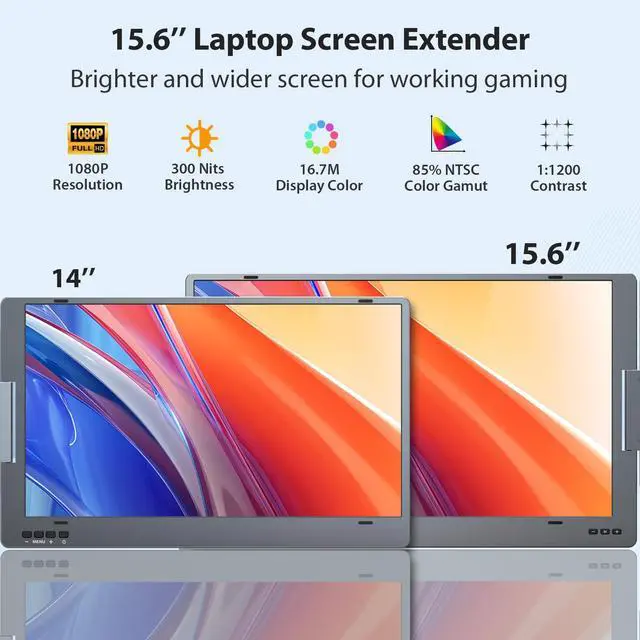
[Windows System Only] The X90E triple portable monitor is designed for Windows systems and is suitable for 12-17" laptops. You can easily create a 1 screen to 3 screens workstation using just one USB-C cable for connection. Sometimes only need 2 screens? No problem! Each screen of this portable laptop monitor can be turned off, adjusted, and awakened independently. Simply switch from triple-screen to dual-screen. It works with Windows 12, 11, 10, 8.1, and 7 systems. [One Cable Connection] Your Windows laptop's USB-C port must support Thunderbolt 3/4 or USB 3.1 DP Alt Mode. The laptop screen extender has a full-function Type-C port and a power supply Type-C port. You only require a USB-C to USB-C cable to operate both screens simultaneously. No drivers are necessary; it's plug and play. Say farewell to complicated connection processes and extra cables and begin your work more intelligently and swiftly, even when on the go. [Easy to Use Design] Weighing just 4.85 lbs, this portable travel monitor includes a sturdy built-in kickstand, which supports up to a 90° adjustable angle for versatile viewing. The rubber mat effectively lowers the risk of slipping and completely supports the entire triple monitor. Each screen of this laptop monitor extender allows 0-210° rotation, making it simple to share the screen with colleagues and friends in every direction. [Multi-Using Mode] This portable dual monitor supports extended, mirror, portrait, single 2nd screen, and pre mode, providing a smarter method for multi-tasking or screen sharing. In extended mode, you can conveniently manage multiple applications, different programs, and various documents in a tidy workbench. It is a perfect selection for extending or mirroring your laptop when traveling or outside. [1080P FHD IPS Monitor] Featuring a 1080P FHD IPS panel, the 15.6 dual monitor provides 16.7M colors, 300 nit brightness, 85% NTSC color gamut, and a 1:1200 contrast ratio, offering a clearer and more realistic picture. With blue light protection technology, it efficiently reduces blue light radiation for comfortable viewing over extended periods. Not happy with the preset screen values? Simply modify the RGB, brightness, contrast, and other settings using the buttons on the panel according to your preference
Warranty & Returns
Warranty, Returns, And Additional Information
Warranty
- Please contact the Seller directly for warranty information. Warranty information may also be found on the Manufacturer's website.
- CONTACT
Return Policies
- Return for refund within: 30 days
- Return for replacement within: 30 days
- This item is covered by Fornierwoly Return Policy
Manufacturer Contact Info
- For a directory of all our manufacturers, please click below.
- Manufacturers Directory
LOADING...