

Your Browsing History
- $379.99
- Free 30-day Returns

Meet Your Seller

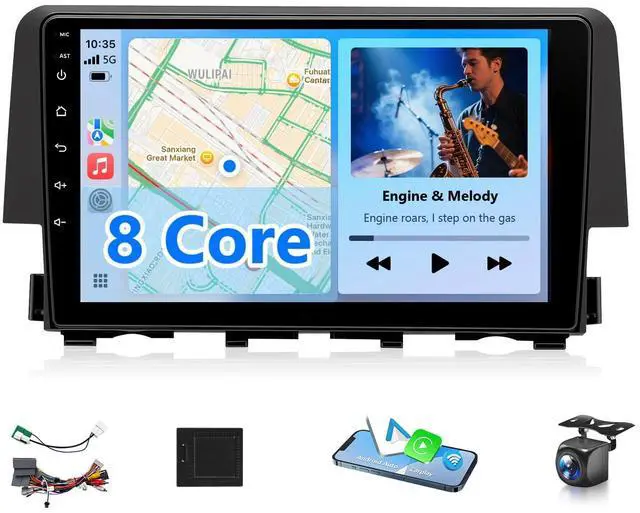
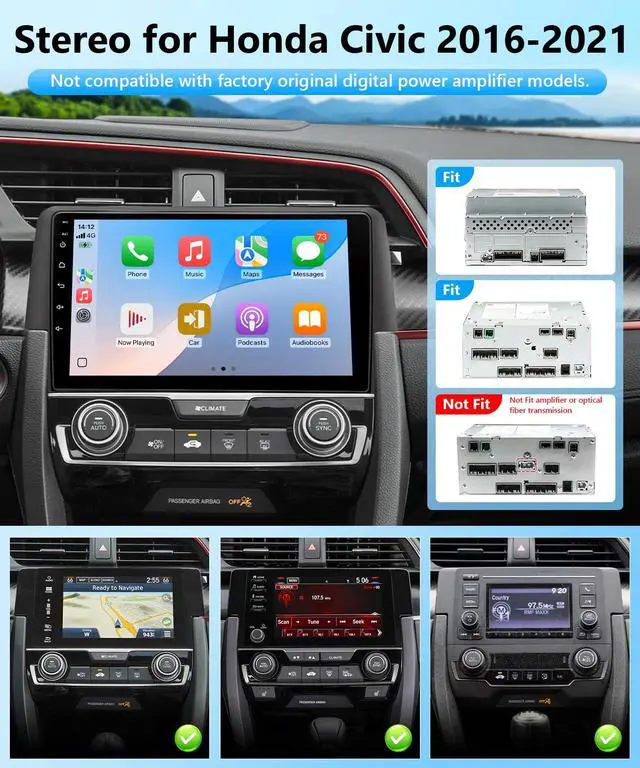


Android Radio Stereo for Honda Civic 2016 2017 2018 2019 2020 2021 Wirelss Apple CarPlay Android Auto Mirrorlonk Support FM RDS DSP HiFi SWC BT GPS Camera (Honda Civic 2016-2021,8 Core,4GB+64GB)
Limited time offer, ends 09/14 By Fornierwoly
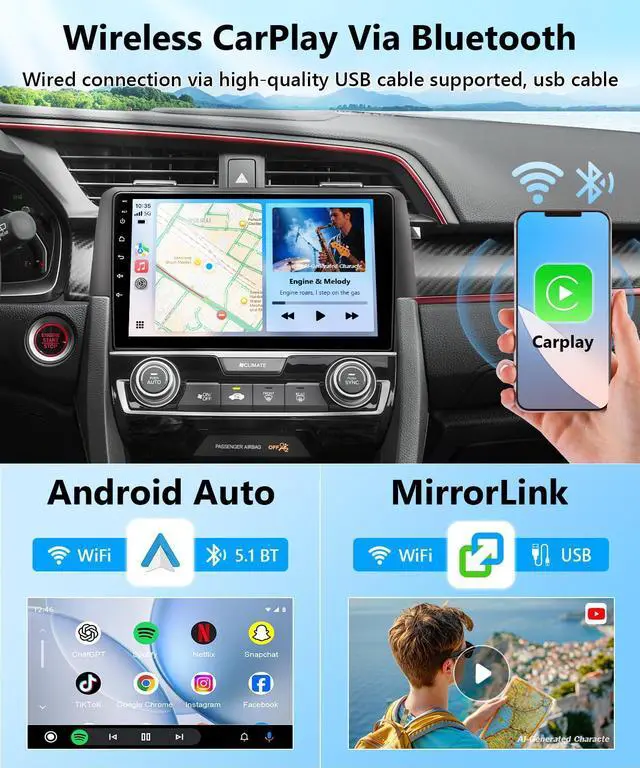
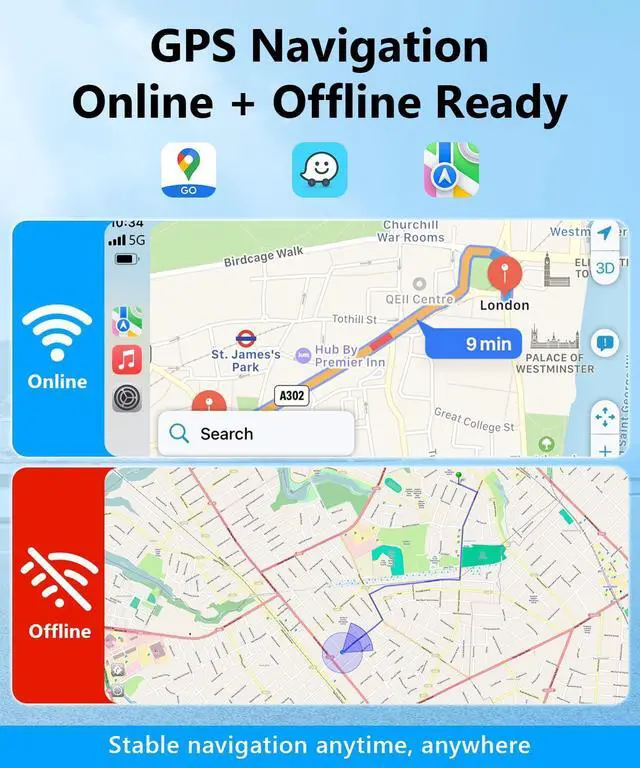
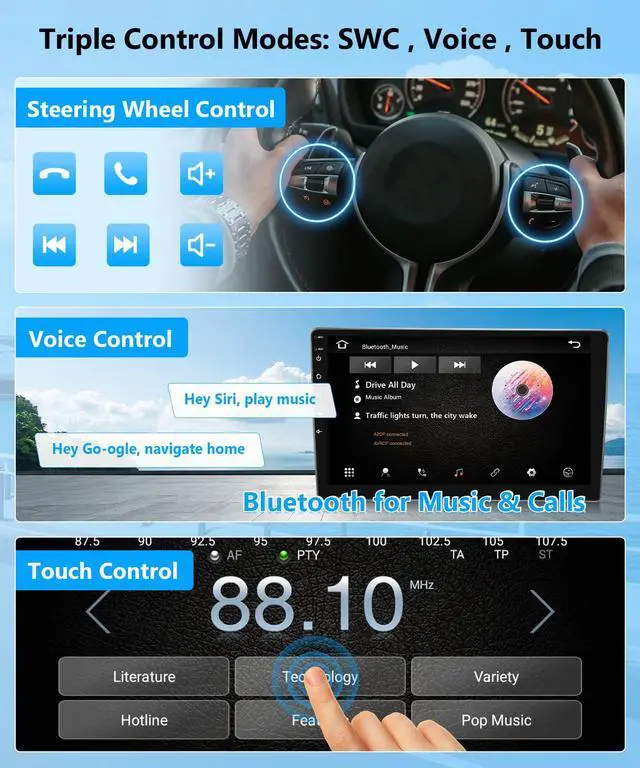
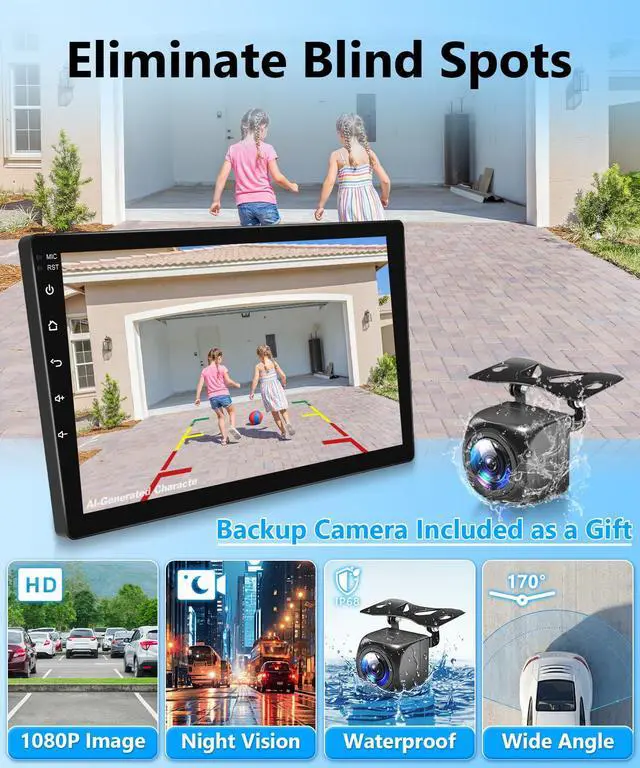
- This double din radio is designed for the 2006 to 2011 Honda Civic stereo, the 2012 to 2015 Hodna civic carplay, the 2013 to 2017 Honda Civic Android radio, and the 2016 to 2021 Hodna Civic touchscreen audio player. All required cables are included for straightforward installation, with no cable cutting needed. Online and Offline Maps / AHD Backup Camera: Once linked to a network, this car stereo can access current traffic data and intelligently plan routes. Offline navigation needs pre-downloaded map data, providing steady and dependable guidance even without a mobile signal. After engaging reverse gear, the infotainment screen instantly shows real-time 1024*600 HD video from the ultra-wide rear view. Built-in Carplay, Android Auto, Mirrorlink / SWC: Wireless Carplay and Android Auto allow smooth use of navigation apps such as Google Maps and Waze. Utilize Siri or Google Assistant to conveniently make calls and send/receive messages. The mirrorlink function supports real-time projection of your phone screen onto the car's touch screen. Steering wheel controls (SWC) remain fully functional for answering calls and adjusting volume. 9-Inch or 10.1-inch 2.5D IPS Touchscreen / Split-screen / 5G WiFi: The 9-inch 2.5D IPS full touch screen provides a broad viewing angle and sharp picture quality. The split-screen view feature lets you operate navigation, music, or other applications simultaneously. FM RDS Radio / DSP EQ HiFi Audio: This unit receives clear FM broadcast signals, ena
+
+
Overview
Specs
Reviews

Any questions? Our AI mode will help you find out quickly.
Try me now
This double din radio is designed for the 2006 to 2011 Honda Civic stereo, the 2012 to 2015 Hodna civic carplay, the 2013 to 2017 Honda Civic Android radio, and the 2016 to 2021 Hodna Civic touchscreen audio player. All required cables are included for straightforward installation, with no cable cutting needed. Online and Offline Maps / AHD Backup Camera: Once linked to a network, this car stereo can access current traffic data and intelligently plan routes. Offline navigation needs pre-downloaded map data, providing steady and dependable guidance even without a mobile signal. After engaging reverse gear, the infotainment screen instantly shows real-time 1024*600 HD video from the ultra-wide rear view. Built-in Carplay, Android Auto, Mirrorlink / SWC: Wireless Carplay and Android Auto allow smooth use of navigation apps such as Google Maps and Waze. Utilize Siri or Google Assistant to conveniently make calls and send/receive messages. The mirrorlink function supports real-time projection of your phone screen onto the car's touch screen. Steering wheel controls (SWC) remain fully functional for answering calls and adjusting volume. 9-Inch or 10.1-inch 2.5D IPS Touchscreen / Split-screen / 5G WiFi: The 9-inch 2.5D IPS full touch screen provides a broad viewing angle and sharp picture quality. The split-screen view feature lets you operate navigation, music, or other applications simultaneously. FM RDS Radio / DSP EQ HiFi Audio: This unit receives clear FM broadcast signals, enabling you to enjoy local news, talk shows, live sports, and popular music. RDS can obtain traffic updates and news alerts in real time. Fitted with DSP digital audio processing technology and a 36-band professional equalizer, each audio frequency can be precisely adjusted for a HiFi sound experience. For reliable wireless CarPlay, Android Auto, or MirrorLink connectivity, ensure your phone's corresponding feature is activated, along with the car stereos Wi-Fi and Bluetooth. Also, attach the provided Wi-Fi/Bluetooth signal enhancement cable to the matching port on the stereo's rear for stable performance. When using wired CarPlay, Android Auto, or MirrorLink, always employ the original USB cable to avoid unstable connections or pairing issues
Warranty & Returns
Warranty, Returns, And Additional Information
Warranty
- Please contact the Seller directly for warranty information. Warranty information may also be found on the Manufacturer's website.
- CONTACT
Return Policies
- Return for refund within: 30 days
- Return for replacement within: 30 days
- This item is covered by Fornierwoly Return Policy
Manufacturer Contact Info
- For a directory of all our manufacturers, please click below.
- Manufacturers Directory
LOADING...