

Your Browsing History
- $119.99
- Free 30-day Returns

Meet Your Seller


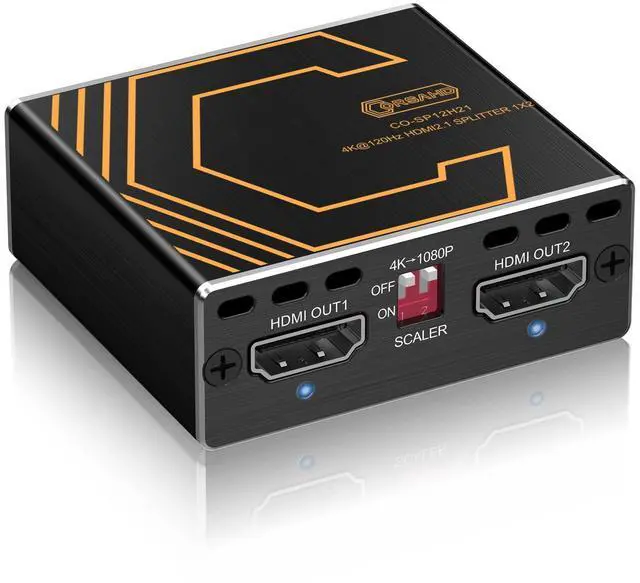


8K@60Hz 4K@120Hz HDMI 2.1 Splitter 1 in 2 Out,for Soundbar,Capture Card,Graphics Card,48 Gbps,HDCP 2.3,Supports VRR,ALLM,HDCP Bypass,EDID,Duplicate/Mirror/Copy,Downscale,HDR,Dolby Vision Atmos
Limited time offer, ends 09/14 By Ceelys Store
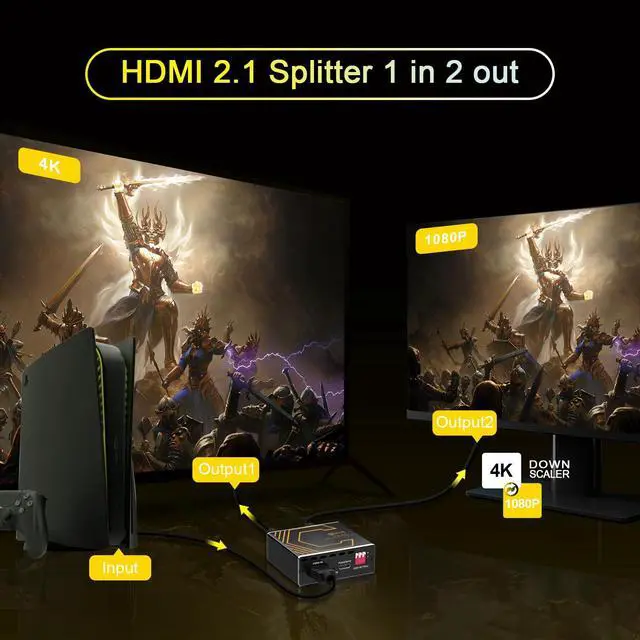
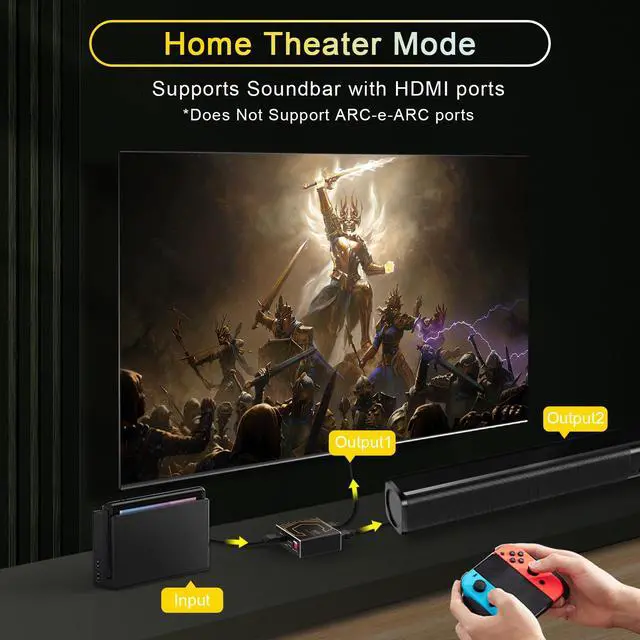
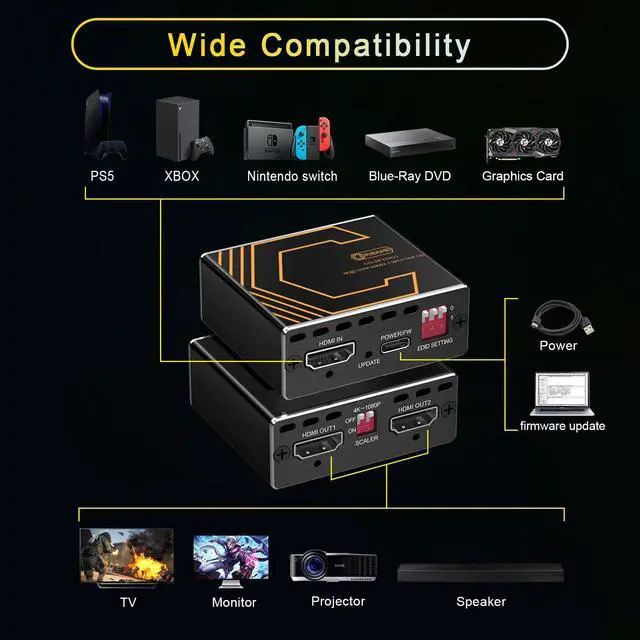
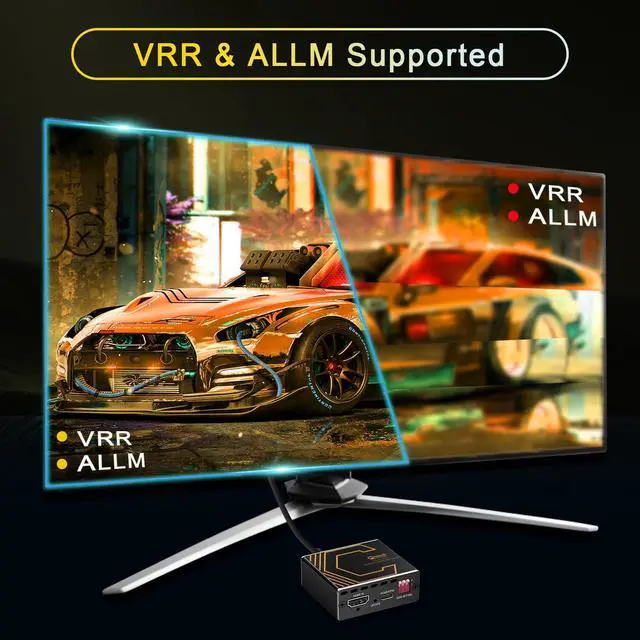
- This 4K 120Hz 4:4:4 48Gbps HDMI 2.1 Splitter can duplicate one HDMI source to two displays under the same or different resolution simultaneously. It supports HDCP 2.2 and HDCP 2.3 bypass. Features contain EDID management and a downscaler function. It works well with PS5, XBOX series, Nintendo Switch, NVIDIA, AMD, and more. Video Format: The HDMI 2.1 Splitter supports multiple resolutions up to 8K@60Hz, 4K@120Hz, 5120x1440@120Hz, 1080P@240Hz with 4:4:4 8-bit color. It supports VRR, ALLM, HDR, Dolby Vision, HDCP 2.2, HDCP 2.3 bypass, IMAX DIGITAL (2K/4K), and 4:4:4 8-bit. Audio Format: It supports Dolby Atmos, Digital 7.1CH, Dolby True HD, and DTS-HD Master Audio. Soundbars with an HDMI port are compatible. This 4K@120Hz HDMI 2-way splitter works well with QLED TVs, HDMI 2.1 HDCP 2.2/HDCP 2.3 devices, gaming consoles like Xbox, PS4, PS5, and Nintendo Switch; streamers like Apple TV, Fire Stick, and Roku; as well as NVIDIA and AMD graphics cards. It is plug-and-play with no driver required. To experience both Dolby Atmos and Dolby Vision, please ensure both your TV and receiver support them. It also supports playing TV 4K@60Hz HDR & VRR video together with Soundbar 7.1ch audio. Please NOTE: 1. Re-powering and unplugging the HDMI cables is a common troubleshooting method. 2. This splitter supports only mirroring, duplicating, or copying from one HDMI source. It does not support extended mode. 3. The soundbar should have at least one HDMI IN port to work properly. This splitter do
+
+
Overview
Specs
Reviews

Any questions? Our AI mode will help you find out quickly.
Try me now
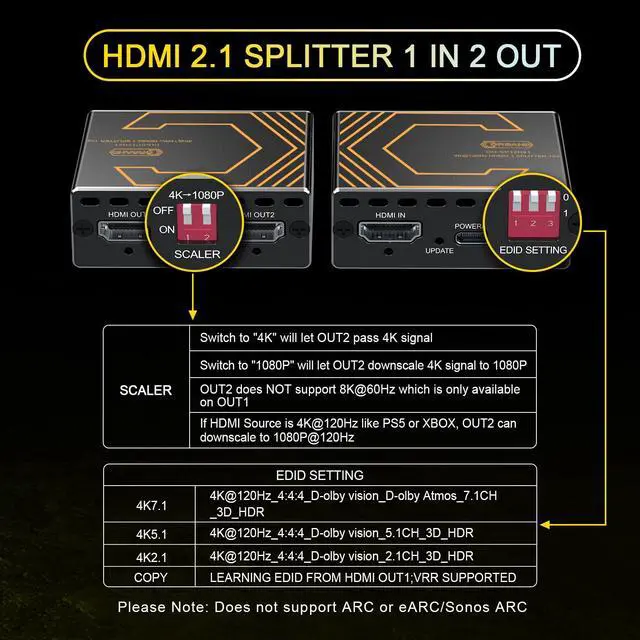
This 4K 120Hz 4:4:4 48Gbps HDMI 2.1 Splitter can duplicate one HDMI source to two displays under the same or different resolution simultaneously. It supports HDCP 2.2 and HDCP 2.3 bypass. Features contain EDID management and a downscaler function. It works well with PS5, XBOX series, Nintendo Switch, NVIDIA, AMD, and more. Video Format: The HDMI 2.1 Splitter supports multiple resolutions up to 8K@60Hz, 4K@120Hz, 5120x1440@120Hz, 1080P@240Hz with 4:4:4 8-bit color. It supports VRR, ALLM, HDR, Dolby Vision, HDCP 2.2, HDCP 2.3 bypass, IMAX DIGITAL (2K/4K), and 4:4:4 8-bit. Audio Format: It supports Dolby Atmos, Digital 7.1CH, Dolby True HD, and DTS-HD Master Audio. Soundbars with an HDMI port are compatible. This 4K@120Hz HDMI 2-way splitter works well with QLED TVs, HDMI 2.1 HDCP 2.2/HDCP 2.3 devices, gaming consoles like Xbox, PS4, PS5, and Nintendo Switch; streamers like Apple TV, Fire Stick, and Roku; as well as NVIDIA and AMD graphics cards. It is plug-and-play with no driver required. To experience both Dolby Atmos and Dolby Vision, please ensure both your TV and receiver support them. It also supports playing TV 4K@60Hz HDR & VRR video together with Soundbar 7.1ch audio. Please NOTE: 1. Re-powering and unplugging the HDMI cables is a common troubleshooting method. 2. This splitter supports only mirroring, duplicating, or copying from one HDMI source. It does not support extended mode. 3. The soundbar should have at least one HDMI IN port to work properly. This splitter does not support ARC or e-ARC. 4. Certified HDMI 2.1 cables shorter than 10ft/3m are recommended, as most usage issues are caused by poor-quality cables. When working with an Elgato HD60X capture card, please follow the instructions below to achieve the highest stream or record resolution. 1. Connect the capture card to OUT1 and the display device to OUT2. 2. Set the EDID to Copy mode. 3. Please note that the HD60X supports resolutions up to 4K@60Hz or 1080P@120Hz refresh rate and will automatically switch to 60Hz when streaming or recording. To enable the VRR function, please set the resolution to 1080P@120Hz in your HDMI source device like a PS5 or XBOX
Warranty & Returns
Warranty, Returns, And Additional Information
Warranty
- Please contact the Seller directly for warranty information. Warranty information may also be found on the Manufacturer's website.
- CONTACT
Return Policies
- Return for refund within: 30 days
- Return for replacement within: 30 days
- This item is covered by Ceelys Store Return Policy
Manufacturer Contact Info
- For a directory of all our manufacturers, please click below.
- Manufacturers Directory
LOADING...