

Your Browsing History

Meet Your Seller



4K HDMI Audio Extractor 5.1 CH HDMI 2.0 Audio Extractor with ARC Splitter HDMI to Toslink Audio Converter for PS5 Xbox Series X
Limited time offer, ends 08/08 By NovaStar Tech
- 4K HDMI Audio Extractor 5.1 CH HDMI 2.0 Audio Extractor with ARC Splitter HDMI to Toslink Audio Converter for PS5 Xbox Series X
+
+
Overview
Specs
Reviews

Any questions? Our AI mode will help you find out quickly.
Try me now
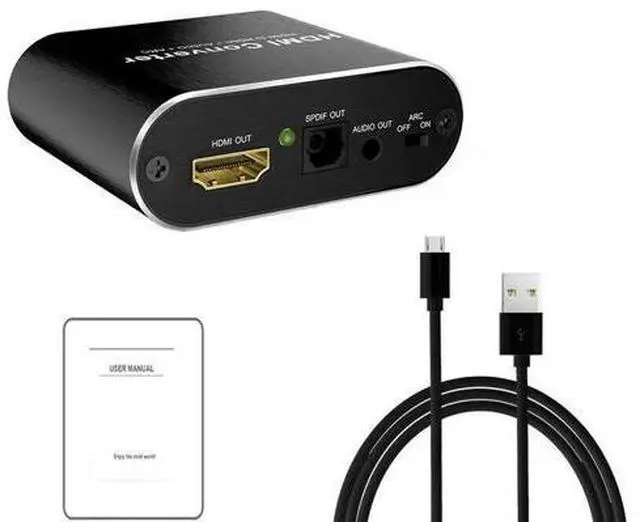
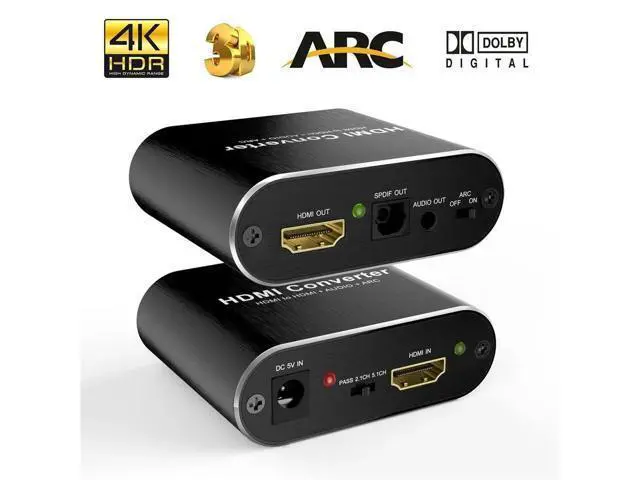
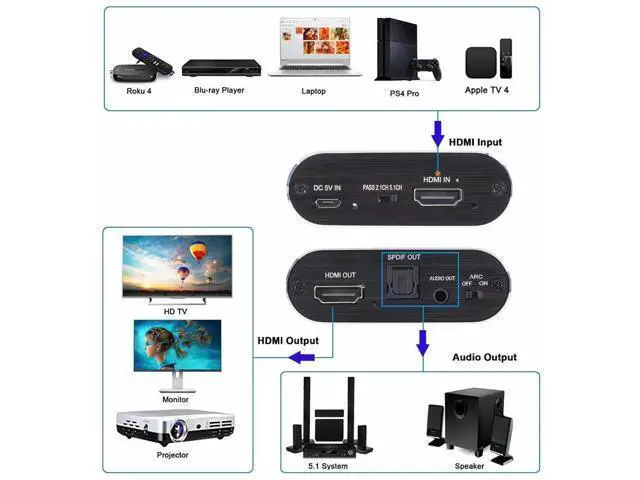
Description: The 4K HDMI audio converter Extracts the audio signal from HDMI video source. The audio extractor supports analog stereo audio, as well as high-definition multichannel audio streams over the digital optical audio output. The HDMI to hdmi audio extractor supports resolutions up to 4K. It is widely compatible with gaming console, blue DVD player etc.
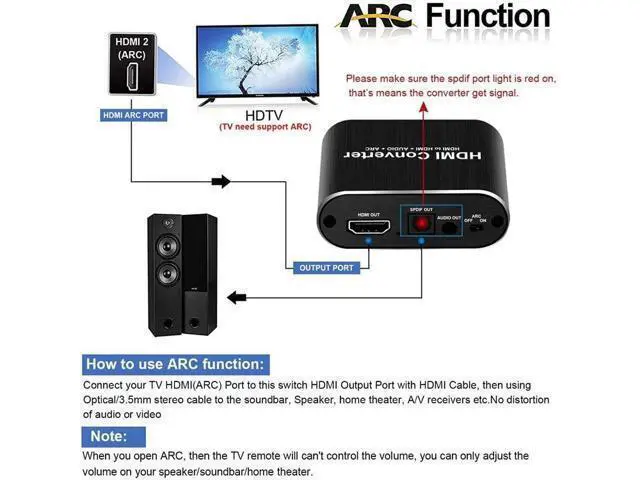
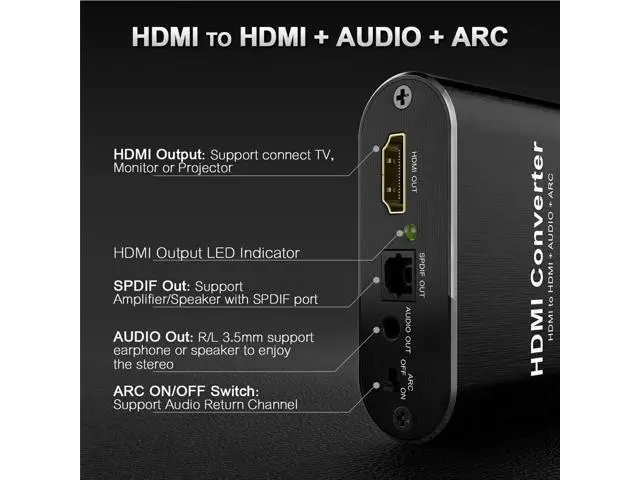
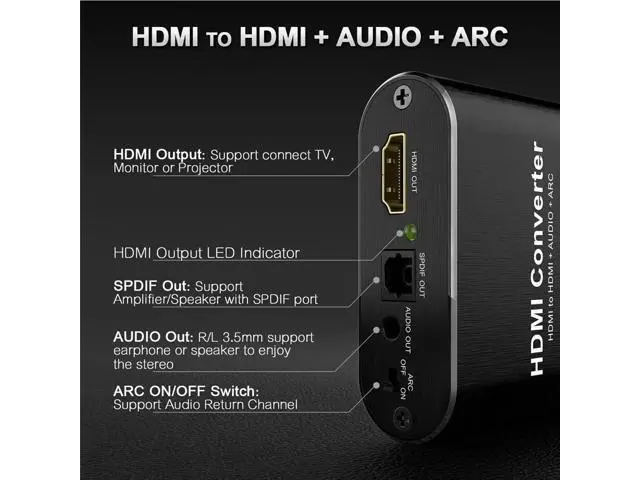
Features: Compliant with HDMI 2.0 and HDCP 2.2 Extracts audio from HDMI video source. No HDMI output connection is required to receive audio at the analog and optical outputs Supports resolutions up to 3840X2160/60Hz Compatible with PS4 PS4 Pro Xbox Series X PS5 apple tv and more. Support HDMI ARC function HDMI ARC 1)To use arc function, your TV must comes with ARC or Earc port. 2)When ARC is on, the volume can not be adjusted by your TV remote. 3)the correct
ARC connection shall be: 3.1 )connect your TV's ARC/Earc port to the HDMI out of our audio converter. and push the selection button to ARC on. 3.2 )set the audio output mode of your TV to ARC. 5.1CH Multi-Ch audioto Get 5.1C h over the toslink port, pls make sure the video source and the Display connected supports 5.1CH. Otherwise, you can only get 2CH PCM audio EDID problem For a few projectors and monitors which comes with VGA and HDMI port. You might not get audio over the toslink&stereo audio port. This is an built-in edid problem of devices. The converter can not solve it as the HDMI port on those devices are very likely based on VGA Standards in spite of
Features: Compliant with HDMI 2.0 and HDCP 2.2 Extracts audio from HDMI video source. No HDMI output connection is required to receive audio at the analog and optical outputs Supports resolutions up to 3840X2160/60Hz Compatible with PS4 PS4 Pro Xbox Series X PS5 apple tv and more. Support HDMI ARC function HDMI ARC 1)To use arc function, your TV must comes with ARC or Earc port. 2)When ARC is on, the volume can not be adjusted by your TV remote. 3)the correct
ARC connection shall be: 3.1 )connect your TV's ARC/Earc port to the HDMI out of our audio converter. and push the selection button to ARC on. 3.2 )set the audio output mode of your TV to ARC. 5.1CH Multi-Ch audioto Get 5.1C h over the toslink port, pls make sure the video source and the Display connected supports 5.1CH. Otherwise, you can only get 2CH PCM audio EDID problem For a few projectors and monitors which comes with VGA and HDMI port. You might not get audio over the toslink&stereo audio port. This is an built-in edid problem of devices. The converter can not solve it as the HDMI port on those devices are very likely based on VGA Standards in spite of
Warranty & Returns
Warranty, Returns, And Additional Information
Warranty
- Please contact the Seller directly for warranty information. Warranty information may also be found on the Manufacturer's website.
- CONTACT
Return Policies
- Return for refund within: 30 days
- Return for replacement within: 30 days
- This item is covered by NovaStar Tech Return Policy
Manufacturer Contact Info
- For a directory of all our manufacturers, please click below.
- Manufacturers Directory
LOADING...