

Your Browsing History
- Free 30-day Returns
$39.85
Ships from China.

Meet Your Seller


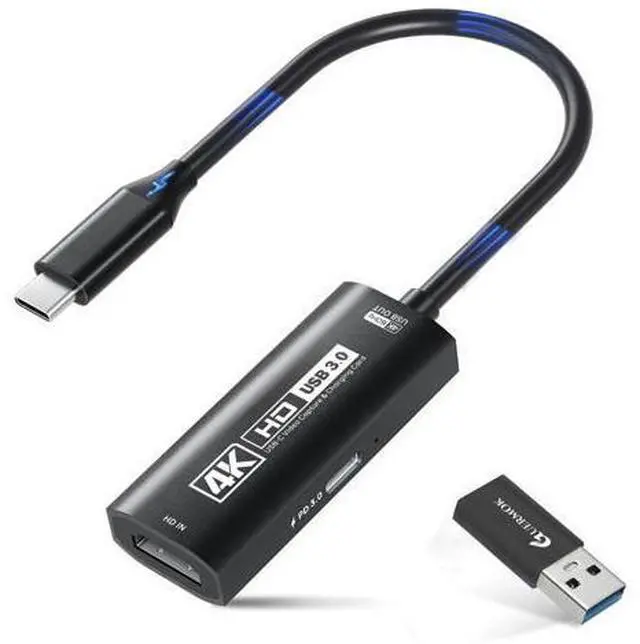


4K USB3.0 Video Capture Card with PD 100W, 4K@60FPS or 2K@144FPS HDMI to USB-A/C Capture Card for Streaming, Works with Pad, Tablet, MacOS, Switch2/1, Laptop, PC, Camera, VR, Black
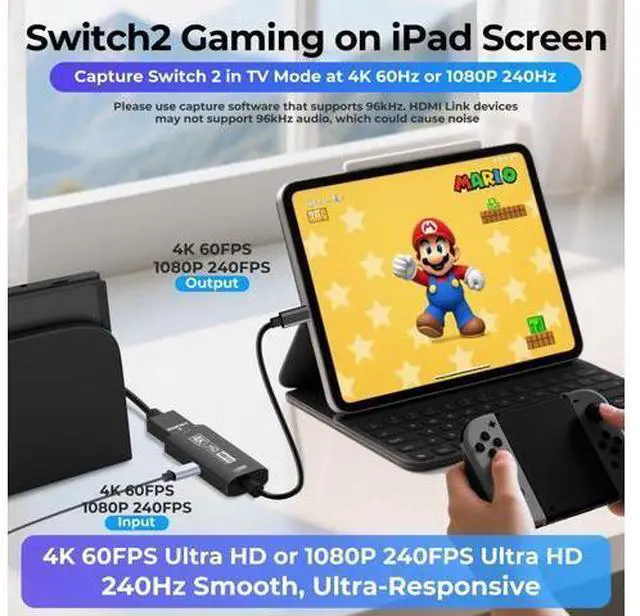
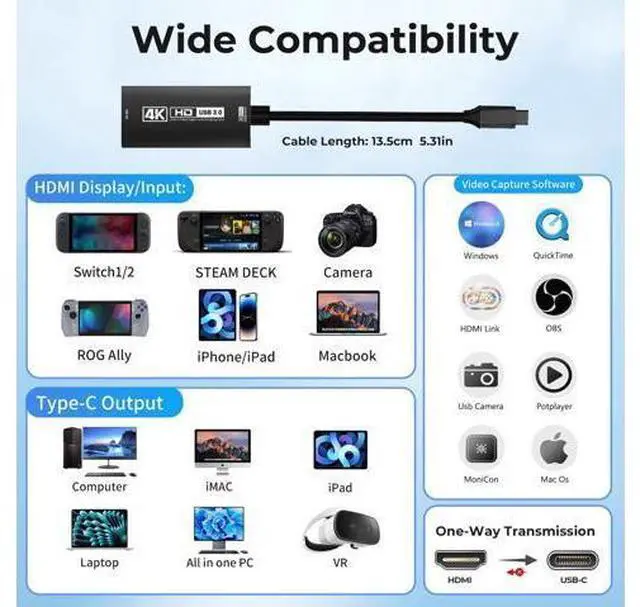
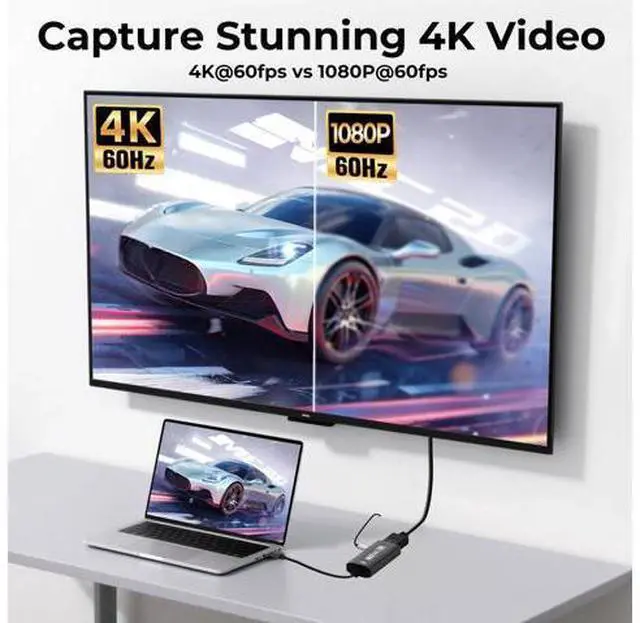
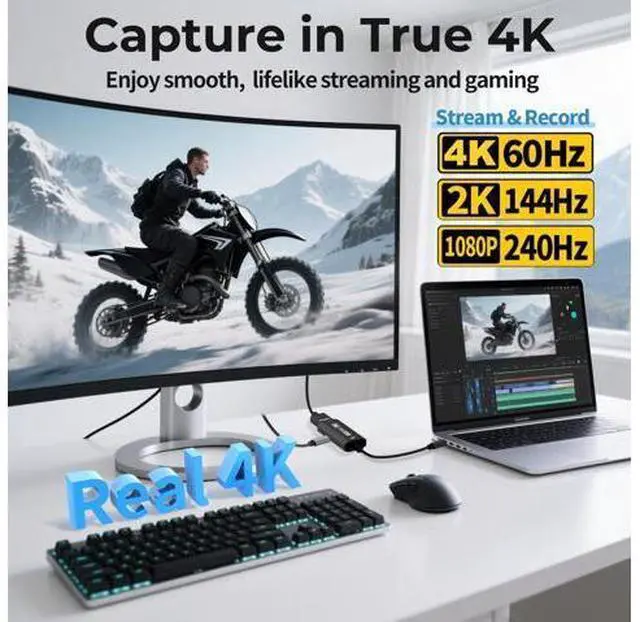
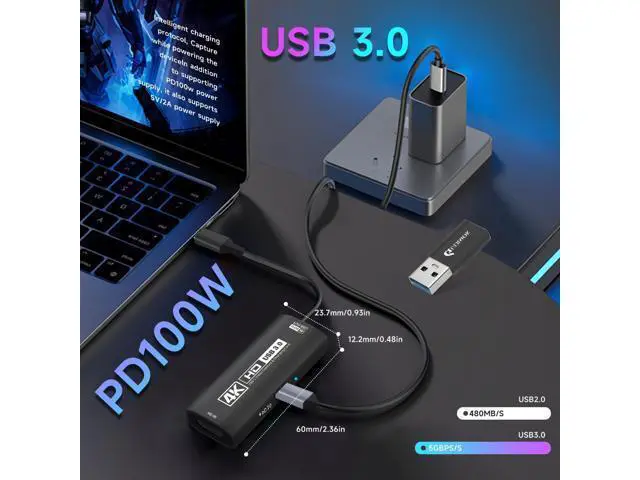
- 4K Ultra HD 60FPS Capture with PD 100W ChargingSupports stunning 4K Ultra HD video capture at 60FPS via USB 3.0, delivering crystal-clear, vibrant, and highly detailed footage. This HDMI Video Capture Card features PD 100W USB-C charging passthrough to keep tablets, pads, and VR devices powered for uninterrupted, long-duration streaming and gameplay; High Refresh Rate Input: 2K@144FPS & 1080P@240FPSHandles high-frame-rate video input including 2560×1440@144FPS and 1920×1080@240FPS. Supports MJPEG, YUY2, NV12, and XRGB formats, providing smooth, detailed video capture for fast-paced games and dynamic content using a reliable HDMI to USB-C capture card; Plug-and-Play with Wide OS CompatibilityNo drivers or external power requiredjust connect and start capturing. Compatible with Windows 7/8/10/11, macOS, Linux, Android 5.0+, and PadOS 17+. Includes USB-A male to USB-C female adapter for flexible connectivity; Versatile Device Support Optimized for Live StreamingWorks seamlessly with Pad, tablet, MacOS laptops, Switch 2/1, PC, DSLR cameras, and VR headsets, making it the ideal 4K Switch capture card for live streaming. Whether youre broadcasting gameplay, hosting virtual events, or creating real-time content, this capture card ensures smooth, high-quality video capture to engage your audience with stunning visuals and minimal latency
+
+
Overview
Specs
Reviews

Any questions? Our AI mode will help you find out quickly.
Try me now
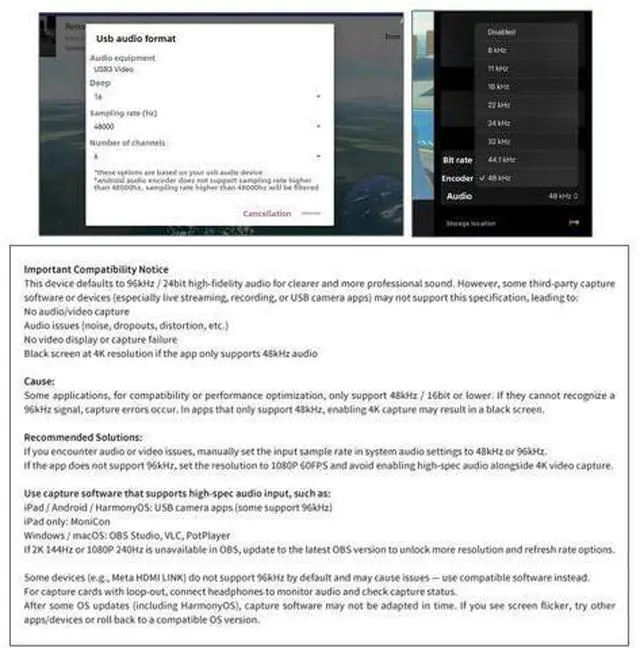
lmportant Compatibility Notice Previous page Next page Previous page Next page Previous page Next page Previous page Check Compatibility for No Signal Make sure the output format is compatible with the capture card. After checking everything, try reconnecting the devices and resetting the software. If "no signal" persists, try using a different APP Buy Now Check System Compatibility Please ensure your system is within the compatibility range. Do not support HD CP. Some products may require disabling HD CP settings to function properly Buy Now 4K60FPS Input & Output The product supports 4K 60Hz input &4K 60Hz output.
Please ensure that the cable you are using supports the corresponding resolution, such as 1080P or 4K, to ensure optimal video quality Buy Now Ultra Low 4K60 Capture Delay There may be a slight delay in the capture (<40ms), but it is within an acceptable millisecond range and does not affect the video quality Buy Now USB-C for Signal Output The USB-C port (or USB-A when using a USB-C to USB-A adapter) is for signal output. Please ensure your signal output device has corresponding video capture software, as OBS, to enable screen capture Buy Now USB 2.0 Recognition Fix When using an adapter, if the device is recognized as USB 2.0, try using the other side with the USB-C port.
Simply flip the capture card and reconnect it to be recognized as USB 3.0 Buy Now Next page Not all USB ports support 3.0 transmission. To ensure proper functionality, connect the device to a
Please ensure that the cable you are using supports the corresponding resolution, such as 1080P or 4K, to ensure optimal video quality Buy Now Ultra Low 4K60 Capture Delay There may be a slight delay in the capture (<40ms), but it is within an acceptable millisecond range and does not affect the video quality Buy Now USB-C for Signal Output The USB-C port (or USB-A when using a USB-C to USB-A adapter) is for signal output. Please ensure your signal output device has corresponding video capture software, as OBS, to enable screen capture Buy Now USB 2.0 Recognition Fix When using an adapter, if the device is recognized as USB 2.0, try using the other side with the USB-C port.
Simply flip the capture card and reconnect it to be recognized as USB 3.0 Buy Now Next page Not all USB ports support 3.0 transmission. To ensure proper functionality, connect the device to a
Warranty & Returns
Warranty, Returns, And Additional Information
Warranty
- Please contact the Seller directly for warranty information. Warranty information may also be found on the Manufacturer's website.
- CONTACT
Return Policies
- Return for refund within: 30 days
- Return for replacement within: 30 days
- This item is covered by NovaStar Tech Return Policy
Manufacturer Contact Info
- For a directory of all our manufacturers, please click below.
- Manufacturers Directory
LOADING...