Your Browsing History
- Free 30-day Returns
$132.26
Ships from China.
Sold by StarVelocity Technology
Shipped by StarVelocity Technology
Meet Your Seller
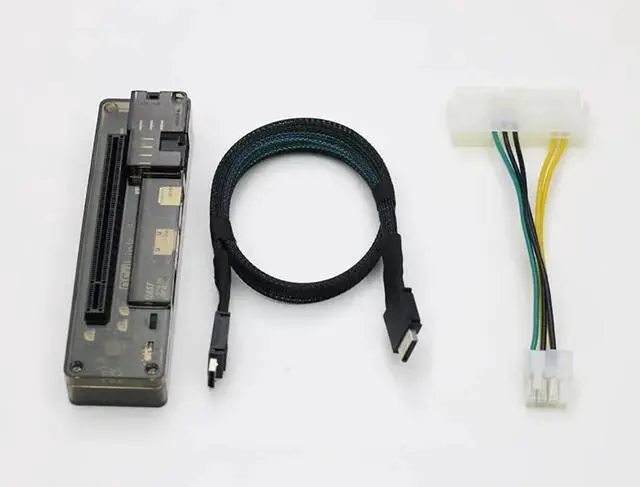
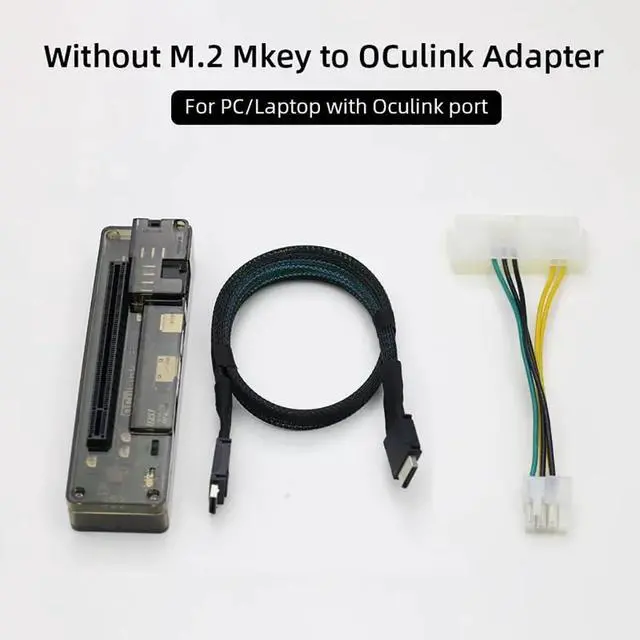
M.2 M Key to OCulink-Compatible GPU Docking Station PCIe 4.0 X4 64GB/s for Mini PC Notebook Laptop to External Video Graphic Card (No M.2 Adapter)
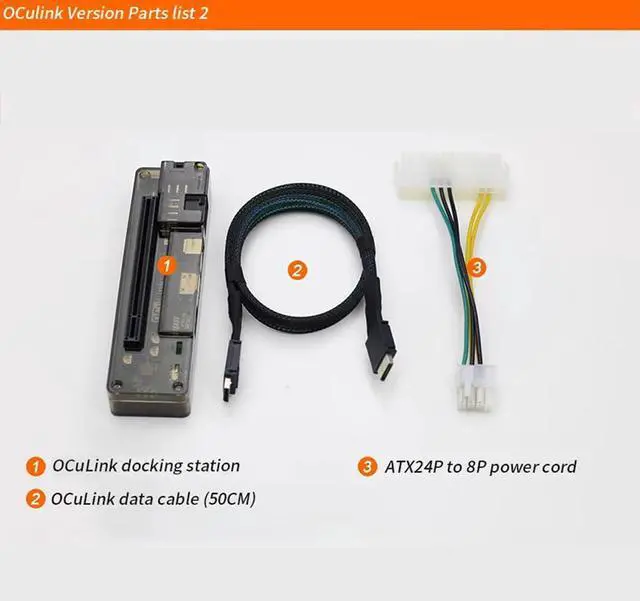
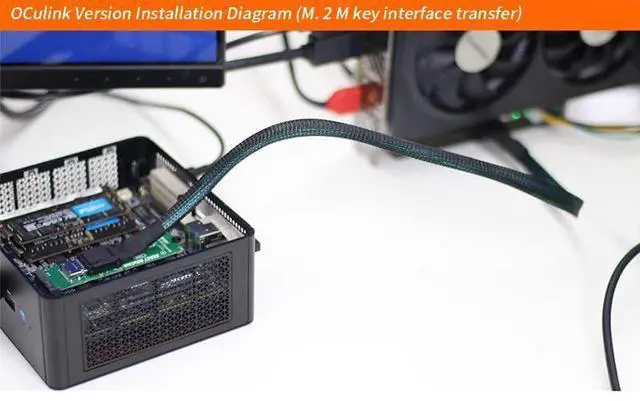
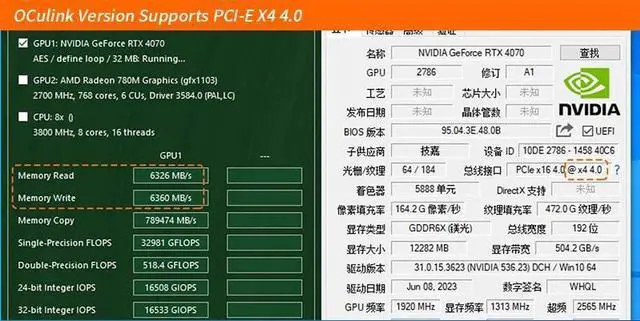
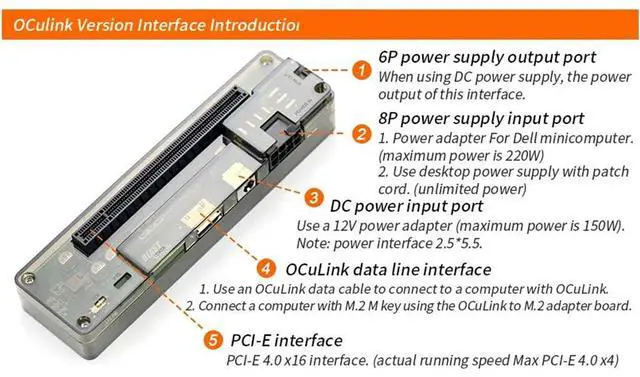
- OCulink-compatible Data Line Interface: Use an OCulink-compatible data cable to connect to a computer with OCulink-compatible interface. Connect a computer with M.2 M key using the OCulink-compatible to M.2 adapter board.; PCI-E Interface: PCI-E 4.0 x16 interface. ( actual running speed Max PCI-E4.0 X4). 6P Power Supply Output Port: When using DC power supply , the power output of this interface.; 8P Power Supply Output Port: Power adapter for Dell minicomputer( maximum power is 220W). Use desktop power supply with patch cord ( unlimited power).; DC Power Input Port: Use a 12V power adapter ( maximum power is 150W), Power interface 2.5 * 5.5.; High Speed: Support PCIe 4.0 X4 64GB/s max. Data Line length: About 50cm. Supported Power Supplier:?DC/FLEX/SFX/ATX. Power: DC/8P [M.2?Adapter Card(with OCulink-compatible Port?) Optional].
+
+
Overview
Specs
Reviews
Any questions? Our AI mode will help you find out quickly.
Try me now
M. 2 M Key to OCulink-compatible GPU Docking Station PCIe 4.0 X4 64GB/s for Mini PC Notebook Laptop to External Video Graphic Card M. 2 Adapter Card(with OCulink-compatible Port )
Optional Produduct Detail: OCulink-compatible version
Board interface: 1.6P power supply output port When using DC power supply, the power output of this interface 2.8P power supply input port 1. Power adapter for Dell minicomputer ( maximum power is 220W) 2. Use desktop power supply with patch cord ( unlimited power). 3. DC power input port Use a 12V power adapter ( maximum power is 150W)
Note: power interface 2.5 * 5.5. 4. OCulink-compatible data line interface 1. Use an OCulink-compatible data cable to connect to a computer with OCulink-compatible interface.
2. Connect a computer with M. 2 M key using the OCulink-compatible to M. 2 adapter board. 5. PCI-E interface PCI-E 4.0 x16 interface. ( actual running speed Max PCI-E 4.0 X4) M. 2 M Key Docking Station parameter£º
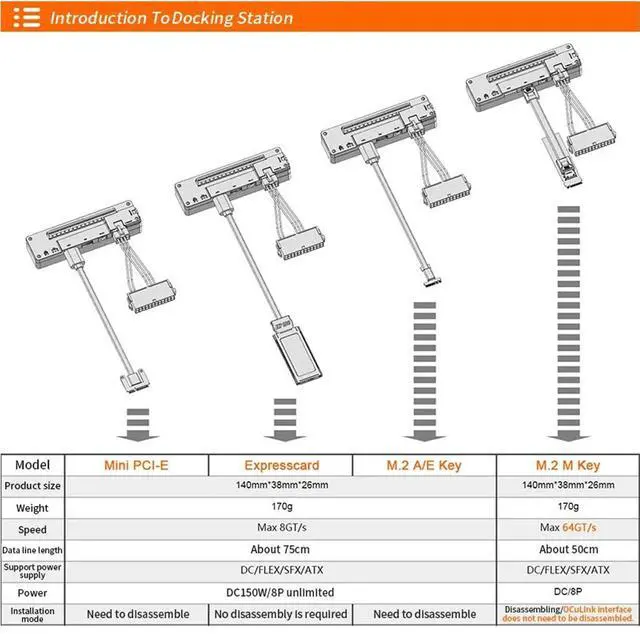
Product Size: 140*38*26mm
Speed: PCIe 4.0 X4 64GB/s max.
Data Line length: About 50cm.
Supported Power Supplier: DC/FLEX/SFX/ATX
Power: DC/8P
Installation Mode: Disassembling/OCulink-compatible interface does not need to be disassembled.

Optional Produduct Detail: OCulink-compatible version
Board interface: 1.6P power supply output port When using DC power supply, the power output of this interface 2.8P power supply input port 1. Power adapter for Dell minicomputer ( maximum power is 220W) 2. Use desktop power supply with patch cord ( unlimited power). 3. DC power input port Use a 12V power adapter ( maximum power is 150W)
Note: power interface 2.5 * 5.5. 4. OCulink-compatible data line interface 1. Use an OCulink-compatible data cable to connect to a computer with OCulink-compatible interface.
2. Connect a computer with M. 2 M key using the OCulink-compatible to M. 2 adapter board. 5. PCI-E interface PCI-E 4.0 x16 interface. ( actual running speed Max PCI-E 4.0 X4) M. 2 M Key Docking Station parameter£º
Product Size: 140*38*26mm
Speed: PCIe 4.0 X4 64GB/s max.
Data Line length: About 50cm.
Supported Power Supplier: DC/FLEX/SFX/ATX
Power: DC/8P
Installation Mode: Disassembling/OCulink-compatible interface does not need to be disassembled.
Warranty & Returns
Warranty, Returns, And Additional Information
Warranty
- Please contact the Seller directly for warranty information. Warranty information may also be found on the Manufacturer's website.
- CONTACT
Return Policies
- Return for refund within: 30 days
- Return for replacement within: 30 days
- This item is covered by StarVelocity Technology Return Policy
Manufacturer Contact Info
- For a directory of all our manufacturers, please click below.
- Manufacturers Directory
LOADING...