




 here!
here!
I’m your shopping assistant for PC builds, upgrades, and everything tech.
Got questions? Ask away!
Start a conversation
here!
I’m your shopping assistant for PC builds, upgrades, and everything tech.
Got questions? Ask away!
Start a conversation



Combo Up Savings Up To $210+
The more you add, the more you'll save!
Any questions? Ask CelesteSM will help you find out quickly.
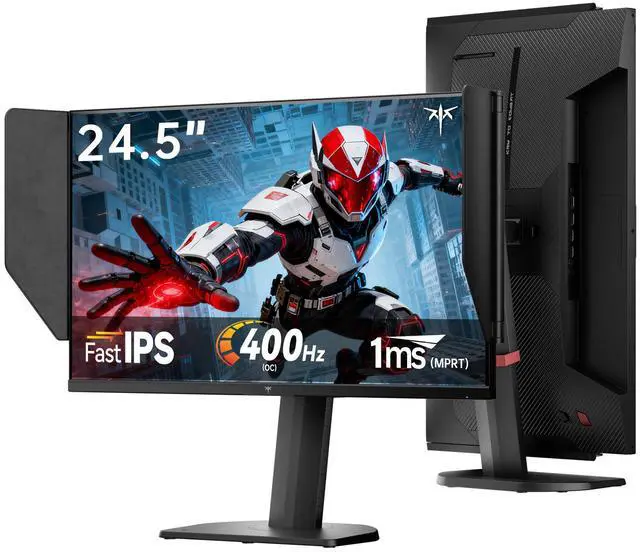
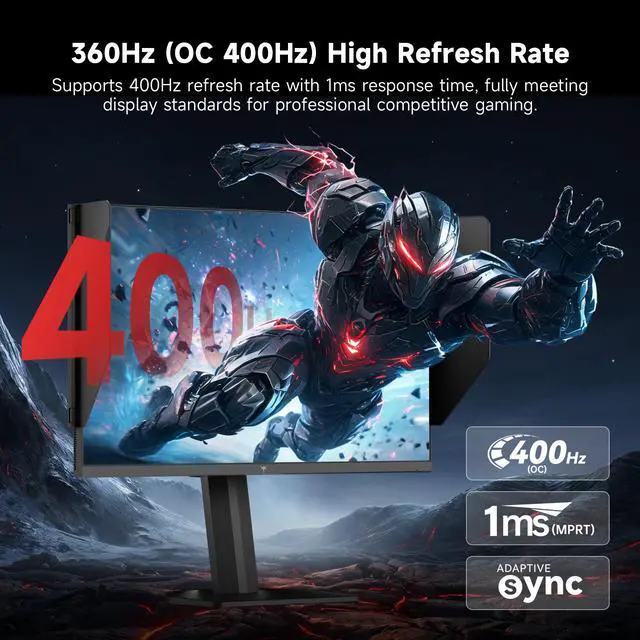
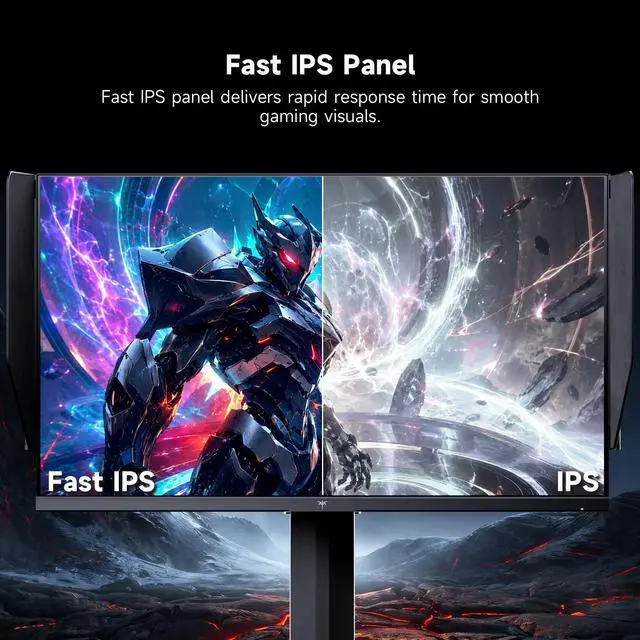
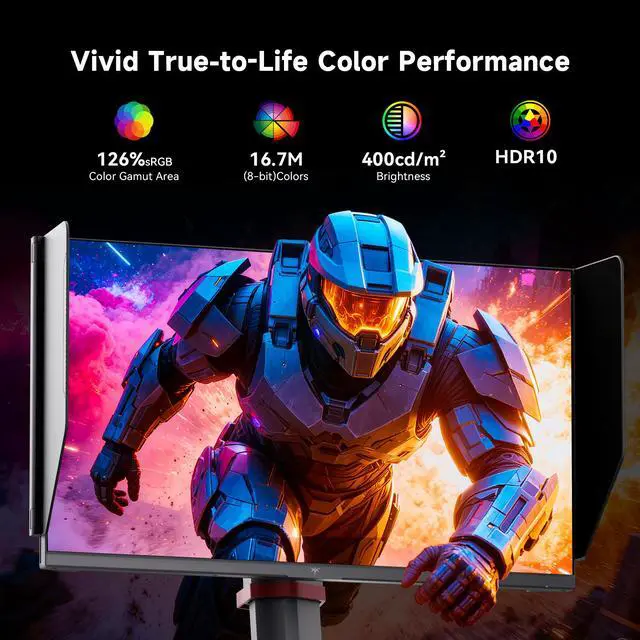
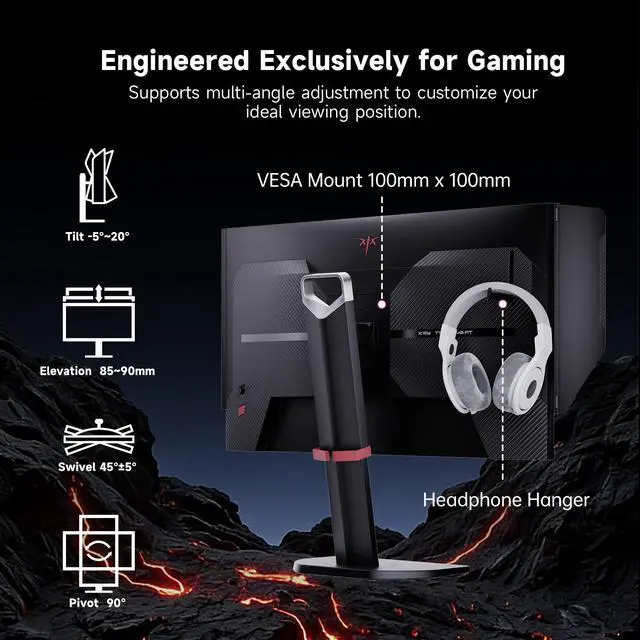
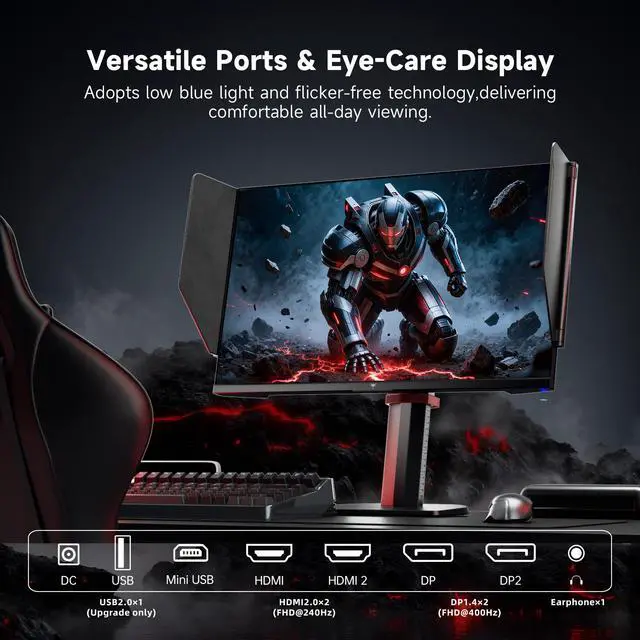
The KTC 25M2 Pro gaming monitor with hood uses a 24.5-inch Fast IPS FHD 1080P panel with native 360Hz refresh rate overclockable to 400Hz. Its 1ms MPRT response time and Adaptive-Sync eliminate ghosting and input lag for silky-smooth competitive gaming visuals. Delivering 400 cd/m² brightness and 126% sRGB gamut plus HDR10, it displays vivid, lifelike in-game colors, while low blue light and flicker-free design ease eye strain during long hours of use. It includes 2×HDMI 2.0 (240Hz), 2×DP 1.4 (360Hz, up to 400Hz) and 1×USB 2.0, plus an external controller for fast gaming preset switching to suit different scenarios. The fully ergonomic stand supports 150±5mm height adjustment, -5°~35° tilt, ±60° swivel and -5°~90° vertical pivot for personalized comfortable viewing angles.
The KTC 25M2 Pro is a 24.5-inch FHD Fast IPS gaming monitor with up to a 400Hz refresh rate, 1ms MPRT response time, and Adaptive-Sync, making it well suited to competitive PC gamers who prioritize fluid motion and low input lag.
| Attribute | Value |
|---|---|
| Best For | Competitive gaming and responsive desktop use, with a Fast IPS FHD panel, 1 ms response time, and 400Hz refresh rate |
| Panel And Resolution | 24.5-inch flat Fast IPS display with 1920 x 1080 resolution, 16:9 aspect ratio, matte finish, 178-degree viewing angles, and 0.27 mm pixel pitch |
| Refresh Rate And Response | 400Hz refresh rate with a 1 ms response time for fast-moving content and gameplay |
| Ports And Connectivity | HDMI and VGA connectivity for PCs and other compatible devices |
| Picture Quality And Eye Care | 300 cd/m² brightness, 4000:1 contrast ratio, 103% sRGB color gamut, HDR, FreeSync and G-Sync support, plus low-blue-light and flicker-free technologies |
| Stand And Ergonomics | Tilt-adjustable design with vertical orientation and desk, wall, or rack mounting options |
| Power | 36W power consumption with 12V voltage |
| Included Components | Monitor, stand set, HDMI cable, adapter, and OSG |
| Model Identifiers | KTC 25M2 PRO |
Q: Is the KTC 25M2 Pro better than a typical 240Hz 1080p gaming monitor for competitive FPS?
A: Choose the KTC 25M2 Pro when your PC can consistently produce roughly 360–400 FPS in games such as Valorant, Counter-Strike 2, or Apex Legends. Its 360Hz native refresh rate and up-to-400Hz overclock provide more frequent frame updates and lower motion persistence than a 240Hz monitor. A 240Hz model remains the more practical choice when your frame rate is usually below 300 FPS or when you prefer to allocate budget toward higher resolution or broader general-purpose features. ([us.ktcplay.com](https://us.ktcplay.com/products/25in-360hz-gaming-monitor-shielding-hood?utm_source=openai))
Q: KTC 25M2 Pro or BenQ ZOWIE XL2566X+ for competitive gaming?
A: Choose the KTC 25M2 Pro if you want a 24.5-inch 1080p Fast IPS panel with wider viewing angles, stronger stated color coverage, HDR10, a height-adjustable pivot stand, and a shielding hood. Choose the ZOWIE XL2566X+ if your priority is esports-focused motion tuning through its 400Hz Fast-TN panel and DyAc 2 backlight-strobing system. Both target high-frame-rate competitive play, but they emphasize different trade-offs: the KTC combines speed with IPS image flexibility, while the ZOWIE is more specifically configured around motion-clarity tools for esports. ([us.ktcplay.com](https://us.ktcplay.com/products/25in-360hz-gaming-monitor-shielding-hood?utm_source=openai))
Q: Should I buy the KTC 25M2 Pro or the Alienware AW2524HF 500Hz monitor?
A: Choose the Alienware AW2524HF if you want the higher 500Hz-class refresh rate and Dell/Alienware’s premium esports-monitor platform. Choose the KTC 25M2 Pro if 400Hz is sufficient and you value its shielding hood, dual DisplayPort inputs, dual HDMI inputs, IPS panel, and full ergonomic stand. The difference between 400Hz and 500Hz is most relevant to highly competitive players with exceptionally high and stable frame rates; for other users, panel features and support can matter more than the additional refresh headroom. ([pcworld.com](https://www.pcworld.com/article/2062657/alienware-aw2524hf-review.html?utm_source=openai))
Q: KTC 25M2 Pro or KTC 25M1: which 400Hz monitor should I choose?
A: Choose the KTC 25M2 Pro for Fast IPS viewing angles, more flexible everyday image quality, HDR10, and a stated 126% sRGB gamut. Choose the KTC 25M1 if you specifically want a TN esports monitor with tested backlight-strobing support and extensive overdrive adjustment. Both target 400Hz gaming, so the decision is primarily between IPS versatility on the 25M2 Pro and TN-based motion-tuning features on the 25M1. ([us.ktcplay.com](https://us.ktcplay.com/products/25in-360hz-gaming-monitor-shielding-hood?utm_source=openai))
Q: Is the KTC 25M2 Pro suitable for general use, or is it mainly for esports?
A: The KTC 25M2 Pro is suitable for general desktop use, but its design is performance-first: 24.5-inch FHD resolution, very high refresh rate, a shielding hood, and a competitive-gaming feature set. It is a strong fit for users who prioritize fast FPS gameplay while also wanting IPS color and ergonomic adjustment. A 1440p monitor is generally a better match for users who prioritize sharper text, higher desktop workspace, photo work, or single-player visual detail over maximum 1080p frame rates. ([us.ktcplay.com](https://us.ktcplay.com/products/25in-360hz-gaming-monitor-shielding-hood?utm_source=openai))
Q: Who is the KTC 25M2 Pro best suited for?
A: It is best suited for competitive PC gamers who prioritize very smooth motion and low latency at 1080p. The 24.5-inch Fast IPS panel supports a native 360Hz refresh rate and can be overclocked to 400Hz through DisplayPort, but the benefit is greatest when the computer can produce very high frame rates.
Q: Is it suitable for office work, note-taking, and meetings?
A: Yes, it can handle web browsing, documents, note-taking, and video meetings when connected to a computer. Its height, tilt, swivel, and pivot adjustments support ergonomic desk use. However, the listed specifications do not include a built-in webcam, microphone, or speakers, so those meeting functions require separate computer or peripheral hardware.
Q: Can the screen be used vertically or mounted on an arm?
A: Yes. The included stand supports vertical pivot from landscape to portrait orientation, along with height adjustment, tilt, and swivel. The monitor also supports VESA mounting, making it suitable for monitor arms, wall mounts, or multi-monitor setups that require a vertical display.
Q: Which connection should be used to reach the highest refresh rate?
A: Use DisplayPort 1.4 for the highest refresh rate. The KTC 25M2 Pro supports up to 360Hz natively and up to 400Hz when overclocked through DisplayPort. Its HDMI 2.0 inputs support up to 240Hz. The connected computer, graphics card, cable, and game settings must also support the selected refresh rate.
Q: Is the included shielding hood useful for everyday use?
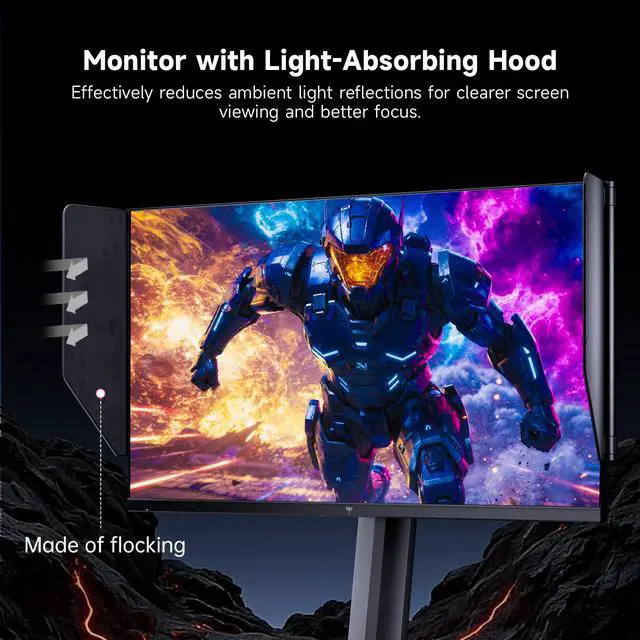
A: The hood is most useful in bright rooms or near windows because its flocked lining helps absorb ambient light and reduce reflections around the screen. It can improve viewing focus during gaming, but it adds bulk and is less important in a controlled, low-light environment.
Q: Is the KTC 25M2 Pro a good choice for competitive FPS gaming?
A: Yes, it is primarily suited to competitive FPS players who prioritize motion clarity and high refresh rates. Its 24.5-inch 1080p Fast IPS panel supports 360Hz natively and up to 400Hz through overclocking, but its benefits are greatest when the computer can consistently produce very high frame rates.
Q: Should I choose the KTC 25M2 Pro over a 1440p 240Hz monitor?
A: Choose the KTC 25M2 Pro if competitive performance and lower rendering demand matter more than image sharpness. Choose a 1440p 240Hz display if you prefer a sharper picture for general gaming, productivity, or visually detailed games. The main trade-off is 1080p resolution versus higher refresh-rate potential.
Q: Is 400Hz worth prioritizing if I already have a high-end graphics card?
A: It can be worthwhile for competitive games when the system can sustain frame rates near 360–400 FPS. However, a high-end GPU alone does not guarantee that every game will reach those frame rates, and the upgrade is less compelling if you value 1440p image quality or mainly play noncompetitive titles.
Q: Who is the KTC 25M2 Pro not a good fit for?
A: It is a weaker fit for users who want higher resolution, a larger screen, or a monitor primarily for productivity and image detail. At 24.5 inches and 1920×1080 resolution, it is optimized more for competitive gaming performance than for high-resolution work or immersive single-player gaming.


