here!
I’m your shopping assistant for PC builds, upgrades, and everything tech.
Got questions? Ask away!
Start a conversation
here!
I’m your shopping assistant for PC builds, upgrades, and everything tech.
Got questions? Ask away!
Start a conversation



Any questions? Ask CelesteSM will help you find out quickly.

| Products | ||||
|---|---|---|---|---|
| Screen Size | 27in | 32in | 34in | 27in |
| Resolution | 2560 x 1440 (2K) | 2560 x 1440 (4K) | 3440 x 1440 (WQHD) | 3840 x 2160(4K) |
| Refresh Rate | 240Hz | 165Hz/144Hz | 180Hz | 4K160Hz 1080p320Hz |
| Curved Surface Screen | Flat Panel | 1000R | ||
| HDR Standard | HDR10 | HDR400 | HDR 400 | HDR 1400 |
| Panel | VA | VA | VA | IPS QD-MINI LED |
| Aspect Ratio | 16:9 | 16:9 | 21:9 | 16:9 |
| Display Colors | 16.7 Million | 8bit | 8bit | 10bit |
| VESA | 100 x 100mm | 75 x 75mm | 100 x 100mm | |
| Maximum Operating Plan DP interface | 2560 x 1440 | 165Hz/2K 144Hz/4K | 4K160Hz 1080p320Hz |
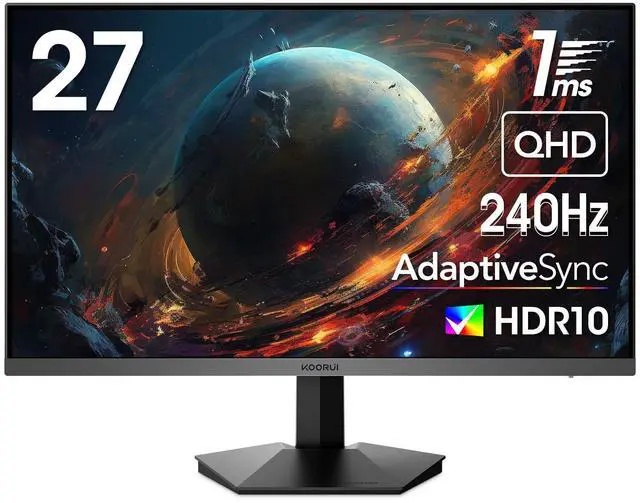
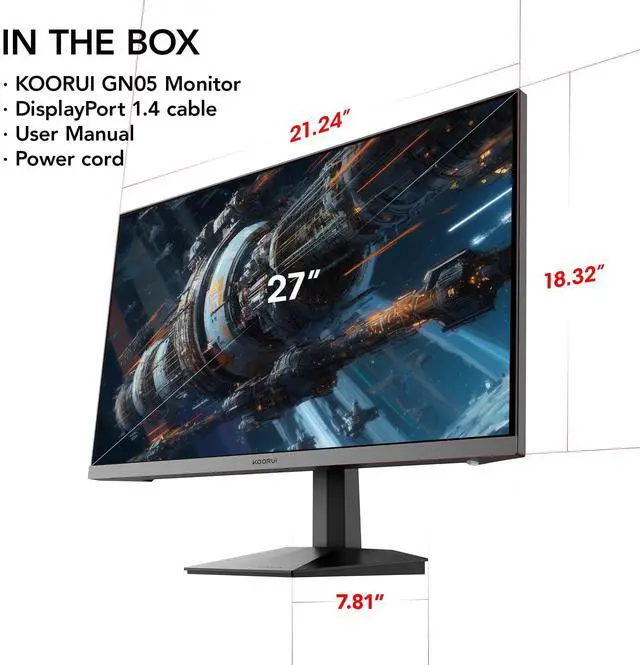
The KOORUI GN05 is a 27-inch QHD gaming monitor with a VA panel, 240Hz refresh rate, 1ms response time, HDR10, and AMD FreeSync Adaptive Sync. It is suitable for competitive gamers who want high refresh-rate performance at 2560 × 1440 resolution, with strong contrast for games and general entertainment.
| Attribute | Value |
|---|---|
| Best For | QHD gaming with fast-paced play, high-refresh visuals, and tear-reduced motion through FreeSync adaptive synchronization |
| Panel And Resolution | 27-inch flat VA panel with a 2560 × 1440 QHD resolution, 16:9 aspect ratio, 300 cd/m² brightness, 3000:1 contrast, 178° horizontal and vertical viewing angles, 16.7 million colors, sRGB 99% coverage, HDR10, LED backlighting, and a glare screen |
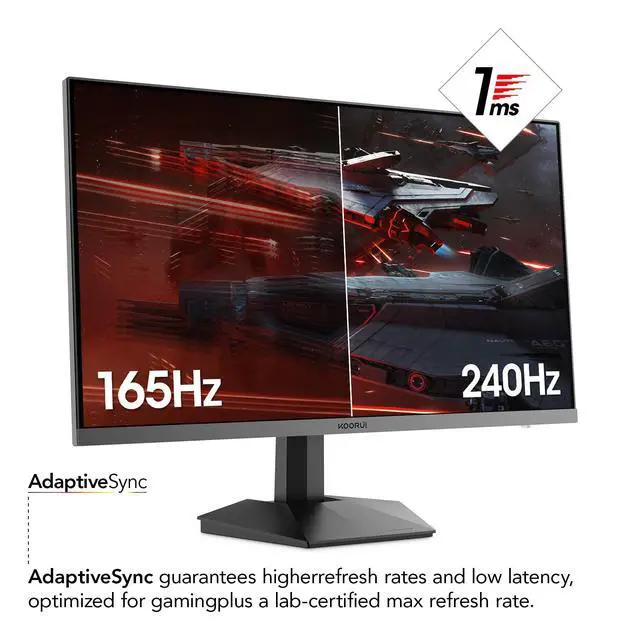
| Refresh Rate And Response | 240Hz refresh rate with a 1ms response time for high-frame-rate gaming and responsive motion |
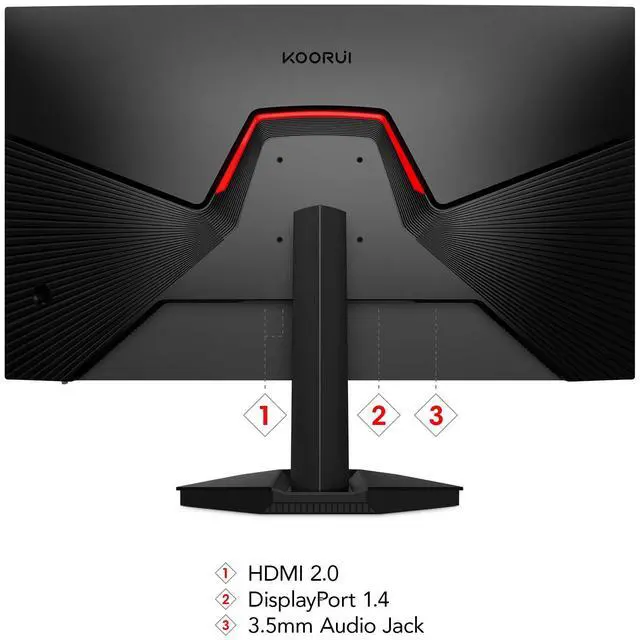
| Ports And Connectivity | Two HDMI 2.0 inputs, one DisplayPort 1.4, and an audio connector; includes a DisplayPort 1.4 cable |
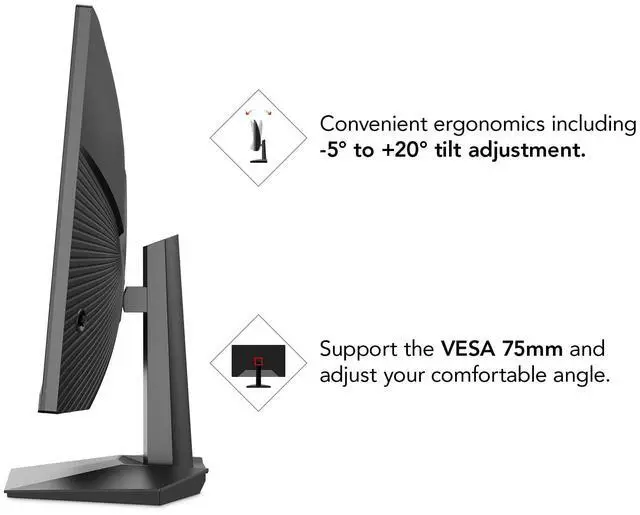
| Stand And Ergonomics | Tilt-adjustable stand with 75 × 75mm VESA mounting compatibility; monitor weight is 7.94 lb |
| Design And Webcam | Black cabinet with a three-sided frameless bezel and no built-in webcam |
| Power And Included Accessories | 65W power consumption; package includes the monitor, DisplayPort 1.4 cable, power adapter, and user manual |
| Model Identifiers | GN05 |
Q: Should I choose the KOORUI GN05 or a 27-inch 1440p 165Hz IPS monitor such as the ASUS TUF VG27AQ?
A: Choose the KOORUI GN05 when your PC can sustain more than 165 fps and you prioritize the higher 240Hz refresh rate. Choose the ASUS VG27AQ when you prefer an IPS panel, a height-, swivel-, and pivot-adjustable stand, and ASUS ELMB-SYNC and G-SYNC Compatible features. The supplied KOORUI data identifies the GN05 panel as VA, although the product title describes it as Fast IPS, so buyers should verify the panel specification before purchase. ([asus.com](https://www.asus.com/us/displays-desktops/monitors/tuf-gaming/tuf-gaming-vg27aq/techspec/?utm_source=openai))
Q: Is the KOORUI GN05 a better choice than a 27-inch 1080p 240Hz monitor?
A: The KOORUI GN05 is the better fit for users who want sharper text and game detail because it combines 2560 x 1440 resolution with 240Hz. A 27-inch 1080p 240Hz monitor, such as the Dell SE2726HG, is more suitable when the graphics card has limited performance or when maintaining very high frame rates matters more than image density. Dell’s comparable model uses 1920 x 1080 resolution at 240Hz, while the GN05 provides QHD at the same refresh rate. ([dell.com](https://www.dell.com/en-us/shop/dell-27-240hz-monitor-se2726hg/apd/210-bttn/monitors-monitor-accessories?utm_source=openai))
Q: How does the KOORUI GN05 compare with a 1440p 240Hz IPS monitor such as the Gigabyte M27Q X?
A: Choose the GN05 when its lower purchase cost or VA-style contrast is the priority. Choose the Gigabyte M27Q X when you want a tested 1440p 240Hz IPS implementation with broader color coverage, G-SYNC Compatible support, USB-C, and more extensive connectivity. Professional testing found the M27Q X delivered strong motion clarity and low input lag at 240Hz, while its IPS panel provides a different balance of viewing angles, color, and contrast than the GN05’s listed VA panel. ([tomshardware.com](https://www.tomshardware.com/reviews/gigabyte-m27q-x-240hz-gaming-monitor?utm_source=openai))
Q: Should I upgrade from a 1440p 144Hz or 165Hz monitor to the KOORUI GN05?
A: Upgrade to the GN05 when you regularly play games above 165 fps and want smoother motion at 240Hz without giving up 1440p resolution. The upgrade is more meaningful for competitive shooters and other fast camera-movement games than for slower single-player titles, where the existing 144Hz or 165Hz display may already meet the practical requirement. The GN05 is a performance-focused upgrade rather than a major resolution upgrade because both displays remain at 2560 x 1440. ([asus.com](https://www.asus.com/us/displays-desktops/monitors/tuf-gaming/tuf-gaming-vg27aq/techspec/?utm_source=openai))
Q: Is the KOORUI GN05 suitable for travel compared with a portable monitor?
A: Choose the GN05 for a permanent desk setup and performance-first gaming; choose a portable monitor for travel, laptop use, or flexible multi-screen work. The GN05 is a 27-inch, 240Hz QHD display with a tilt-only stand and external power adapter, while the ASUS ZenScreen MB16FC is a 16-inch, 75Hz portable IPS monitor weighing about 1.98 lb and supporting USB-C video and power pass-through. The portable model is easier to carry, but the GN05 provides substantially more screen size, resolution, and refresh-rate headroom for desktop gaming. ([asus.com](https://www.asus.com/us/displays-desktops/monitors/zenscreen/zenscreen-mb16fc/techspec/?utm_source=openai))
Q: Is this monitor really IPS or VA?
A: The provided specifications list the panel as VA, while the product title describes it as Fast IPS. Because the listing contains conflicting panel information, confirm the panel type with the seller before purchasing. If the VA specification is correct, expect strong contrast from the stated 3000:1 ratio, but not the same motion and viewing-angle characteristics typically associated with IPS panels.
Q: Can this monitor run 1440p at 240Hz?
A: Yes. The monitor is rated for 2560 × 1440 resolution at up to 240Hz. Use the included DisplayPort 1.4 cable and a compatible graphics card to target the maximum refresh rate. The actual refresh rate also depends on the computer, cable, game settings, and selected display mode.
Q: Is this monitor suitable for both gaming and everyday work?
A: Yes. Its 27-inch QHD resolution provides more workspace and sharper text than a typical 1080p monitor, while Adaptive Sync, 240Hz refresh rate, and a stated 1ms response time are aimed at gaming. The main work-use trade-offs are the tilt-only stand and the lack of listed height adjustment, pivot adjustment, webcam, or USB hub.
Q: Can I use this monitor with a PS5 or Xbox?
A: It can connect to a console through its HDMI 2.0 inputs, but the provided product information does not confirm a specific console mode such as 1440p at 120Hz or console VRR support. For console gaming, verify the console's supported resolution and refresh-rate modes before buying; for PC gaming, DisplayPort is the preferred connection for targeting 240Hz.
Q: Can this monitor be mounted on a monitor arm or wall mount?
A: Yes. The monitor supports 75 × 75 mm VESA mounting. A compatible VESA arm or wall mount is required, and the included stand provides tilt adjustment only.
Q: Is the KOORUI GN05 worth buying for 1440p gaming?
A: It is a reasonable fit for buyers who want a 27-inch 2560×1440 monitor with a 240Hz refresh rate, Adaptive Sync, and VA-panel contrast at a budget-oriented price. The main trade-offs are the tilt-only stand, 300 cd/m² brightness, and the possibility of VA motion smearing in some games.
Q: Is the GN05 suitable for competitive FPS gaming?
A: Yes, if the computer can consistently produce high frame rates at 1440p. Its 240Hz refresh rate and Adaptive Sync target fast gameplay, but the VA panel may show more dark-scene smearing than a comparable fast IPS display. Buyers who are highly sensitive to motion artifacts should consider that trade-off.
Q: Does the GN05 provide a meaningful upgrade over a 144Hz or 165Hz monitor?
A: The upgrade is most meaningful for competitive players who can use frame rates near 240 fps. For general gaming, the move from 144Hz or 165Hz to 240Hz produces a smaller practical improvement than the move from 60Hz to high refresh rate, so a lower-cost 165Hz monitor may offer better value for casual users.
Q: Is the GN05 good for work and everyday desktop use?
A: Yes. Its 27-inch QHD resolution provides more workspace than a typical 1080p monitor, and 240Hz can make scrolling and window movement look smoother. However, the tilt-only stand limits ergonomic adjustment, and the VA panel may be less suitable than IPS for users who prioritize consistent viewing angles or color-critical work.
Q: Can the GN05's HDR10 support replace a true HDR monitor?
A: Not necessarily. The GN05 supports HDR10 and is rated at 300 cd/m², but those specifications alone do not establish strong HDR performance. Buyers seeking a major HDR upgrade should look for substantially higher brightness and effective local dimming rather than treating HDR10 compatibility as sufficient.