here!
I’m your shopping assistant for PC builds, upgrades, and everything tech.
Got questions? Ask away!
Start a conversation
here!
I’m your shopping assistant for PC builds, upgrades, and everything tech.
Got questions? Ask away!
Start a conversation

Any questions? Ask CelesteSM will help you find out quickly.


Product Description
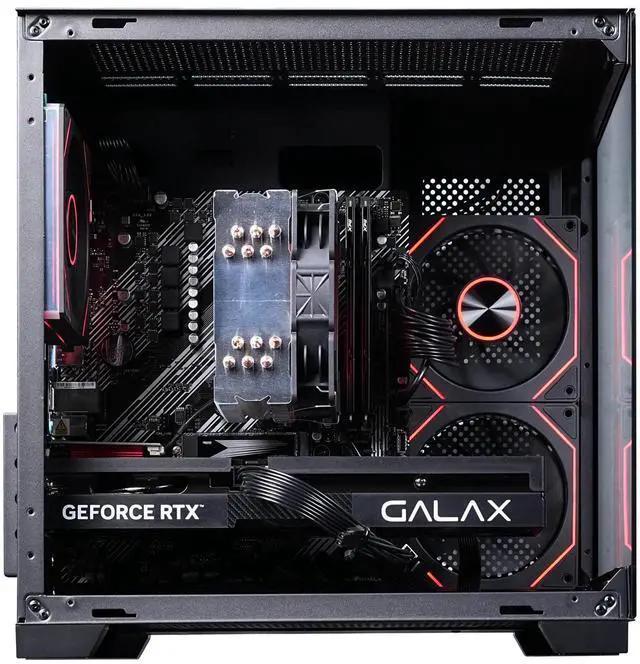
The Ruixing Gaming Desktop PC is engineered to deliver exceptional performance for gaming enthusiasts and professionals alike. As a premium offering in the gaming desktop PC subcategory, this system combines advanced hardware components tailored for high-speed processing, superior graphics rendering, and multitasking capability. The unit is designed for seamless gameplay, supporting modern titles and demanding applications with efficiency. Its robust build ensures long-term reliability, while the sleek chassis complements contemporary gaming setups. Ideal for users seeking a dependable and powerful computing solution, the Ruixing Gaming Desktop PC stands out in the competitive landscape of computer hardware.
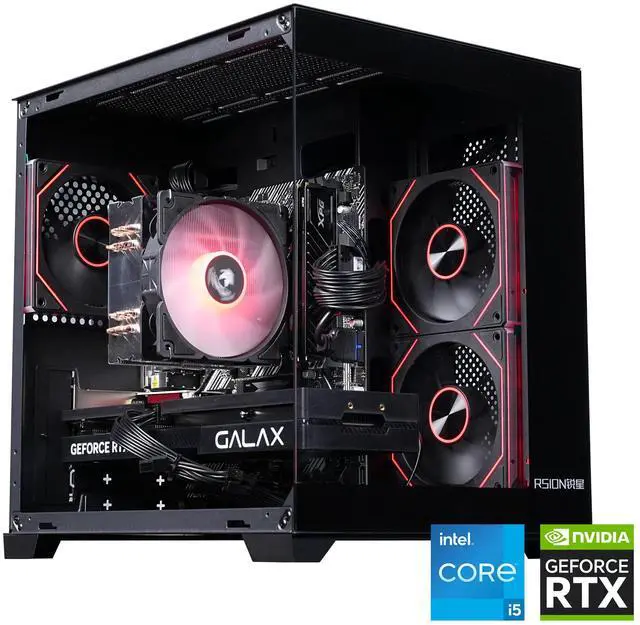
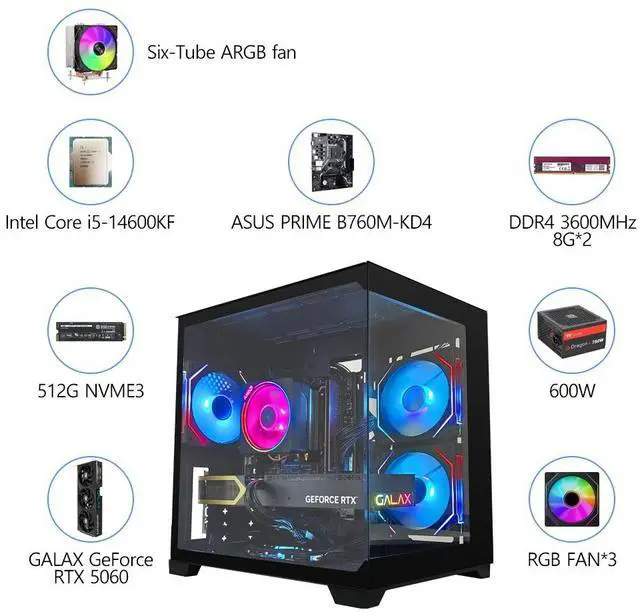
The RSION Gaming PC is a Windows 11 desktop built for high-performance 1080p gaming, featuring an Intel Core i5-14600KF processor, GeForce RTX 5060 FIRE 8GB graphics, 16GB DDR4 memory, and a 512GB NVMe SSD; it suits competitive gamers and users who want fast gameplay, quick loading, and smooth multitasking.
| Attribute | Value |
|---|---|
| Best For | Gaming desktop use with an Intel Core i5-14600KF processor, RTX 5060 graphics, 16GB of memory, and NVMe storage |
| Processor | Intel Core i5-14600KF processor for gaming and general desktop workloads |
| Graphics | RTX 5060 FIRE 8G V2 graphics |
| Memory Configuration | 16GB DDR4 memory for gaming and multitasking |
| Storage | 512GB NVMe solid-state storage for responsive system and game loading |
| Power Supply | 600W power supply |
| Model Identifiers | Ruixing PC 5060 |
Q: Is this RTX 5060 gaming PC a better choice than an RTX 4060 PC?
A: For a new gaming PC, this RTX 5060 configuration is generally the stronger choice when the price difference is reasonable. The desktop RTX 5060 is typically about 20% faster than the RTX 4060 in gaming tests and adds Blackwell features such as DLSS 4 Multi Frame Generation. An RTX 4060 PC remains a sensible choice when it is substantially cheaper, but upgrading from an existing RTX 4060 system usually offers a moderate rather than transformative improvement.
Q: Should I buy this RTX 5060 PC or spend more on an RTX 5060 Ti 16GB PC?
A: Choose this RTX 5060 PC for primarily 1080p gaming and a lower system cost. Choose an RTX 5060 Ti 16GB configuration if you plan to play demanding games at 1440p, use high-resolution texture packs, or keep the system for several years. The 5060 Ti 16GB offers higher GPU performance and twice the video memory, while the RTX 5060 remains the more cost-conscious option for mainstream 1080p gaming.
Q: Is this PC better suited to 1080p or 1440p gaming?
A: This PC is best matched with 1080p gaming, especially high-refresh-rate play. Its RTX 5060 can handle 1440p in many games with optimized settings and DLSS, but the 8GB of VRAM can require reduced texture quality or upscaling in newer, demanding titles. Choose this system for a 1080p monitor and competitive gaming; consider a higher-tier GPU with more VRAM for consistent 1440p ultra settings.
Q: Is this RTX 5060 PC worth choosing over a cheaper RTX 5050 PC?
A: Choose this RTX 5060 PC when you want higher 1080p frame rates, more headroom for ray tracing, and better performance in demanding games. An RTX 5050 PC is appropriate when the lowest purchase price is the priority and you mainly play lighter esports or older titles. The RTX 5060 is the better fit for a performance-focused gaming desktop, while the RTX 5050 is the lower-cost entry point.
Q: Is this gaming PC suitable for both gaming and everyday work?
A: Yes. The Intel Core i5-14600KF, 16GB of DDR4 memory, NVMe SSD, and Windows 11 support gaming, web browsing, office applications, video meetings, and multitasking. It is best suited for users who want a desktop focused primarily on gaming but also need general productivity performance.
Q: Is 16GB of RAM enough, and can the memory be upgraded later?
A: The included 16GB DDR4-3600 memory is suitable for current gaming, office work, and normal multitasking. The product information does not specify the motherboard’s available memory slots or maximum supported capacity, so buyers who plan to stream, edit video, run virtual machines, or keep many demanding applications open should confirm upgrade options with the seller before purchasing.
Q: Is 512GB of NVMe storage enough for a gaming PC?
A: The 512GB NVMe SSD provides fast application and game loading, but capacity may become limited if you install several large modern games or store media files. It is adequate for a focused game library and everyday use; buyers with larger libraries should verify whether an additional M.2 or SATA drive can be installed.
Q: Who is this gaming desktop best suited for?
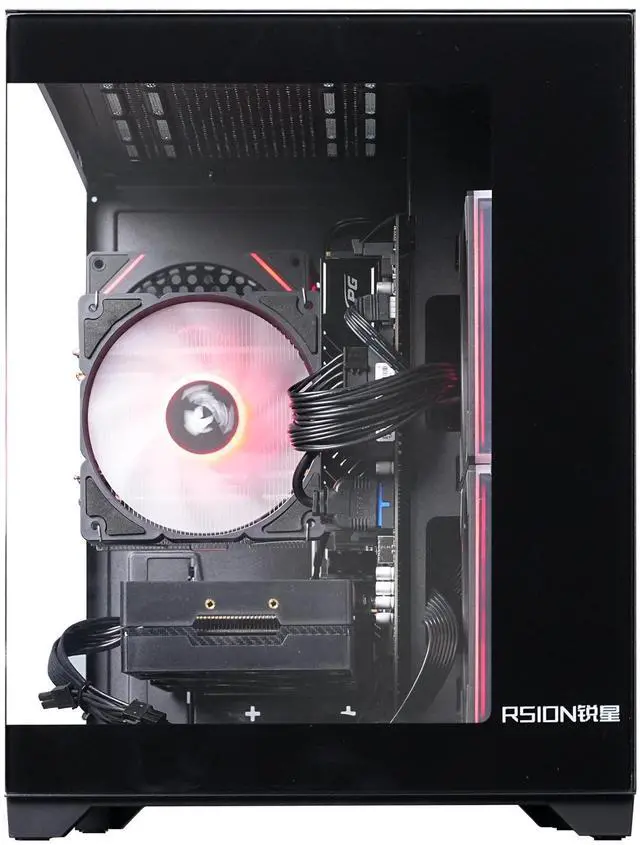
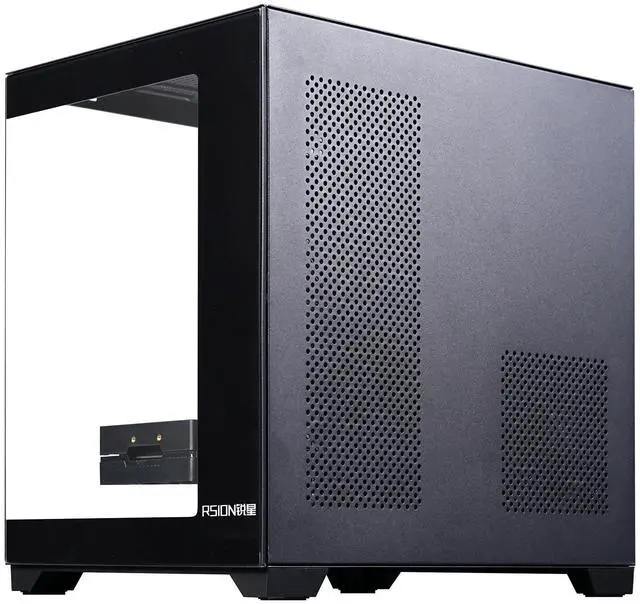
A: It is best suited for gamers who want a Windows 11 desktop with a dedicated GeForce RTX 5060 8GB graphics card, a strong mainstream-to-performance Intel processor, fast NVMe storage, and customizable RGB lighting. It is less suitable for buyers who need portability, a built-in display, or a compact travel computer because it is a desktop tower.
Q: Is the 600W power supply appropriate for this configuration?
A: The system is listed with a 600W power supply and an RTX 5060 FIRE 8G V2 graphics card. That capacity is intended for the listed configuration, but the product data does not identify the power supply’s efficiency rating, connector details, or upgrade headroom. Buyers planning a higher-power graphics card should verify PSU specifications before upgrading.
Q: Is the i5-14600KF and RTX 5060 8GB combination good for gaming?
A: Yes, this is a suitable combination for a gaming desktop, especially for 1080p gaming. The i5-14600KF provides substantial CPU performance, while the RTX 5060 supports modern NVIDIA features such as DLSS. The main limitation is the GPU's 8GB of VRAM, which can restrict higher texture settings in some newer games.
Q: Is 8GB of VRAM enough for this gaming PC?
A: 8GB of VRAM is generally appropriate for standard 1080p gaming, but it is a trade-off for long-term use. Newer games, high-resolution textures, heavy graphics mods, and higher-resolution gaming may require reduced settings or benefit from a 12GB or 16GB graphics card.
Q: Is 16GB of RAM enough, or should it be upgraded?
A: 16GB is adequate for gaming and ordinary multitasking, but it may be limiting for video editing, heavy content creation, or running many applications simultaneously. Because this system uses DDR4 memory, buyers should confirm the motherboard's available slots and upgrade capacity before planning a memory upgrade.
Q: Is this PC a good choice for video editing as well as gaming?
A: It can handle general video-editing workloads, but the 16GB RAM and 512GB SSD are modest for larger projects. The i5-14600KF does not include integrated graphics, so it lacks Intel Quick Sync; buyers who prioritize video editing should verify software compatibility and consider more RAM and storage.
Q: Should buyers choose this PC or look for an RTX 5060 Ti or another 16GB GPU?
A: Choose this configuration if the priority is a lower-cost gaming PC with strong CPU performance and standard 1080p use. A system with an RTX 5060 Ti 16GB or another 16GB graphics card is the better fit for buyers who prioritize higher texture settings, higher resolutions, or longer-term VRAM capacity. Value depends on the final selling price, which is not included in the provided product data.