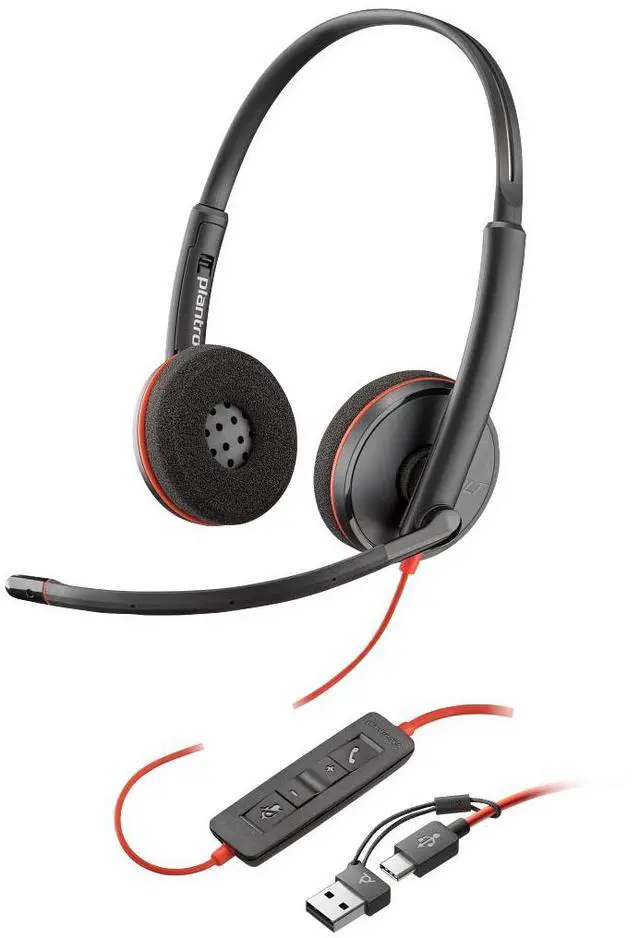
The Poly Blackwire 3220 is a wired, on-ear stereo USB-C headset with a USB-C-to-USB-A adapter, suited to people who want one headset for computer calls and stereo audio across USB-C and USB-A devices.
Recommended For
- Remote or hybrid workers who take frequent computer calls and want a wired USB-C connection, with the included adapter for USB-A ports.
- Call-heavy desk workers who want a boom microphone, inline mute and volume controls, and a wired headset that does not need Bluetooth pairing or charging.
- People working in shared offices who want a noise-cancelling microphone intended to help keep their voice clear on calls; this is microphone noise reduction, not noise cancellation for the listener.
- Hot-deskers who move between nearby workstations and prefer a lightweight headset they can plug into compatible USB-C or USB-A computers.
Real-World Use Scenarios
- For back-to-back video meetings at a desk, connect the headset to a computer and use the boom mic and inline call controls; the wired setup avoids Bluetooth pairing and battery charging during the workday.
- For VoIP or customer-support calls from a home or office desk, the noise-cancelling boom microphone is intended to keep the speaker’s voice central, while stereo earpieces let the user hear the conversation without using computer speakers.
- When moving between a newer laptop with USB-C and a computer with USB-A, use the included adapter to keep using the same headset, rather than switching to a separate headset for each port type.
- For a shared workspace or a room with nearby conversation, position the boom mic near the mouth for calls; its noise-cancelling design is intended to reduce background pickup, though it does not make the headset a substitute for sound-isolating earcups.
- For listening to speech, training videos, or other computer audio between calls, the stereo headset handles both playback and voice chat; it is best treated as a work-and-calls headset rather than a wireless option for moving around.




 here!