here!
here!
I’m your shopping assistant for PC builds, upgrades, and everything tech.
Got questions? Ask away!
Start a conversation
here!
I’m your shopping assistant for PC builds, upgrades, and everything tech.
Got questions? Ask away!
Start a conversation







Any questions? Ask CelesteSM will help you find out quickly.


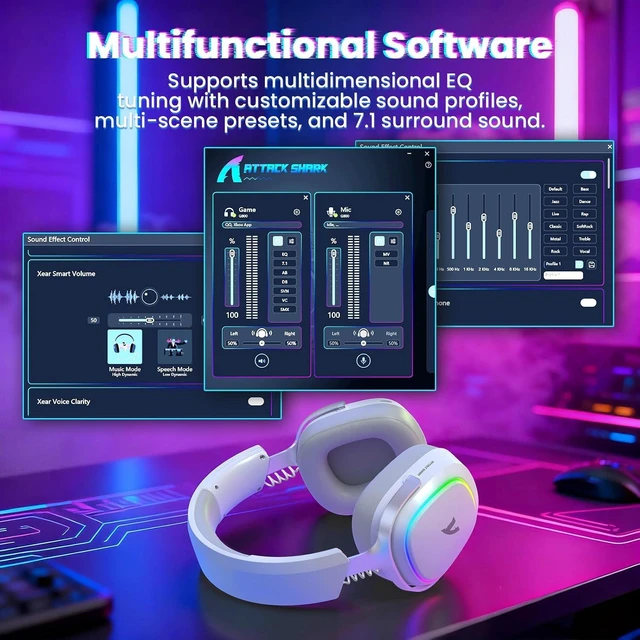
How do I install the software for the G800?
1. Download the software from the official website.
2. Connect the headset to your PC.
3. Unzip and install the software.
Note: The software only supports Windows systems. Please connect the headset before installation.
Can the RGB lighting on the headset be turned off? How do I turn it off?
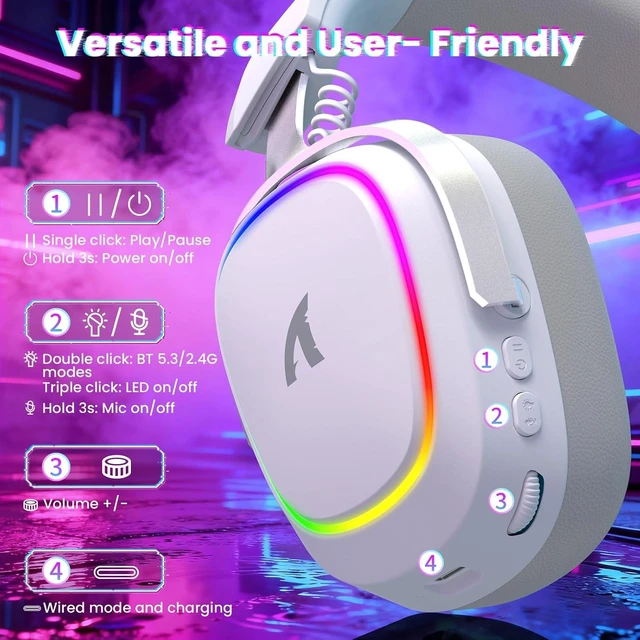
Yes, you can turn off the light by pressing the LED button three times consecutively.


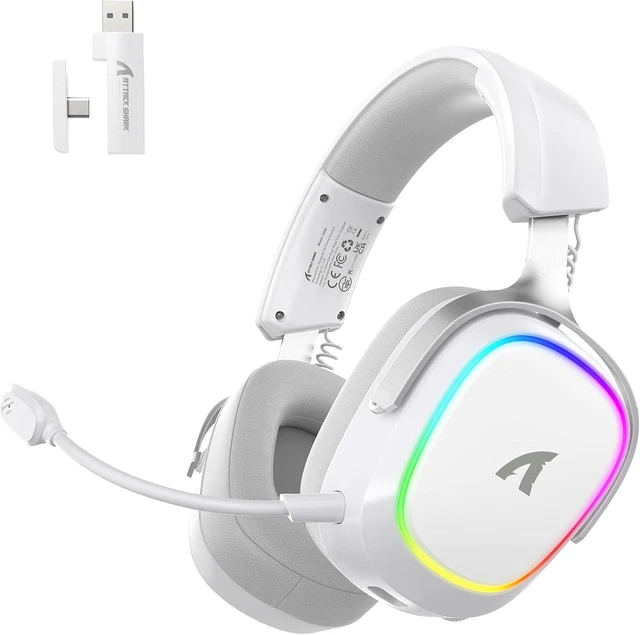
| Model | G800 |
|---|---|
| Headband | Adjustable |
| Microphone | Detachable Mic |
| Speakers | 50mm driver unit |
| Lighting | Colorful cycling |
| Tri Mode Connection | 2.4GHz Wireless by the Dual Head USB Receiver with USB C and A End, Bluetooth by Pairing, Wired by cable |
| Wireless Transmission Range | 10 meters/33ft |
| Lowest Wireless Latency | 20ms |
| Frame material | Aluminum alloy |
| Applicable Equipment | Mac, Windows, phone, PS, Switch |
| Battery | 1000mAh |
| Frequency range | 20Hz-20KHz |
| Software | attackshark.com/pages/driver-download |
| Software Features | EQ adjustment, scene presets, and 7.1 virtual surround sound |
| Earcup material | Skin-friendly protein leather |
| Impedance | 32 ohms |
How do I install the software for the G800?
1. Download the software from the official website.
2. Connect the headset to your PC.
3. Unzip and install the software.
Note: The software only supports Windows systems. Please connect the headset before installation.
Can the RGB lighting on the headset be turned off? How do I turn it off?
Yes, you can turn off the light by pressing the LED button three times consecutively.