• $7.99
  • Free 30-day Returns
  • Price alert
    Shop it at NeweggBusiness.

    Meet Your Seller

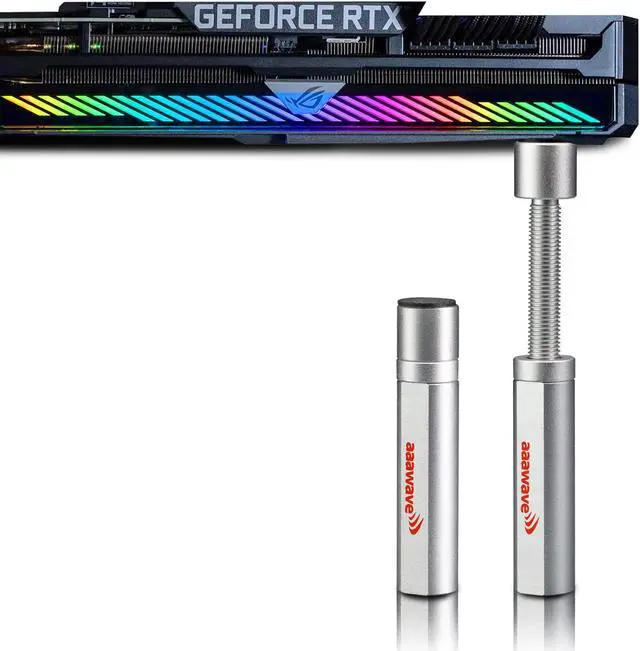
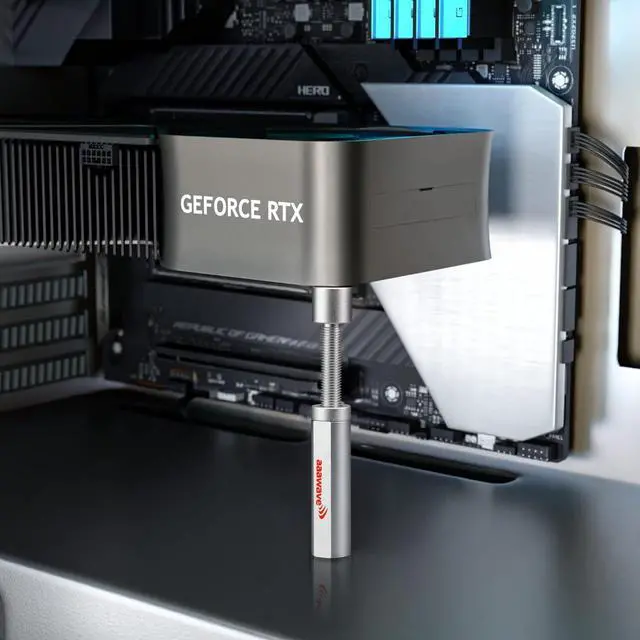
    AAAwave Graphics Card Support Bracket Adjustable Height GPU Brace with Magnet base and Non-Slip rubber pad (Silver)

    • ALUMINUM ALLOY METAL MATERIAL - The GPU Support bracket is made of aluminum alloy, provide durable and long-lasting support.
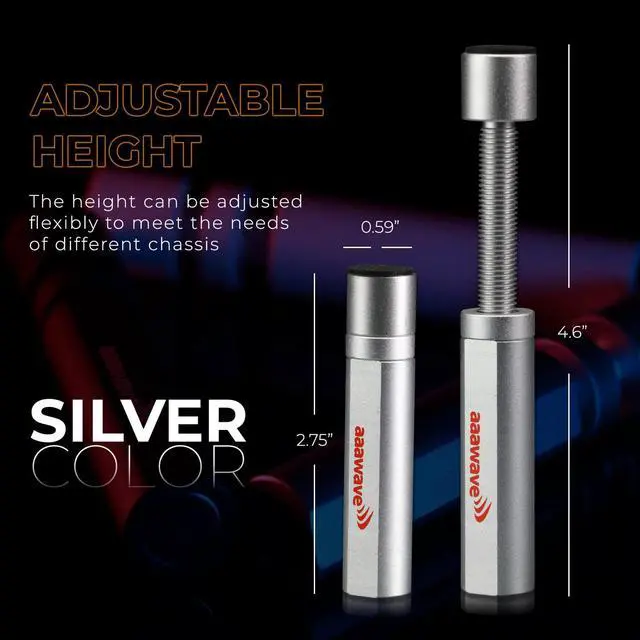
    • SCREW ADJUSTMENT - The minimum size of the GPU bracket support is 2.75 inches, and the maximum size is 4.6 inches. The height can be adjusted flexibly to meet the needs of different chassis.
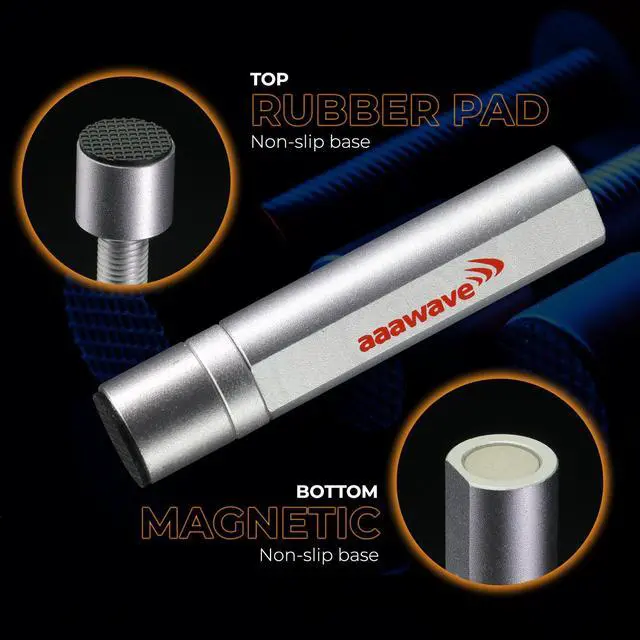
    • MAGNETIC NON SLIP BASE - The magnet based helps to stand firmly in the chassis. There is a non-slip rubber pad on the ends of the GPU holder side, no metal on metal contact, nothing will be shorted and nothing will be scratched.
    • WIDE APPLICATION - GPU brace, Compatible with ATX, M-ATX, ITX chassis structure, and universal VGA graphics card bracket. Meet various user hosts to avoid video card sagging and protect the motherboard from being damaged by the weight of graphics card.
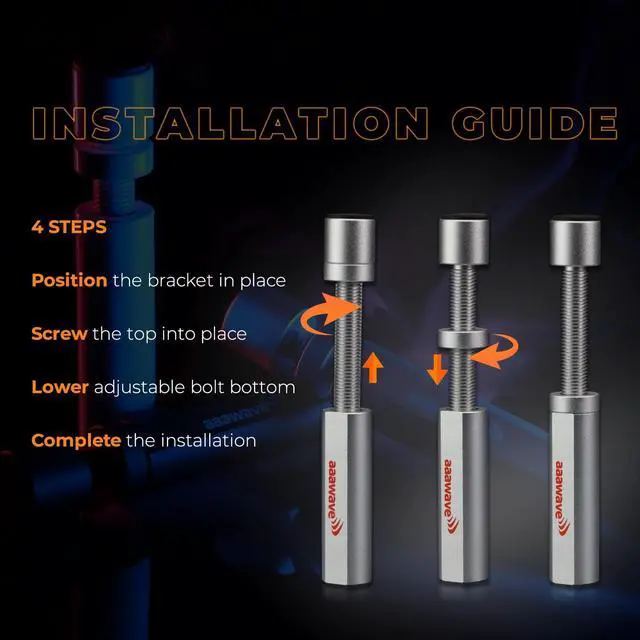
    • NO NEED ASSEMBLY: Tool-free fixing module, just adjust the locking nut to secures your height very firmly in place.
    +
    +
    Overview
    Specs
    Reviews (2)
    See all Q & A

    Any questions? Ask CelesteSM will help you find out quickly.

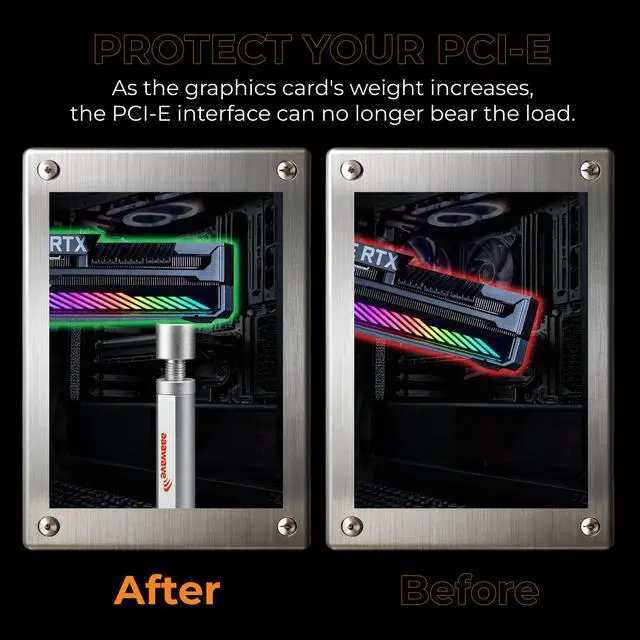
    GPU Support Bracket - Effectively preventing the graphics card from sagging and protect the motherboard from being damaged by the weight of graphics card.
    Component like the graphics card are often plugged in the sideways, instead of attaching to the base of the chassis. This position might lead to the GPU sagging issue. AAAwave GPU support bracket is the solution to this problem. It help to support your Graphic card.
    Aluminum Alloy Metal Material - The GPU Support bracket is made of aluminum alloy metal, provide durable and long-lasting support yet it's lightweight.
    Screw Adjustment - The minimum size of the GPU bracket support is 2.75 inches, and the maximum size is 4.6 inches. The height can be adjusted flexibly to meet the needs of different chassis.
    Magnetic Non-Slip Base - The magnet based helps to stand firmly in the chassis. There is a non-slip rubber pad on the ends of the GPU holder side, no metal on metal contact, nothing will be shorted and nothing will be scratched.


    a-for-web.jpg

    Warranty & Returns

    Warranty, Returns, And Additional Information

    Warranty

    • Please contact the Seller directly for warranty information. Warranty information may also be found on the Manufacturer's website.
    • CONTACT

    Return Policies

    Manufacturer Contact Info

    LOADING...

    The AAAwave AAAGPUBRKTSV is a silver, adjustable aluminum GPU support bracket for PC builders who want to help prevent graphics-card sag in ATX, micro-ATX, or ITX cases; its magnetic base and non-slip rubber pads help keep it in place.

    Recommended For

    • PC builders with a long or heavy horizontally mounted graphics card that visibly sags and has a clear spot beneath it for a support post.
    • DIY PC builders who want a simple, tool-free way to prop up a graphics card after the PC is assembled, rather than installing a bracket that attaches to the motherboard or case slots.
    • Builders of standard tower PCs who can place the magnetic base on a stable case floor or other suitable surface beneath the GPU and adjust the post to reach the card.
    • PC owners looking for a small, adjustable support point to reduce visible GPU sag without replacing the card’s existing horizontal mounting arrangement.

    Real-World Use Scenarios

    • A long or heavy graphics card visibly droops after installation; place the brace beneath a suitable solid point on the card and adjust it until it supports the card without pushing it upward. This can reduce visible sag and provide an extra support point.
    • A PC builder installs a heavy GPU that did not include a usable support, or whose included holder does not fit the case; the adjustable post can add support from beneath the card, provided there is room to position it safely.
    • After a GPU upgrade, the new card sits lower than the previous one; readjust the brace height to meet the new card’s underside. Setting it to support the card without forcing it upward helps avoid adding unnecessary pressure.
    • A builder is fitting a support into a case with bottom fans or limited space; check that the base sits securely and the post does not touch a fan or block its movement. If there is no clear spot beneath the card, a different support style may fit better.

    Spec Summary

    AttributeValue
    Best ForSupporting a graphics card inside a compatible PC chassis
    Compatibility And UseA graphics card support bracket for helping support a GPU in a PC chassis
    MaterialAluminum alloy metal
    ColorSilver
    Included ItemOne graphics card support bracket
    Item Dimensions1.9 L × 5.5 W × 0.7 H inches
    Model IdentifiersAAAwave model AAAGPUBRKTSV; part number AAAGPUBRKTSV

    Reference Q&A

    Q: AAAwave’s adjustable GPU brace or a fixed-height support stand—which should I choose?

    A: Choose the AAAwave brace when you want to set the support height to match the gap beneath your graphics card. Its screw adjustment covers 2.75 to 4.6 inches, and its magnetic base and rubber contact pads provide a tool-free, repositionable support setup. A fixed-height stand is a simpler fit when its height already matches your build.

    Q: AAAwave’s floor-standing brace or a motherboard-mounted GPU support—which is easier to reposition?

    A: Choose the AAAwave brace if you prefer a freestanding support that you can position beneath the card and adjust without tools. A motherboard-mounted support attaches to the motherboard mounting points, so it follows a different installation approach. Both styles are intended to help support a graphics card.

    Q: AAAwave’s magnetic GPU brace or an adjustable support built into a PC case—which gives me more placement flexibility?

    A: The AAAwave brace offers a separate support point that can be positioned beneath the GPU, with height adjustment from 2.75 to 4.6 inches. A case-integrated support is part of the case’s layout. Choose the AAAwave when you want a standalone, height-adjustable brace; choose an integrated support when you prefer to use the one built into your case.

    Q: Who should consider this GPU support bracket?

    A: It is intended for desktop PC users who want extra support for a graphics card that sags or needs support underneath. Its adjustable height is 2.75–4.6 inches. It may be unnecessary if the card is already level and adequately supported.

    Q: Will this bracket fit my graphics card and PC case?

    A: Check that the support point under the card is 2.75–4.6 inches above the case floor and that there is room for the bracket without blocking fans, cables, or other components. The product is described for ATX, Micro-ATX, and ITX cases, but actual fit depends on the case layout and available clearance.

    Q: Does the bracket need tools or assembly?

    A: The product information says no assembly is required: position it under the graphics card, adjust the height with the screw mechanism, and tighten the locking nut. Confirm it supports the card without lifting it out of its normal position.

    Q: Will the magnetic base stay in place in my case?

    A: The magnet is intended to help hold the base steady, but its grip depends on the surface beneath it. Check that the case floor is magnetic metal and provides a flat, unobstructed spot; the non-slip pad is intended to help protect contact surfaces.