




 here!
I’m your shopping assistant for PC builds, upgrades, and everything tech.
Got questions? Ask away!
Start a conversation
here!
I’m your shopping assistant for PC builds, upgrades, and everything tech.
Got questions? Ask away!
Start a conversation



Any questions? Ask CelesteSM will help you find out quickly.
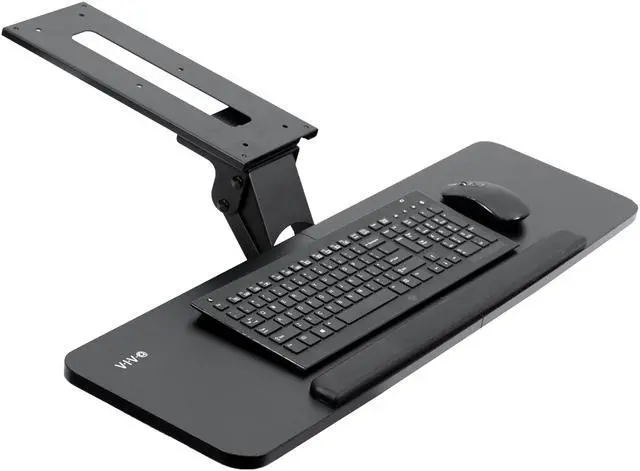
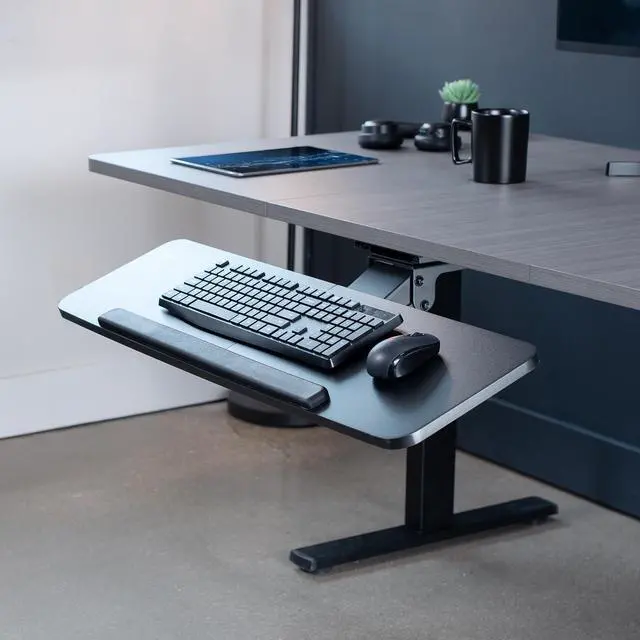
Enhance your typing posture with the Black 34" Under Desk Keyboard Tray (MOUNT-KB36B) from VIVO! An adjustable and convenient workflow is ideal and easy on the body as you type at a more ergonomic position. When not in use, simply slide the tray under the desk and out of the way. This sturdy product comes in a black matte finish to match a variety of desks on the market and provide a modern appearance. The sleek metal track is low profile and slides under the desk when not in use. Getting your keyboard tray set up is a breeze, and we provide all the hardware for under-desk mounting.
Compatibility
Specifications
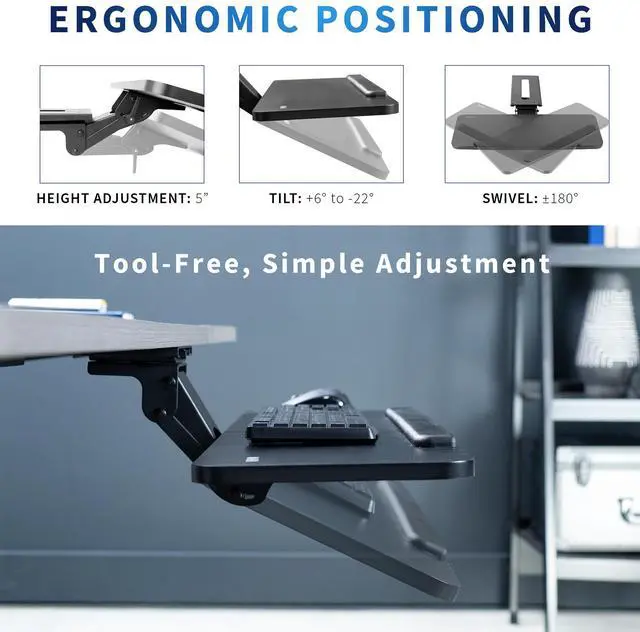
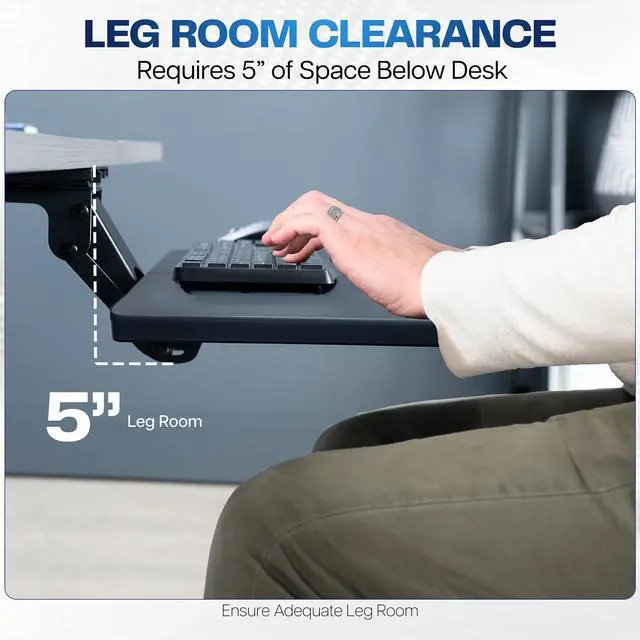
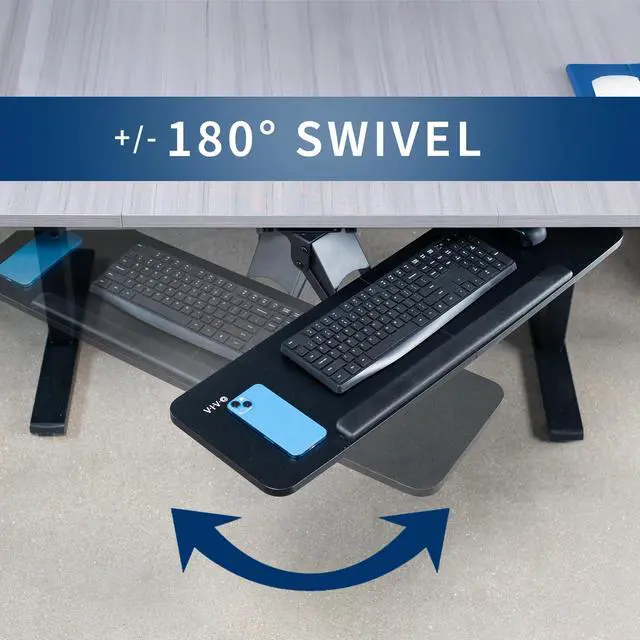
The VIVO Adjustable 34-inch Keyboard and Mouse Platform Tray mounts under a desk and offers 5 inches of height adjustment, side-to-side rotation, and rubber wrist padding for people seeking a more adjustable typing setup.
| Attribute | Value |
|---|---|
| Best For | Under-desk keyboard-and-mouse setups |
| Brand And Model Identifiers | VIVO |
Q: Should I choose this VIVO 34-inch tray or the VIVO KB08S swinging tray?
A: Choose this tray if you want a 34-inch platform with 5 inches of height adjustment, side-to-side rotation, and padded wrist support. Choose the VIVO KB08S if swinging the tray under the desk when it is not in use and selecting among 12 height-locking positions are priorities.
Q: How does this VIVO 34-inch tray compare with the VIVO KB05E clamp-on tray?
A: This 34-inch tray is a fit for shoppers prioritizing a wide keyboard-and-mouse platform, 5-inch height adjustment, and side-to-side rotation. The VIVO KB05E is a clamp-on pull-out option with an 8.5-inch extension, suited to shoppers who prioritize clamp mounting and straightforward sliding access.
Q: Is this VIVO 34-inch tray or the VIVO KB08S better for moving the tray out of the way?
A: The VIVO KB08S is designed to swing under the desk when not in use, with a 165-degree swing range. This tray emphasizes height adjustment and side-to-side rotation, so it is the better match when those positioning features and its 34-inch platform are the priorities.
Q: Will this tray fit my desk and keyboard-and-mouse setup?
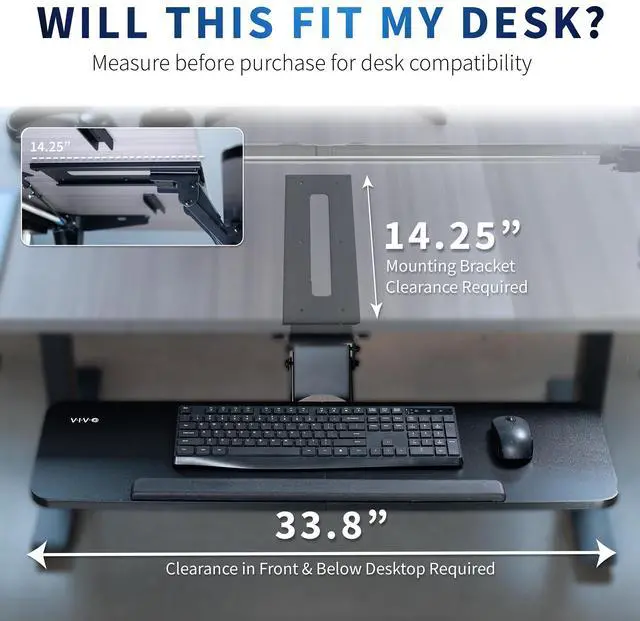
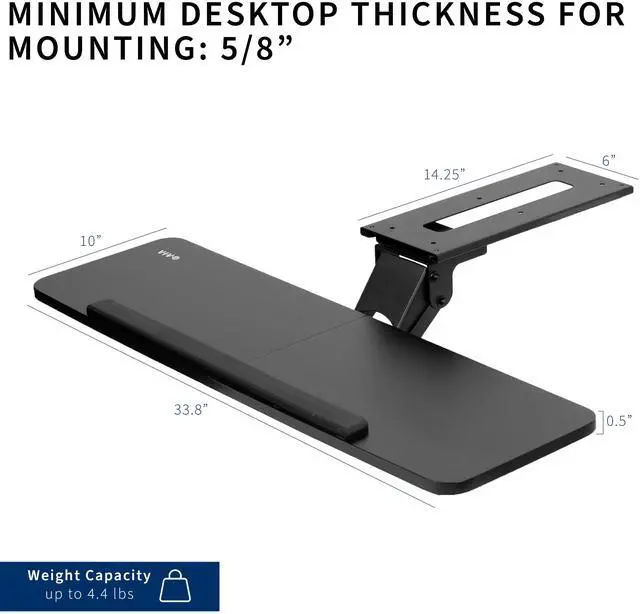
A: The 34 × 10-inch tray is designed to fit most keyboards and mice. Before buying, check that the underside of your desk has room for the mounting track and that the desktop is at least 5/8 inch thick. The tray weighs 14.4 pounds, so the desk must support that additional mounted weight.
Q: Can I install it on a height-adjustable desk?
A: It may fit, but a height-adjustable desk’s crossbar can obstruct the mounting track. VIVO specifies that a spacer bracket, sold separately as MOUNT-SPACER01, is needed when the track must clear the crossbar. Check the underside of your desk before installation.
Q: Is this tray a good choice for everyday typing and office work?
A: It is designed for regular keyboard-and-mouse use, with 5 inches of height adjustment, side-to-side rotation, rubber padding, and a sliding track that moves the keyboard forward and back. These features let users adjust the setup, but comfort depends on the user’s desk, chair, and typing position.
Q: Is installation tool-free, and can I move it between desks?
A: No. This tray mounts underneath the desk, and the included hardware is intended for assembly and installation. It is not described as a clamp-on or tool-free model, so moving it to another desk may require removing and reinstalling the mount. Confirm the desk thickness and mounting clearance first.


